
SK telecom Smart Robot Albert Manuale

Smart Robot albert
Guide Book

Guide Book
Smart Robot albert

Contents Play with albert
Get Ready to Play with albert
Get to Know albert
Get to Know
Get Ready to Play
Play with Albert
Service
Service
albert's Conguration
Name and Function of Each Components
albert's Hardware
Name and Function of Each Component in Peripheral Devices
albert's Remote Control
albert's Story
Glutton Alien
Hurly-Burly Kids market
Application Overview
albert Doesn't Like This
Install the Smart Robot Launcher
Register the Robot and Peripheral Devices
Get Ready to Play with albert
Service
Specication
Warranty Card
Precautions

04

05
Get to Know albert!
Get to know my robot friend, albert.
06
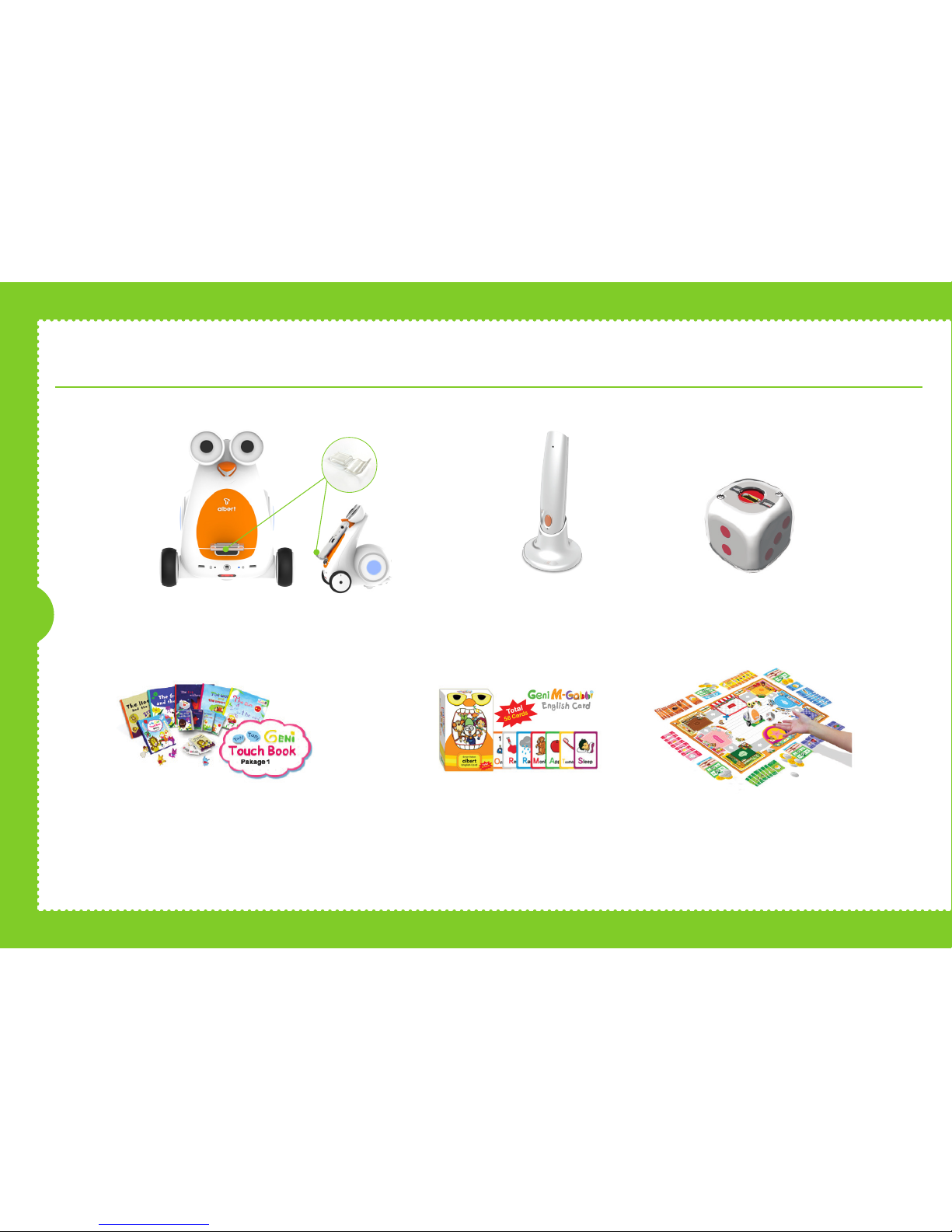
albert’s Configuration
Geniekids Touch Book 1 ~ 5
Word List 1
* Charging cable is not included. Please use Micro 5-Pin charger.
Alien Mukkaebi Card
(56 pcs)
Hurly-Burly Kids market
Smart pen & Stand
albert's Main Body
Smartphone Stand
(Big, medium, small)
Smart Dice

ON
07
Front OID sensor
Rear OID sensor
Name and Function of Each Components
Size (W x L x H): 11.5 cm x 11.6 cm x 12.8 cm / Weight: 250 g
Eye LED
Proximity sensor receiver
Mobile phone stand (top)
Mobile phone stand
(bottom)
Battery checkrer
Right distant sensor
Card reading sensor
Left distant sensor
Charging
/Bluetooth indicator lamp
Accessory xation
Power switch
Side LED USB charging slot
Power wheel
Speaker
Caster
Mount stand on albert's front side depending
on your smart phone size.
The autonomic mode will begin six
seconds after turning on a power
switch of Albert. Control Albert by
blocking the left and right proximity
sensor with your hand.
Power goes on when power button
is moved to the right. Power goes
off when power button is moved to
the left.
Connect your smart phone charger (Micro 5pin charger) to
the charging terminal in the rear of robot main body and
charge.
Separate charger when red charging light in the front of robot
main body goes off.
Autonomic Mode Smart Installation Turn on
the power switch How to charge robot
with a click Push
and x
Lift and x
Charge slot
Charging

08
albert’s Hardware
Internal Sensor
Proximity Sensor x 2,
OID Sensor x 2,
Acceleration Sensor
Light Sensor, Temperature Sensor,
Battery Level Sensor
Wireless Auto Connection
Bluetooth
Battery Lasting Time
Battery Lasting Time,
5 hours for Continuous Operation,
7 days for Standby
(Lithium-Polymer Battery)
Driving Part
2 Wheels, Speaker, Buzzer,
Full-Color LED for Eye x 2,
Card reading sensor
Side LED x 2
Display Part
Battery Indicator (Red)
Bluetooth Indicator (Blue)
Cradle Function
Smart Phone Holding
Name and Function
of Each Component in Peripheral Devices

09
Smart Dice
Name and Function
of Each Component in Peripheral Devices
Smart Pen
Smart Pen is one of the peripheral devices of Smart Robot that
reads 65,535 invisible codes printed in books or cards by using
optical ID sensor. Smart Pen and Smart Robot are connected
through Bluetooth communication. Smart Robot sends data of
Smart Pen to the launcher and application.
Smart Dice is one of the peripheral devices of Smart Robot that
recognizes the spots on the dice. Smart Dice and Smart Robot are
connected through Bluetooth communication. Smart Robot sends
data of Smart Dice to the launcher and application.
OID Sensor
Bluetooth Indicator
Botton
Recharging Indicator
Recharging Terminal
Bluetooth Indicator Recharging Terminal
Recharging Indicator

10
Indice


