10 Servicing
User Manual
SKOPE TME Series
Sign Light New Zealand models only. The sign unit is lit by one T8 LED tube which can
be replaced by removing the front sign panel. See the sign light
specifications for each model in the table below.
Sign light specifications
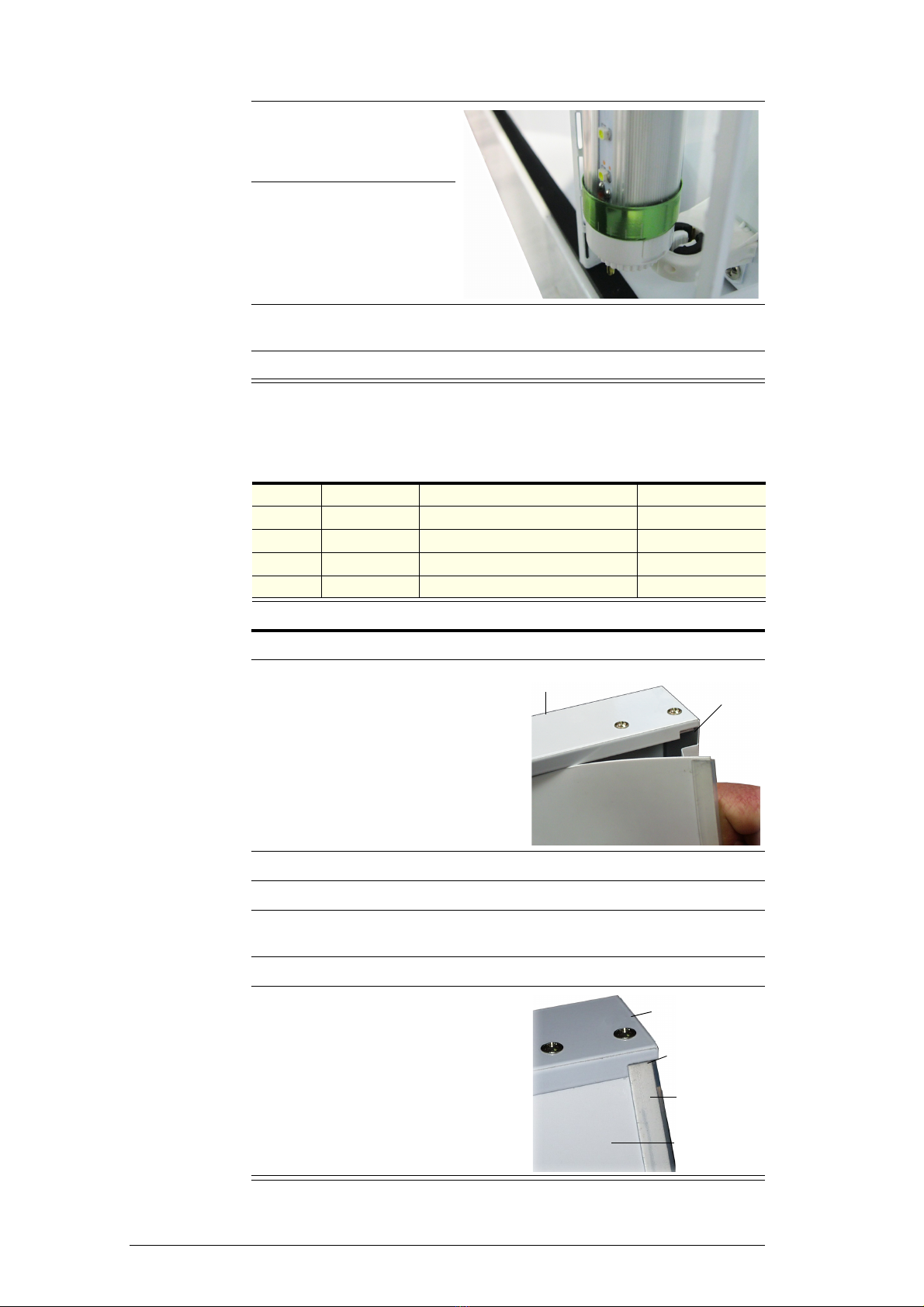
To replace the sign light
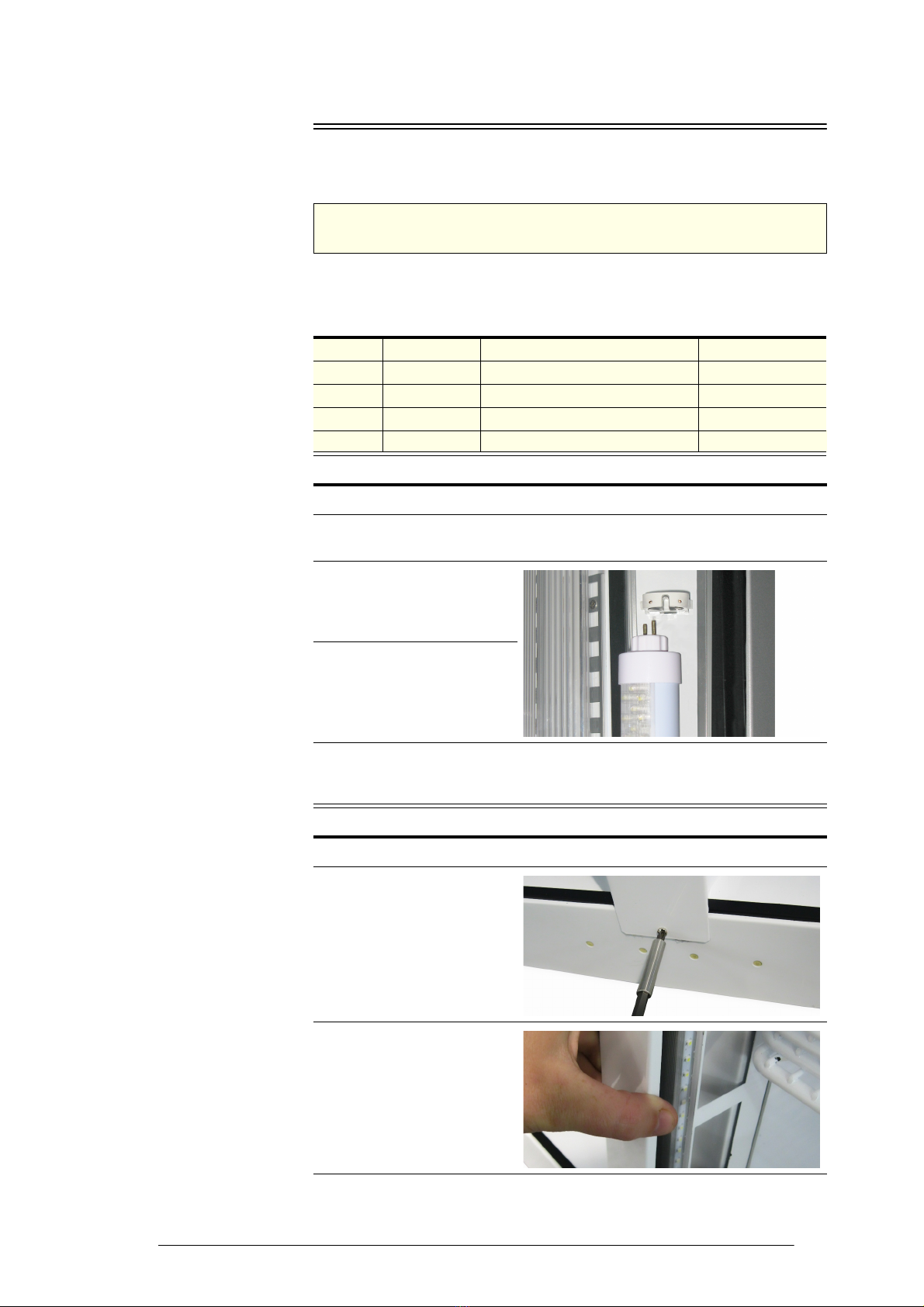
4. Rotate the LED tube until
the pins on the ends of the
tube align with the slots,
then slide it out.
5. Fit a new LED tube.
Ensure the LED tube is
fitted with the power end
at the top (usually marked
‘POWER’ or similar).
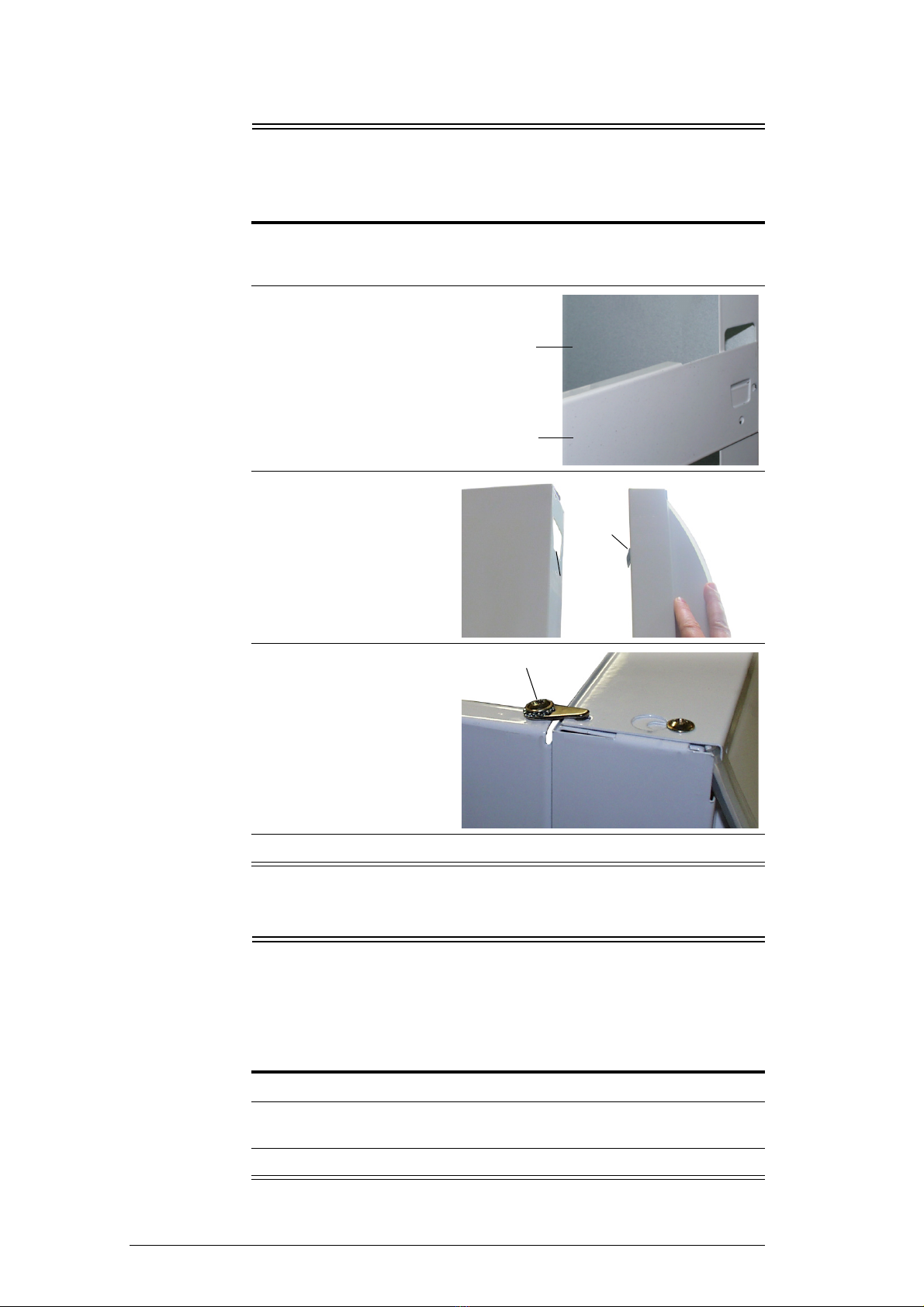
6. Refit the pillar cover by squeezing and snapping the pillar into place on the
back of the cover as you work down the length of the light.
7. Fix the pillar in place with the fixing screw at the bottom of the pillar.
Model Configuration LED Tube Specification SKOPE Part No.
TME475 1 × sign light 5W, 360mm, T8 LED tube ELL10435
TME650 1 × sign light 11W, 600mm, T8 LED tube ELL10741
TME1000 1 × sign light 12W, 900mm, T8 LED tube ELL10742
TME1500 1 × sign light 24W, 1500mm, T8 LED tube ELL10743
1. Disconnect the chiller from the power supply.
2. Start at one of the top corners of the
sign unit and pull the sign panel out
from under the sign top cover.
3. Work along the length of the sign unit, pulling the sign panel out as you go.
4. Carefully remove the sign panel from the sign unit.
5. The tube can now be accessed for replacement. Rotate the failed tube until
the pins on the end of the tube align with the slots, then slide it out.
6. Fit the new tube and rotate until it clicks into position.
7. Refit the sign panel. When refitting
the sign panel, ensure both sign
panel end strips fit neatly into the top
and bottom corner notches.
Sign Top Cover Corner
Notch
Sign Top Cover
Corner Notch
SignPanel
End Strip
Sign Panel