
Skytex SP1000 Manuale utente
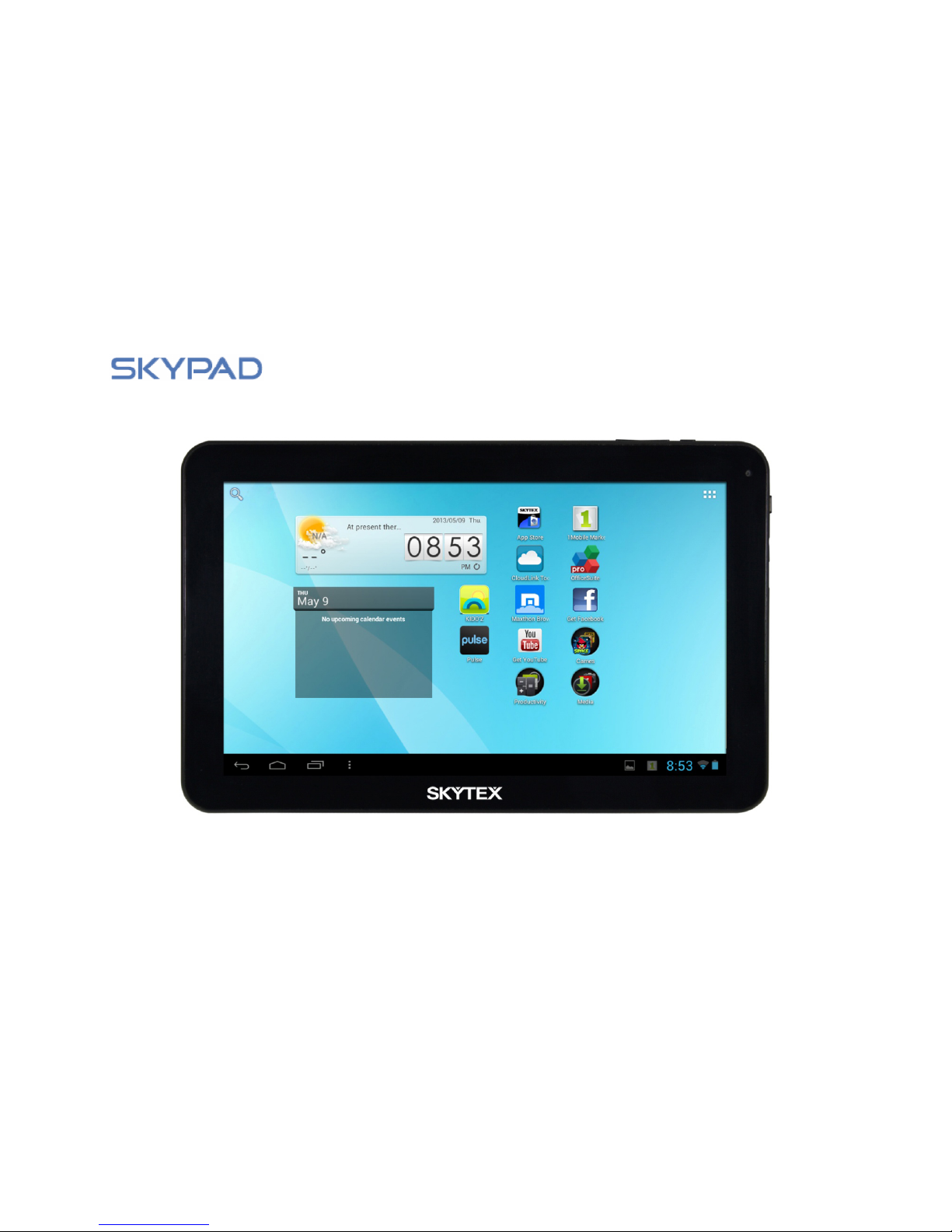
Quick Start Guide
10.1” Multimedia Tablet
SP1000

IMPORTANT NOTICES
This package may contain plastic bags or other
materials that pose a hazard to children. Be sure to
dispose of all packing materials after opening.
To avoid damaging the screen, do not touch it with
excessive force or with any object other than your
finger. For best response, make sure your hands are
clean before using the touch Screen controls.
To avoid damage and data corruption, do not remove a
memory card while data is being written to or read from
the card. As an example, do not remove a card while
playing a video or music file stored on the card. The
available menu items are dependent on the unit. All
illustrations are for reference only.
The battery used in this tablet may present a fire or
chemical burn if misused. Don’t heat or incinerate the
tablet. Don’t leave it in a place subject to direct sunlight,
or in a car with windows closed. Don’t connect to a
power source from another manufacturer. This may
result in the risk of fire or electric shock.
Be especially cautious with applications that request
access to many functions or to a significant amount of
your data. You are responsible for the results of
applications installed on your tablet.
The Tablet’s “mass storage mode” is compatible
with many operating systems including: Windows® 8, XP,
Vista, 7 or higher and Mac OS or Linux.
For recycling or disposal information about this product,
please contact your local authorities or the Electronics
Industries Alliance: www.eiae.org.
SKYTEX is not responsible for any loss or damages
incurred from your access to third party content, Apps,
or services and expressly disclaims all warranties of any
kind. Company Trademarks
SKYTEX logo is trademarks of SKYTEX TECHNOLOGY INC.
Android is a trademark of Google Inc. Use of this
trademark is subject to Google Permissions.
HDMI, the HDMI logo are trademarks or registered
trademarks of HDMI Licensing, LLC.
All other trademarks and logos are property of their
respective owners unless indicated otherwise.
1
Customer Use Only:
Enter the model number of your tablet and save for future
reference.
Model #: _______________________________________
Serial #: ________________________________________

FCC Compliance
2
This tablet complies with Part 15 of the FCC Rules. Operation is subject to the following two conditions:
(1) This tablet may not cause harmful interference, and
(2) This tablet must accept any interference received, including interference that may cause undesired operation.
Note: This tablet has been tested and found to comply with the limits for Class B digital devices, pursuant to Part
15 of the FCC rules.
These limits are designed to provide reasonable protection against harmful interference in a residential
installation. This tablet generates, uses and can radiate radio frequency energy and, if not installed and used in
accordance with the instructions, may cause harmful interference to radio communications. However, there is no
guarantee that interference will not occur in a particular installation. If this tablet does cause harmful
interference to radio or television reception, which can be determined by turning the tablet off and on, the user is
encouraged to attempt to correct the interference by one of the following measures:
• Reorient or relocate the receiving antenna.
• Increase the separation between the tablet and receiver.
• Connect the equipment into an outlet on a circuit different from that to which the receiver is connected.
• Consult the dealer or an experienced radio / TV technician for help
Use of shielded cable is required to comply with Class B limits in Subpart B of Part 15 of the FCC rules.
Do not make any changes or modifications to the tablet unless otherwise specified in the manual. If such changes
or modifications should be made, you could be required to stop using the tablet.

SAFETY NOTICES
1. Read: and retain these instructions for future
reference.
2. Warnings: on the product and User Guide
instructions should always be adhered to.
3. Cleaning: Do not use liquid cleaners or aerosol
cleaners. Use a damp soft cloth for cleaning.
4. Adapters: Use UL certified adapters recommended
by SKYTEX. Other adapters may be hazardous or void
your warranty.
5. Moisture & Water: Do not use near water such as
near bath tub, kitchen sink, laundry tub, or swimming
pool.
6. Ventilation: Should there be slots and openings in
the tablet, they are provided for ventilation to ensure
reliable operation of and protection from overheating.
These openings should never be blocked by placing the
product on a bed, sofa, rug, or other similar surface.
7. Power Sources: This tablet should be operated from
the type of power source indicated on the rating label.
Consult your product dealer or our website for more
information. For products intended to operate from
battery power or other sources, refer to the operating
instructions.
8. Overloading: Do not overload wall outlets,
extension cords, or integral convenience receptacles as
this can result in a risk of fire or electric shock.
9. Object and Liquid Entry: Never put objects of any
kind on to or into this product through openings as they
may touch dangerous voltage points or short out parts
that could result in a fire or electric shock. Never spill
liquid of any kind on the product.
10. Servicing: Do not attempt to service this product
yourself as opening or removing covers may expose you
to dangerous voltage or other hazards and will void your
warranty. Refer all servicing to qualified service
personnel.
11. Damage Requiring Service: Unplug this product
from
the wall outlet and refer servicing to qualified service
personnel: a) when the power-supply is damaged; b) if
liquid has been spilled ; c) if the product has been
exposed to rain or water; d) if the product does not
operate normally; e) if the product has been dropped or
damaged in any way (voids warranty); f) when the
product exhibits a distinct change in performance.
12. Heat: The product should be kept away from heat
sources such as a radiator, heat register, stove, or
other products that generate heat.
13. Replacement Parts: Unauthorized substitutions
when service this product may result in fire, electric
shock, or other hazards. Make sure your service
technician has used parts specified by the manufacturer.
3

TABLE OF CONTENTS
Important Notices………………………………………………………………………………………………………… ..…...1
Safety Notices……………………………………………………………………………………………………………… .….….2
FCC Compliance…………………..…………………………………………………………………………………… ..…....…..3
Table of Contents………………………………………………………………………………………………… .………….….4
Introduction………………………………………………………………………… .…………………………….…….……….…5
Tablet Controls & Descriptions……………………………….…………….……………………………………………6-7
Charging Your Tablet………………………………………………………………………………………………… .……..….8
Power ON/OFF/STANDBY…………………………………………………………………… ...…………..…………..…….9
Connecting To a Wireless Network………………………………………………………………….………….….…..10
Install Apps …………………………………………………………………………………………………… .…………..........11
Browse the Web…………………………………………………………………………………………… .……………….…..12
Settings: Date, Time, Screen Time Out…………………………………………………………….…………………. 13
Home Screen Applications……………………………………………………………………… ..…….................... 14
Discover Application Shortcuts……………………………………………………………………… .………………… 15
Notifications Bar / Connecting HDMI to HDTV / Using Micro-USB……..…………………….…………. 16
Transfer Music/Video/Photos……………………………………………………………….……………………………….17
Playing Music/Video……..……………………………………………………………………….……………………………..18
Video Streaming/ Insert Memory Card………………………………………………….………………………..…......19
Camera & Video Chat……………………………………………………………………………………………………… .…20
Setting Up Your Email……………………………………………………………………………………… ..……………....21
Troubleshooting………………………………………………………….………………………………………………………22
Specifications……………………………………………………………………………………………………… ..………..….23
Warranty & Support..….…………………………………………………………………………… .……………..……24
4

INTRODUCCION
5
Thank you for purchasing your new Skytex 10.1” tablet with single core processor and a high resolution 1024x600
touch screen display. It is designed to keep you entertained and engaged for hours at a time. With its 8GB of
internal storage and Micro-SD card slot (for up to an additional 32GB), you can house a large library of games,
movies, music, eBooks, photos and document files. View in high definition 1080p through your HDTV when
connected to HDMI . The tablet also features a web cam and 2MP rear camera for life ’s special moments.
Discover and download many of your favorite Android Apps from the Skytex App Store*. The Apps are optimized
specifically for your screen size bringing you the best experience possible in which to view them. The 1Mobile
Market offers more than 300,000 Android Apps including gaming, productivity for business, children ’s education,
and more. In addition, 5GB of free cloud storage is provided through the CloudLink Toolbox which includes many
popular business-friendly Apps.
It is recommended that you read this user guide completely before first use. Visit our website at www.skytex.com
to register your tablet and review additional information and updated FAQ’s.
PACKAGE CONTENTS: SKYPAD Tablet, USB Cable, AC Adapter, Stereo Earbuds.
* Approximately 1.5GB of internal storage is used for the OS, system files and pre-installed Apps.
** Powered by Good e-Reader.
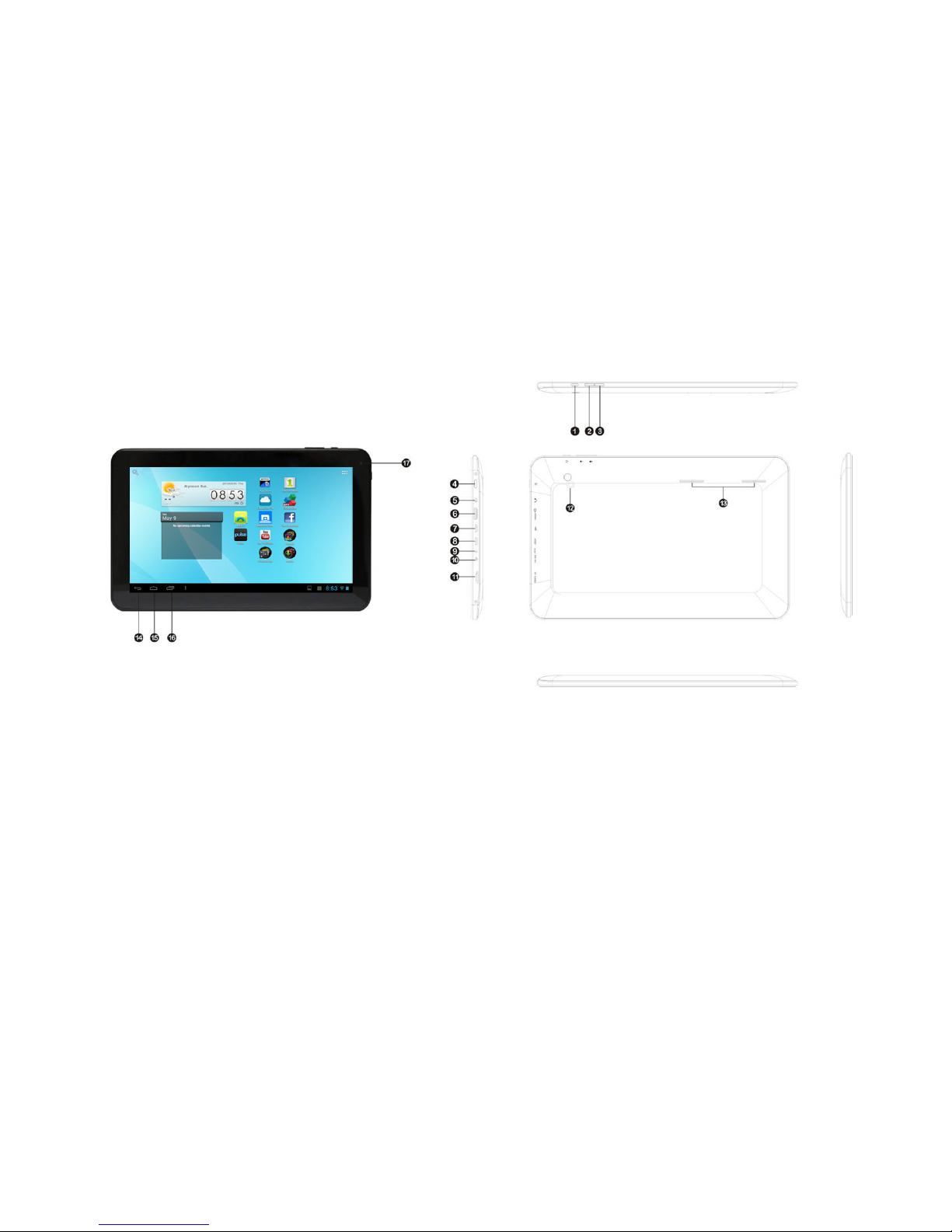
TABLET CONTROLS & DESCRIPTIONS
1. Back Key Tap to go back to the previous page.
2. Volume - Press and hold to decrease volume.
3. Volume + Press and hold to increase volume.
4. Power On/Off Press and hold momentarily to turn on; when powering off you will be asked to confirm.
5. 3.5mm Jack Audio connection to listen to stereo earphones or powered speakers.
6. Micro-HDMI Connect to an HDTV or HD projector to view images in high definition resolution.
7. Micro-USB OTG Connect to a computer to transfer files or for use with a keyboard / mouse.
8. Micro-USB Host Connect to a computer for use with a keyboard / mous.
9. Reset Press to reset the tablet.
6
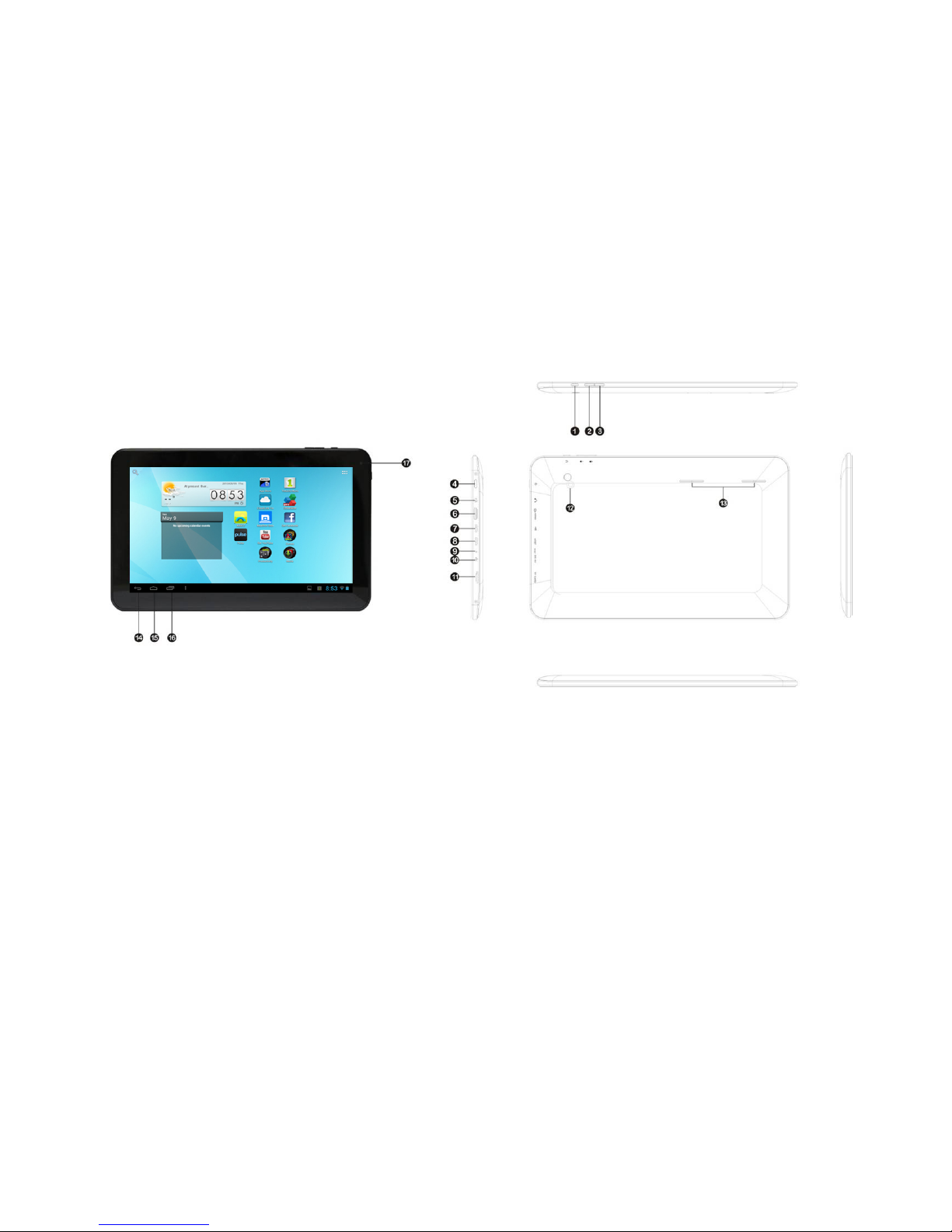
TABLET CONTROLS & DESCRIPTIONS
7
10. DC IN Connect the AC power adapter to charge the battery (No more than 3 hours).
11. MicroSD Card Slot Load external storage memory card (up to an additional 32GB).
12. Rear camera Take photos using the display as a viewfinder.
13. Speaker Listen through speaker unless earphone jack is connected. Sound will mute.
14. Back Key Tap to go back to the previous page.
15. Home Key Tap to go to the Home Launcher Screen.
16. Open Apps Key Tap to view open applications. Swipe to the left to close and save battery life.
17. Front camera Front facing camera for video chat.
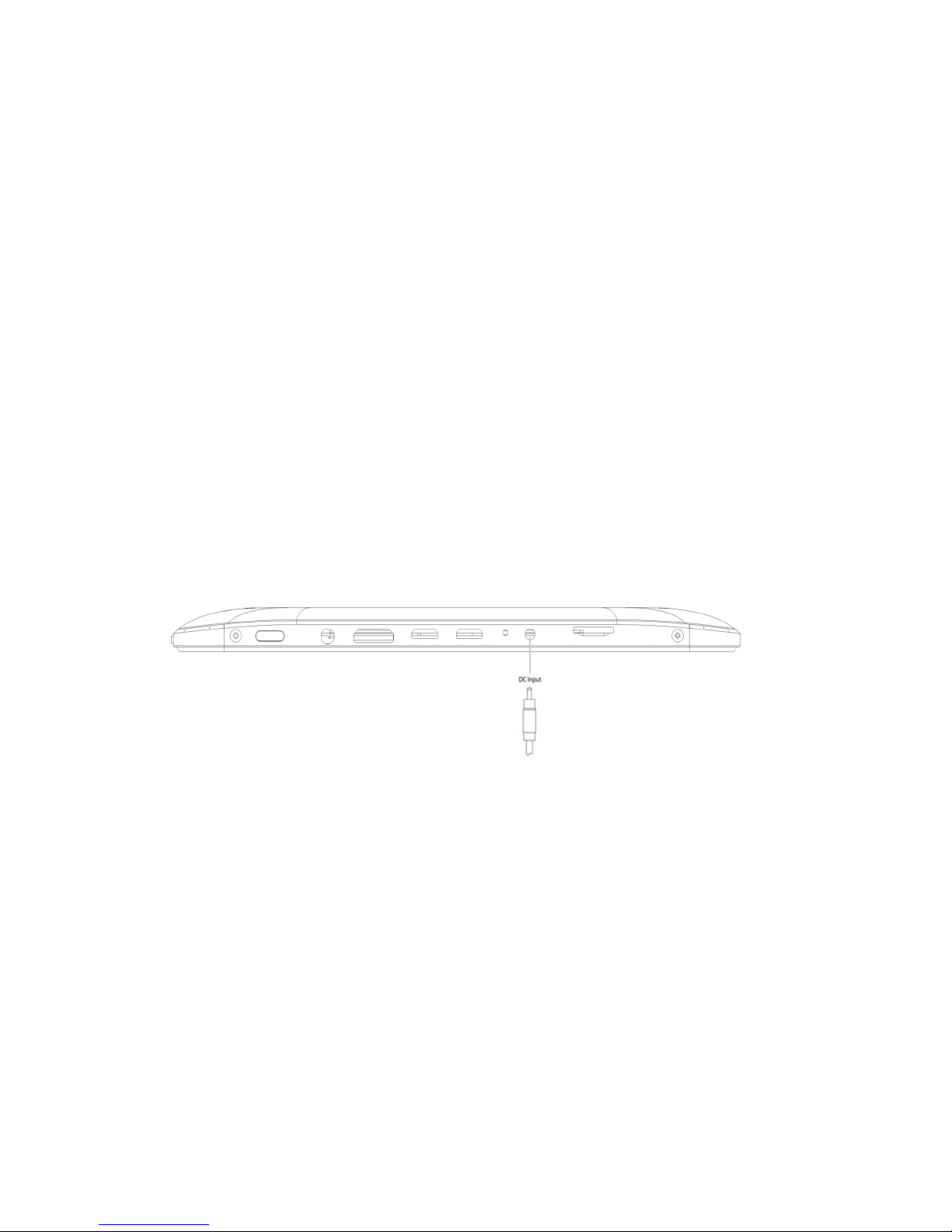
CHARGING YOUR TABLET
The tablet comes with a built-in rechargeable battery that should be charged fully prior to first use. Connect the AC
adapter to your Tablet via the DC input on the bottom of the Tablet (illustrated below). Disconnect the Tablet when
its fully charged.
A full charge and discharge (15% or below) cycle is recommended to maximize the battery ’s life and performance.
If the battery is completely drained please allow the Tablet at least 10-15 minutes to recharge prior to turning it on.
Note: When charging the Tablet while powered OFF, the battery indicator appears momentarily. Although the
battery indicator disappears, the Tablet will continue to charge.
8
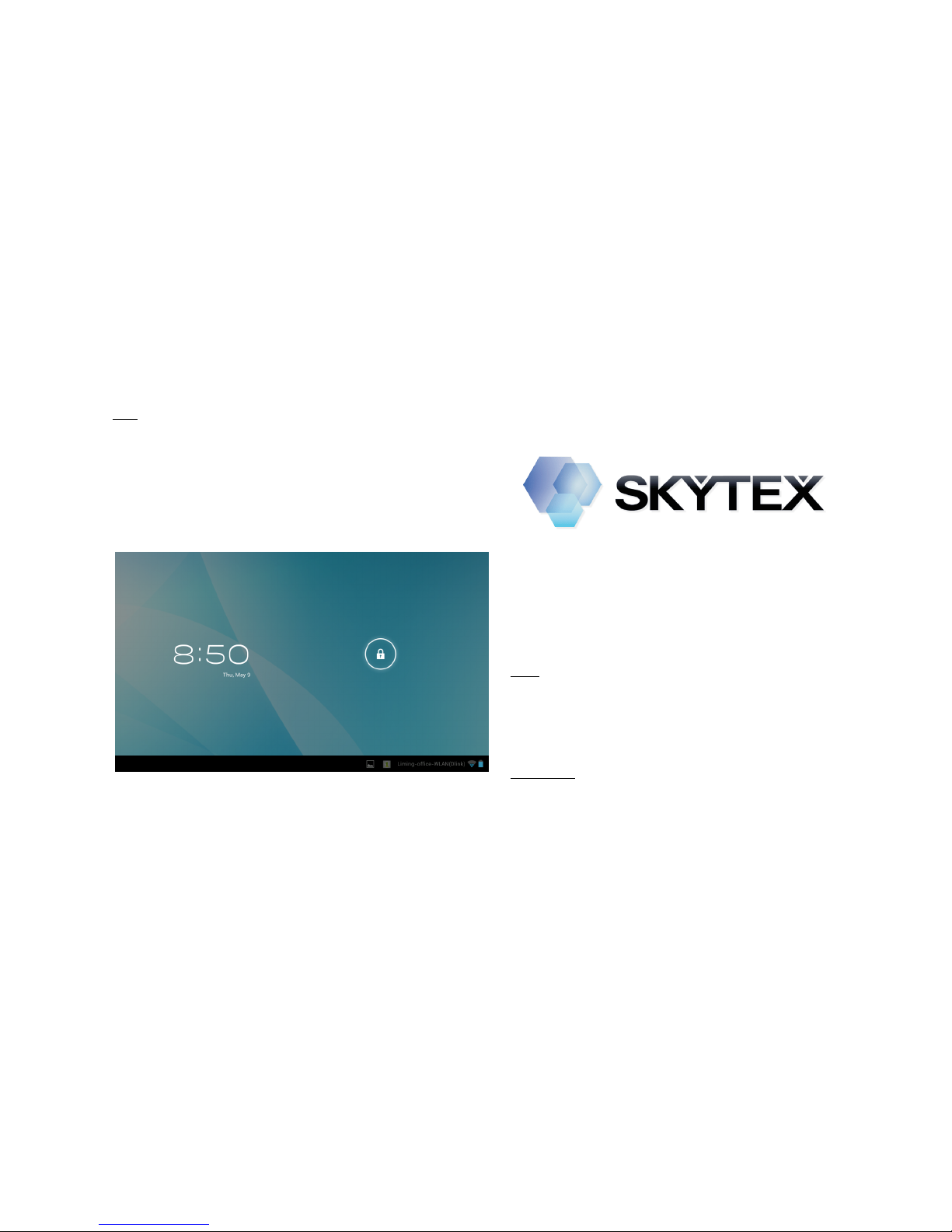
ON: Press and hold the Power button until the Tablet’s
loading screen appears. Once the lock screen appears,
unlock the Tablet by swiping your finger from the left
‘Unlock’ icon to the right ‘Unlock’ icon (illustrated below).
Should the display ‘Timeout’ (or go black) before you are
able to unlock the Tablet, press the Power button for one
second to turn the display back on.
OFF: Press and hold the Power button until the
Tablet options appear. The options will prompt you
to tap ‘OK’ to power the Tablet off or ‘Cancel’ to
return back to the Home screen.
STANDBY: To enter Standby Mode, simply tap and
release the Power button. To wake from Standby,
tap and release the Power button.
POWER ON/OFF/STANDBY MODE
NOTE: Leaving the Tablet in Standby Mode when
not in use will result in battery drain. Switch the
Tablet off completely to conserve power between
charges.
9
Questo manuale è adatto per i seguenti modelli
1
Indice
Altri manuali Skytex Tavoletta

Skytex
Skytex Skypad SP706 Manuale utente

Skytex
Skytex SKYPAD SP728 Manuale utente

Skytex
Skytex Primer Pocket SX-SP435A Manuale utente

Skytex
Skytex SKYPAD 722 Manuale utente

Skytex
Skytex SkyPad Gemini Manuale utente

Skytex
Skytex Skypad Alpha2 Manuale utente

Skytex
Skytex SP736 Manuale utente

Skytex
Skytex IMAGINE 10 Manuale utente

Skytex
Skytex Skypad Alpha2 Guida

Skytex
Skytex Skypad 10s SP1020 Manuale utente


