Snowrex GW-6D Manuale utente

GW Professional Weighing Scale
User Manual
SNOWREX INTERNATIONAL
CO., LTD.
SRGW 20100415

1
Table of Contents
Table of Contents ........................................................................................1
Specifications ......................................................................................................... 2
Basic specification.......................................................................................... 2
Series specification(EC TYPE/OIML APPROVED)..................................... 2
Series specification(NON-APPROVED)....................................................... 2
Display and keypad ................................................................................................ 3
LCD Display................................................................................................... 3
Keypad............................................................................................................ 4
Using the weighing scale........................................................................................ 6
Counting function........................................................................................... 6
Percentage function ........................................................................................ 6
Operation of M+............................................................................................. 6
Operation of MR ............................................................................................ 6
Alarm function ............................................................................................... 7
Settings and Calibration ......................................................................................... 8
General Settings (CAL 1)............................................................................... 8
Print Settings (CAL 2).................................................................................... 9
Calibration Procedure (CAL 3) .....................................................................11
Linearity Calibration Procedure (CAL 4) .................................................... 12
RS232C Connection: DB-09 (Male) ............................................................ 13
Bi-directional RS232C Setting..................................................................... 13

2
Specifications
Basic specification
Display Digit LCD, height 17mm,
6/6(Parameter/WEIGHT)
Pan Size(mm) 280 x 200 (WxL)
Dimensions(mm) 280x300x110(WxLxH)
Net Weight(kg) 3.6kg
Operating
Temperature 0∘C to +40∘C
Relative
Humidity Less than 85%
Power DC9V / 500mA, AC adapter;
Built in 6V Rechargeable Battery
Interface RS-232C (optional)
Series specification(EC TYPE/OIML APPROVED)
Model GW-6D GW-15D GW-30D
Max1 / Max2= 3kg / 6kg 6kg / 15kg 15kg / 30kg
Min1 / Min2= 20g / 3kg 40g / 6kg 100g / 15kg
e1 / e2= 1g / 2g 2g / 5g 5g / 10g
Accuracy 1/3000(Dual) 1/3000(Dual) 1/3000(Dual)
Series specification(NON-APPROVED)
Model GW-3H GW-6H GW-15H GW-30H
Max. Capacity 3kg 6kg 15kg 30kg
d = 0.1g 0.2g 0.5g 1g
Accuracy 1/30000 1/30000 1/30000 1/30000

Display and keypad
LCD Display
.
Numerical display to display weight, ID number
3
Indicates the weight is stable.
Indicates the weight is at zero.
MR Indicates the total weights in memory
M+ Indicates the accumulation weights in memory.
G.W When ▼is shown above the G.W. indicator, the Gross
Weight is displayed.
NET When ▼is shown above the NET. indicator, the Net
Weight is displayed.
T.W When ▼is shown above the T.W. indicator, the Tare
Weight is displayed.
Hi When the weight is over the weight upper bound, ►is
flashing next to the Hi indicator.
Go When the weight is between the weight upper bound and
lower bound, ►is flashing next to the Go indicator.
Lo When the weight is under the weight lower bound, ►is
flashing next to the Lo indicator.
▼is shown above the when in counting mode.
▼is shown above the when in percentage mode.
kg & lb Indicate the unit of weight

Keypad
Key Icons Keypad Descriptions
Zero key Press to absorb trivial weight on the pan
and set the scale to zero.
Tare key Press to perform tare operation.
Number setting
keys
Press “+1” key to increase number and
press “shift” to shift the digit.
&
Clear key Press to clear the input data.
M+ key Press to accumulate piece counting and
weighing results.
MR key Press to recall total number of
accumulation and total weighing.
Alarm key Press to set alarm for weight upper and
lower bound.
Backlight key Press to set backlight on or off.
Function key Press to toggle among weighing,
percentage and counting modes.
Sampling key Press to set up sample quantity.
Percentage key Press to set up percentage of the given
sample.
Print key Press to print the weight data.
4

Unit key Press to switch between kg and lb.
ID key Press to enter the ID mode. Use the
numeric keypad to enter the user’s ID
number.
Gross/Net/Tare
key
Press to toggle among Gross Weight, Net
Weight, and Tare Weight on the display.
5

Using the weighing scale
Counting function
1. Put certain pieces of objects on to the scale pan.
6
2. In weighing mode, press , and then use &keys to set the piece counts.
3. Press to confirm.
4. Now you are ready to perform parts counting for the specific samples.
Percentage function
1. Put certain pieces of objects on to the scale pan.
2. Press and then use & keys to enter the percentage of the sample,
3. Press to confirm.
4. Place objects of desired piece counts on the weighing pan. The percentage of the objects will
be calculated automatically.
Operation of M+
1. When there is a load on the weighing pan, press and after a beep sound, the ►
indicator let to M+ icon will light up on the LCD, indicating a data has been recorded.
2. Clear the load and put another load on the weighing pan. When the scale become stable,
press to record another load weight
zAfter each recording, if the load on the weighing pan is not cleared, pressing
will result in the beep and the scale won’t be able to record the next weighing result.
zThe stored memory can memorize up to 180 weighing results.
Operation of MR
1. In weighing mode, press to display the accumulated weighing result. The LCD
display will show the total number of accumulation and the total weight alternatively. For
instance, if you added two weighing results and the total weight add up to 4.0 kg. The
scale will show tot.002, and 4.000 kg

2. Press to exit the MR mode without clearing the data in memory.
Alarm function
key to set the upper bound of the weight. The Hi is showing in the left window.1. Press
7
2. Set up the weight upper bound with the & keys. Press to confirm
to save your Hi setting. And then move to Lo setting.
3. The Lo is showing in the left window. Press the & keys to set the lower bound
of the weight.
4. Press to confirm to save your Lo setting. And then back to weighing mode.
Note:
zWhile the weight exceeds the upper bound of Weight Upper Bound, or lower than the
Weight Lower Bound, or between the lower and upper bound and is not zero, the scale
may beep for warning.
You may change the beep settings in CAL 1 menu.

Settings and Calibration
1. Press and hold any key while turning the scale ON. CAL 1 is shown on the LCD display.
key to toggle among the CAL 1, CAL 2, CAL 3, and CAL 4 menus.2. Press
3. Select CAL 1, press to enter General Settings menu.
4. Select CAL 2, press to enter the Print Settings menu
6. Select CAL 3, press to enter Calibration procedure.
7. Select CAL 4, press to enter Linearity Calibration procedure.
Note: To perform CAL 3 and CAL 4 calibration, you must remove the JP3 jumper from the PCB first.
Put the JP3 back after calibration is complete.
General Settings (CAL 1)
to toggle among the options, andIn the General Settings menu, press to confirm.
1. Aut.oFF– Auto Off Setting
Display Descriptions
A.oFF 0 Disable auto shutdown function.
A.oFF 1 If there is no operation, the scale will shut down in 5 minutes.
A.oFF 2 If there is no operation, the scale will shut down in 10 minutes.
A.oFF 3 If there is no operation, the scale will shut down in 20 minutes.
A.oFF 4 If there is no operation, the scale will shut down in 30 minutes.
2. Pcnt.dP – Percentage decimal Setting
Display Descriptions
Pcnt.dP 0.0 100.0 %.
Pcnt.dP 0.00 100.00 %
3. bbH - Hi Beep Setting
Display Explanation
bbH_ 0 Disable Hi alarm sound.
bbH_ 1 Set Hi alarm sound as continual short beeps.
bbH_ 2 Set Hi alarm sound as continual long beeps.
8

4. bbS - Go Beep Setting
Display Explanation
bbG_ 0 Disable Hi alarm sound.
bbG_ 1 Set Hi alarm sound as continual short beeps.
bbG_ 2 Set Hi alarm sound as continual long beeps.
5. bbL – Lo Beep Setting
Display Explanation
bbL_ 0 Disable Hi alarm sound.
bbL_ 1 Set Hi alarm sound as continual short beeps.
bbL_ 2 Set Hi alarm sound as continual long beeps.
Print Settings (CAL 2)
Press to toggle among the options. Use the numeric keys to input data and press to save
your settings.
1. Print Settings
Display Descriptions
Pr.dEFA Set the print format to default settings.
Pr.LP50 Set the print format to LP-50 printer.
2. Printout setting
Display Descriptions
P. PrESS Press M+ to print single weighing result. Press C in MR
mode to print accumulated weighing result and total
accumulation.
P. StAb.1 Print weighing result (Net wt, Pc. wt, Pc. count) when the
scale is stable and weight > 0.
* Pressing M+ and MR do not print.
P. StAb.2 Print Net wt when the scale is stable and weight > 0.
* Pressing M+ and MR do not print.
P. ALL.1 Press M+ to print single weighing result. Press C in MR
mode to print accumulated weighing result and total
accumulation.
Print weighing result (Net wt, Pc. wt, Pc. count) when the
scale is stable and weight > 0.
9
Questo manuale è adatto per i seguenti modelli
6
Indice
Altri manuali Snowrex Scala

Snowrex
Snowrex HCR Guida rapida

Snowrex
Snowrex PS 20 Manuale utente

Snowrex
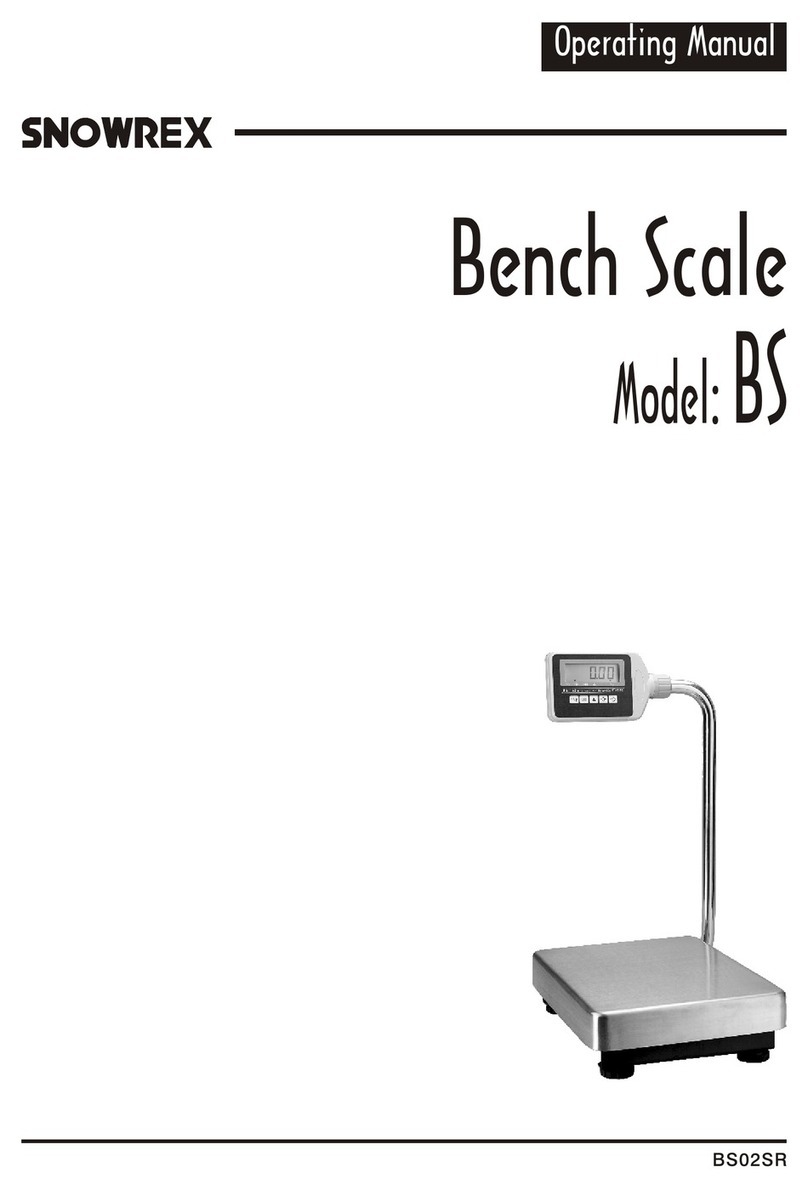
Snowrex BS Manuale utente

Snowrex
Snowrex Coin Checker NCR01SR Manuale utente

Snowrex
Snowrex NV-1.5 Manuale utente

Snowrex
Snowrex GC-6D Manuale utente

Snowrex
Snowrex GP-3H Manuale utente

Snowrex
Snowrex BS series Manuale utente

Snowrex
Snowrex EJ-600 Manuale utente