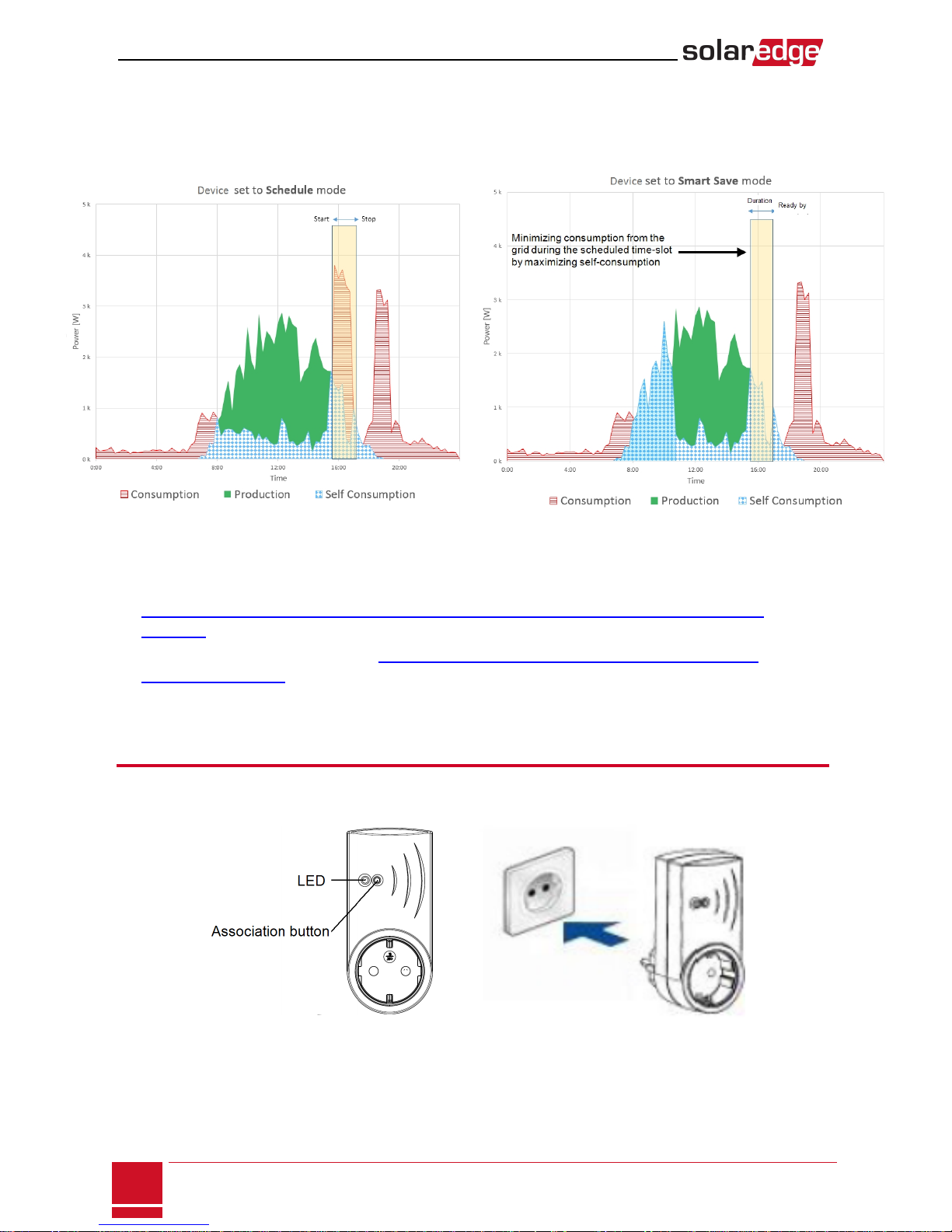
Button Functionality
The following table describes the device button functions depending on the network association state:
Network state Pressing duration Result
No ZigBee association with
the inverter Any Attempt to associate with the network
ZigBee associated with the
inverter
Up to 3 seconds (short
press)
Manually toggle ON/OFFstate (manual mode). To
return to Auto/Scheduled states, configure the
device using the mobile application or monitoring
portal.
More than 10 seconds
(long press)
Disconnect from the network (the LED turns red and
the device resets).
3 - 10 seconds
Start a discovery search for nearby devices. The
discovery may take up to 3 minutes during which the
device is not functional. Not required for normal
operation.
Troubleshooting
Symptom / Error Possible cause Troubleshooting
oAn asterisk (*) is displayed
next to the Device type in
the device manager
screen indicating that the
device is not
communicating.
oIn the Communication
status screen, the number
of detected devices does
not match the number of
communicating devices.
oThe device is powered on
but the green LED is OFF
The device
is not associated with the
inverter
Try to solve using these options. If problem is not
solved, proceed with the next option:
oTurn the device OFF and ON. Recheck
communication.
oReset the device by pressing the button for
more than 10 seconds and then repeat the
association process. Reconfiguration is not
required.
oFrom the Device Manager screen select
Remove Device and repeat the discovery
process. Reconfiguration is required in this
case.
oContact SolarEdge support.
The device is powered on and
the green LED is ON
The device is Associated
with the inverter but is not
communicating.
All the devices are not
communicating
No ZigBee error is
displayed on the inverter
LCD - The inverter has not
detected the installed
ZigBee module.
oTurn OFFthe AC to the inverter.
oCheck that the ZigBee module is inserted
correctly inside the inverter.
oTurn ON the AC to the inverter.
Network problems
Try to solve using these options. If problem is not
solved, proceed with the next option:
oCheck the ZigBee status screen:Verify that
PAN has been established and Channel is not
0:
SolarEdge Plug-in socket Installation Guide
8
Button Functionality