
SONIC COUTURE XBOW SERIES Manuale utente

XBow Guitars
TABLE OF CONTENTS
INSTALLATION 3
LIBRARY SPECIFICATIONS 4
THE XBOW GUITARS PROJECT 5
THE KONTAKT INSTRUMENTS 7
THE JAMMER PANEL 8
A BASIC JAMMER TUTORIAL 11
THE GUITAR PANEL 12
THE OPTIONS MENU 16
THE EFFECTS PANEL 18
MODULAR EFFECTS INSERTS 18
THE SPACE MODULE 20
EFFECT PRESETS 20
SUPPORT 21
END USER LICENSE AGREEMENT 22
!2
XBow Guitars
INSTALLATION
YOUTUBE VIDEO: HOW TO ADD YOUR LIBRARY TO KONTAKT
TO ADD THE LIBRARY AND AUTHORISE IN KONTAKT
FIRST INSTALL KONTAKT PLAYER: Kontakt Player Download Link
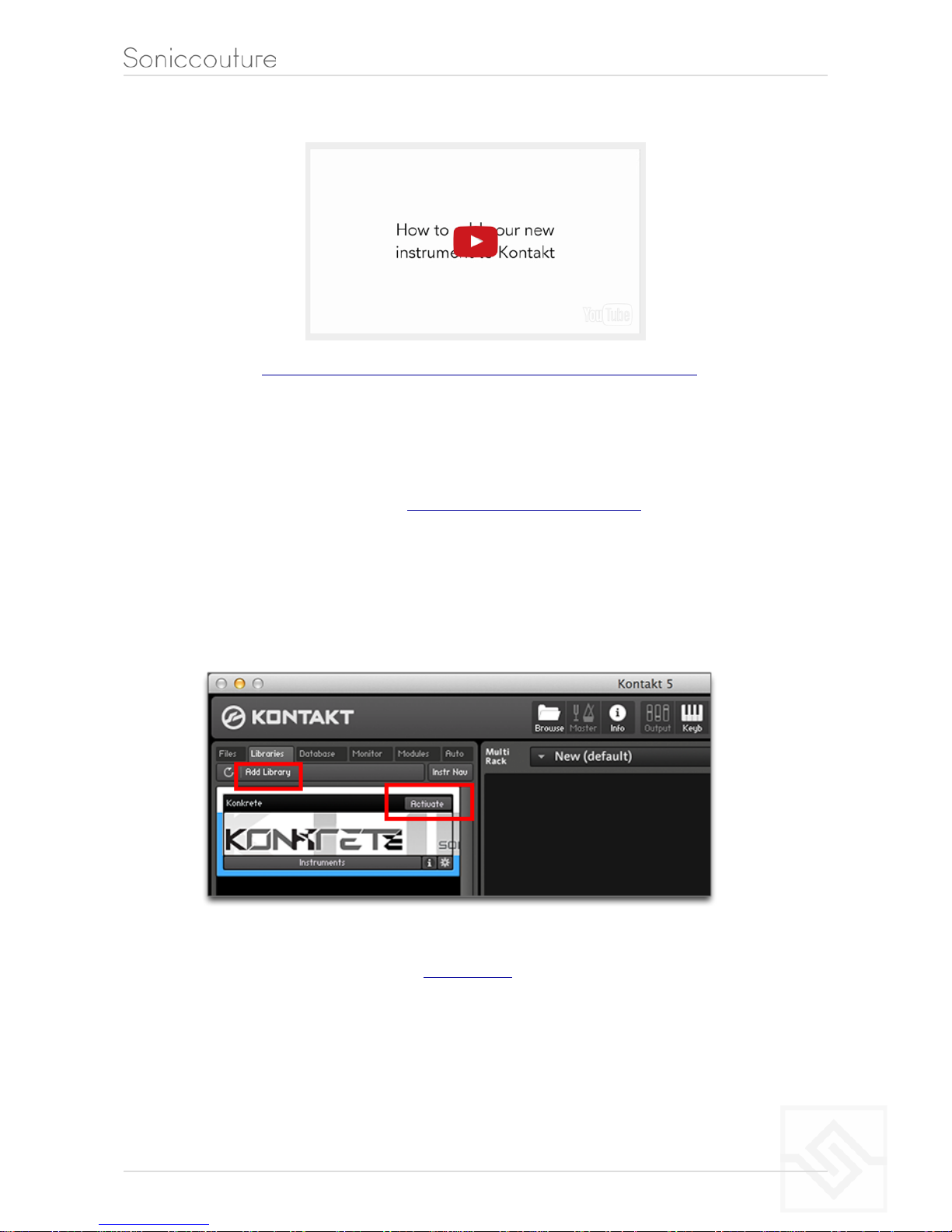
1. Open NI Kontakt in standalone mode. In the Libraries tab, click Add Library
2. Navigate to the downloaded product and choose the Library folder
3. When the library graphic loads in Kontakt, click Activate
4. The NI Service Center app will launch. Login or create an account, and enter your
product serial number ( shown in your SC account with the download product).
5. Restart Kontakt to complete the authorization.
!3
####################################
####################################
####################################
####################################
####################################
####################################
####################################
####################################

XBow Guitars
LIBRARY SPECIFICATIONS
8 sampled instruments
Bowed Acoustic (with 4 articulations)
Bowed Electric (with 4 articulations)
EBow Acoustic
EBow Electric 1
EBow Electric 2
Vibrator Acoustic
Vibrator Electric
Gizmotron Electric
24 bit 48 khz stereo sampling
9 GB library (with NCW compression)
Over 8,600 samples
Custom KSP tools and effects: Jammer, Modular FX rack
NI NKS support
!4
XBow Guitars
THE XBOW GUITARS PROJECT
This library is dedicated to exploring guitars played
inappropriately. We began this project with our
eBow Guitar library ten years ago. We’ve often
found that unique yet organic virtual instruments
can be created by playing conventional instruments
in unconventional ways.
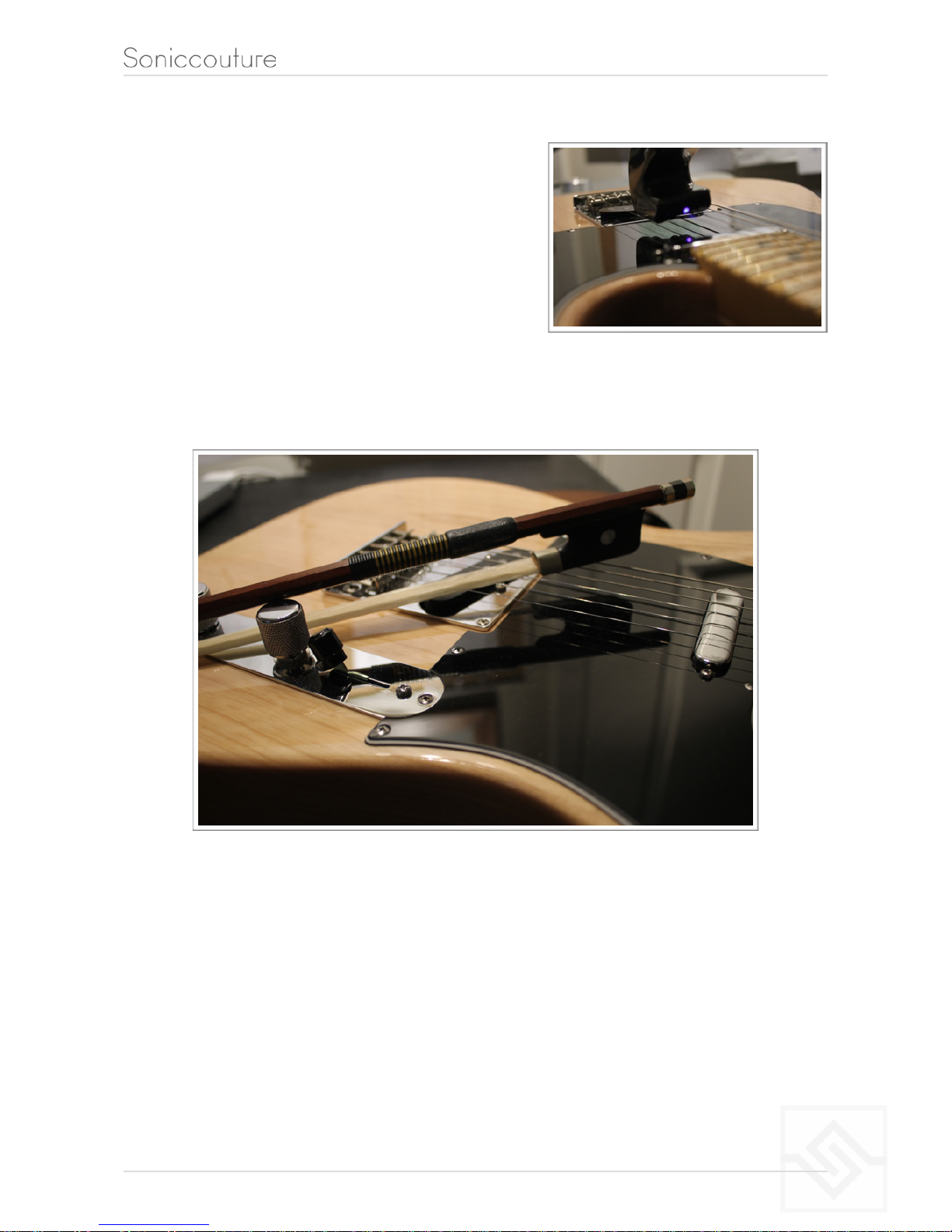
We’ve followed this up with a Bowed Guitar instrument, in which both acoustic and
electric guitars are played with a violin bow.
We sampled several articulations like this, including playing with the wood of the bow (col
legno). The main violin bow articulation is a dynamic crossfade patch, interpolating
between the soft bow and the hard bow.
Another unusual technique we’ve put to good effect is Vibrator Guitar, in which an
‘electronic massage device’ is used to stimulate the strings. It’s quite an edgy sound, like
a constant tremolo effect. Again here we’ve explored this technique on both acoustic
and electric guitars.
!5

XBow Guitars
We also discovered a revival of the Godley and Creme “gizmotron”, a device that
attaches to an electric guitar and uses tiny rubber wheels to bow the strings. You can vary
the speed (velocity) of the wheels on the device itself, which we then sampled to create a
dynamic crossfade system in the virtual instrument.
These four techniques have been collected into this single library, which includes four
“master” Kontakt instruments, one for each technique: Bowed Guitar, EBow Guitar,
Gizmotron Guitar, and Vibrator Guitar.
!6
XBow Guitars
THE KONTAKT INSTRUMENTS
You can hover your mouse over any control in this library to get information
about its function if you have the Kontakt Info pane activated.
SNAPSHOTS
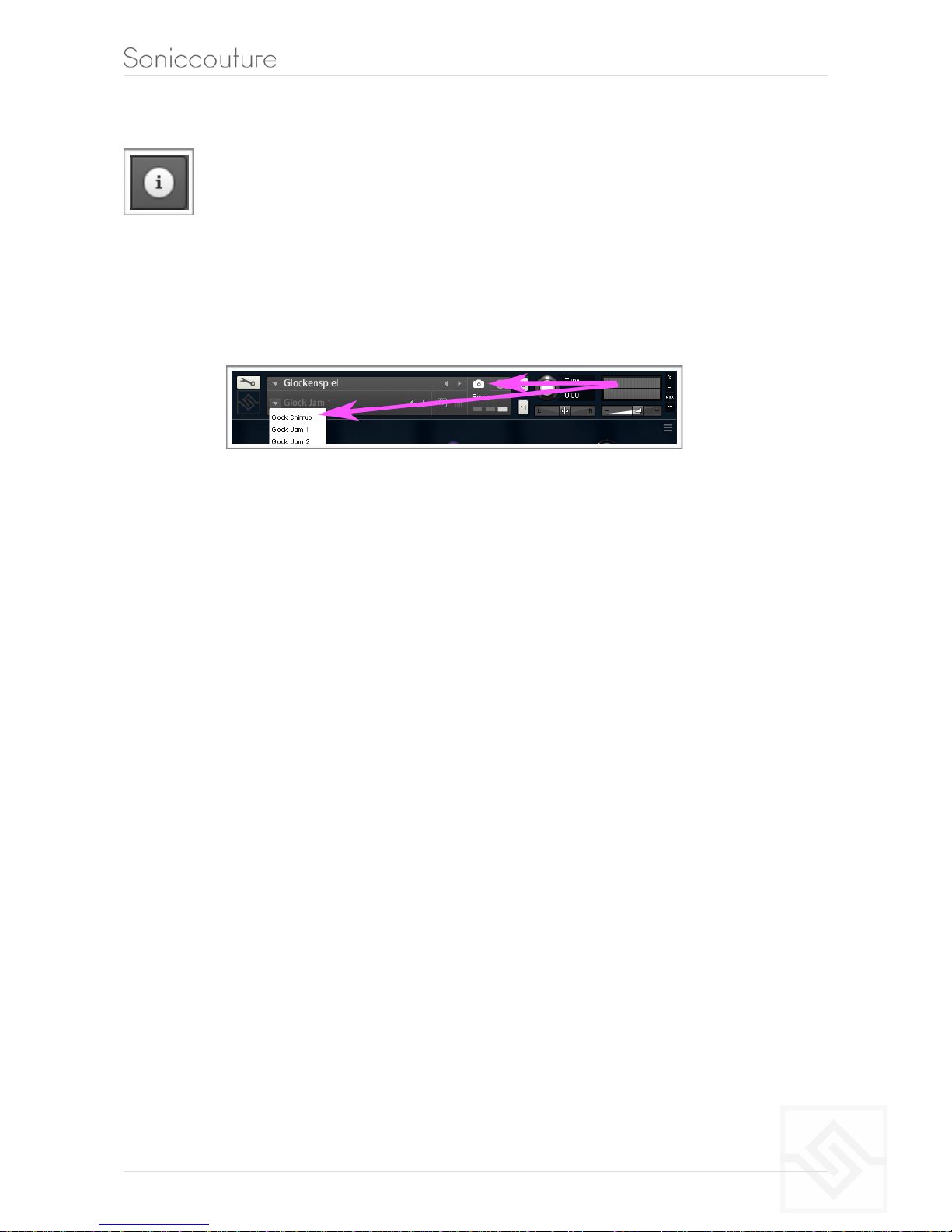
Snapshots are presets. Remember that there are many presets in the Snapshots menu in
main Kontakt title bar. Click on the little camera icon, and the snapshot menu will appear
beneath the instrument title.
You can choose Snapshot presets for any instrument here. Our own presets will appear
in a submenu called “FACTORY”, and any snapshots you make yourself will be stored in
the submenu called “USER”.
XBOW GUITAR INSTRUMENTS
All of the XBow Guitars instruments contains three pages: Jammer, Guitar, and Effects.
These pages are selected with the Kontakt tabs at the bottom of the instrument GUI.
!7
XBow Guitars
THE JAMMER PANEL
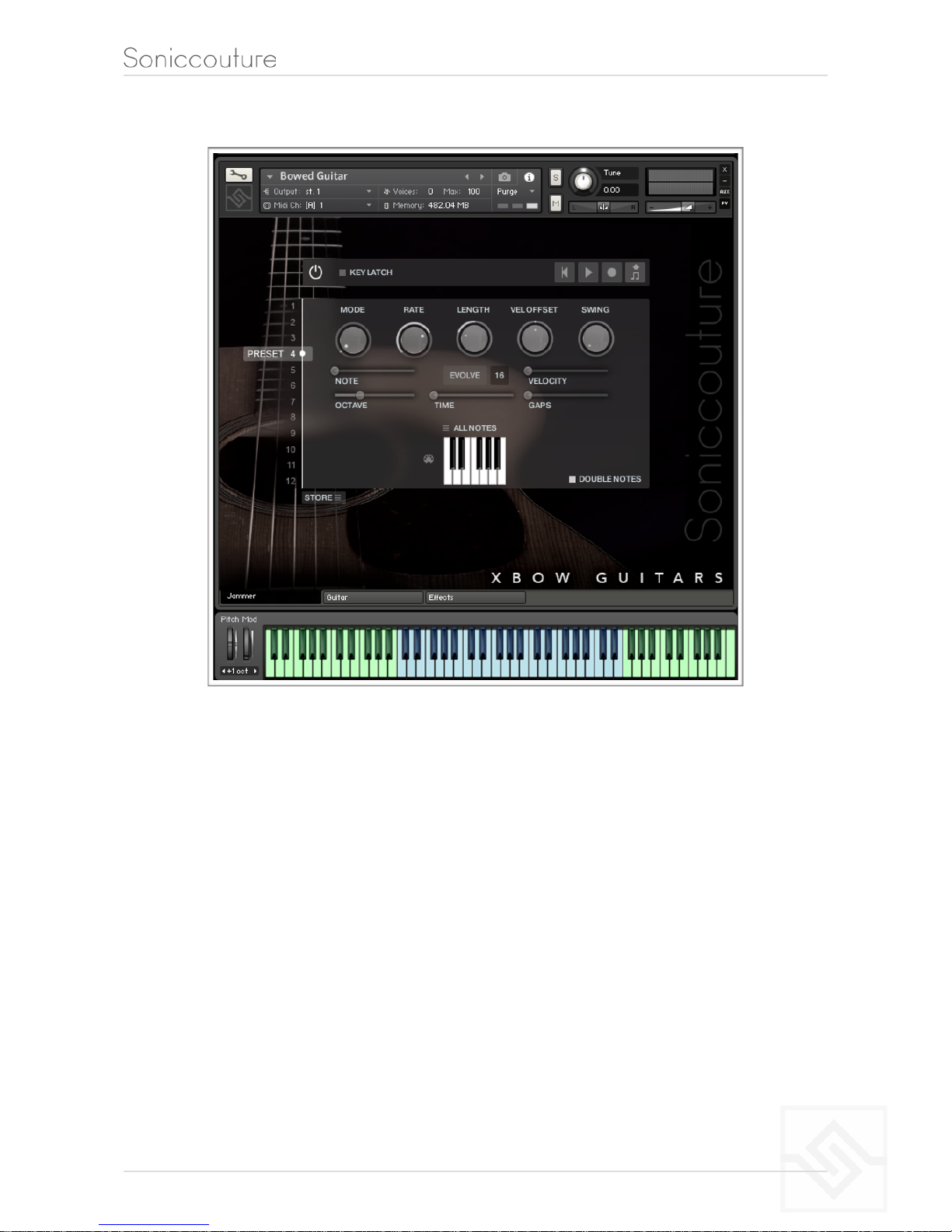
THE JAMMER is our custom generative arpeggiator. It uses notes you hold down on
your keyboard to generate new patterns. You can then store these patterns in presets,
either as evolving setups or as fixed pattern loops.
The power button at the top left enables or disables the Jammer. When the Jammer is
ON, all throughput of MIDI is disabled, you only hear the output of the Jammer.
The five knobs along the top of the Jammer are global controls, these are:
MODE This sets the type of arpeggiation used to create patterns. The original Jammer
mode is Random mode, but you can also choose Up, Down, or Up Down, for somewhat
more traditional arpeggiator results. This controls how the notes are selected from what
you are holding down.
!8

XBow Guitars
RATE controls the speed of the Jammer, this is always related to the tempo of Kontakt or
the host sequencer.
LENGTH is an offset to the duration of the created notes. In the centre position, the
notes are created at the same duration set by the Rate knob, but using LENGTH you can
make these longer or shorter.
VEL OFFSET adds or subtracts from the velocity of the notes created by the Jammer.
Automating this can be useful for creating fades.
SWING adds some time to the offbeat notes to give a shuffle or swing feeling to the
rhythm.
The next five sliders are controls for the generative part of Jammer, which are essentially
randomising various aspects of note generation. These are:
NOTE add random offsets to the pitches you give Jammer (are holding down). This is in
semitones, so if it’s set to “1” the Jammer will output notes plus or minus 1 from the
notes you play, as well as the note you play.
OCTAVE add random octave offsets to the pitches created by Jammer. This control only
ADDS octaves, it doesn’t subtract octaves.
TIME add random changes to the timing of the Jammer, so that the result is less stable
and rhythmic.
VELOCITY add random changes to the velocity of the output notes. This always uses the
input velocity as a starting point, so if the VELOCITY range is small, it will just add small
changes to your input velocity.
GAPS add random rests or silent beats into the Jammer sequence.
In the middle of this section you’ll see a button titled “EVOLVE”, with the number 16 to
the right of it (by default). EVOLVE mode means that the Jammer is working to generate
new data constantly, the randomisers are always creating new patterns from your input
notes. If you click on EVOLVE, the button changes to display LOOP. Now the Jammer is
repeating the pattern it most recently created. The length of this pattern is determined
by the number to the right, so by default it repeats the last 16 generated ‘notes’.
!9
XBow Guitars
It’s important to remember that the Jammer is not storing the ‘notes’ themselves, but
rather the choice of, and offsets to, the input notes you play into it. So even in LOOP
mode, the Jammer will output different notes depending on what notes you play. The
pattern is stored, not the exact notes themselves. This means you can created quite
complicated patterns, but play them with any chord or input notes.
THE PITCH FILTER
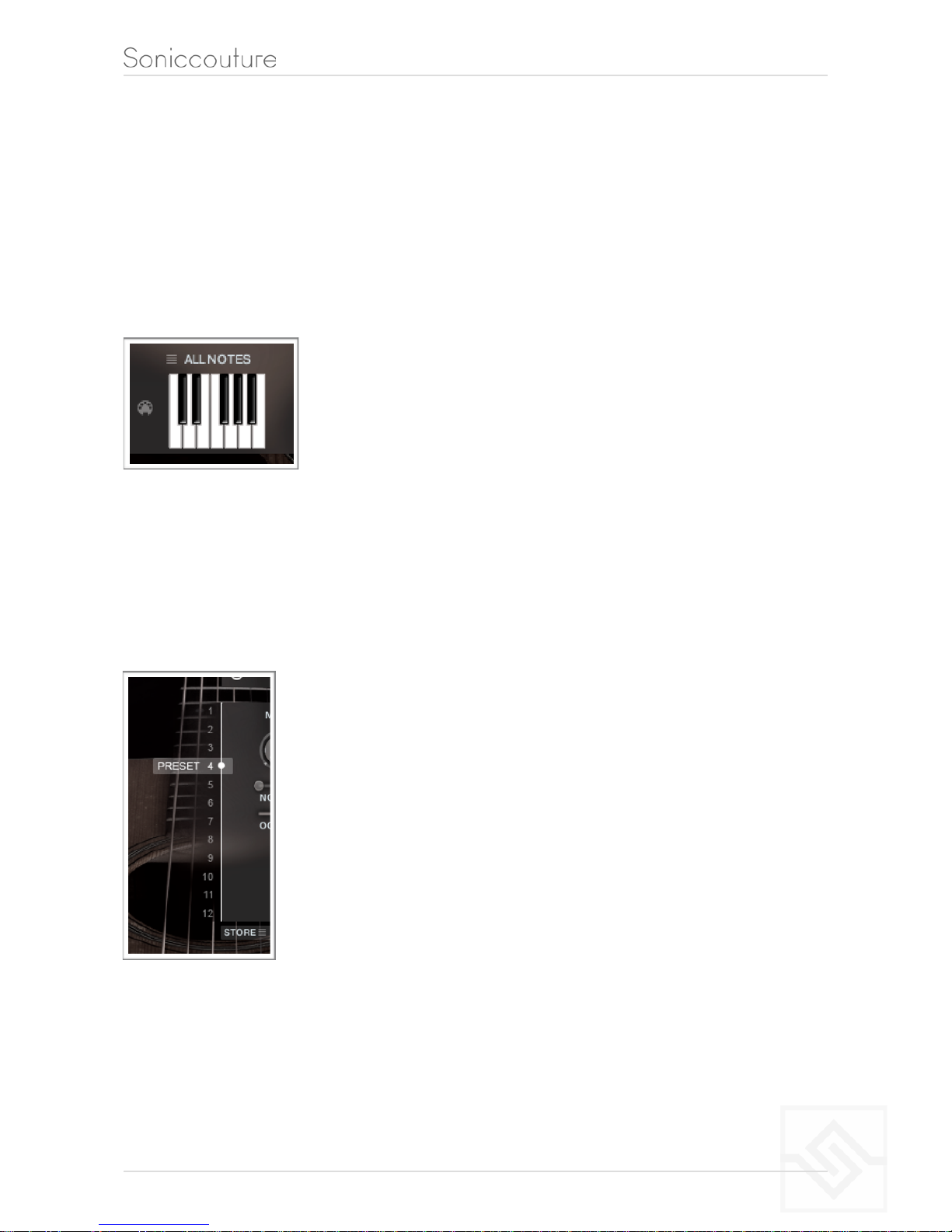
The small keyboard ICON represents a pitch filter. Here you can
limit the output notes of the Jammer to a certain key or chord or
any selection of notes you like. At the top of the small keyboard
is a drop down menu with some popular scales, but you can click
on the keyboard directly to allow or disallow any pitch as you
like.
You can also use the MIDI input switch on the left of the keyboard to LEARN a scale by
playing it into the Jammer.
PRESET FADER AND STORE MENU
This fader on the left chooses between 12 presets. You can
automate this fader as part of your performance, flipping between
different Jammer setups to vary your pattern in even more
interesting ways.
STORE: The menu at the bottom lets you store the complete
Jammer setup into any of the preset positions.
You can also copy and paste presets to different positions, or import
/ export patterns between various Soniccouture instruments that
have the Jammer.
DOUBLE NOTES will trigger two notes on each step, as if you are playing with both
hands simultaneously.
!10
Indice


