
SONIC COUTURE MORPHEUS Manuale utente
SONICCOUTURE MORPHEUS USER GUIDE
www.soniccouture.com email :customerservices@soniccouture.com
MORPHEUS
USER GUIDE

SONICCOUTURE
MORPHEUS
CONTENTS :
INSTALLATION
INTRODUCTION
INSTRUMENTS
TECHNICAL DATA
SUPPORT
E.U.L.A
SONICCOUTURE MORPHEUS USER GUIDE
www.soniccouture.com email :customerservices@soniccouture.com

INSTALLATION
TO UNPACK THE DOWNLOADED RAR FILES
Double-click the SC-Morpheus.rar file to extract the data.
If your computer is unable to extract the RAR file, please get Stuffit
Expander for Mac, or WinRAR for Windows, which are both free.
RAR files are highly compressed, so allow for quicker downloading than
other archive formats.
KONTAKT 3.5 OR LATER
Copy the entire “SC Morpheus” folder anywhere you like on your hard drive.
Make sure you keep that folder structure as it is, so that the Kontakt
instruments can find their samples. (If you don’t need the EXS24 instruments
you can erase that folder… never erase the Samples folder ).
LOGIC EXS24
1. Move the included EXS Instrument files (.exs) or the folder called “EXS24
Morpheus” to your Sampler Instruments folder, which is located here:
user/Library/Application Support/Logic/Sampler Instruments
The first time you load either an Instrument or Channel Strip, your Mac may
take a moment to find the waveforms it needs. After that, it will remember
and load much more quickly.
N.B. Keep a copy of the included “Samples” folder somewhere on your hard
drive. This folder has all the sample data that the EXS24 instruments need,
so keep it somewhere safe.
SONICCOUTURE MORPHEUS USER GUIDE
www.soniccouture.com email :customerservices@soniccouture.com
INTRODUCTION
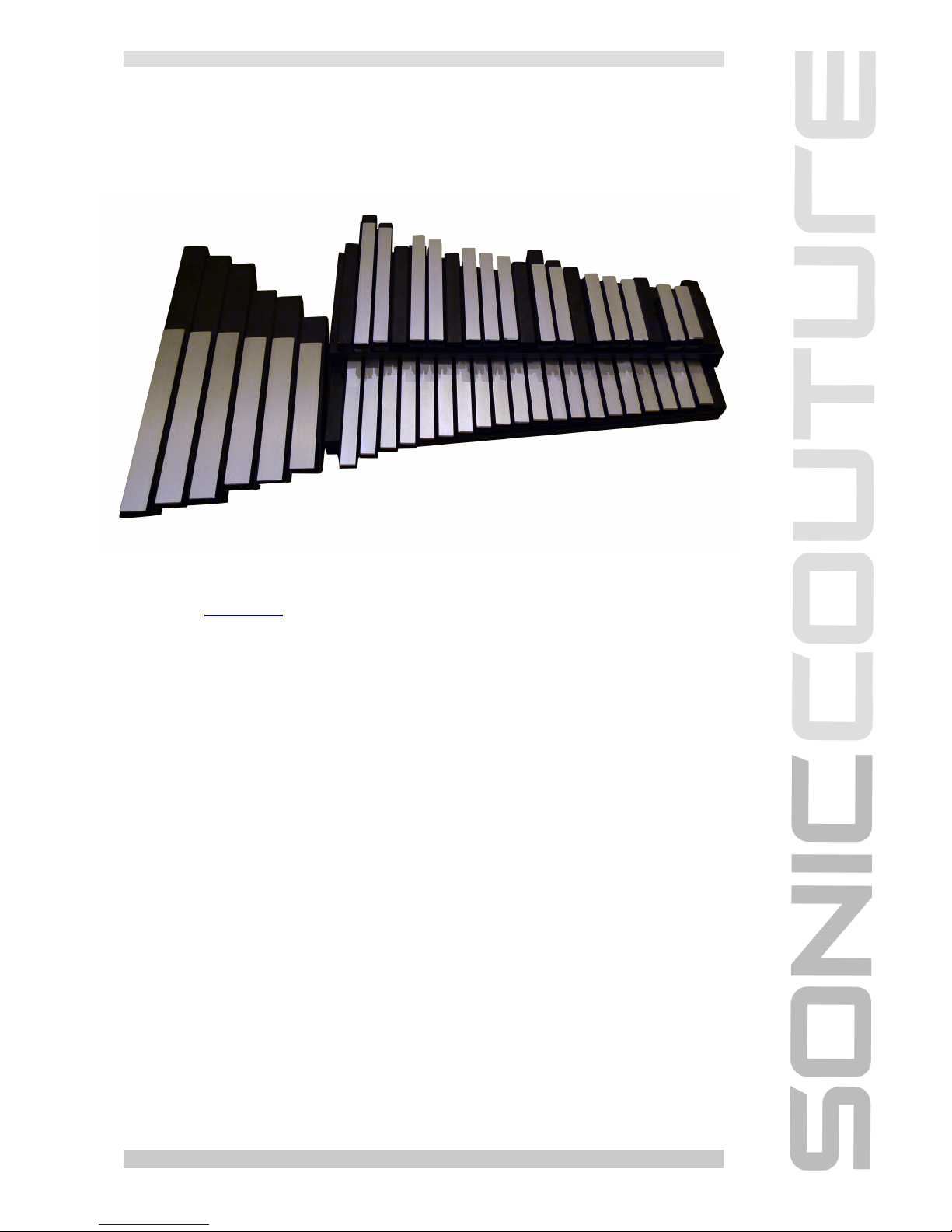
The Morpheus is an aluminum percussion instrument made by the US
company Freenotes. The instrument is modular, in that the keys can be
rearranged in any order you like, as each metal bar is attached to its own
tuned resonator. The sound of the instrument is extremely pure and calming,
and is thus named after the ancient Greek god of dreams, “Morpheus”.
There are several versions of the instrument, but we used the full chromatic
model of two and a half octaves. We also recorded the “bass wing extension”
which offers six notes ranging another octave below that of the main unit.
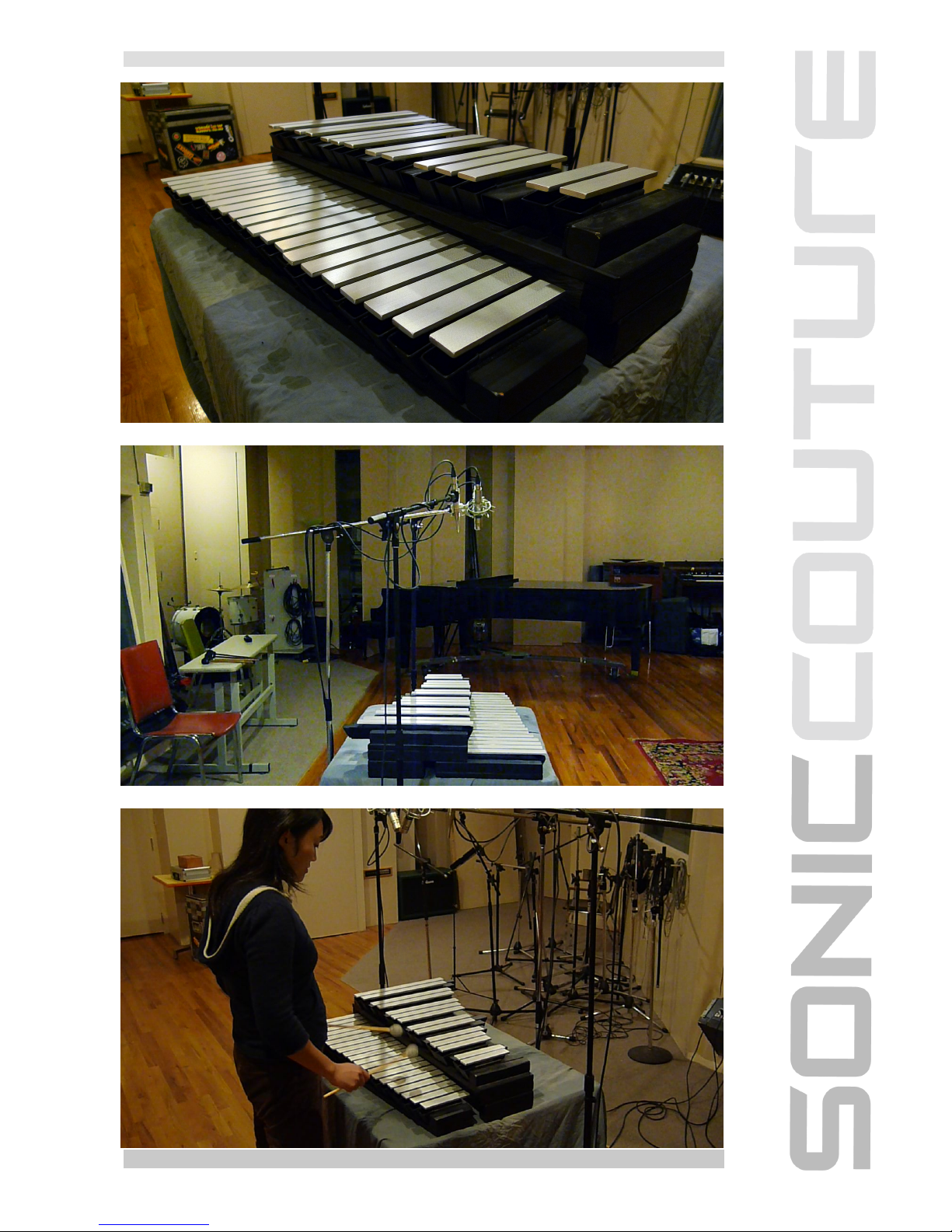
The keys are struck with custom mallets, also built by Freenotes, and ring
freely afterwards. There is no damping mechanism.
The sound of the instrument is extremely pure and calming, and is thus
named after the ancient Greek god of dreams, “Morpheus”.
We sampled the instrument at three velocity levels, using three round robins
(4 for the bass notes). We also looped some of the samples for use in
sustained pad sounds.
SONICCOUTURE MORPHEUS USER GUIDE
www.soniccouture.com email :customerservices@soniccouture.com
SONICCOUTURE MORPHEUS USER GUIDE
www.soniccouture.com email :customerservices@soniccouture.com
INSTRUMENTS
THE KONTAKT INSTRUMENTS
Inside the SC Morpheus folder you’ll find two folders, Kontakt 3 and Kontakt
4. The presets in these folders have been optimized for use with Kontakt 3.5
and 4.1, so use the presets appropriate to your Kontakt version.
NB. You need a fully authorized version of Kontakt to use this library, it will
not work in the free Kontakt Player without timing out.
There are several types of presets available, most of which use the same
sample data. The exception to this are the Pad instruments, which use a
looped version of the medium velocity samples so that the presets will
sustain indefinitely.
THE KONTAKT FRONT PANELS
The basic Morpheus instrument contains three front panel tabs:
Performance, Instrument, and Effects.
INSTRUMENT
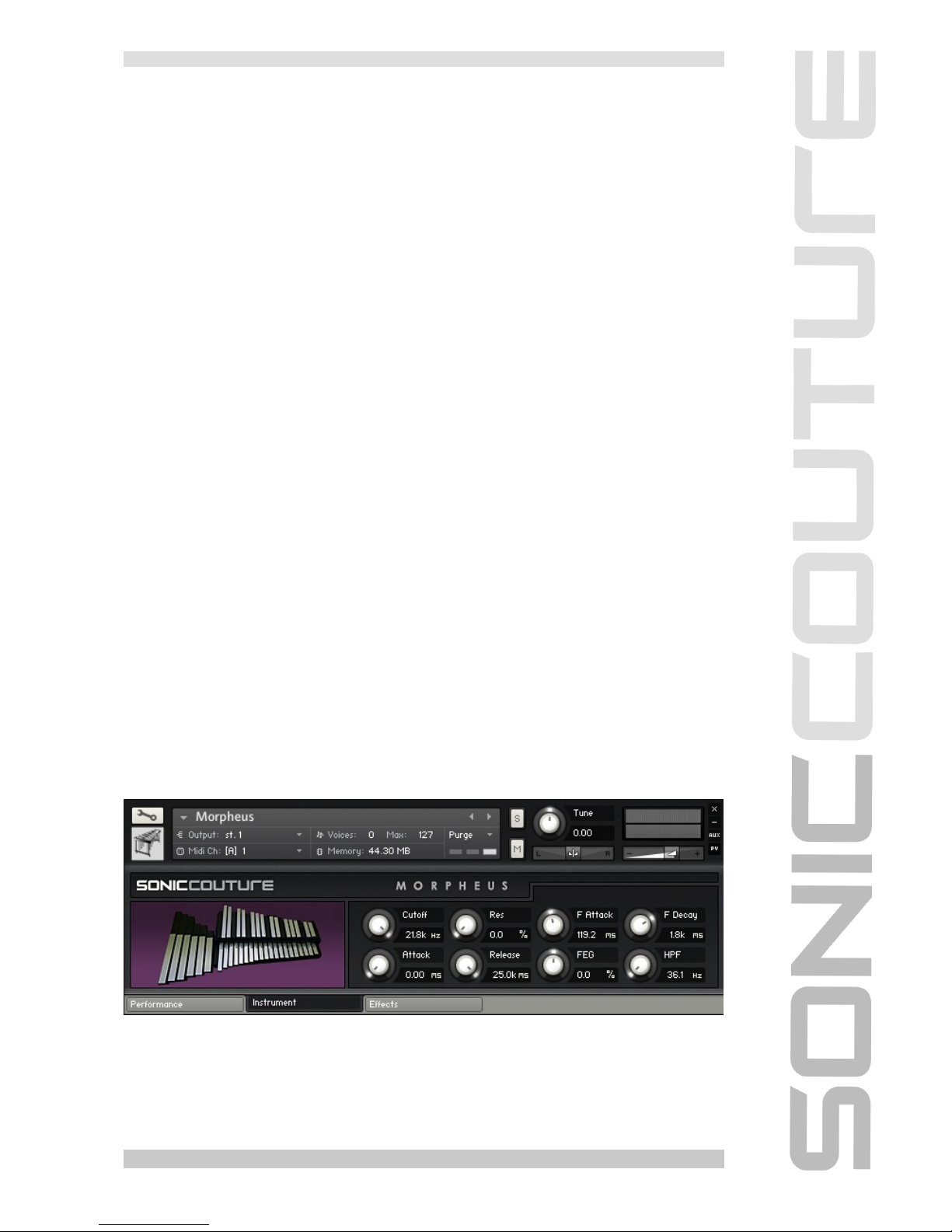
The Instrument Tab provides some basic controls over the Kontakt’s
playback engine. On this page you’ll find controls that allow quick access to
envelope and filter controls for shaping the sound of the Morpheus :
SONICCOUTURE MORPHEUS USER GUIDE
www.soniccouture.com email :customerservices@soniccouture.com
Cutoff Frequency
Resonance
Attack
Release
Filter Envelope Attack (F Attack)
Filter Envelope Decay (F Decay)
Filter Envelope Depth (FEG)
High Pass Filter Cutoff (HPF)
EFFECTS
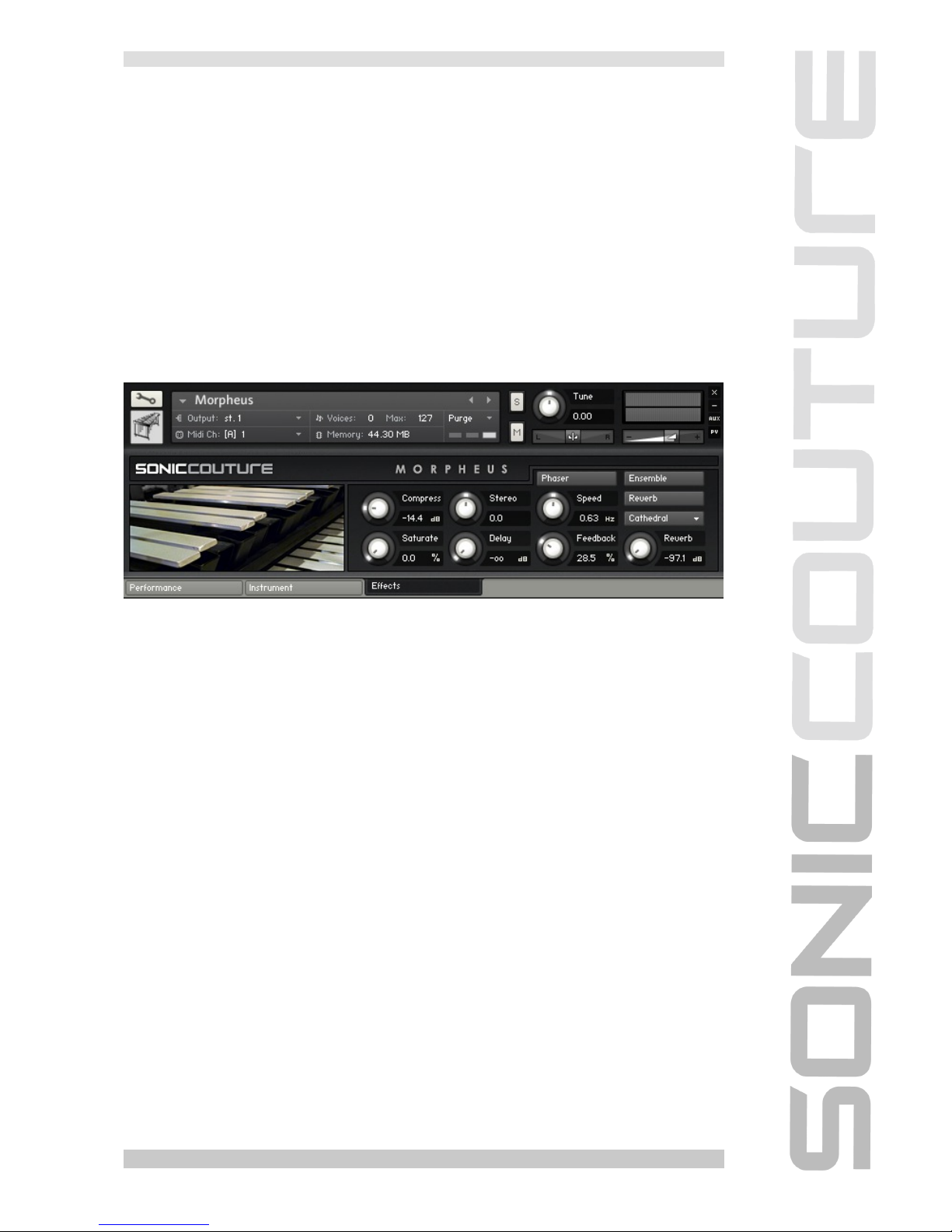
The Effect tab offers some controls over the effects section in Kontakt:
Compression - the threshold control of the built-in compressor
Saturation - a soft distortion effect, like tape saturation
Stereo - the width of the stereo image (0 is natural, at 12 o’clock)
Delay - The Mix level of the delay effect return.
Phaser - Kontakt’s Phaser, with controls for Speed and Feedback
Ensemble - which is a detune/doubling effect: on/off
Reverb - which includes a level knob and a pull down menu of some of our
favourite convolution presets. The longer special effect presets will be quite
heavy on the cpu performance of your computer. Set the main reverb button
to off to bypass this and save CPU.
SONICCOUTURE MORPHEUS USER GUIDE
www.soniccouture.com email :customerservices@soniccouture.com
PERFORMANCE
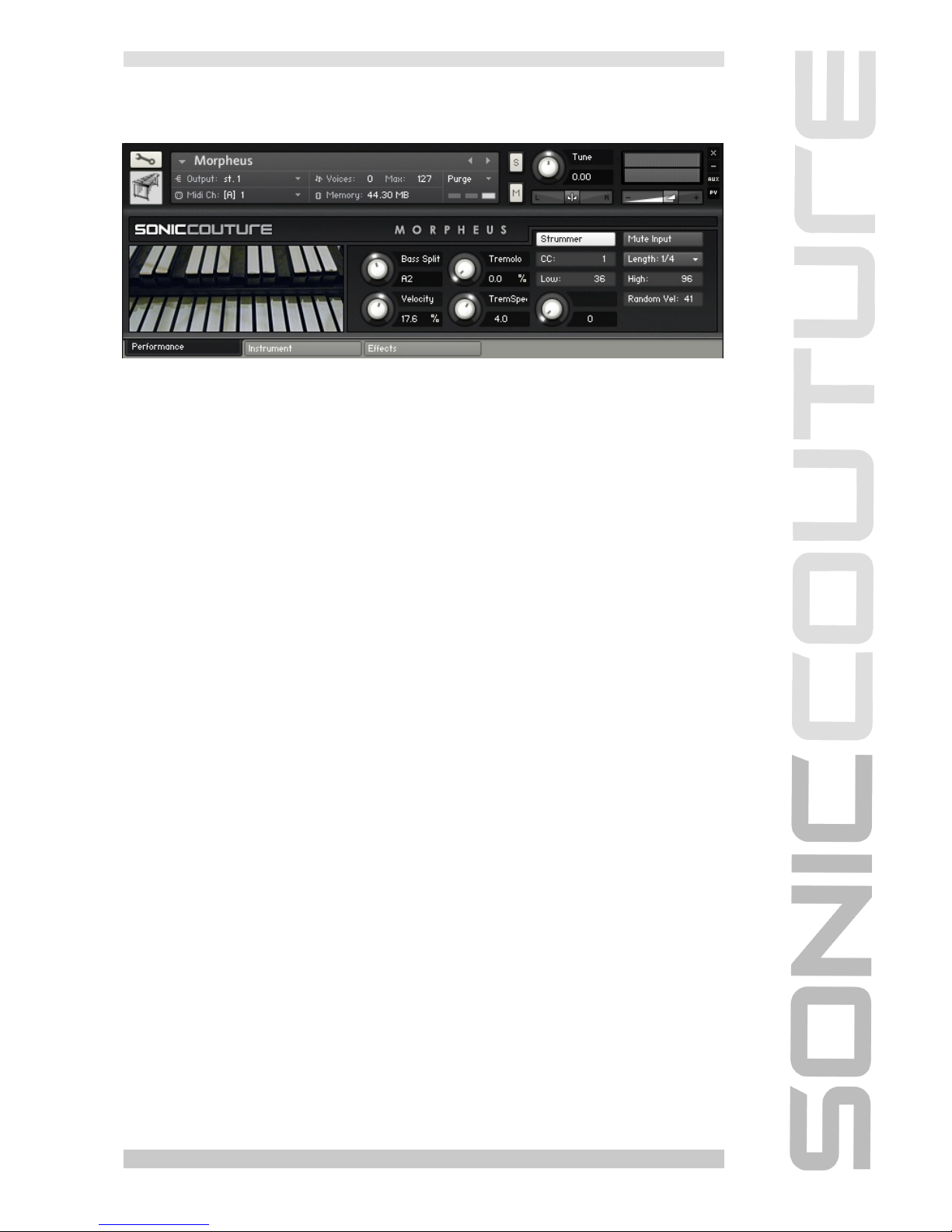
There are two versions of the Performance tab (it’s slightly different in the
Pad instruments). The main one, (above) gives you control over several
Performance-based playback parameters. These include:
Bass Split - This is the crossover point between the main unit and the bass
extension samples. Naturally, this occurs at about A2, so this is the default
value. If you change this you’ll get a slightly different sound. For example if
you raise it to G8, you won’t be using any of the main unit samples, and will
only hear the bass extension samples. If you lower it to C-2, you won’t hear
any of the bass extension unit at all.
Velocity - the velocity to volume response
Tremolo - the modualtion depth of the tremolo effect
Tremolo Speed - the speed of the tremolo effect
Strummer
The strummer is a scripted algorithm that allows you to hold down a chord,
and “strum” the instrument using a MIDI CC. This is set to default to the Mod
Wheel (MIDI CC #1), but you can change this to any controller if you prefer.
There are several other options within the strummer:
Mute Input - stops the incoming MIDI from triggering any sound, so you’ll
only hear the strummer output
Low and High set the range of the strummer output, in MIDI notes
SONICCOUTURE MORPHEUS USER GUIDE
www.soniccouture.com email :customerservices@soniccouture.com
Length sets the duration of the strummer notes, and is related to the tempo
set in Kontakt or your host sequencer
Random Velocity introduces some randomicity to the velocity of the
strummer output, to give it a more organic strum effect
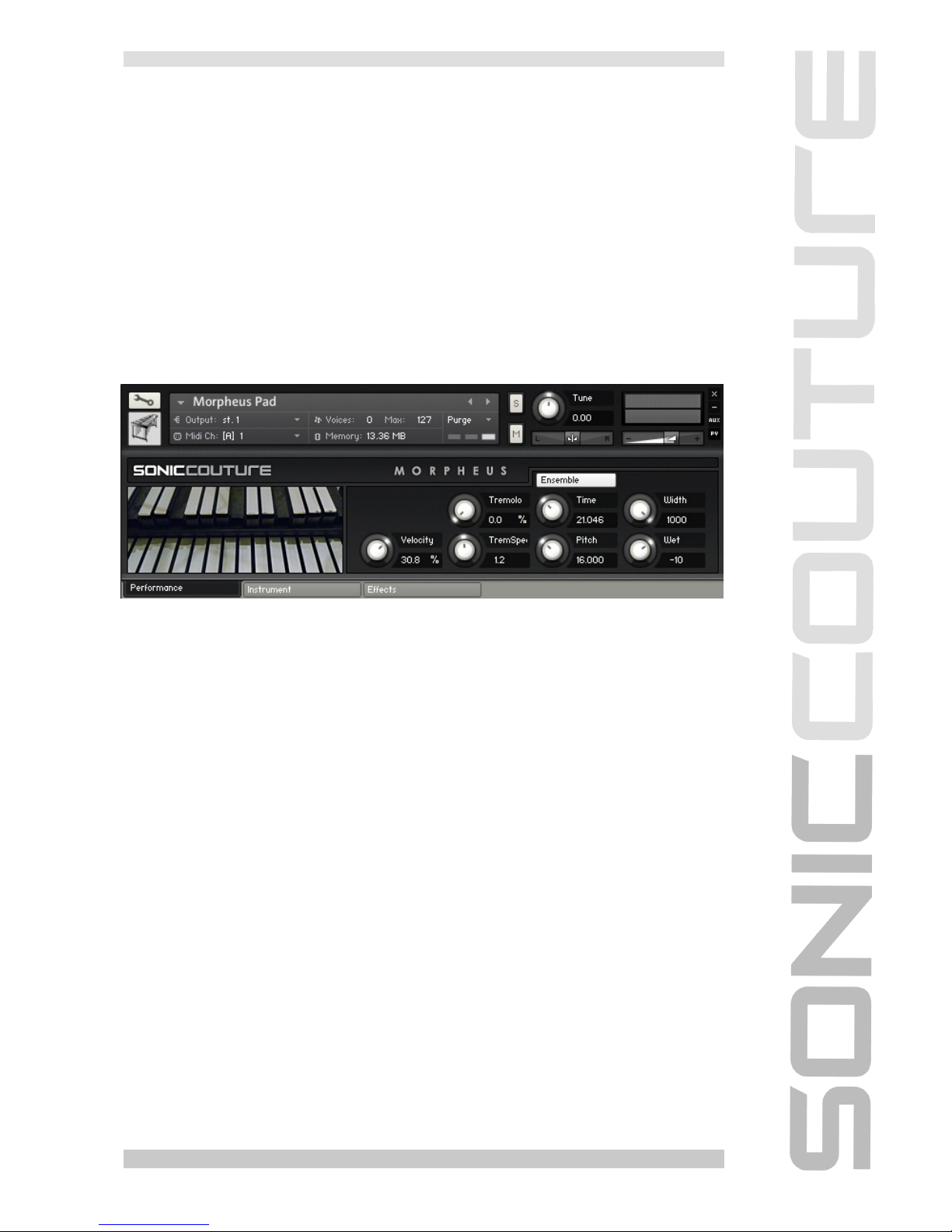
PAD PRESETS
In the Pad presets ( which feature looped samples instead of natural decay),
the Strummer is gone, and instead the Performance tab looks like this:
Instead of the Strummer, the Ensemble effect is now available with more
detailed control. As well as switching on the Ensemble effect you can now
adjust the:
Time - phase offset between the detuned channels
Pitch - tuning offset between the detuned channels
Width - stereo width of the detune
Wet - sets the level of the detuned Ensemble effect
SONICCOUTURE MORPHEUS USER GUIDE
www.soniccouture.com email :customerservices@soniccouture.com
JAMMER TAB
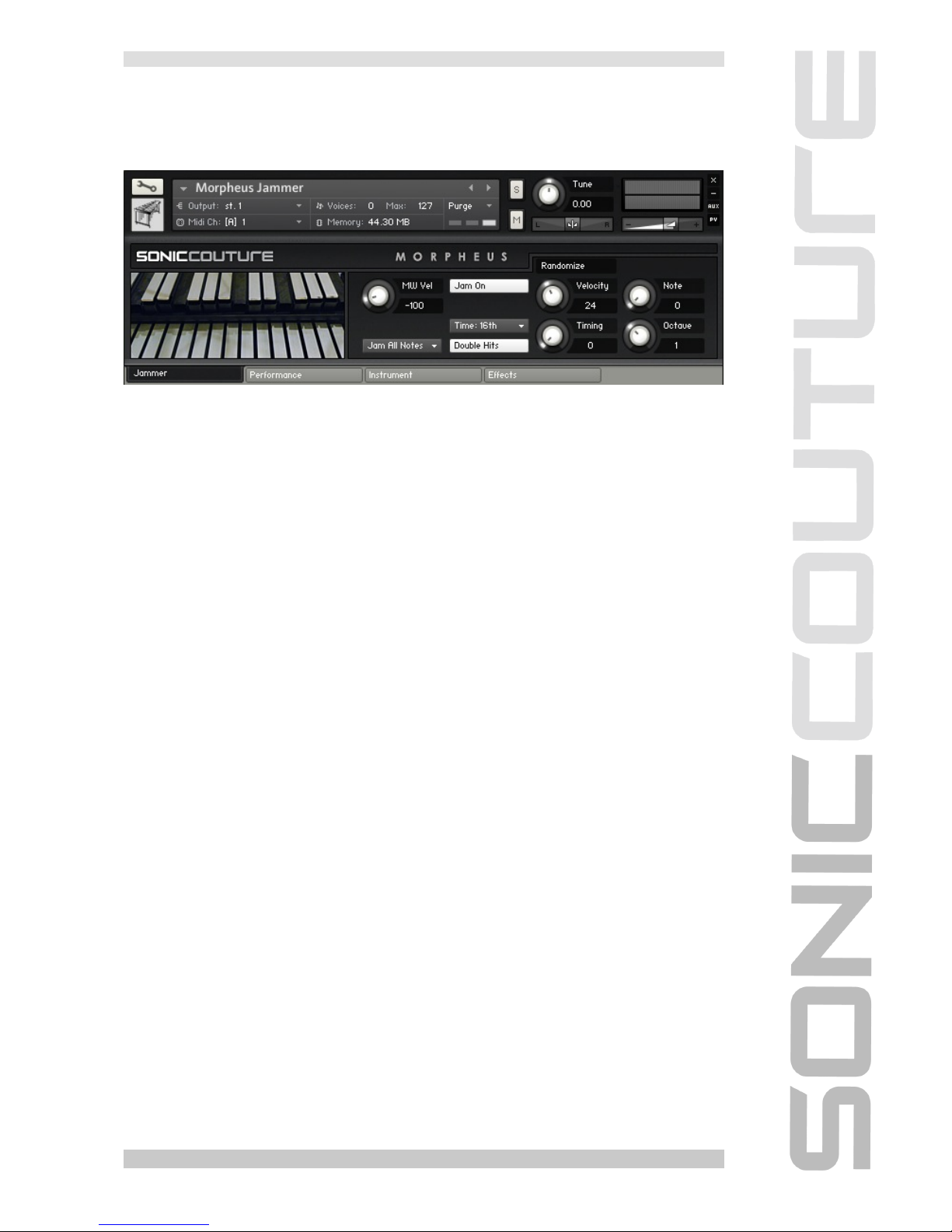
Some of the presets include an extra tab for the Jammer script.
The Jammer tab provides access to our Jammer script, which is a bit like an
arpeggiator. It repeats notes based on chords you hold down on the
keyboard at the rate you select with the Time menu in the middle.
Below the Time menu is a “Double Hits” switch. This turns on a second
Jammer, so that you always hear two notes rather than one.
The MW Vel knob on the left introduces an offset to the Jammer’s velocity
output, so you can adjust the velocity (without lifting the chord you’re holding)
using the ModWheel. It can be both positive and negative. Try it out, and it
should become apparent how it affects the Jammer output.
Below this knob is a menu that allows you to restrict the Jammer’s output to a
given key or scale. “Jam All Notes” is fully chromatic.
The Velocity Knob introduces some random velocity changes to the Jammer
output, so that the result can sound more organic.
The Note Knob introduces random note offsets to the chord you’re holding
down.... this can be kind of weird, but sometimes interesting, especially if you
have a scale selected instead of Jam All Notes.
Timing : This introduces some random timing offsets to the Jammer’s output.
This is best kept to very low values.
The last knob is called Octave, and this introduces random octave
displacements to the Jammer output.
SONICCOUTURE MORPHEUS USER GUIDE
www.soniccouture.com email :customerservices@soniccouture.com
Indice
Altri manuali SONIC COUTURE Strumento musicale


