Functions
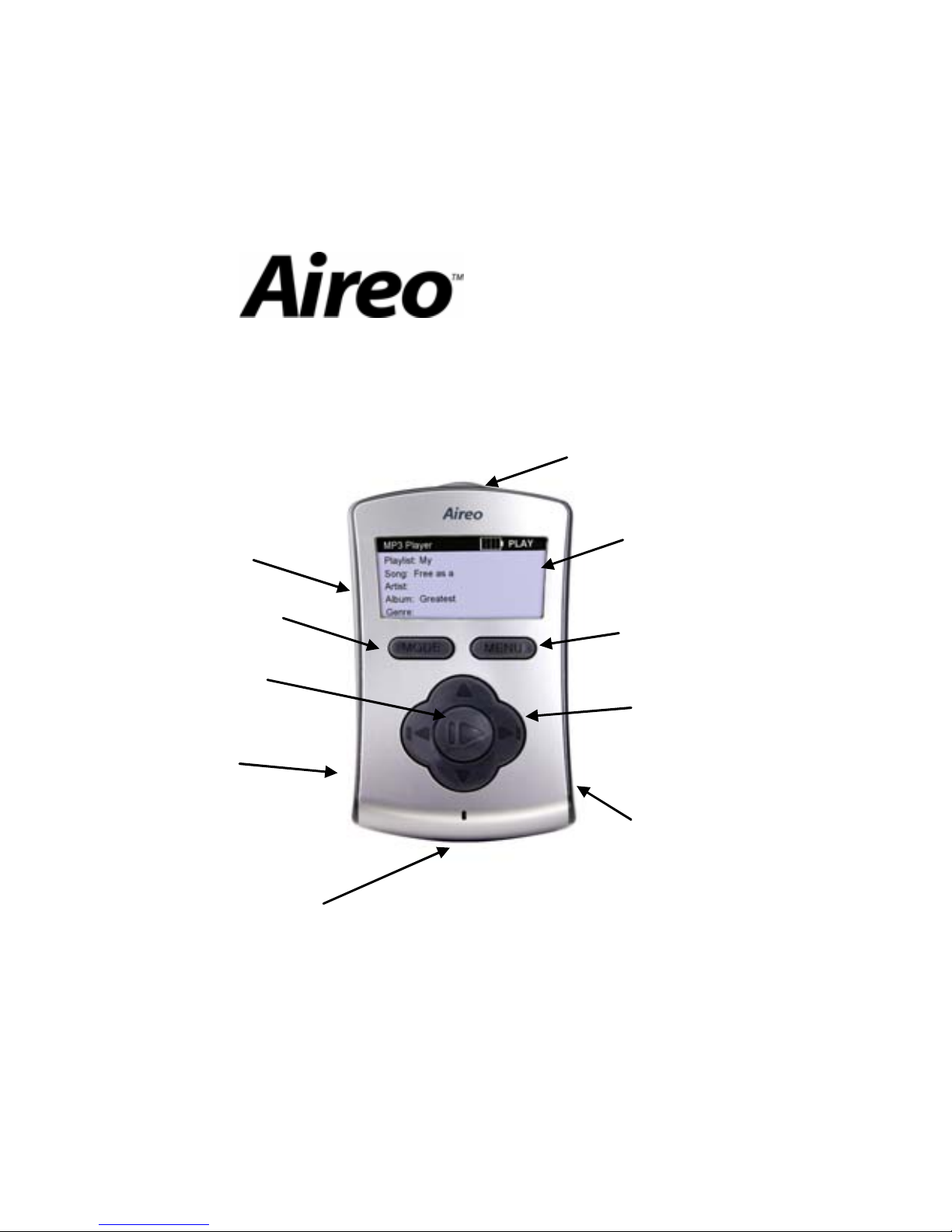
Turn Aireo On Press the POWER button on the lower right side ofthe player.
Turn Aireo Off Press the POWER button and hold for three seconds.
Go to Standby Press the POWER button and select Standby. Aireo automatically goesinto the Standby mode by
default after 5 seconds.
Use MENU
Button
Press the MENU button todisplay the Main Menu. Use the UP/DOWN buttons of the navigation
keypad to scroll through and highlight entries on the menu list. Press the Play/Select button to select a
highlighted menu item. To exit Menu mode, press the MENU button to return to the last menu. Press
the MODE button to returnto the original application.
Use MODE
Button Press the MODE button to change the current Aireo application. Applications include MP3Player, FM
Stereo, HotSpotz, and SoniqSync.
Select a Playlist
Press the MENU button toenter the Main Menu, select Browse and press the Play/Select button.
From the Browse menu, you can select Playlists, Genres, Artists, or Albums to find agroup ofsongs
you want to play. Select thedesiredplaylist and press the Play/Select button. Your selection will begin
to play.
Play a Song
Press the MENU button toenter the Main Menu, select Play A Single and press the Play/Select
button. On the Play A Single menu, you can select Playlists, Genres, Artists, or Albums to find a
specific song you want to play. Select thedesiredsongand press the Play/Select button. Your
selection will begin toplay.
Pause a Song While playing music, press the Play/Select buttononceto stop the music in mid-play. Press the
Play/Select button again tore-start the music where you leftoff.
Stop a Song While playing music, press the Play/Select buttonandhold it forone second to stop a song. Press the
Play/Select button again tostart the music from the beginningof the song.
Adjust Volume To adjust the volume level while playing music press the UP/DOWN buttons of the navigation keypad.
A volume level bar displays youradjustment.
Play Next Song While listening to music,press the RIGHT > button on the navigation keypad toplaythe next song.
Play Previous
Song While listening to music, press the < LEFT button twiceon thenavigation keypad to select the previous
song.