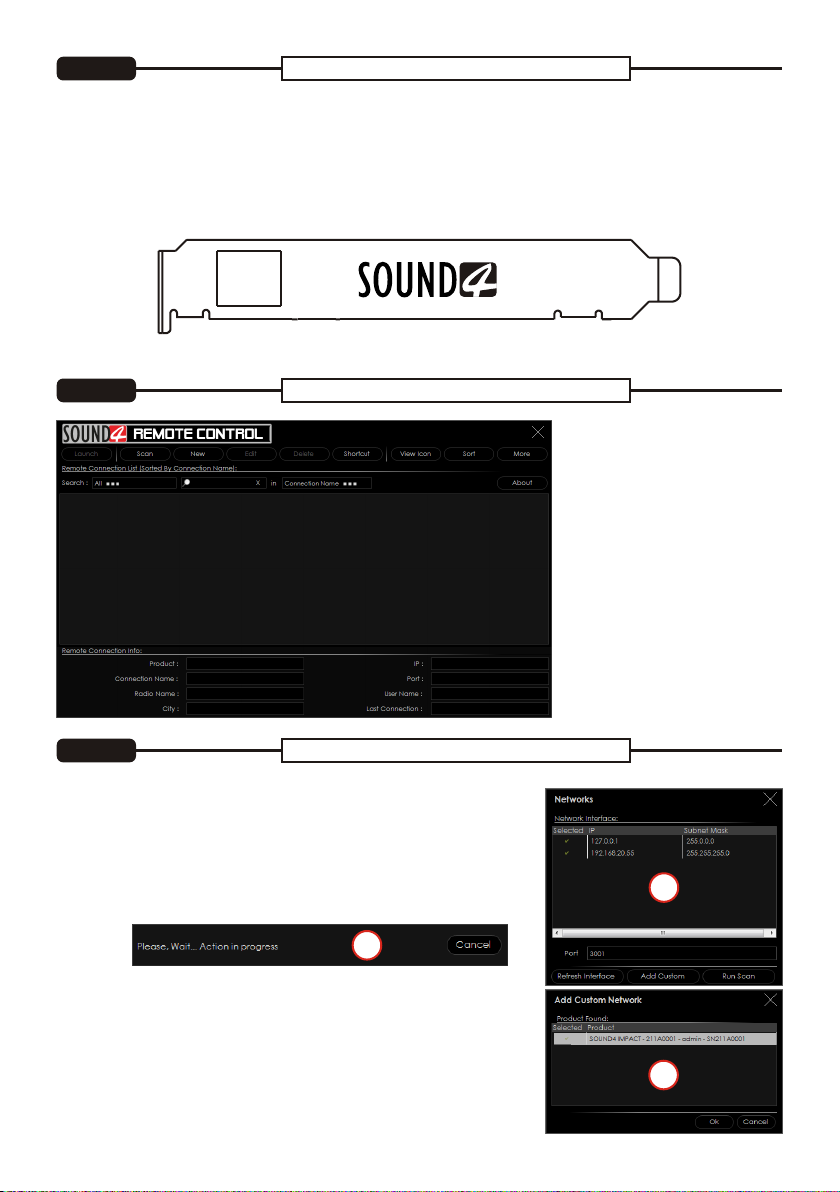
SOUND4 proposes you to install the software package under your own Ubuntu. Compatibility with Ubuntu
distributions:
?Lucid Lynx - 10.04 LTS
?Precise Pangolin - 12.04 LTS
?Trusty Tahr - 14.04 LTS
?Xenial Xerus - 16.04 LTS
?Bionic Beaver – 18.04 LTS
Installation for a PC running compatible Ubuntu version:
– Click on the following link to add SOUND4 repository -
www.sound4.biz/repository/ubuntu/sound4-repository.deb
If you also want to install:
– Install the driver with following link: apt://sound4exp1?refresh=yes
– Install the SOUND4 server with following link: apt://sound4server
–And to install SOUND4 Remote Control, please use the following link: apt://sound4remote
If you prefer to manage package installation by yourself, please follow the instructions below:
1.Add the following source to your Ubuntu repository list (example for lucid) -
deb http://www.sound4.biz/repository/ubuntu lucid non-free
2. Then get the SOUND4 GPG signature key -
wget -q http://www.sound4.biz/repository/sound4.gpg -O- | sudo apt-key add -
3. Install required packages -
sudo apt-get update && sudo apt-get install sound4exp1 sound4server sound4remote
4.Add the user to the audio group (needed forAlarm Stacker GUI) -
sudo adduser $USER audio
5. Log off and on to make the settings effective.
This Quick user guide will make the installation of SOUND4 quick and easy.Applying these principles, you
can simplify the process and save yourself extra time and effort.
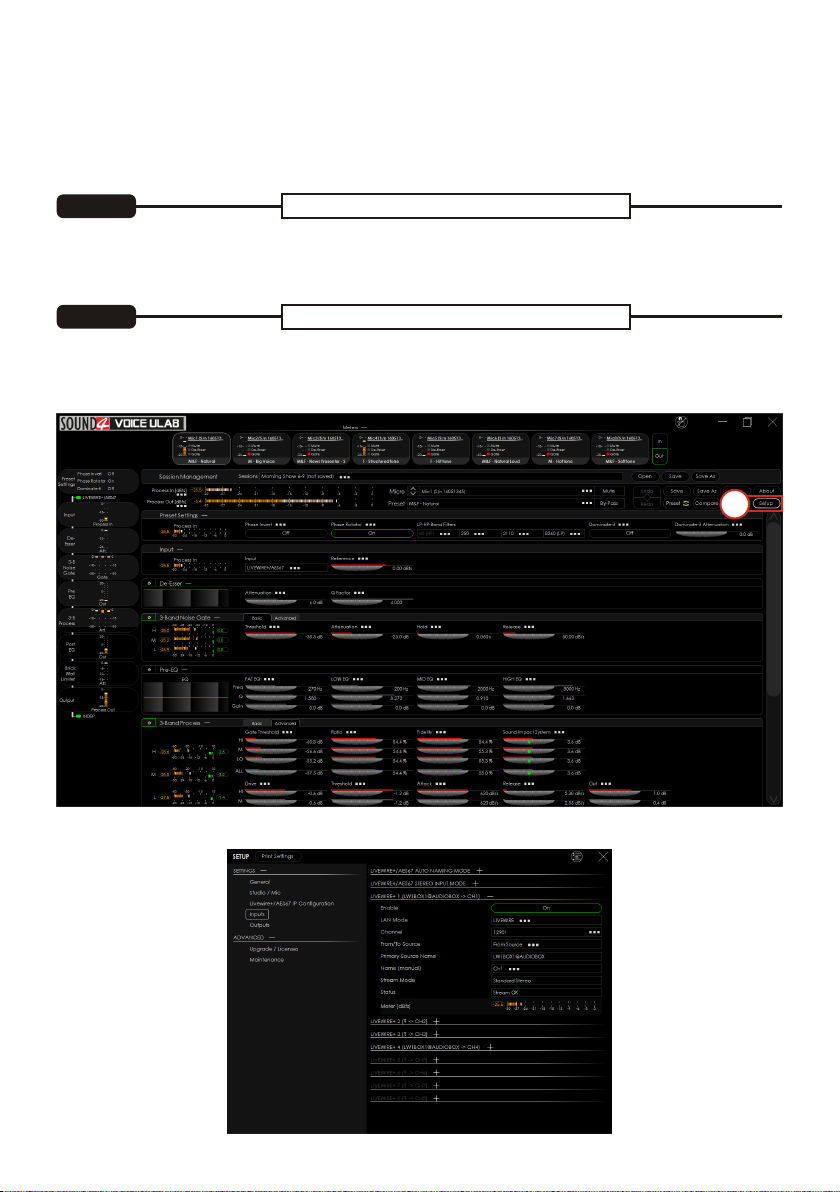
The screenshots used for the purposes of this manual, unless clearly indicated, are from SOUND4 VOICE
ULA8. Please refer to the User manual for detailed information on how to configure and explore your
device. We routinely release new versions to add features and fix bugs. Check the www.sound4.com web
site for the latest information available.
The Universal Products Installer is the complete installation kit for all SOUND4 Products. The program is
provided free of charge and can be downloaded from www.sound4.com/downloads. Installation packages
for MS Windows and Linux Ubuntu OS are available.
Upon entering the section, click on and download Universal All Products Installer, additionally it is
necessary to download Stream Extension, in order to add necessary encoders to the system. Once the
process is completed install the .exe file. SOUND4's products are compatible with the Microsoft Windows
Operating Systems listed below:
Universal Installer
STEP 1
Windows users
STEP 1.1
Linux Ubuntu OS
STEP 1.2
?Windows 7 - 32 & 64 bits
?Windows 8 - 32 & 64 bits
?Windows 10 - 32 & 64 bits
?Windows Server 2008 - R2
?Windows Server 2012
?Windows Server 2019 (except Core version)
IMPORTANT NOTE: Due to Microsoft security changes, your operating system must be up-to-date, if not
SOUND4 Driver will be disabled by Operating System and you will be not able to run the SOUND4 Remote
Control Software.