
SoundMax SM-DVBT290 Manuale utente
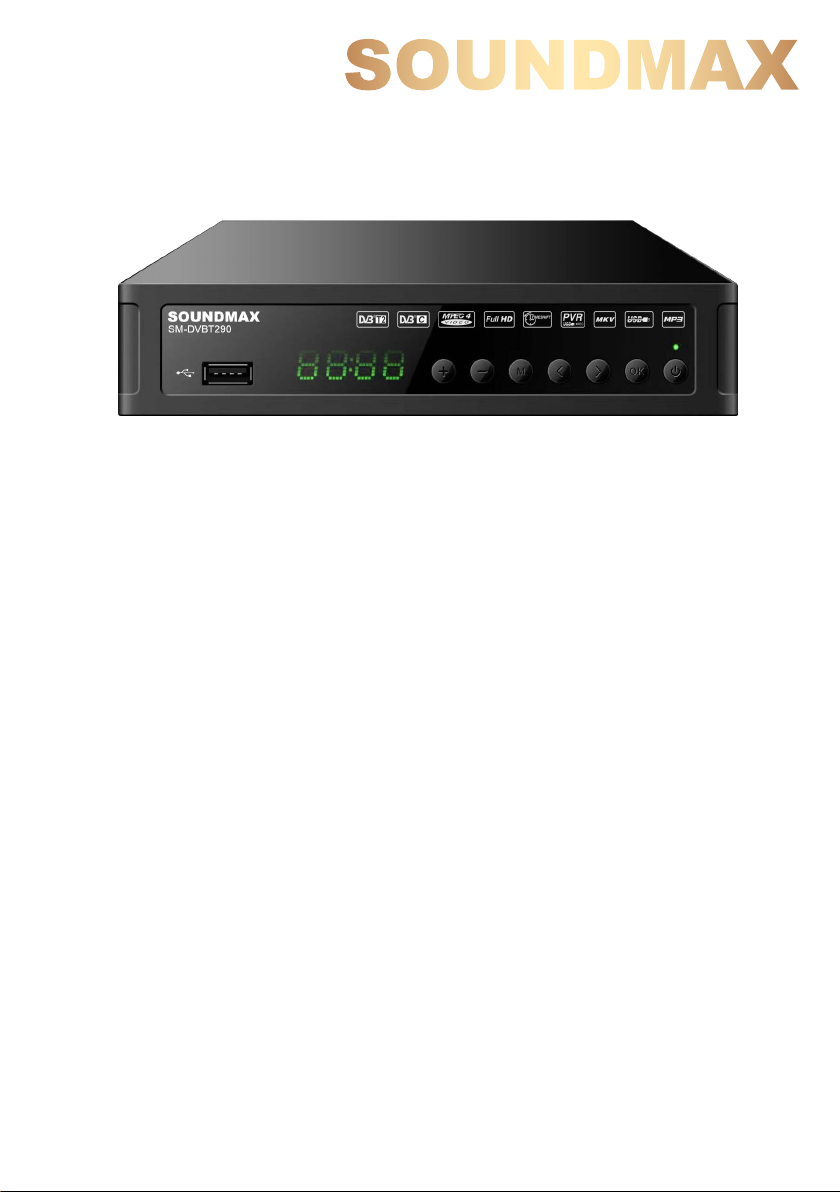
MULTIMEDIA PLAYER WITH DVB-T2 RECEIVER
МУЛЬТИМЕДИЙНЫЙ ПЛЕЕР
С DVB-T2 ПРИЕМНИКОМ
SM-DVBT290
Instruction manual
Руководство по
эксплуатации


Table of contents
Table of contents
Before you start
Important safeguards
Utilization of the product
Connection
Connection
Operation
Control elements
Front panel
Rear panel
Remote controller
Changing the battery
General operation
OSD operation
Installation guide
Program
Picture
Search
Time
Option
USB
USB information
PVR and EPG
Time Shift
General information
Troubleshooting
Accessories
Supported formats
Specifications
Table of contents
Dear customer!
Thank you for purchasing our product. For safety, it is strongly recommended to read
this manual carefully before connecting, operating and/or adjusting the product and keep
the manual for reference in the future.
2
3
3
3
4
4
5
5
5
5
6
6
7
8
8
8
9
9
10
11
11
11
12
12
13
13
14
2
9
10

Before you start
Before you start
Important safeguards
• To prevent risk of fire or electric shock,
avoid merging the unit into the water or under
conditions of high humidity.
• Switch off the device from the socket, if
you’re not going to use it for a long time.
• Do not place objects on the device.
• Place the unit in a dry and ventilated area.
Eliminate proximity to heaters, do not expose
to sunlight, mechanical vibration, humidity and
dusty environment.
• It is possible to use a small amount of
neutral detergent to clean the device.
• Never use abrasive materials or organic
substances (alcohol, gasoline, etc.) to clean
the device.
•For repair and maintenance contact only
authorized service centers.
• Before connecting the device to the mains,
please make sure the network cable can be
easily disabled at any time.
• Unplug from the mains and from the cable
television antenna, unless you intend to use it
for a long time, or before a thunderstorm. Do
not touch the unit, power cord and antenna
cable during a thunderstorm!
• Before you turn on the device, please
check the reliability of its connection to the
power supply and other devices.
• This unit can not receive television signals
during the movement of the vehicle.
• After prolonged exposure to cold, before
turning on leave the device for 1 hour at a
room temperature.
Before using this product, carefully read
the manual. After you read, save it for future
use. If necessary, contact your local dealer for
service.
All the illustrations in this manual are
schematic images, which may differ from
actual objects.
If you want to dispose of this product, do not
mix it with general household waste. There is
a separate collection system for used
electronic products in accordance with
legislation that requires proper treatment,
recovery and recycling.
Please contact your local authorities for the
correct method of disposal. By doing so, you
will ensure that your disposed product
undergoes the necessary treatment, recovery
and recycling and thus prevent potential
negative effects on the environment and
human health.
Utilization of the product
3
15

Connection
Connection
Connection
Antenna input
•Connect an external DVB-T/T2 antenna
(cable) connector to the antenna input RF IN.
The signal in the block cable antenna
can fail to contain DVB-T/T2 signal due to the
carrier frequency altered by the cable network
operator.
In order to receive digital air TV signal
use an indoor or outdoor UHF antenna.
Specify the possibility and quality of digital air
signal with your local digital TV service
providers. The absence of a stable TV signal in
your area can-not be a reason for returns or
refunds without an additional test of TV signal
reception in your area.
To increase the reception quality of the
state digital air television in rural areas or at
significant distances from a broadcasting
center we recommend using individual active
outdoor UHF antenna with a high resistance
factor, and placing them at maximum possible
heights.
HDMI-out
•If your TV has an HDMI video input,
connect it to an HDMI output of this unit using
an HDMI cable (included).
4
Stereo audio output
• Connect the left (white) and right (red)
terminals of the stereo audio output to the
corresponding audio inputs on your TV using
4
an RCA cable.
Video output
• Connect the yellow composite
video output to the composite video input on
your TV using an RCA cable.
Operation
Operation
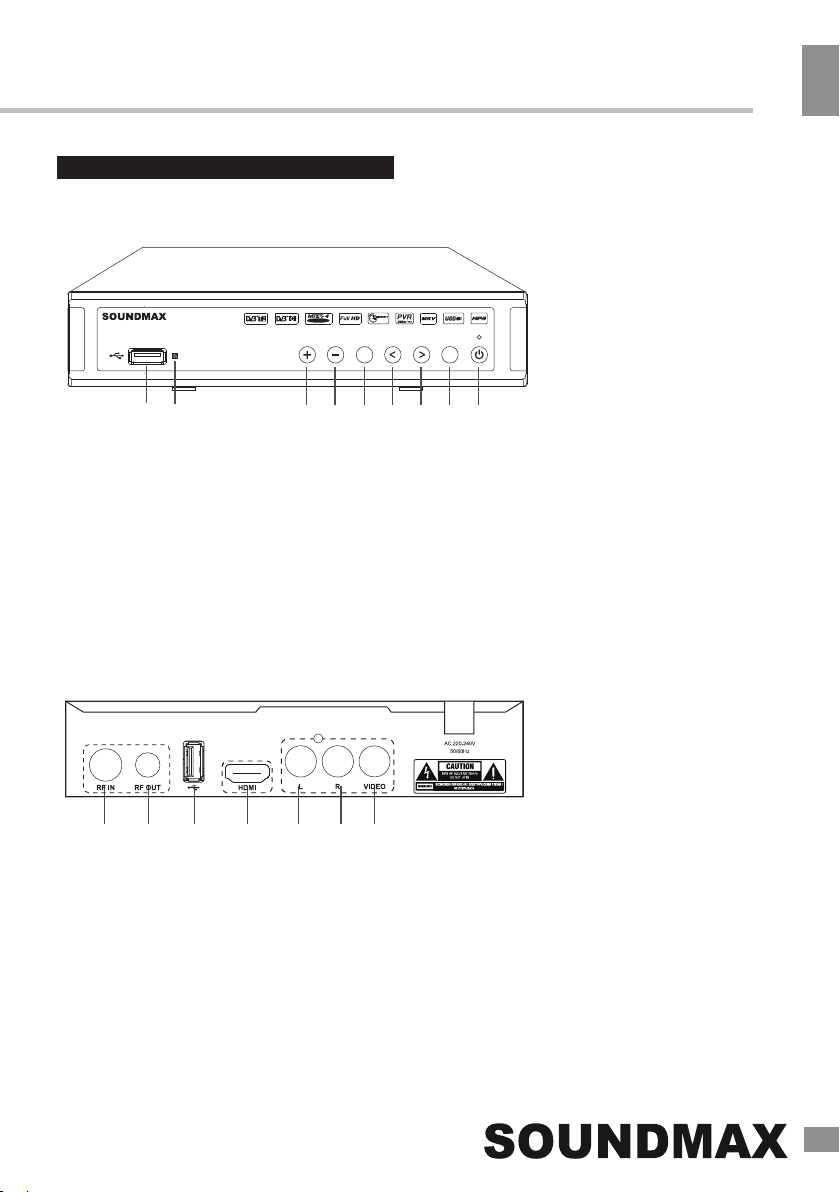
Control elements
5
15
Front panel
Rear panel
10. Antenna input
11. Antenna output
12. USB port
13. HDMI output
14. Left composite audio output
15. Right composite audio output
16. Composite video output
1. USB port
2. IR sensor
3. VOL+ button
4. VOL- button
5. MENU button
6. CH- button
7. CH+ button
8. OK button
9. POWER button
10 11 12 13 14 15 16
OK
М
SM-DVBT290

Operation
Operation
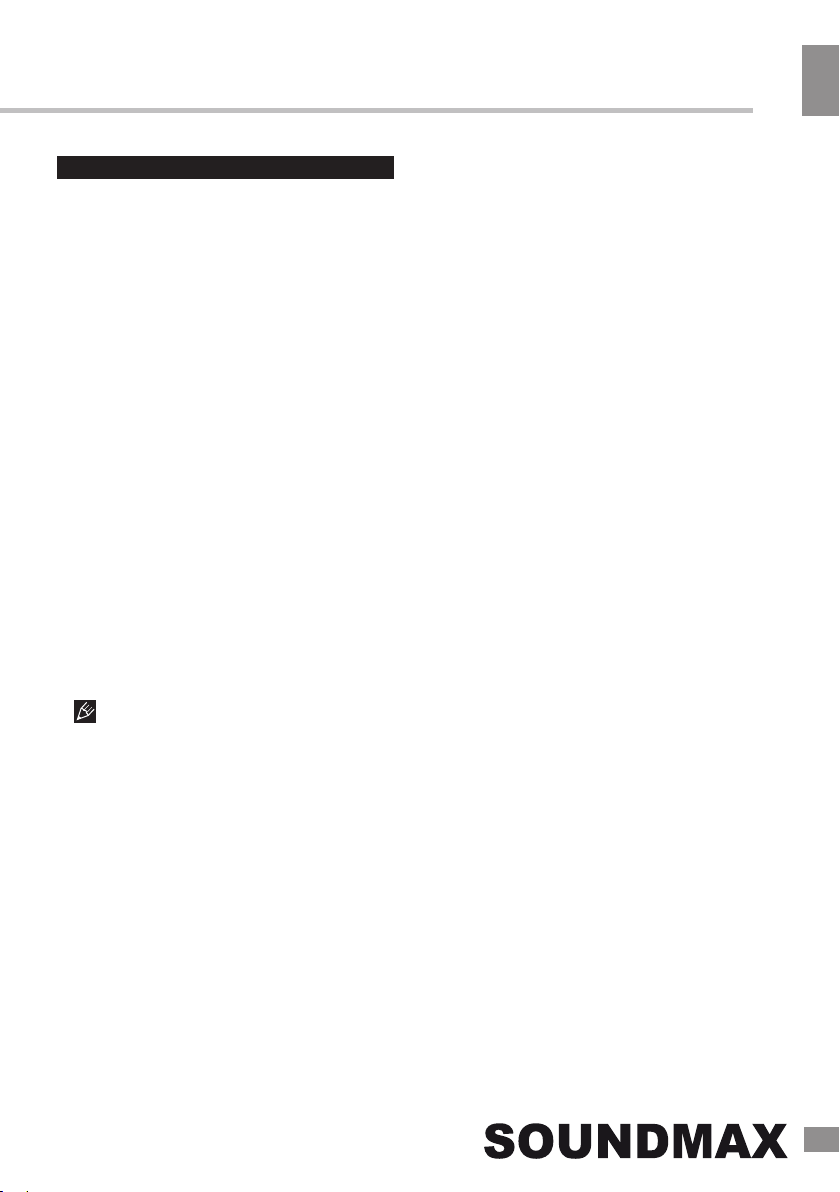
Remote control
6
Changing the battery
1. Remove the battery compartment cover
on the back of the RC.
2. Insert two AAA batteries into the battery
compartment making sure that the correct
polarity is observed.
3. Install the cover back.
• The RC should be pointed at remote
sensor within 8 meters and within 30 degrees
at the left or the right side.
• Take the battery out of the RC if it is not
used for a long time.
• Do not mix new and used batteries or
different types of batteries. Weak batteries can
leak and severely damage the RC.
• Do not expose the RC to shock, liquids,
and do not place it in an area with high
humidity.
Operation
Operation
General operations
STANDBY
When this unit is connected to the mains,
it goes into operation mode. When the unit is
running, press STANDBY button to turn the
device into sleep mode. In sleep mode, press
STANDBY button on the remote or press and
hold this button on the panel to turn the device
from sleep mode.
INFO
When viewing a TV channel, press this
button to display/hide the menu pages
containing various information about the current
channel (frequency, reception level etc.).
EPG
Press EPG button to display the menu of
the electronic TV guide (Electronic Program
Guide), which displays the schedule of
programs for a certain period of time for each
available channel. Using this function, you can
easily find programs you are interested in. Use
UP/DOWN cursor buttons to select the desired
TV program. Use LEFT/RIGHT cursor buttons
to switch pages of the interactive program
guide.
EPG-information cannot work if the
service is not provided by operator.
AUDIO
Press AUDIO to select the audio language
or audio channel, if this choice is supported by
the current channel.
CH+/CH-
Press these buttons to select the previous or
next channel.
OK
Press this button to confirm the selection
options in the menu.
VOL-/VOL+
Press these buttons to adjust the sound
volume level.
The number buttons
Press number buttons to enter the channel
number you want or other numbers (such as
passwords, play time, etc.).
REV/FWD
When playing a media file, press these
buttons for fast forward or backward playback.
PLAY/PAUSE
When playing a media file, press this button to
start or pause the playback.
Red/Green/Yellow/Blue buttons
Press the colored buttons to perform various
operations in the edit menu of channels,
teletext recording.
7
MUTE
Press this button to enable/disable the sound.
TEXT
Press this button to enable or disable the
Teletext (Teletext is not supported by some TV
channels).
REC
When a USB drive is connected to this unit,
while watching TV channels press REC to
start recording video from the channel to USB.
Press STOP button to stop recording.
15
Operation
8
Operation
SUBTITLE
Click this button to select subtitle language,
if this choice is supported by the current
channel.
TV/RADIO
Press this button to switch between TV and
radio.
RECALL
Click this button to select the last-viewed
channel.
PREV/NEXT
When playing a media file, press these
buttons to select previous/next file.
STOP
When playing a media file, press this button
to stop playback.
OSD operation Program
8
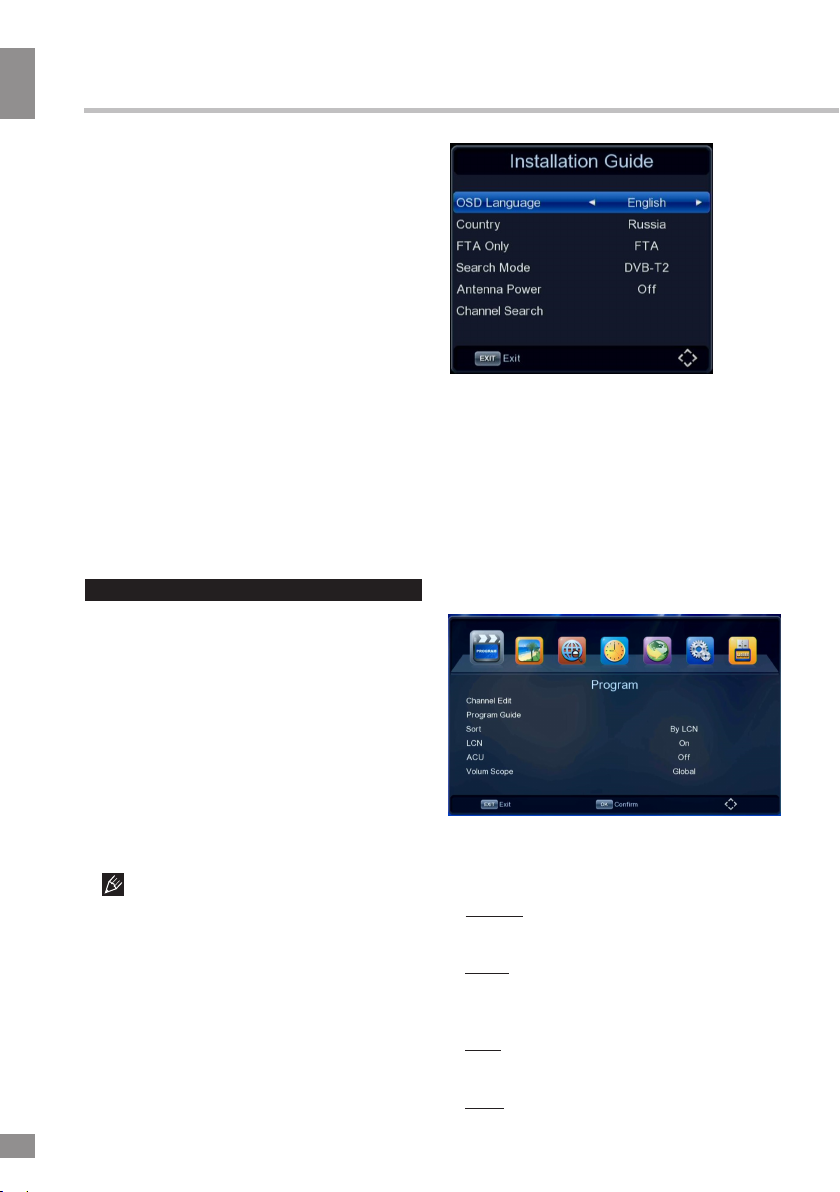
•OSD Language: select the language of the
system menu.
•Country: select your country.
•FTA Only: searching free-to-air
channels only.
•Search Mode: DVB-T2 or DVB-C.
•Antenna Power: select to enable an
external active antenna (if installed).
•Channel Search: press OK to start
automatic channel search.
1. Press MENU button to enter the setting
menu displayed on the screen.
2. Press LEFT/RIGHT cursor buttons on the
RC to select setting page.
3. Press OK button on the RC to go to the
parameter list.
4. Press UP/DOWN cursor buttons on the
RC to select a parameter to adjust.
5. Press LEFT/RIGHT cursor buttons on the
RC to adjust the selected parameter.
6. Press MENU button to return to the
previous menu page. Press EXIT button on the
RC to quit the menu.
Some menu items may be in grey color,
in this case they are not adjustable. Pictures
of OSD menu are for reference only; they may
differ from the real screens.
Installation
When you start the unit for the first time, or
after resetting it to factory defaults, you will see
the Installation menu on the screen.
•Channel Edit: Access the
channel editor menu.
You can edit the channel list using the following
functions: favourite, move, skip, lock, delete.
Favorite: Select the program you want to
add to your list of favorites and press the FAV
button.
Move: Select the program you want to move,
press the button 2 and then OK, press UP/DOWN
to move it. Press the button 2 to again confirm
and exit.
Skip: Select the program you want to skip and
press the button 3 and then OK to skip it. Press 3
to again confirm and exit.
Lock: Select a program and press the
button 4; enter the password (000000 by default)
and press the button 4 and then OK to lock it.
Press 4 to again confirm and exit.

Operation
Operation
Time
9
Delete: Select the program you want to
delete and press the button 1 and then
OK. Press 1 to again confirm and exit.
•Program Guide: See «General
operations» for more details about
Electronic Program Guide.
•Antenna Power: select to enable an
external active antenna (if installed).
•Sort
Adjust the way the channels are sorted.
•LCN
Set logical channel number on/off.
•ACU
Update channels automatically.
•Volume Scope
Select the level of volume scope.
Search
available channels and save them.
•Manual Search: manually search for each
channel and save it.
•Country: select your country of residence.
Picture
•Search Mode: DVB-T2 or DVB-C.
•FTA Only: free-to-air channels only.
•Auto Search: automatically search for
•Aspect Ratio: Auto/16:9 Wide Screen/
16:9 Pillar Box/16:9 Pan & Scan/4:3 Letter
Box/4:3 Pan & Scan/4:3 Full. Press the
yellow button on RC to quickly access this
function.
•Resolution: 1080i/1080p/576i/576p/720p.
•OSD Settings: Set transparency/
brightness/chroma/contrast/OSD
Timeout of the on-screen display.
•Panel Setting: Set LED Brightness/
Display.
•TV Format: PAL/NTSC.
•Region and Time: set the GMT time zones
automatically or manually.
•Standby Showtime: set the time display at
standby on and off.
Press the blue button on RC to quickly access
this function.
•Sleep (HOUR): select time period after which
the unit will automatically switch to standby mode.
•Timer Setting: set the timer for recording.
unit will automatically power on and off.
•Power On/Off: select the time when the
15
Indice
Lingue:
Altri manuali SoundMax Lettore multimediale

SoundMax
SoundMax SM-CCR3037 Manuale utente

SoundMax
SoundMax SM-CCR3048F Manuale utente

SoundMax
SoundMax SM-CCR3053F Manuale utente

SoundMax
SoundMax SM-CCR3072F Manuale utente

SoundMax
SoundMax SM-CCR3186FB Manuale utente

SoundMax
SoundMax SM-CCR3184FB Manuale utente

SoundMax
SoundMax SM-DVBT280 Manuale utente

SoundMax
SoundMax SM-CCR3041 Manuale utente

SoundMax
SoundMax SM-CCR3073F Manuale utente

SoundMax
SoundMax SM-DVBT270 Manuale utente


