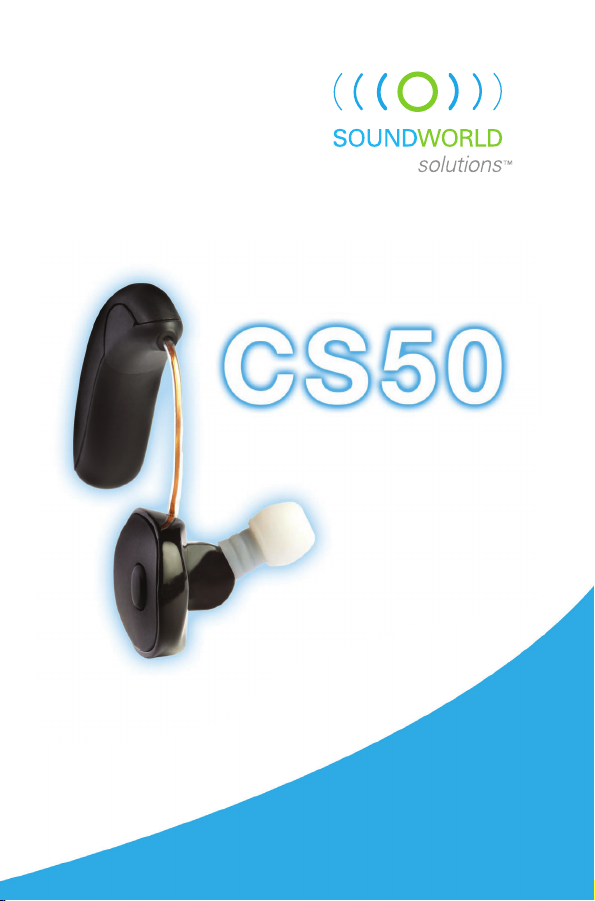
Soundworld Bluetooth series CS50 Manuale utente

Personal
sound
amPlifier
USER GUIDE
bluetooth series

Thank you for purchasing the CS50.
This Bluetooth Personal Sound Amplifier
offers tremendous flexibility and
customization in terms of
fit and sound settings,
allowing you to hear
better in circumstances
like business meetings
and family gatherings.
Visit our web site
and register your CS50 to
receive important updates, information
about new products, and exclusive offers.
THANK YOU
2

3
CONTENTS
Getting Started ................................................................ 4
Earpiece ............................................................................ 5
Charging Kit ...................................................................... 6
Charging batteries ....................................................... 6
Using Your CS50............................................................... 8
Personal fit..................................................................... 8
Attaching a battery to the CS50 ............................... 9
Placing the CS50 on your ear.................................. 10
Adjusting the volume ................................................ 10
Selecting an environmental setting ...................... 11
Changing your baseline profile .............................. 12
Getting used to your CS50 ....................................... 13
Pairing with Bluetooth devices .............................. 14
Answering phone calls............................................. 15
Audio streaming......................................................... 16
Advanced customization ......................................... 17
Care and Cleaning ........................................................ 18
Appendix.......................................................................... 19
Troubleshooting ......................................................... 19
One-year limited warranty....................................... 20
Important Information............................................... 23

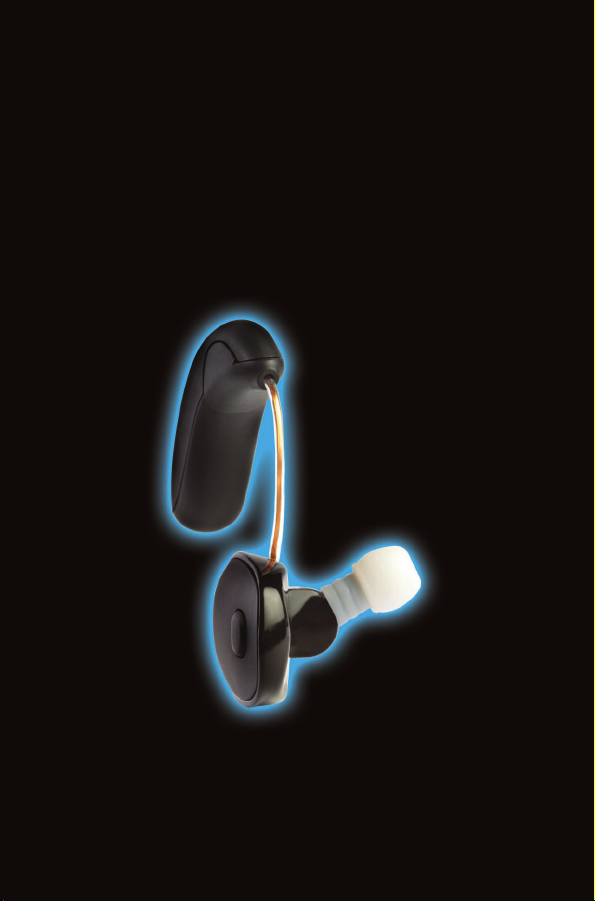
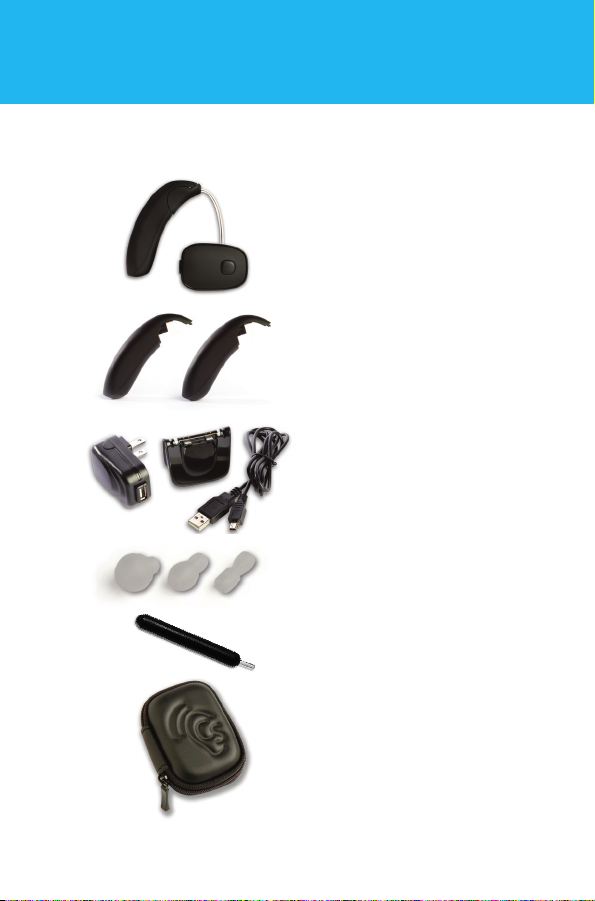
• CS50 Earpiece
Your CS50 Bluetooth Personal
Sound Amplifier includes
the following parts:
• Carrying case
• Two rechargeable
batteries
• Battery charging kit
• Three ear tips
(small, medium, large)
• Earpiece cleaning tool
GETTING STARTED
4

5
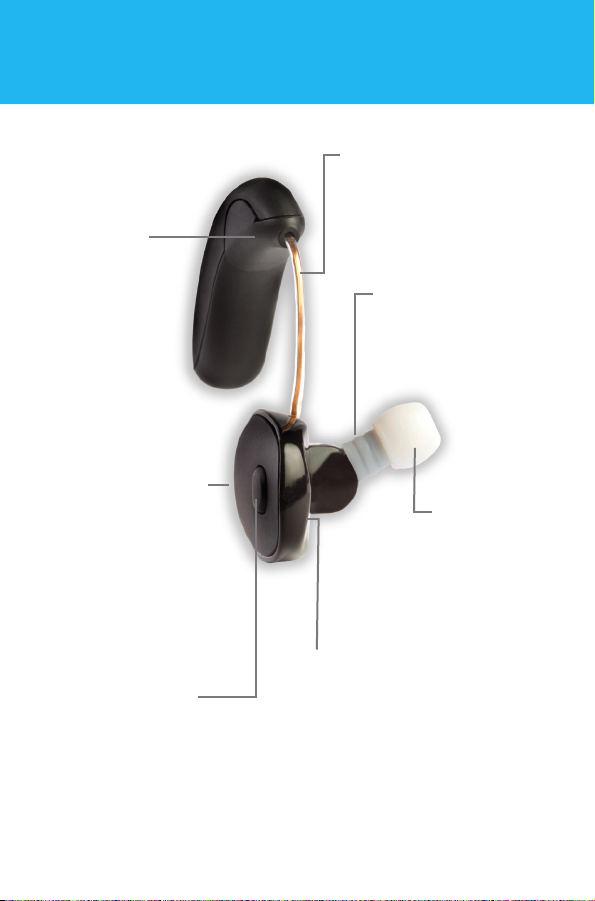
Volume button
located on the face of
the earpiece allows user
to increase or decrease
level in 3 dB increments.
Program button
located on the
back edge of
earpiece switches
between three
environmental
settings.
Battery wire
in adjustable tube
provides comfortable fit
regardless of ear size.
Ear tip
fits in your
ear like
standard
ear buds.
The smallest
ear tip comes
pre-attached
to the CS50.
Battery
terminal
has magnetic
connectors
for quick and
easy battery
installation.
Nozzle provides
secure base for
mounting ear tips.
EARPIECE
Directional
microphone
for improved
audio quality
during phone
calls.

6
CHARGING KIT
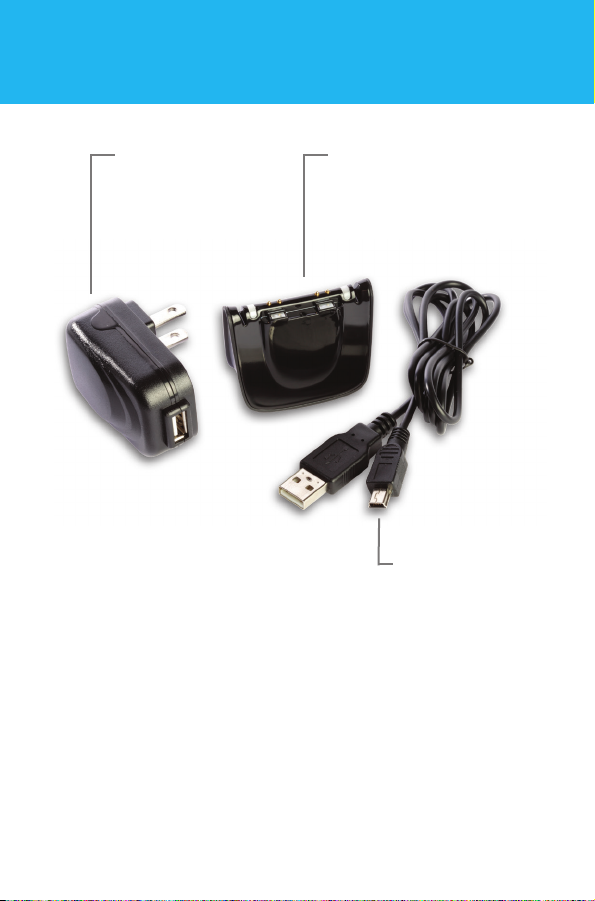
Charger cable
micro-USB to USB
Charger base has two
battery charging stations
with independent LED
indication lights.
Charger
power supply
(wall plug)
Charging Batteries
While your batteries may have a small charge when you
unpack them, we recommend fully charging the batteries
before you start using your CS50. It will take up to 2 ½ hours
to fully charge your batteries. Fully charged, each battery will
power the CS50 for up to 15 hours of normal listening.

7
To charge the batteries:
1. Assemble the
charging kit by
plugging the small
end of the cable into
the charger base,
and plugging the
large end into the charger power supply.
Note: The large end of the charging cord can also be
plugged into a standard USB connector on your computer.
2. Plug the power supply into a standard AC outlet.
The lights on top of the charger will glow blue to
confirm power is reaching the charging stations.
3. Connect the batteries to the two charging points on
the charger by aligning the magnets. Once the battery
is in place, the indicator light will change color.
A red light indicates the battery is charging. The light
will turn green when the battery is fully charged and
is ready to use.
WARNING - Magnetic Field
Can be harmful to pacemaker and defibrillator wearers.
Do not place CS50 earpiece or batteries in a shirt pocket
or near your pacemaker or defibrillator.

8
Personal fit
1. The CS50 comes
with three different
sized ear tips: small
(pre-attached to earpiece nozzle), medium, and large.
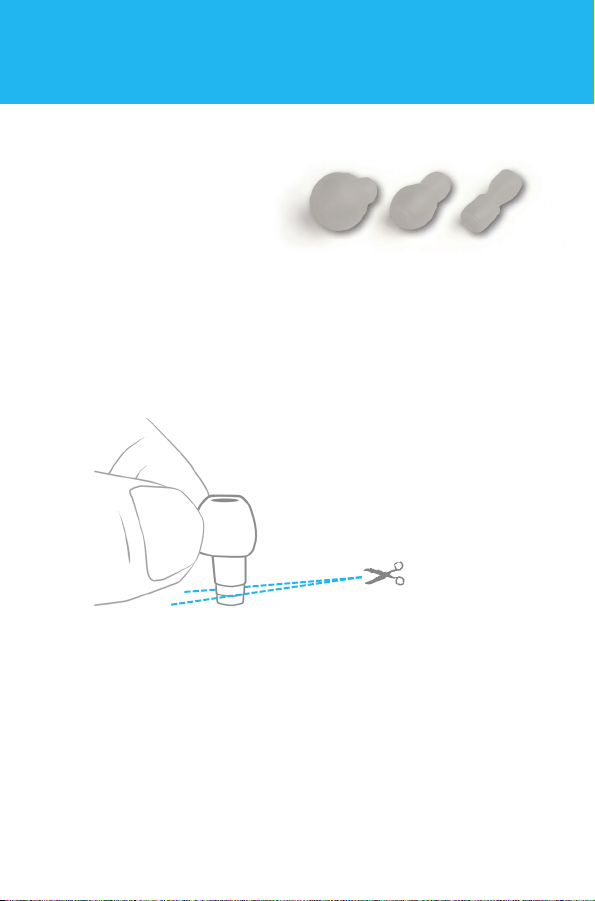
If the small tip is not snug in your ear, detach the ear tip
from the nozzle and try the medium or large tip.
2. Slide the ear tip all the way onto the earpiece nozzle.
The end of the sleeve should come into contact with
the base of the nozzle.
Note: Do not wear the earpiece without an
ear tip attached.
USING YOUR CS50
The ear tips that come with the CS50 can be
trimmed for a more comfortable fit. Use a pair
of scissors to cut along one of the guide
lines on the stem of the ear tip before
attaching it to the nozzle of the CS50.
Trim in small increments
to reach the perfect fit.

9
Attaching a battery to the CS50
1. Align the contacts and magnets of a charged battery
with the battery terminals and magnets on the earpiece.
2. Once the battery snaps into place, the unit is on.
It is normal to have a slight delay of a few seconds
as the unit powers up. To turn the unit off, simply
disconnect the battery.
3. The CS50 provides an audible low battery indication.
When you hear five tones played in sequence
(low, high, low, high, low) it is time to change batteries.
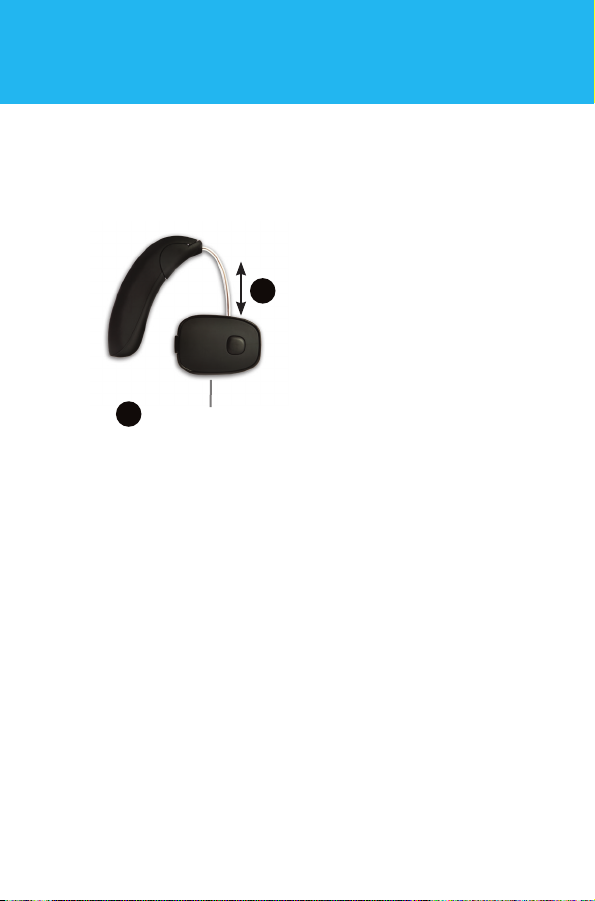
3. The battery wire can be adjusted to maximize the
comfort of your CS50. Grasping the body of the
earpiece in one hand, gently pull or push the battery
wire with your
other hand to
achieve the
desired length.
Be careful not
to pull too hard.
1
2
Grasp the body in one hand
Gently pull or
push the wire
with your other
hand to achieve
desired length

10
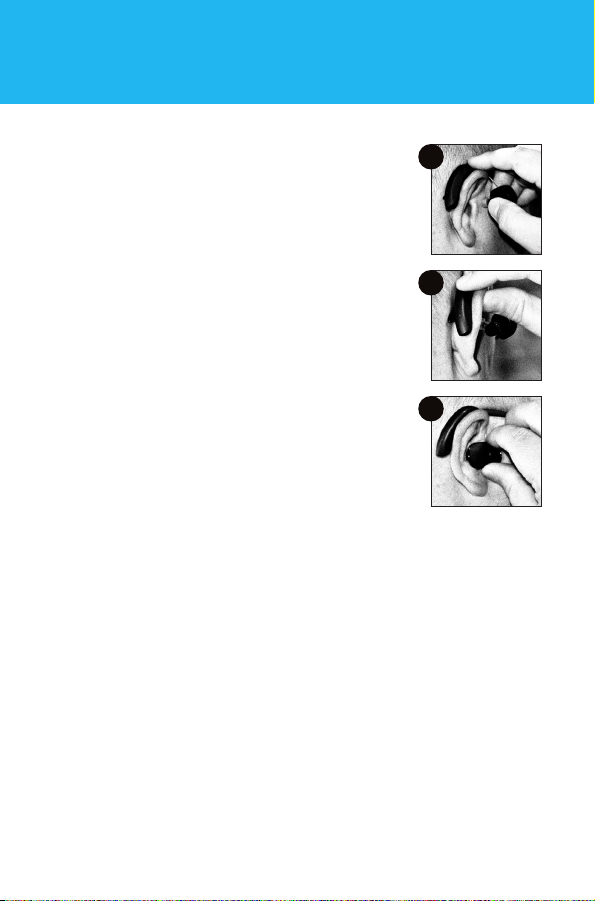
Placing the CS50 on your ear
1. Place the battery behind your ear,
hanging the battery wire over your ear.
2. If you wear eyeglasses, position the
battery between the earpiece of your
glasses and your ear. Be aware that
removing or adjusting your glasses may
create a distracting noise in your CS50.
3. Insert the ear tip straight into your ear
gently, wiggling slightly to ensure a good
fit. The ideal fit is snug, but not tight.
Adjusting the volume
Press the volume button to increase the volume. You will
hear four tones in ascending pitch to indicate the new level.
When you have reached the maximum volume, the last
tone in the series will descend. Push and hold the volume
button to decrease the volume. You will hear four tones in
descending pitch to indicate the new level.
USING YOUR CS50
1
2
3
Altri manuali per Bluetooth series CS50
1
Indice