
Soyntec HDD Box 250 Manuale utente
User manual
Enjoy the advanced features of this tech-
nological product that we have developed
with maximum guarantees for you.
Mini lector de tarjetas universal 85-en-1
GB
HDD enclosure 2,5”
HDD Box 250
Conectivity USB 3.0

13
1. INTRODUCTION
Soyntec thanks you for purchasing your new Soyntec® HDD Box
250 SATA - USB 3.0. We wish you enjoy using it.
With the last generation of interface USB: USB 3.0, this HDD en-
closure accelerates the data transfer rate up to 5 Gbps!, 10 times
faster than USB 2.0. Ideal for transferring large files and making
backup.
We suggest you read this user manual to enjoy this product with the
best performance and in a safe way.
2. FEATURES
· USB3.0 SuperSpeed interface.
· Data transfer rate up to 5Gbps, 10 times faster than USB 2.0.
· Ideal for transferring large files and making backup copies.
· Supports 2.5” SATA hard disk drive (Max. 9.5mm).
· Compatible with SATA I / SATA II interface.
· Compatible with USB2.0 /1.1 / 1.0.
· Ultra Slim design.
· Aluminium finish: better protection and cooling function.
· Screwless design: easy to install.
· Plug & Play.
· Hot swapping.
· LED status indicator.
· Compatible with Windows 98* / ME / 2000 / XP / Vista / Win-
dows 7 / Mac OS X / Linux.
* For the users of Windows 98, it’s necessary to download and ins-
tall the driver available from www.soyntec.com before connecting
the HDD enclosure SATA-USB3.0 with computer.
14
3. PRODUCT CONTENTS
· 2.5” HDD enclosure SATA-USB 3.0
· USB 3.0 cable.
· User manual.
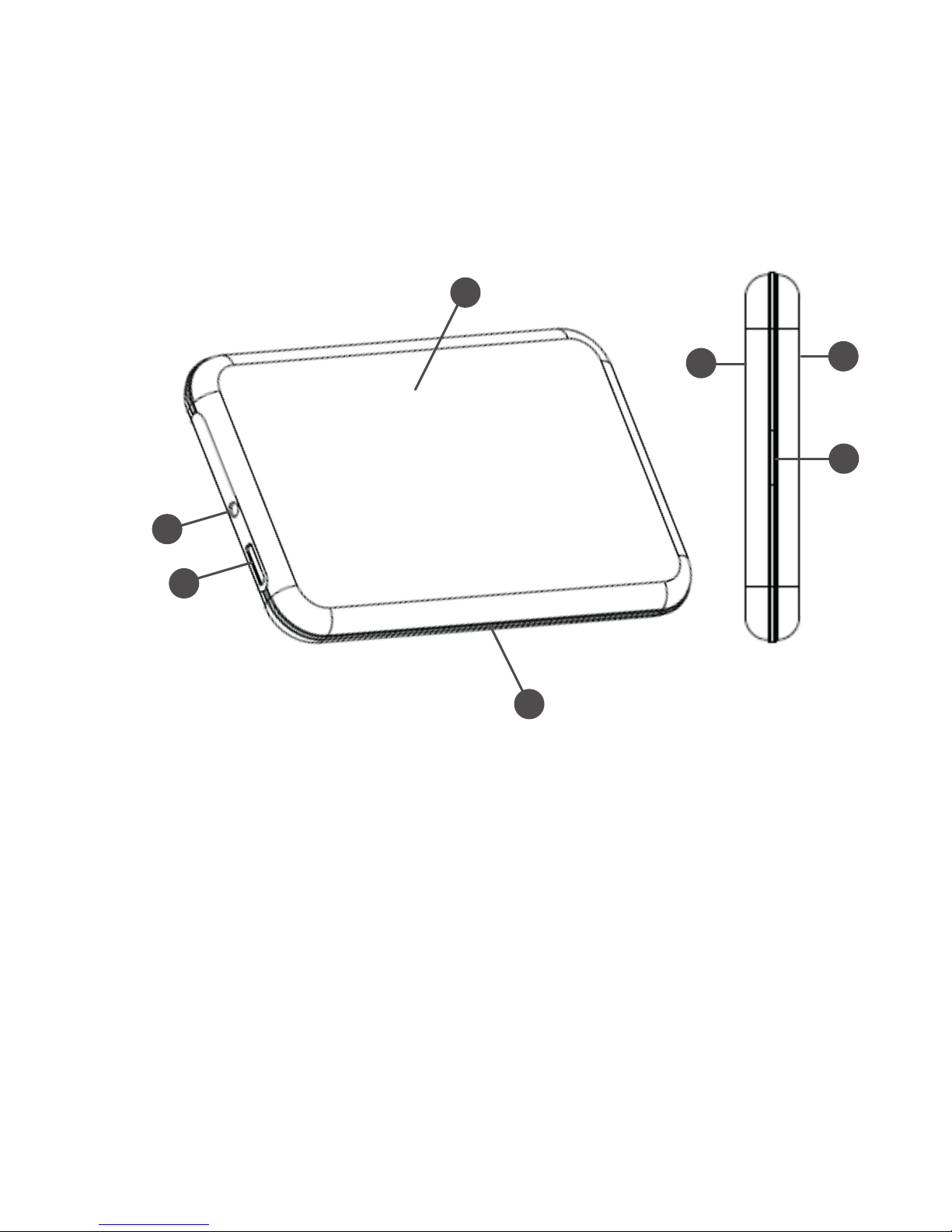
1
1
3
4
6
2
5
4. INSTALLATION
INSTALLATION OF EXTERNAL HARD DISK DRIVE:
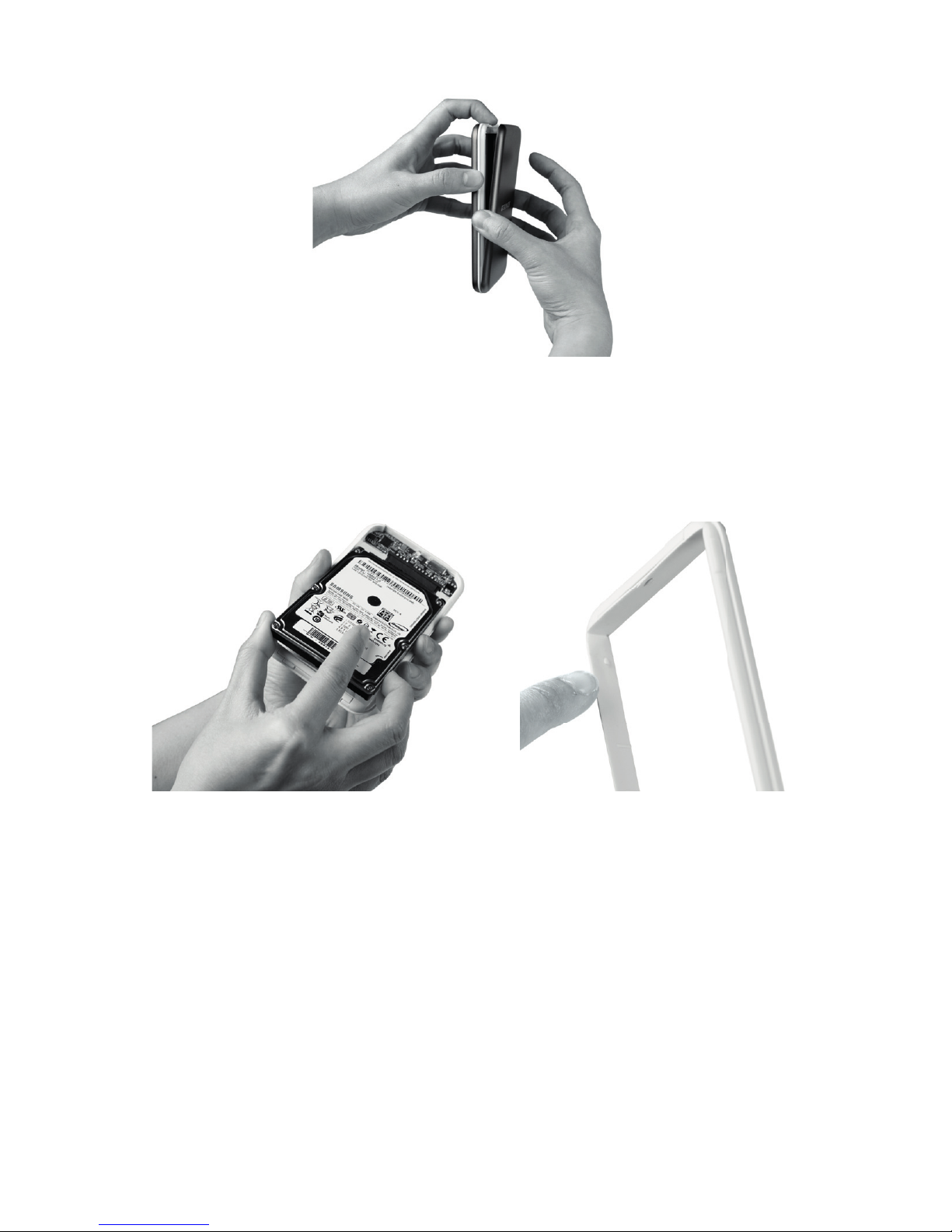
1. Locate the release button (6) in the middle of the bottom
of the enclosure.
2. Keep the enclosure in a vertical position, press the re-
lease button (6) and remove carefully the 2 aluminum covers (1)
(2) to separate them from the central chassis (4).
15
3. With much care, insert a 2.5” hard disk drive SATA in
the chassis (4) and connect the SATA interface of hard drive
with the connector of chassis (4), fix the hard drive with the nails
inside the chassis (4).
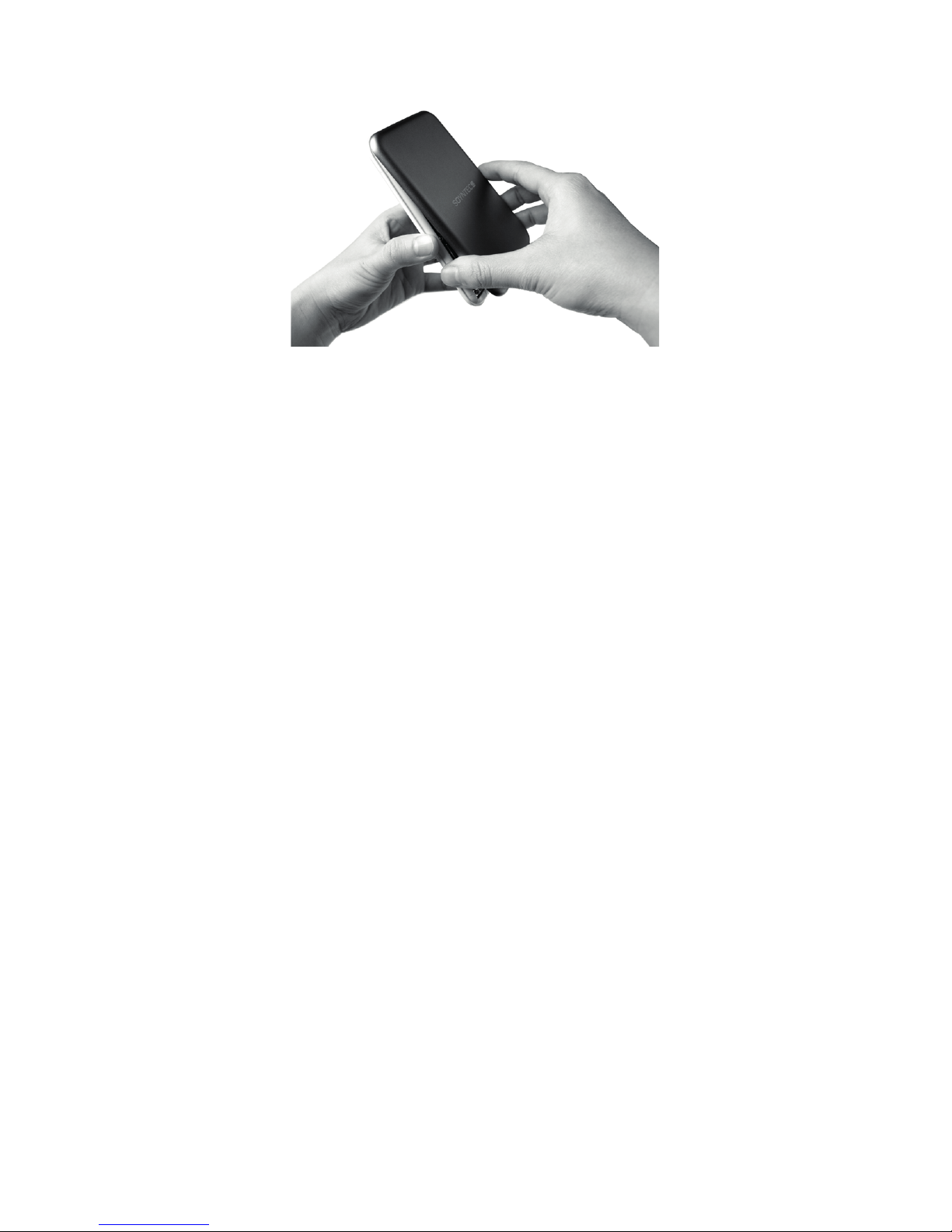
4. Set back the covers (1) (2) with the central chassis (4):
firstly set the cover back in the side of the release button (6),
fixing well the 2 teeth of cover into the 2 holes of chassis; then
set the cover back in the other side of the chassis, pressing
firmly until you listen a “click” sound.
16
5. Now connect the enclosure with your computer by the
USB 3.0 cable which is including in the pack, connecting the
cable to the USB3.0 port of enclosure (3) and the USB port of
your computer.
IMPORTANT NOTE: In order to enjoy the speed of USB3.0,
the USB cable and the interface USB of computer should be
USB3.0 (intergraded interface or external interface by Host con-
troller PCI-Express or Host controller ExpressCard). Otherwise,
the data transfer speed would be limited by the speed of inter-
face USB of the computer.
6. Now your computer should detect the new hardware,
and the LED indicator of status (5) will be keeping on after a
correct installation and connection.
7. To remove the hard disk drive from the enclosure,
repeat steps 1) and 2), separate the hard disk drive carefu-
lly from the central chassis (4), firstly from the side of release
button (6), then from the other side of chassis, disconnecting
the hard disk drive from the SATA connector of enclosure.
GENERAL NOTES
The characteristics of equipment will affect the data transfer speed
of USB3.0.

17
You are recommended to use Windows “Safely remove hardware”
utility before removing the connection of enclosure from your com-
puter.
5. SPECIAL GUARANTEE
Soyntec guarantees that your product does not have any material,
design or manufacture defect and provides 36 month guarantee.
Guarantee procedure:
1. Visit the Support section at http://support.soyntec.com and se-
lect your product to view the FAQ (Frequently Asked Questions).
The solution to your problem is very likely to have been already
published there. You will also be able to download user manuals,
user guides, drivers and updates.
2. If you can not find an appropriate solution in the Support section,
you may send us your enquiry or warranty service request using this
mail: [email protected]
3. You may also reach by phone at the warranty service number
902 294 294. Make sure to have your purchase receipt or invoice
and the product’s serial number at hand when you call.
4. Alternatively, you may prefer to contact the distributor from which
you purchased the product, presenting them the receipt or invoice.
Specifications are subject to change without notice.
© 2010 by Soyntec. All rights reserved.
Trademarks
All company, brand and product names are trademarks or registe-
red trademarks of their respective companies.
18
6. AGREEMENT DECLARATION
Supplier: Energy Sistem Soyntec S. A.
Adress: Pol. Ind. Finestrat C/ Calpe 1, 03509 Finestrat, Alicante
- ESPAÑA
Tel: 902 388 388 Fax: 902 119 034 NIF: A53107488
We declare under our own exclusive responsibility the product
agreement:
Soyntec® HDD Box 250 SATA - USB 3.0
Manufacturing country: China
Which concern this agreement, with the norm(s) or other(s)
normative(s) document(s): EMC DIRECTIVE 2004/108/EC
(EN55022 / EN55024)
In accord with the disposition of the Directive 93/68/CEE, from
the European Parliament and the Counsel from 22nd July 1993,
transposed to the Spanish legislation through the Real Decree
1950/1995, from 1st December 1995.
www.soyntec.com
Indice


