sparkfun RTK Surveyor Documento tecnico

SparkFun RTK Surveyor Hookup Guide
Introduction
The RTK Surveyor from SparkFun is your one stop shop for high precision geolocation and surveying needs. For
basic users, it’s incredibly easy to get up and running and for advanced users, the RTK Surveyor is a flexible and
powerful tool.
With just a few minutes of setup, the RTK Surveyor is one of the fastest ways to take centimeter grade
measurements.
SparkFun RTK Surveyor
GPS-18443
Y
O
U
R
A
C
C
O
U
N
T
R
E
G
I
S
T
E
R

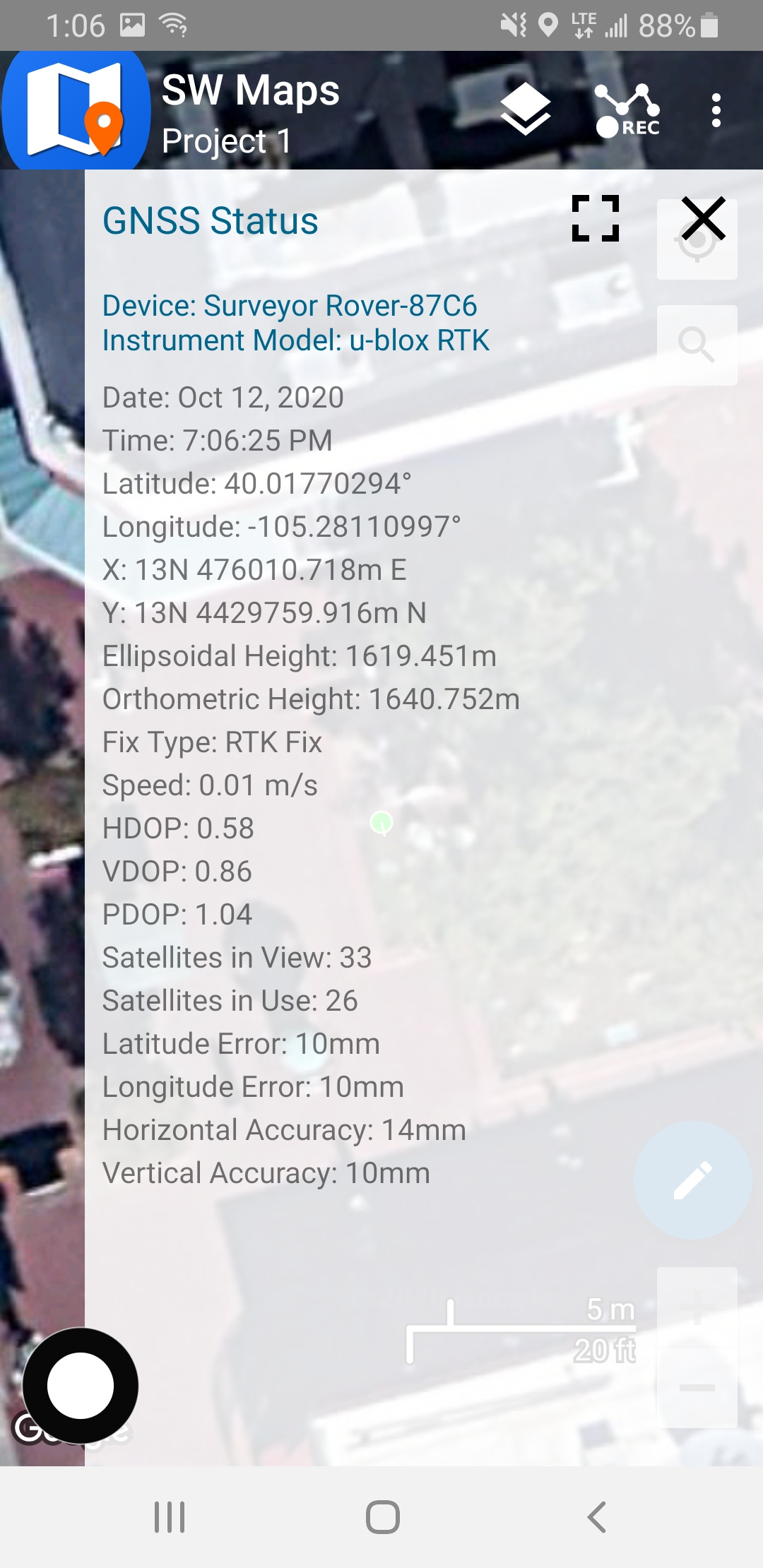
An RTK Fix in SW Maps
By connecting your phone to the RTK Surveyor over Bluetooth, your phone can act as the radio link to provide
correction data as well as receive the NMEA output from the device. It’s how $10,000 surveying devices have
been operating for the past decade - we just made it easier, smaller, and a lot cheaper.
Product Showcase: SparkFun RTK SurveyorProduct Showcase: SparkFun RTK Surveyor

Required Materials
While the RTK Surveyor is nicely enclosed you will need a few cables and antennas to make everything work.
We'll go into the specifics of how to hook things together but in general you will need to get a good quality L1/L2
antenna:
Depending on your setup you may want to use your phone for RTCM correction data. If a source is not available
online, you will need a 2nd RTK Surveyor setup in base mode and a radio link connecting the Base to the Rover.
Again, we'll go into details but we designed RTK Surveyor to work with these 500mW 915MHz telemetry radios out
of the box:
GNSS Multi-Band L1/L2 Surveying Antenna
(TNC) - TOP106
GPS-17751
Interface Cable - SMA Male to TNC Male
(300mm)
CAB-17833
1/4" to 5/8" Antenna Thread Adapter
PRT-17546
Serial Telemetry Radio Kit - 915MHz, 500mW
WRL-17255

To charge the RTK Surveyor you will need a USB C cable and a power supply. SparkFun carries a few options:
Suggested Reading
GNSS RTK is an incredible feat of engineering that has been made easy to use by powerful GNSS receivers such
as the ZED-F9P by u-blox (the receiver inside RTK Surveyor). The process of setting up an RTK system will be
covered in this tutorial but if you want to know more about RTK here are some good tutorials to brush up on:
Retired
USB 2.0 Type-C Cable - 1 Meter
CAB-16905
Reversible USB A to C Cable - 0.8m
CAB-15425
USB Wall Charger - 5V, 2A
TOL-16893
USB-C Wall Adapter - 5.1V, 3A (Black)
TOL-16272
What is GPS RTK?
Learn about the latest generation of GPS and GNSS
receivers to get 14mm positional accuracy!
Getting Started with U-Center for u-blox
Learn the tips and tricks to use the u-blox software tool
to configure your GPS receiver.

Hardware Overview
The RTK Surveyor is a fully enclosed, preprogrammed device. There are very few things to worry about or
configure but we will cover the basics.
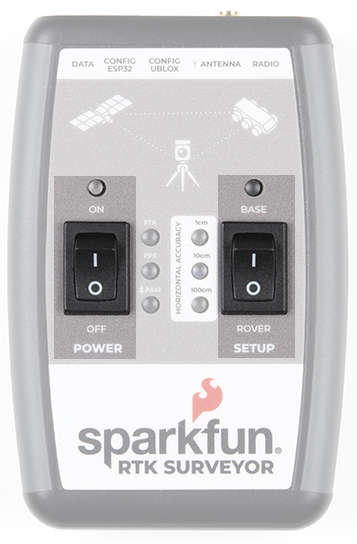
Switches
GPS-RTK2 Hookup Guide
Get precision down to the diameter of a dime with the
new ZED-F9P from u-blox.
Setting up a Rover Base RTK System
Getting GNSS RTCM correction data from a base to a
rover is easy with a serial telemetry radio! We'll show
you how to get your high precision RTK GNSS system
setup and running.
How to Build a DIY GNSS Reference Station
Learn how to affix a GNSS antenna, use PPP to get its
ECEF coordinates and then broadcast your own RTCM
data over the internet and cellular using NTRIP to
increase rover reception to 10km!

Setup
This device can be used in three modes:
GNSS Positioning (~30cm accuracy)
GNSS Positioning with RTK (1.4cm accuracy)
GNSS Base Station
When the SETUP switch is set to Rover the device will enter Position mode. RTK Surveyor will receive L1 and L2
GNSS signals from the four constellations (GPS, GLONASS, Galileo, and BeiDou) and calculate the position
based on these signals. Similar to a standard grade GPS receiver, the RTK Surveyor will output industry standard
NMEA sentences at 4Hz and broadcast them over any paired Bluetooth device at 115200bps. The end user will
need to parse the NMEA sentences using commonly available mobile apps, GIS products, or embedded devices
(there are many open source libraries). Unlike standard grade GPS receivers that have 2500m accuracy, the
accuracy in this mode is approximately 300mm horizontal positional accuracy with a good grade L1/L2 antenna.
When the SETUP switch is set to Rover and RTCM correction data is sent into the radio port or over Bluetooth, the
device will automatically enter Positioning with RTK mode. In this mode RTK Surveyor will receive L1/L2 signals
from the antenna and correction data from a base station. The receiver will quickly (within a few seconds) obtain
RTK float, then fix. The NMEA sentences will have increased accuracy of 14mm horizontal and 10mm vertical
accuracy. The RTCM correction data can be obtained from a cellular link to online correction sources or over a
radio link to a 2nd RTK Surveyor setup as a base station.
When the SETUP switch is set to Base the device will enter Base Station mode. This is used when the device is
mounted to a fixed position (like a tripod or roof). The RTK Surveyor will initiate a survey. After 60 to 120 seconds
the survey will complete and the RTK Surveyor will begin transmitting RTCM correction data out the radio port. A

base is often used in conjunction with a second unit set to 'Rover' to obtain the 14mm accuracy. Said differently, if
you’ve got a radio attached to the base and the rover, you’ll create an RTK system without any other setup and the
Rover will output super accurate readings.
Power
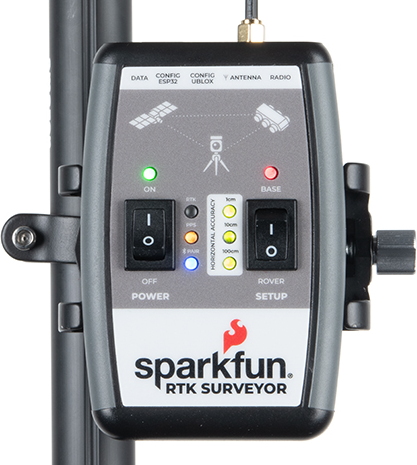
The Power switch is self explanatory. When turned on the LED will turn Green, Yellow, or Red indicating battery
level. The RTK Surveyor has a built-in 1000mAh lithium polymer battery that will enable up to 4 hours of field use
between charging. If more time is needed a common USB power bank can be attached boosting the field time to
40 hours.
LEDs
There are a variety of LEDs:
Power - Blue when attached to power and charging / off when fully charged. Green/Yellow/Red when the
Power switch is turned on indicating the state of charge of the internal battery.
RTK - This white LED will be off when no RTCM correction data is received. Blinking indicates RTK Float is
achieved. Solid when RTK Fix is achieved.
PPS - Pulse per second. This yellow LED will blink at 1Hz when GNSS fix is achieved. You’ll see this LED
begin blinking anytime the receiver detects enough satellites to obtain a rough location.
PAIR - Blinks blue when waiting to be paired with over Bluetooth. Solid when a connection is active.
Horizontal Accuracy 100cm/10cm/1cm - These green LEDs illuminate as the horizontal positional
accuracy increases. 100cm will often be achieved in normal positioning mode with a good L1/L2 antenna.
10cm will often be achieved as the first few seconds of RTCM correction data is received, and 1cm will be
achieved when a full RTK fix is calculated.
BASE - This LED will blink red when the SETUP switch is set to Base and a survey is being conducted. It
will turn solid red once the survey is complete and the unit begins broadcasting RTCM correction data.
Connectors

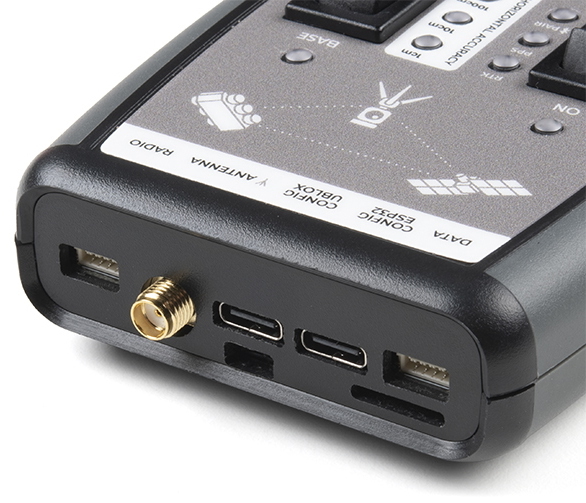
The SparkFun RTK Surveyor has a variety of connectors
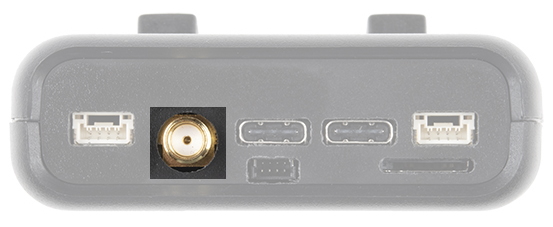
Antenna:
This SMA connector is used to connect an L1/L2 type GNSS antenna to the RTK Surveyor. Please realize that a
standard GPS antenna does not receive the L2 band signals and will greatly impede the performance of the RTK
Surveyor (RTK fixes are nearly impossible). Be sure to use a proper L1/L2 antenna.
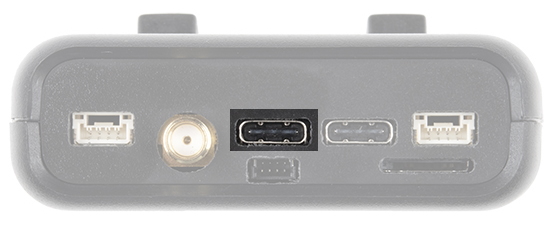
Configure u-blox:
This USB C connector is used for charging the device and/or directly configuring and inspecting the ZED-F9P
GNSS receiver using u-center. It’s not necessary in normal operation but is handy for tailoring the receiver to
specific applications. As an added perk, the ZED-F9P can be detected automatically by some mobile phones and
tablets. If desired, the receiver can be directly connected to a compatible phone or tablet removing the need for a
Bluetooth connection.
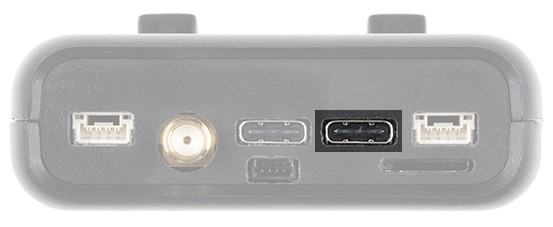
USB Configure ESP32:
This USB C connector is used for charging the device, configuring the device, and reprogramming the ESP32.
Various debug messages are printed to this port at 115200bps and a serial menu can be opened to configure
advanced settings.

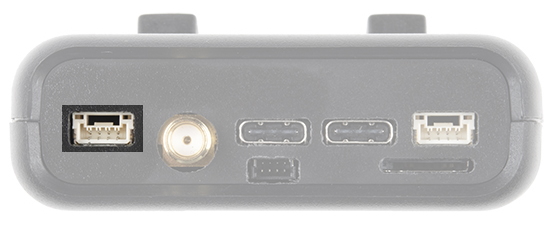
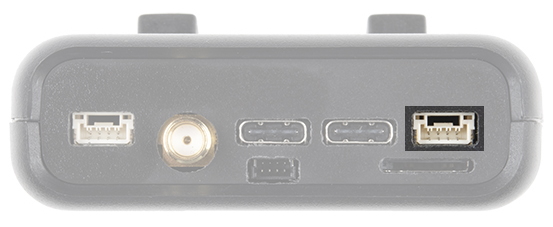
Radio:
This 4-pin JST connector is used to allow RTCM correction data to flow into the device when it is acting as a rover
or out of the device when it is acting as a base. You will most likely connect this port to one of our Serial Telemetry
Radios if you don’t have access to a correction source on the internet. The pinout is 3.5-5.5V / TX / RX / GND. The
connector is a 4-pin locking 1.25mm JST SMD connector (part#: SM04B-GHS-TB, mating connector part#: GHR-
04V-S). 3.5V to 5.5V is provided by this connector to power a radio with a voltage that depends on the power
source. If USB is connected to the RTK Surveyor then voltage on this port will be 5V (+/-10%). If running off of the
internal battery then voltage on this port will vary with the battery voltage (3.5V to 4.2V depending on the state of
charge). While the port is capable of sourcing up to 2 amps, we do not recommend more than 500mA. This port
should not be connected to a power source.
Data:
This 4-pin JST connector is used to output NMEA sentences over 115200bps serial. Most applications will send
the NMEA position data over Bluetooth. Alternatively, this port can be useful for sending position data to an
embedded microcontroller or single board computer. The pinout is 3.3V / TX / RX / GND. The connector is a 4-pin
locking 1.25mm JST SMD connector (part#: SM04B-GHS-TB, mating connector part#: GHR-04V-S). 3.3V is
provided by this connector to power a remote device if needed. While the port is capable of sourcing up to 600mA,
we do not recommend more than 300mA. This port should not be connected to a power source.
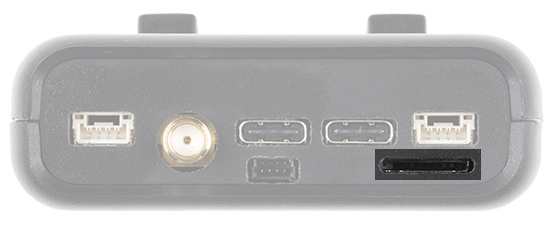
microSD:
This slot accepts standard microSD cards up to 32GB formatted for FAT16 or FAT32. Logging NMEA and RAWX
data at up to 4Hz is supported for all constellations.
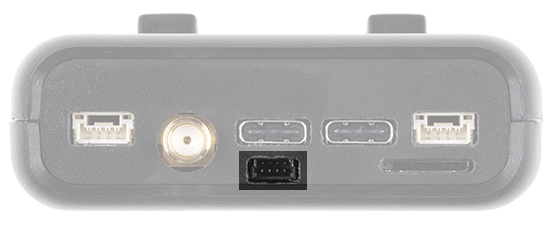
Qwiic:
This 4-pin Qwiic connector exposes the I2C bus of the ESP32 WROOM module. Currently, there is no firmware
support for adding I2C devices to the RTK Surveyor but support may be added in the future.
Power
The RTK Surveyor has a built in 1000mAh battery and consumes approximately 240mA worst case with Bluetooth
connection active, GNSS fully tracking, and a 500mW radio broadcasting. This will allow for 4 hours of use in the
field. If more time is needed in the field a standard USB power bank can be attached. If a 10,000mAh bank is
attached one can estimate 30 hours of run time assuming 25% is lost to efficiencies of the power bank and charge
circuit within RTK Surveyor.
The RTK Surveyor can be charged from any USB port or adapter. The charge circuit is rated for 1000mA so USB
2.0 ports will charge at 500mA and USB 3.0+ ports will charge at 1A.
To quickly view the state of charge, turn on the unit. A green LED indicates > 50% charge remaining. A yellow LED
indicates > 10% charge remaining. A red LED indicates less than 10% charge remaining.
Hardware Overview - Advanced Features
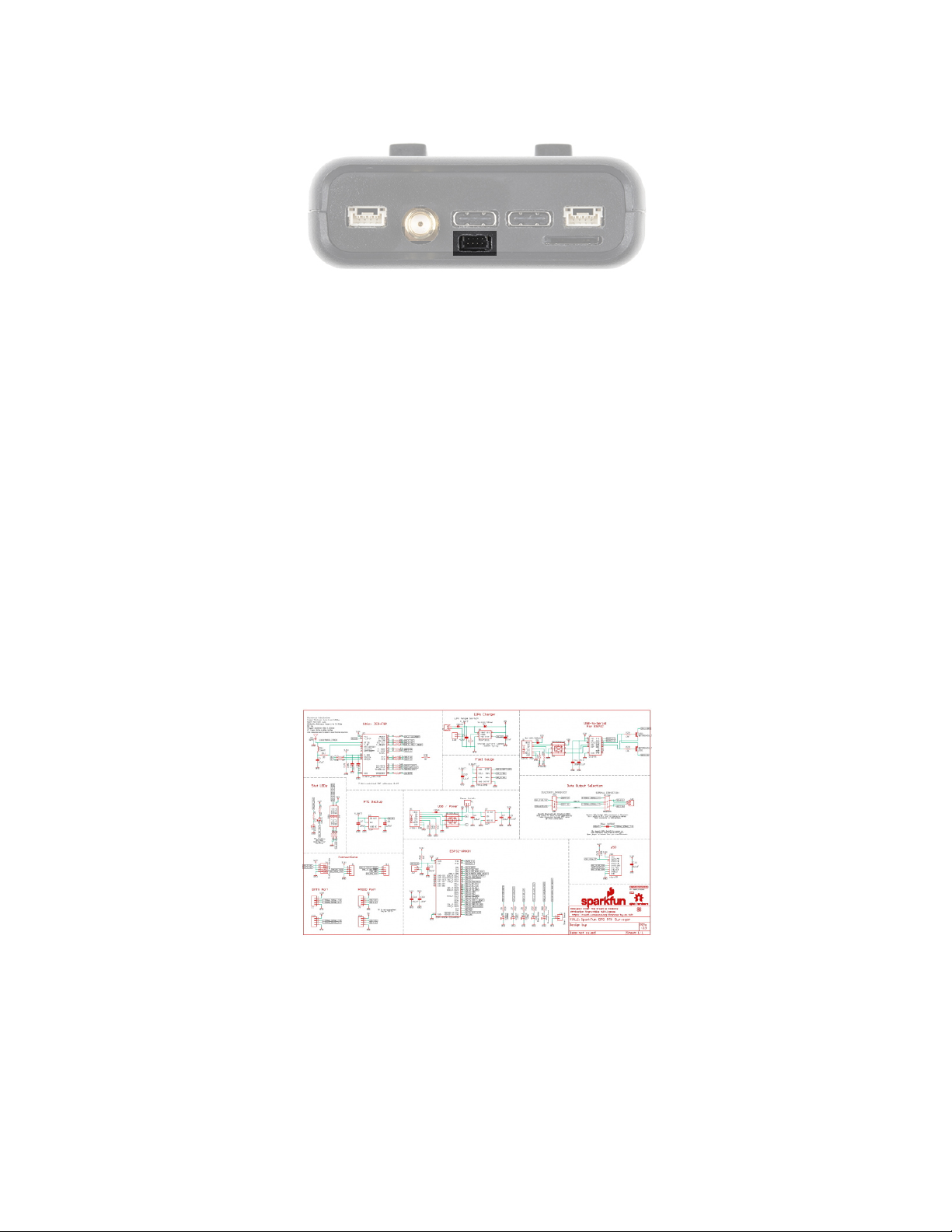
The RTK Surveyor is a hacker’s delight. Under the hood of the RTK Surveyor is an ESP32 WROOM connected to
a ZED-F9P as well as some peripheral hardware (LiPo fuel gauge, microSD, etc). It is programmed in Arduino and
can be tailored by the end user to fit their needs.
Click on the image to get a closer look at the Schematic!
ZED-F9P GNSS Receiver
The ZED-F9P GNSS receiver is configured over I C and uses two UARTs to output NMEA (UART1) and
input/output RTCM (UART2).
2
Questo manuale è adatto per i seguenti modelli
1
Indice
Altri manuali sparkfun GPS