3
4. Tweak step. During adjustment of the calibration, the user activates the Tweak func-
tion. Motor steps are 0.2, 0.4, or 1.0 times the tweak step in millimeters. The default
value is 0.2 mm. It is unlikely that the user will need to change this, but the option is
available.
5. File path. The default location for the files called by the program is
C:\Program Files\Special Optics BE. If you move the files to another location, this
path will need to be changed.
3. Operation
The software for the Motorized Zoom Beam Expander was written in LabVIEW 8.0 by National
Instruments. All of the key commands are complied in a dll file. We have written an executable
LabVIEW file that calls the dll to operate the system. It is not necessary to have LabVIEW
installed on your computer to operate the system. However, the installer does load National
Instruments’ Runtime Engine 8.0 on your system in order to permit calls to LabVIEW functions
from the dll.
The executable file was written in LabVIEW to provide a user-friendly graphical user interface
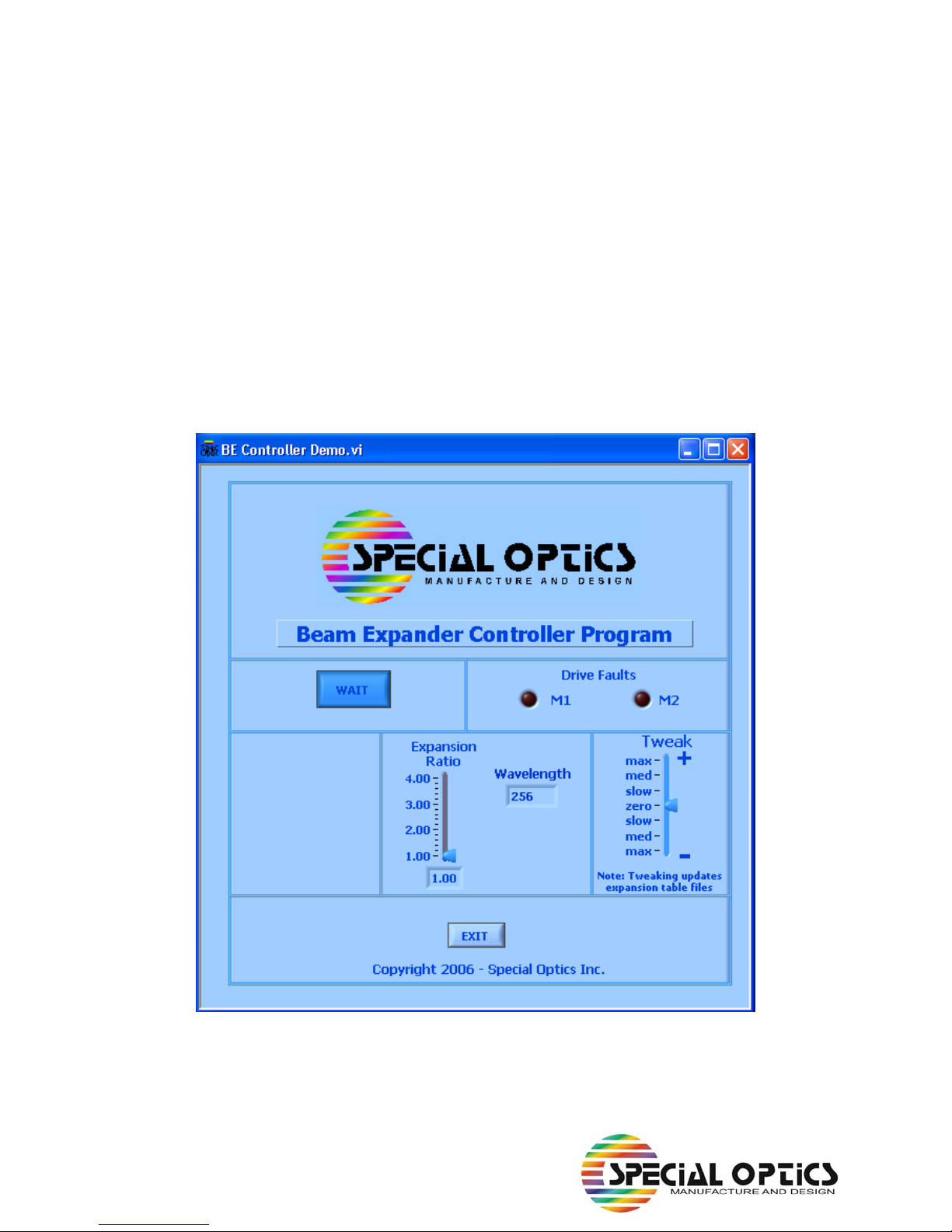
(GUI) to operate the zoom lens. Figure 2 shows the GUI in its start-up condition. The WAIT but-
ton is dark since the unit’s two motors begin a homing procedure on start-up. The top two lights
on the control box will remain red until the homing procedure is completed. The top light remains
red until Motor 1 has homed; the middle light remains red until Motor 2 homes. If the lower light
becomes red and one or both of the Drive Faults on the GUI become red, home the system
again using the RE-HOME button on the GUI. In Figure 2, this is the WAIT button. WAIT will
change to RE-HOME after the homing sequence has ended.
Wavelength
The Motorized Zoom Beam Expander is designed to operate over a wavelength range from 256
nm to 1550 nm. Antireflection coatings on the lenses must be changed for the different wave-
lengths, but the five internal lenses are identical for all versions of the system. We have pre-pro-
grammed the system for eleven common wavelengths (256, 355, 458, 488, 514, 532, 633, 780,
800, 1064, and 1550 nm). The pull-down menu on the GUI allows the user to select any of these
eleven wavelengths.
Expansion Ratio
The Motorized Zoom Beam Expander starts up with both motors in their home positions. Click on
the slide labelled Expansion Ratio to move the system into a collimation condition with an expan-
sion ratio given by the slide position and the readout at the bottom of the slide. This version of the
Motorized Zoom Beam Expander is set for thirteen expansion ratios (1.00X, 1.25X, 1.50X, …
4.00X). Each time the user moves the slide or clicks on it, the software determines the calibrated
positions for Motor 1 and Motor 2 and moves both lens carriages to the proper locations. The pre-
set motor positions for each wavelength and expansion ratio are stored in txt files (e. g.,
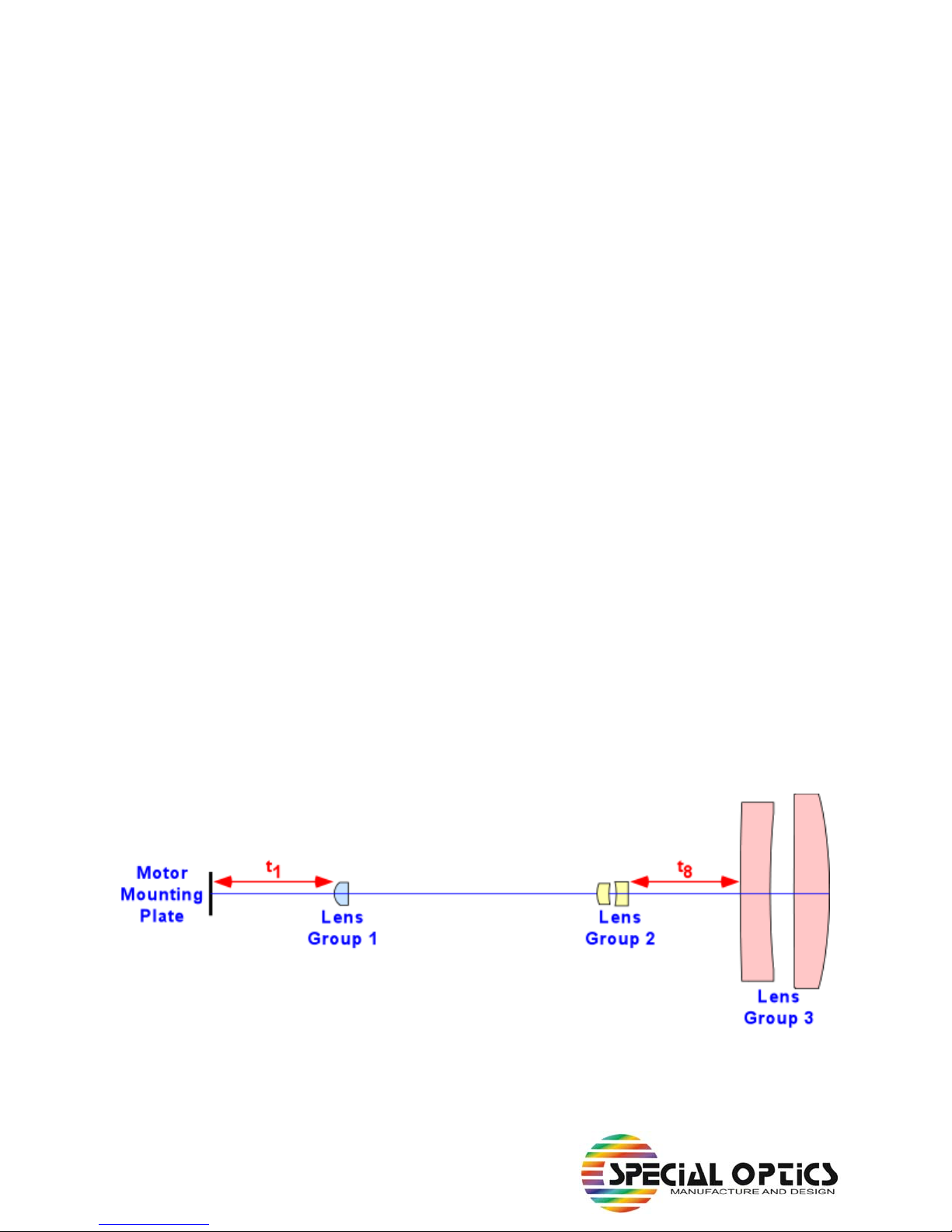
't1 and t8_633.txt' lists 13 expansion ratios and air spaces at 633 nm). The air spaces in the txt
files are converted to motor positions by the dll.