
Spectracom TimeView 230 Manuale utente
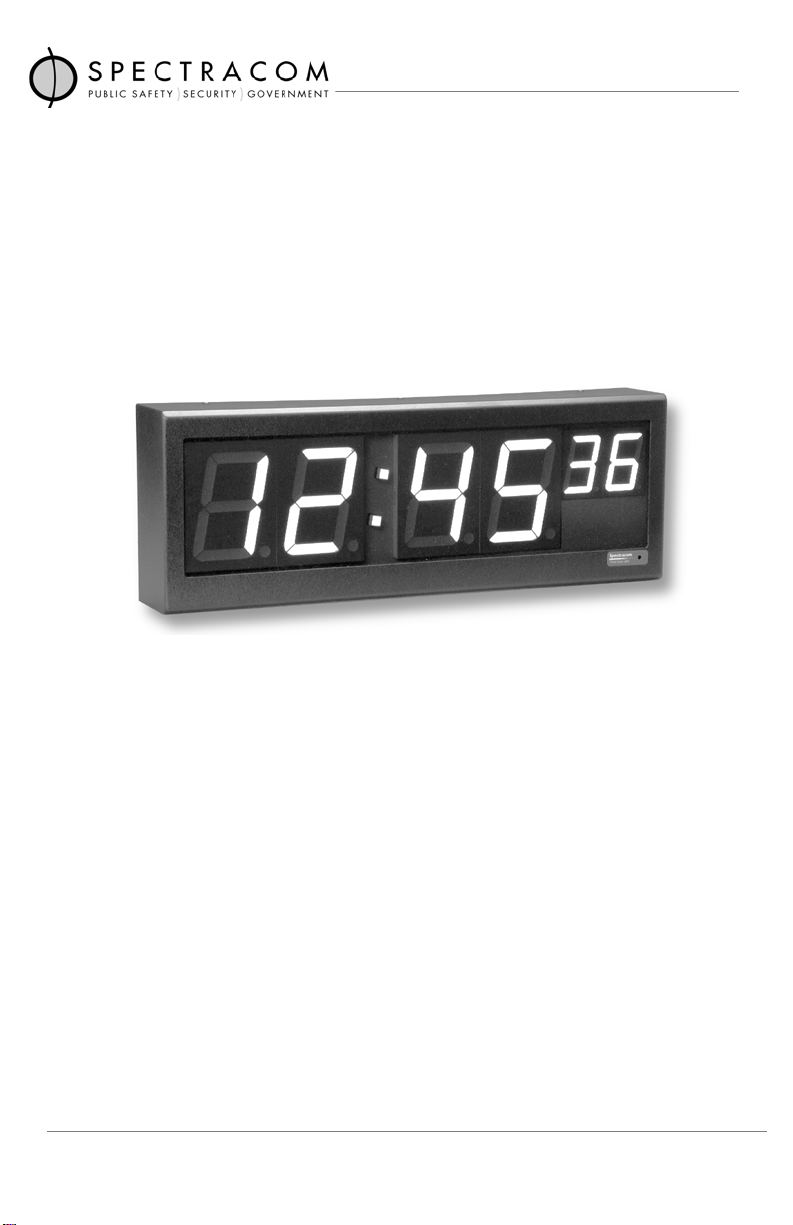
TimeView 230 Display Clock
Model 8175
Instruction ManualInstruction Manual
Instruction ManualInstruction Manual
Instruction Manual
Spectracom CorporationSpectracom Corporation
Spectracom CorporationSpectracom Corporation
Spectracom Corporation
101 Despatch Drive
East Rochester NY 14445 USA
PHONE: +1.585.381.4827 FAX: +1.585.381.4998
wwwwww
wwwwww
www.spectracomcorp.com [email protected].spectracomcorp.com [email protected]
.spectracomcorp.com [email protected]
Rev. 1.5
September 2002
CopyrightCopyright
CopyrightCopyright
Copyright ©2002 Spectracom Corporation.2002 Spectracom Corporation.
2002 Spectracom Corporation.2002 Spectracom Corporation.
2002 Spectracom Corporation.
All rights reserved. Contents of this publication may not be reproduced
in any form without the written permission of Spectracom Corporation.

LIMITED WARRANTY AND WARRANTY CLAIMS:
Spectracom warrants each new product manufactured
and sold by it to be free from defects in material,
workmanship, and construction, except for batteries,
fuses, or other material normally consumed in operation
that may be contained therein, for five years after
shipment to the original purchaser (which period is
referred to as the “warranty period”). This warranty
shall not apply if the product is used contrary to the
Spectracom®,NetClock®, TimeTap®, TimeTalkand TimeBurst
are trademarks of Spectracom Corporation.
All other products are identified by trademarks of their respective companies or organizations.
Time of Day ProductTime of Day Product
Time of Day ProductTime of Day Product
Time of Day Product
Five Year Warranty
instructions in its manual or is otherwise subjected to misuse, abnormal
operations, accident, lightning or repairs or modifications not per-
formed bySpectracom. Spectracom is not responsible for products that
it does not manufacture.
Software and receiver modules not manufactured by Spectracom and
any cable assemblies and adapters are warranted for one year from
date of shipment and subject to exceptions listed above.
Spectracom’s obligation under this warranty is limited to in-factory
service and repair, at Spectracom’s option, of the product or the
component thereof which is found to be defective. If in Spectracom’s
judgment the defective condition in a Spectracom product is for a cause
listed above for which Spectracom is not responsible, Spectracom will
make the repairs or replacement of components and charge its then
current price, which buyer agrees to pay.
Spectracom shall not have any warranty obligations if the procedure for
warranty claims is not followed. Notify Spectracom of the claim with full
information as to the claimed defect. Spectracom products shall not be
returned unless a return authorization number is issued by Spectracom.
Spectracom products must be returned with the description of the
claimed defect and identification of the individual to be contacted if
additional information is needed. Spectracom products must be
returned properly packed with transportation charges prepaid.
EXCEPT FOR THE LIMITED WARRANTY STATED ABOVE, SPECTRACOM
DISCLAIMS ALL WARRANTIES OF ANY KIND WITH REGARD TO SPECTRA-
COM PRODUCTS OR OTHER MATERIALS PROVIDED BY SPECTRACOM,
INCLUDING WITHOUT LIMITATION ANY IMPLIED WARRANTY OR
MERCHANTABILITY OR FITNESS FOR A PARTICULAR PURPOSE.
Spectracom shall have no liability or responsibility to the original
customer or any other party with respect to any liability, loss, or damage
caused directly or indirectly by any Spectracom product, material, or
software sold or provided by Spectracom, replacement parts or units, or
services provided, including but not limited to any interruption of
service, excess charges resulting from malfunctions of hardware or
software, loss of business or anticipatory profits resulting from the use
or operation of the Spectracom product or software, whatsoever or
howsoever caused. In no event shall Spectracom be liable for any
direct, indirect, special or consequential damages whether the claims
are grounded in contract, tort (including negligence), or strict liability.
EXTENDED WARRANTY COVERAGEEXTENDED WARRANTY COVERAGE
EXTENDED WARRANTY COVERAGEEXTENDED WARRANTY COVERAGE
EXTENDED WARRANTY COVERAGE
Extended warranties can be purchased for additional periods beyond
the standard five year warranty. Contact Spectracom during the last
year of the standard five year warranty for extended coverage.
6/1/98

TABLE OF CONTENTS
SECTION1 GENERALINFORMATION
1.0 Introduction ................................................................. 1-1
1.1 Features...................................................................... 1-2
1.2 WarrantyInformationandProductSupport .................. 1-2
1.3 ManualErrataandSpecialDocumentation .................. 1-3
1.4 Unpacking ................................................................... 1-3
1.5 Specifications.............................................................. 1-4
1.5.1 RS-485Input 1-4
1.5.2 RS-485Repeater 1-5
1.5.3 UserSelectableOptions 1-5
1.5.4 Power 1-5
1.5.5 PhysicalandEnvironmental 1-5
SECTION 2 INSTALLATION
2.0 Introduction ................................................................. 2-1
2.1 MountingInstructions .................................................. 2-1
2.2 PreparationforUse...................................................... 2-3
2.2.1 TimeZoneOffset 2-3
2.2.2 12-or24-HourDisplay 2-5
2.2.3 SynchronizationSource 2-5
2.2.4 Termination 2-5
2.2.5 Brightness Adjust 2-5
2.3 SynchronizationConnection ........................................ 2-6
2.3.1 ConnectiontoNetClock/2 2-6
2.3.2 Connection to GPS Synchronized Clocks
orTimeBridge ................................................. 2-7
2.4 InterconnectionInformation.......................................... 2-8
2.4.1 RS-485Guidelines ......................................... 2-8
2.4.2 RS-485Repeater .......................................... 2-14
2.5 ConnectiontoaComputer......................................... 2-16
2.6 ManualSetProcedure............................................... 2-17
2.6.1 ManualSetProcedure 2-18
SECTION3 OPERATION
3.0 Introduction ................................................................. 3-1
3.1 Display........................................................................ 3-1
3.1.1 FaultIndications 3-2
3.2 RearPanelFunctions.................................................. 3-2
3.2.1 RS-485Interface 3-4
3.2.2 Manual Set Switches 3-5
3.2.3 Power 3-5
3.2.4 ConfigurationSwitches 3-5

LISTOFTABLESANDILLUSTRATIONS
TABLE1-1 ANCILLARYKIT .......................................................1-4
TABLE2-1 COMMONOFFSETVALUES...................................2-4
TABLE2-2 TIMEZONESWITCHSETTINGS..............................2-4
TABLE2-3 CABLESOURCESFORRS-485LINES
OVER1500FEET ....................................................2-9
TABLE2-4 CABLESOURCESFORRS-485LINES
UNDER1500FEET ..................................................2-9
TABLE3-1 TIMEZONEOFFSETS .............................................3-7
FIGURE1-1 MODEL8175TIMEVIEW230...................................1-1
FIGURE2-1 DUPLEXMOUNTINGHOLES ...................................2-2
FIGURE2-2 NETCLOCK/2REMOTEOUTPUTCONNECTOR........2-6
FIGURE2-3 CONNECTIONTONETCLOCK/2 ..............................2-7
FIGURE2-4 GPSMASTERCLOCKANDTIMEBRIDGE
CONNECTORS.........................................................2-7
FIGURE2-5 ONE-WAYBUSINSTALLATION.............................2-12
FIGURE2-6 SPLITBUSINSTALLATION ....................................2-13
FIGURE2-7 INSTALLATIONNOTUSING
REPEATEROUTPUT .............................................2-15
FIGURE2-8 REPEATEROUTPUTUSAGE................................2-15
FIGURE2-9 COMPUTERCONNECTION....................................2-16
FIGURE2-10 MULTIPLECLOCKCONNECTION..........................2-17
FIGURE3-1 MODEL8175DISPLAY ............................................3-1
FIGURE3-2 MODEL8175REARPANEL ....................................3-3
FIGURE3-3 RS-485TERMINALBLOCK ......................................3-4
FIGURE3-4 MANUALSETSWITCHES .......................................3-5
FIGURE3-5 CONFIGURATIONDIPSWITCH ...............................3-6
GENERAL INFORMATION
1.0 INTRODUCTION
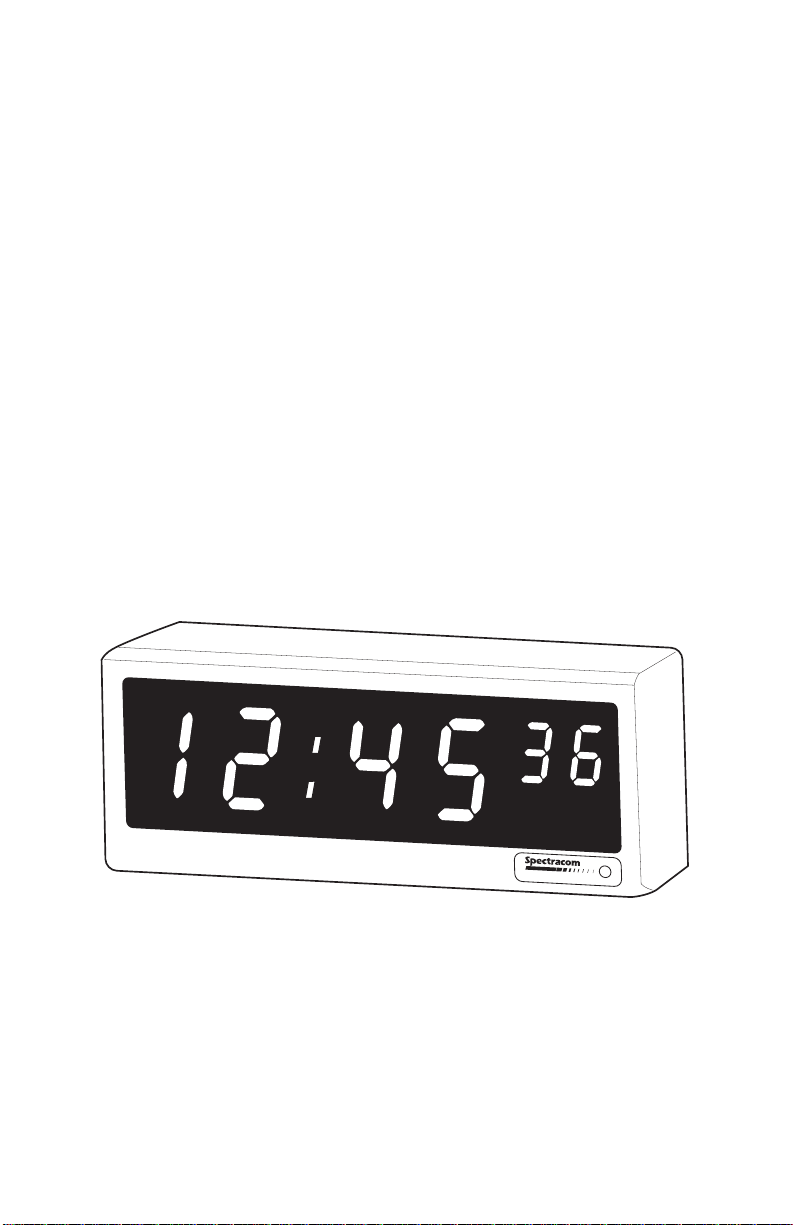
The Spectracom®Model 8175 TimeView 230, shown in
Figure 1-1, is a synchronized display clock. TimeView 230
features2.3inchLEDdigitswhichcanbeviewedfrom75feet
away. Theclockdisplaystraceabletimewhenconnectedtoa
NetClock®MasterClock. Thedisplayisconfigurablefor12-or
24-hourtimeformatandtimezoneoffsets.
TimeView230displaysmayalsosynchronizetoahostcom-
puterrunninganetworktimekeepingsystem,orsetmanually
forstand-aloneoperation.
FIGURE 1-1 MODEL 8175 TIMEVIEW 230
Page 1-1
TimeView 230

1.1 FEATURES
TheSpectracomTimeView230offersthesefeatures:
* Displays traceable time when connected to a NetClock
Master Clock. Clocks may also be synchronized from a
computerorsetmanually.
* Automaticdataformatandbaudratedetectionmakesset
upandinstallationeasy.
* Configurable display for 12- or 24-hour format and time
zoneoffsets.
* Large 2.3 inch display digits offer exceptional
visibility.
1.2 WARRANTY INFORMATION AND
PRODUCT SUPPORT
Findwarrantyinformationontheinsidecoverofthismanual.
Shoulditbecomenecessarytoexercisethewarranty,contact
SpectracomCorporationtoobtainareplacementorservice.
Spectracomcontinuouslystrivestoimproveitsproductsand
greatly appreciates any customer feedback. Please direct
anycommentsorquestionsregardingapplication,operation,
or service to Spectracom’s Customer Service Department.
Customer service is available Monday through Friday from
8:00 AM to 5:00 PM Eastern time at 585-381-4827.
Inaddition,pleasecontactcustomerservicetoobtainaReturn
Material Authorization Number (RMA#) before
returning any device to Spectracom Corporation. Please
providetheserialnumberandfailuresymptoms.
Page 1-2

Transportation to the factory is to be prepaid by the
customer.
1.3 MANUAL ERRATA AND
SPECIAL DOCUMENTATION
Informationconcerningmanualcorrectionsorchangesmade
totheTimeViewarefoundontheerratasheet located at the
rearofthismanual.
Spectracom will make equipment modifications upon
special request. The documentation associated with any
specialis also located in theback of this manual.
1.4 UNPACKING
Upon receipt,carefullyexaminethecartonanditscontents. If
thereisdamagetothecarton,whichresultsindamagetothe
unit,contactthecarrierimmediatelysoitsrepresentativemay
witness such damage. Failure to report shipping damage
immediately may forfeit any claim against the carrier. In
addition,notifySpectracomofshippingdamageorshortages
toobtain a replacement or repair services.
EachModel8175isshippedwithaninstructionmanualandan
ancillarykit. Table1-1liststheitemsincludedintheancillary
kit. Checkthatall itemshavebeenreceived.
Page 1-3

Page 1-4
TABLE 1-1 ANCILLARY KIT
1.5 SPECIFICATIONS
This section lists the specifications for the Model 8175
TimeView 230.
1.5.1 RS-485 Input
Connector: 6-position removable terminal
block(supplied)
InputSignal: RS-485 ASCII data stream in
Format0or 1fromtheNetClock
MasterClockorComputer
BaudRate: 300 to 9600; automatic bit rate
detectionwithNetClockoperation.
9600 baud with computer set
operation.
Max.CableLength: 4000feet(1.2km)usingshielded
twisted pair
InputImpedance: Switch Selectable, 120 ohm
terminationor highimpedance.
ytitnauQrebmuNtraPnoitpircseD
145000TCAV5.61retpadACA
160031PkcolBlanimreTnoitisop-6
21000DHrohcnAcitsalP
26100-0001-001HlateMteehS,"1x01#,wercS
180086snoitcurtsnIgnitnuoMweiVemiT

TransientProtection: Diode protected from spikes ex-
ceeding +12 VDC and -7 VDC.
1.5.2 RS-485 Repeater
OutputSignal: Regenerated RS-485 signal of
appliedinputdatastream
MaxLoading: 32 devices
1.5.3 UserSelectableOptions
TimeView 230 switches and controls select the following
options: 12- or 24-hour display format, time zone offsets,
display intensity, time set from NetClock Master Clock,
computer,ormanuallyentered,andRS-485termination.
1.5.4 Power
PowerSource: UL listed AC power adapter (sup-
plied)
Input: 115 VAC ±10%, 60 Hz, 14 watts
Output: 16.5 VAC, 600 mA
Connector: Barrel,5.5mmO.D.,2.1mmI.D.
1.5.5 Physical and Environmental
Digit Size: 2.3"hoursandminutes
1" seconds
OverallSize: 5" H x 12"W x 2.9" D
WallMount: 8"centers
Weight: 2.2lbs.
Temperature: 0°to 50°C operating range
Page 1-5

Page 2-1
INSTALLATION
2.0 INTRODUCTION
This section describes the TimeView 230 mounting, switch
set-up,connectiontoaNetClockorcomputersynchroni-zation
sourceandmanualsetoperation.
2.1 MOUNTING INSTRUCTIONS
Theancillarykitincludesscrewsandplasticanchorsforwall
mountingtheclock. ToolsneededformountingareaPhillips
screwdriveranda 1/4"drill.
TimeViewisdesignedtomountoveraduplexoutlettoconceal
thepoweradapteranddatacables. For instal-lationswhere
this is not possible, notches are provided along the top and
bottomedgesforroutingpoweranddatacables.
ToinstallTimeViewoveraduplexoutlet,layareferenceline
over the cover plate as shown in Figure 2-1. Drill two 1/4"
holes,eightinchesapart,centeredovertheoutlet.
Questo manuale è adatto per i seguenti modelli
1
Indice
Altri manuali Spectracom Orologio

Spectracom
Spectracom 9289 Manuale utente

Spectracom
Spectracom NetClock Guida utente

Spectracom
Spectracom TimeView 400 8177 Manuale utente

Spectracom
Spectracom EPSILON EC1S Manuale utente

Spectracom
Spectracom 8183A NETCLOCK Manuale utente

Spectracom
Spectracom TV210V Manuale utente

Spectracom
Spectracom 9183 Manuale utente


