5
Alarm
An audible alarm can sound when CO2 concentration exceeds
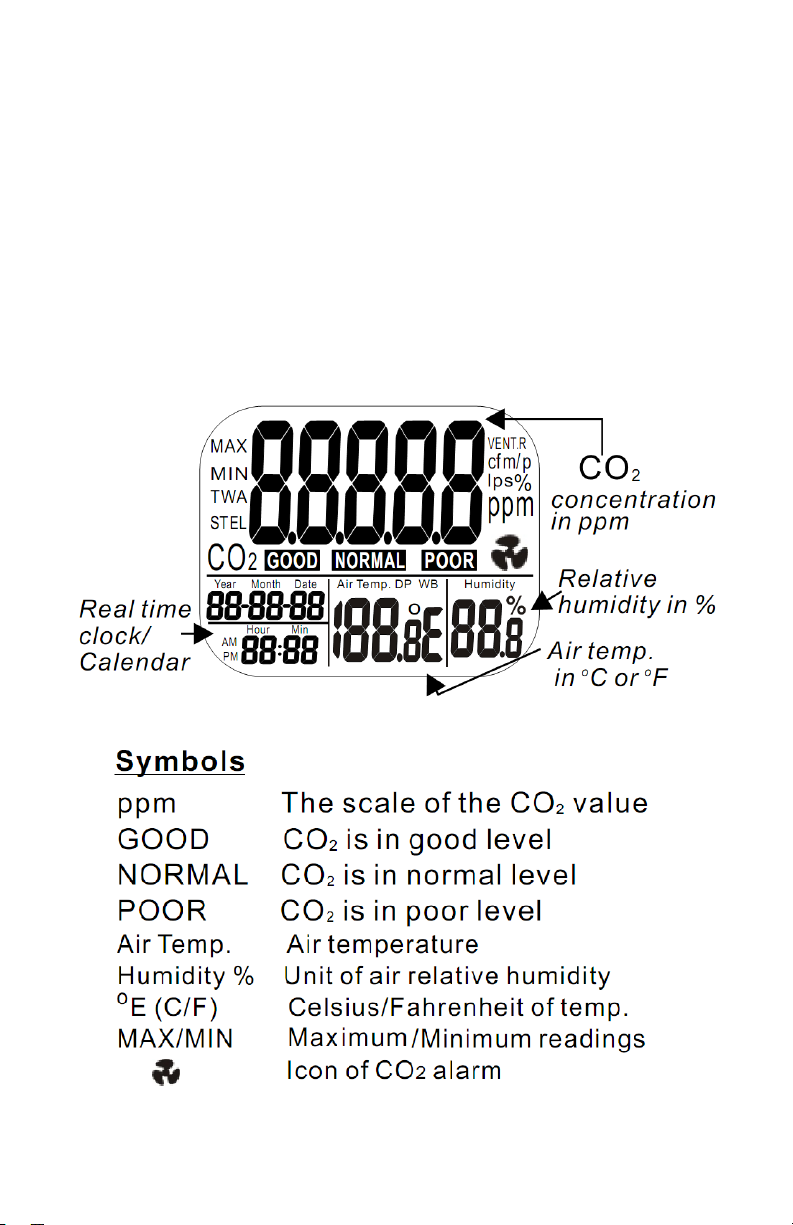
user-set limits. The logger beeps and displays fan icon on the
LCD when the CO2 level goes over the upper limit. The sound
can be stopped by pressing any button.
Setup
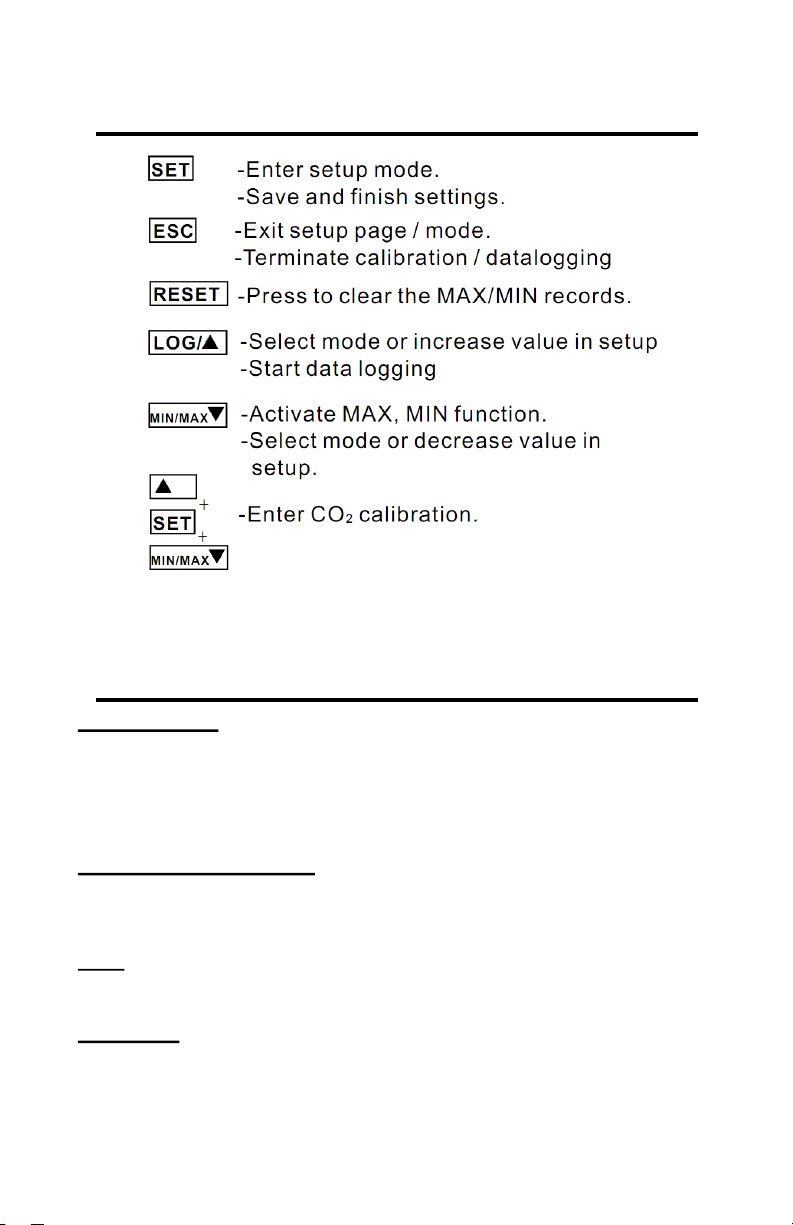
In normal mode, hold down the SET button for at least 3 seconds
to enter setup mode. To exit setup, press the ESC button.
P1.0 Set CO2 Alarm
When entering setup mode, “CO2” and “P1.0” are displayed on
the LCD. Press SET again to enter “P1.1” to set upper limit for
the GOOD indicator on the LCD. Press “LOG” to increase or
“MIN/MAX” to decrease the value.
Press SET again to enter “P1.2” to set the CO2 alarm upper limit
for the NORMAL indicator. The current value will be blinking on
the LCD. Press “LOG” to increase or “MIN/MAX” to de-
crease the value. Press SET to save the values, or ESC to exit
without saving.
Press SET again to enter “P1.3” to set the CO2 alarm lower limit
(exceeding this triggers the alarm). Typically, the upper level for
NORMAL and the lower level for the alarm are the same value.
The current value will be blinking on the LCD. Press “LOG” to
increase or “MIN/MAX” to decrease the value (in a plant
growth environment, this should probably be set as high as pos-
sible (5000) to effectively disable the alarm). Press SET to save
the values, or ESC to exit without saving.
Pressing SET will take you to "P1.4". Use “LOG” or “MIN/MAX
” to toggle between enabling and disabling the alarm. Press
ESC to return to normal mode.
P2.0 Set Temperature Units
From the P1.0 display, press “LOG” to change to the P2.0
screen. Press SET to enter “P2.1” to set the temperature units.
The current units, “°C” or “°F”, will be displayed on the lower mid-
dle area of the LCD. Press “LOG” or “MIN/MAX” to switch
between “°C” and “°F”. Press the SET button to save the setting,
or ESC to exit without saving.