Spirit XT185 Manuale utente

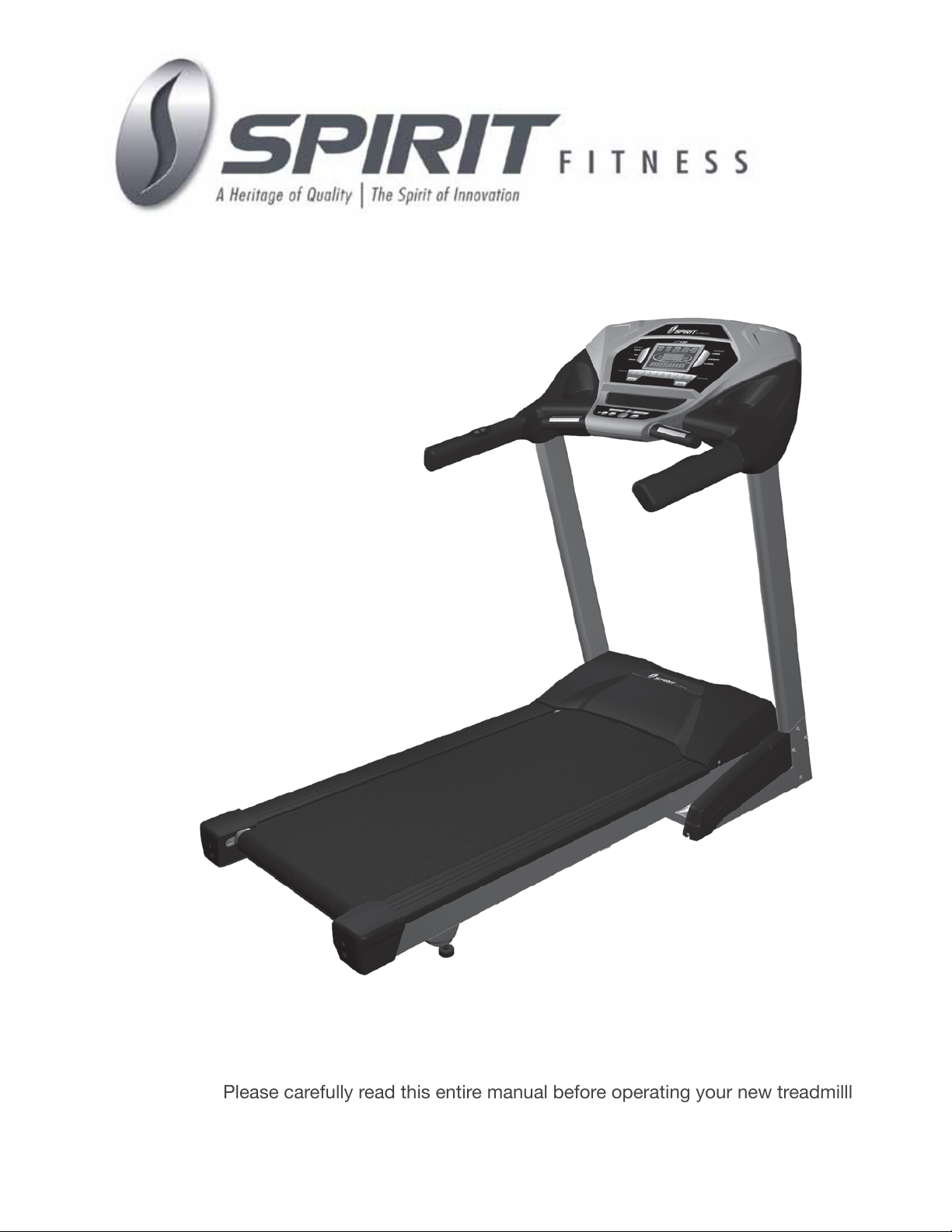
XT185 Treadmill
OWNER’S MANUAL
Please carefully read this entire manual before operating your new treadmilll

TABLE OF CONTENTS
1
2
3
3
4
5
10
11
12
15
20
25
ATTENTION
This treadmill is intended for residential use only and is warranted for this application.
Any other application voids this warranty in its entirety.
Product Registration
Important Safety Instructions
Important Electrical Instructions
Grounding Instructions
Important Operation Instructions
XT185 Assembly Instructions
Folding/Transport Instructions
Features
Console Operation
Programmable Features
General Maintenance
Manufacturer’s Limited Warranty

XT185 Treadmill
1
RECORD YOUR SERIAL NUMBER
Please record the Serial Number of this tness product
in the space provided below.
Serial Number
REGISTER YOUR PURCHASE
The self-addressed product registration card must be completed in full and returned to
Spirit Manufacturing, Inc. You can also go to www.spirittness.com/warranty.asp under
the support tab to register online.
Thank you for your purchase of this quality treadmill from Spirit Manufacturing, Inc. Your new
treadmill was manufactured by one of the leading tness manufacturers in the world and is
backed by one of the most comprehensive warranties available. Through your dealer, Spirit
will do all we can to make your ownership experience as pleasant as possible for many years
to come. If not purchased direct from Spirit, the local dealership where you purchased this
treadmill is your administrator for all Spirit warranty and service needs. Their responsibility is
to provide you with the technical knowledge and service personnel to make your experience
more informed and any difculties easier to remedy.
Please take a moment at this time to record the name of the dealer, their telephone number,
and the date of purchase below to make any future, needed contact easy. We appreciate
your support and we will always remember that you are the reason that we are in business.
Please complete and mail your registration card today and enjoy your new treadmill.
Yours in Health,
Spirit Manufacturing, Inc.
Congratulations on your new treadmill and welcome to the Spirit family!
Name of Dealer
Dealer Phone #
Purchase Date
PRODUCT REGISTRATION
XT185_20101130

XT185 Treadmill 2
IMPORTANT SAFETY INSTRUCTIONS
WARNING - Read all instructions before using this appliance.
DANGER - To reduce the risk of electric shock disconnect your Spirit treadmill from the
electrical outlet prior to cleaning and/or service work.
WARNING - To reduce the risk of burns, re, electric shock, or injury to persons, install
the treadmill on a at level surface with access to a 110-volt, 15-amp grounded outlet
with only the treadmill plugged into the circuit.
DO NOT USE AN EXTENSION CORD UNLESS IT IS A 14AWG OR BETTER, WITH
ONLY ONE OUTLET ON THE END.
The treadmill should be the only appliance in the circuit in which it is connected.
DO NOT ATTEMPT TO DISABLE THE GROUNDED PLUG BY USING IMPROPER
ADAPTERS, OR IN ANY WAY MODIFY THE CORD SET. A serious shock or re hazard
may result along with computer malfunctions. See Grounding Instructions, page 3.
Do not operate treadmill on deeply padded, plush or shag carpet. Damage to both
carpet and treadmill may result.
Do not block the rear of the treadmill. Provide a minimum of 3 1/2 feet clearance
between the rear of the treadmill and any xed object.
Keep children away from the treadmill. There are obvious pinch points and other
caution areas that can cause harm.
Keep hands away from all moving parts.
Never operate the treadmill if it has a damaged cord or plug. If the treadmilll is not
working properly, call your dealer.
Keep the cord away from heated surfaces.
Do not operate where aerosol spray products are being used or where oxygen is
being administered. Sparks from the motor may ignite a highly gaseous environment.
Never drop or insert any object into any openings.
Do not use outdoors.
To disconnect, turn all controls to the off position, then remove the plug from
the outlet.
Do not attempt to use your treadmill for any purpose other than for the purpose it is
intended.
The hand pulse sensors are not medical devices. Their purpose is to provide you
with an approximate measurement in relation to your target heart rate. Use of a chest
transmitter strap is a much more accurate method of heart rate analysis . Various
factors, including the user’s movement, may affect the accuracy of heart rate
readings. The pulse sensors are intended only as exercise aids in determining heart
rate trends in general.
Use handrails provided; they are for your safety
Wear proper shoes. High heels, dress shoes, sandals or bare feet are not suitable for
use on your treadmilll. Quality athletic shoes are recommended to avoid leg fatigue.
SAVE THESE INSTRUCTIONS - THINK SAFETY!

XT185 Treadmill
3
WARNING!
NEVER use a ground fault circuit interrupt (GFCI) wall outlet with this treadmill. As with any appliance with
a large motor, the GFCI will trip often. Route the power cord away from any moving part of the treadmill
including the elevation mechanism and transport wheels.
NEVER remove any cover without rst disconnecting AC power. If voltage varies by ten percent (10%)
or more, the performance of your treadmill may be affected. Such conditions are not covered under your
warranty. If you suspect the voltage is low, contact your local power company or a licensed electrician for
proper testing.
NEVER expose this treadmilll to rain or moisture. This product is NOT designed for use outdoors, near a
pool or spa, or in any other high humidity environment. The operating temperature specication is 40 to
120 degrees Fahrenheit, and humidity is 95% non-condensing (no water drops forming on surfaces).
Circuit Breakers: Some circuit breakers used in homes are not rated for high inrush currents that can
occur when a treadmill is rst turned on or even during use. If your treadmill is tripping the house circuit
breaker (even though it is the proper current rating) but the circuit breaker on the treadmill itself does not
trip, you will need to replace the home breaker with a high inrush type. This is not a warranty defect.
This is a condition we as a manufacture have no ability to control. This part is available through most
electrical supply stores. Examples: Grainger part # 1D237, or available online at www.squared.com
part # QO120HM.
IMPORTANT ELECTRICAL INSTRUCTIONS
GROUNDING INSTRUCTIONS
This product must be grounded. If the treadmilll should malfunction or breakdown, grounding provides a
path of least resistance for electric current, reducing the risk of electric shock. This product is equipped
with a cord having an equipment-grounding plug. The plug must be plugged into an appropriate outlet that
is properly installed and grounded in accordance with all local codes and ordinances.
DANGER - Improper connection of the equipment-grounding conductor can result in a risk of electric
shock. Check with a qualied electrician or serviceman if you are in doubt as to whether the product
is properly grounded. Do not modify the plug provided with the product if it will not t the outlet; have
a proper outlet installed by a qualied electrician.
This product is for use on a nominal 110-volt circuit, and has a grounding plug that looks like the plug
illustrated below. A temporary adapter that looks like the adapter illustrated below may be used to
connect this plug to a 2-pole receptacle as shown below if a properly grounded outlet is not available. The
temporary adapter should be used only until a properly grounded outlet, (shown below) can be installed
by a qualied electrician. The green colored rigid ear-lug, or the like, extending from the adapter, must be
connected to a permanent ground such as a properly grounded outlet box cover. Whenever the adapter is
used, it must be held in place by a metal screw.

XT185 Treadmill 4
NEVER operate this treadmill without reading and completely understanding the
results of any operational change you request from the computer.
Understand that changes in speed and incline do not occur immediately. Set your
desired work level on the computer console and release the adjustment key. The
computer will obey the command gradually.
NEVER use your treadmill during an electrical storm. Surges may occur in your
household power supply that could damage treadmilll components. Unplug the
treadmill during an electrical storm as a precaution.
Use caution while participating in other activities while walking on your treadmilll;
such as watching television, reading, etc. These distractions may cause you to lose
balance which may result in serious injury.
Do not use excessive pressure on console control keys. They are precision set to
function properly with little nger pressure.
IMPORTANT OPERATION INSTRUCTIONS
A safety tether cord is provided with this unit. It is a simple magnetic design that
should be used at all times. It is for your safety should you fall or move too far back
on the tread-belt. Pulling this safety tether cord will stop tread-belt
movement. To Use:
1. Place the magnet into position on the round metal portion of the console control
head. Your treadmill will not start and operate without this. Removing the magnet
also secures the treadmill from unauthorized use.
2. Fasten the plastic clip onto your clothing securely to assure good holding power.
Note: The magnet has strong enough power to minimize accidental, unexpected
stopping. The clip should be attached securely to make certain it does not come
off. Be familiar with its function and limitations. The treadmill will stop, depending
on speed, with a one to two step coast anytime the magnet is pulled off the
console. Use the Stop / Pause switch in normal operation.
SAFETY TETHER CORD

XT185 Treadmill
5
!!ATTENTION: IMPORTANT UNPACKING INSTRUCTIONS. PLEASE
READ BEFORE UNPACKING YOUR FOLDING TREADMILL!!
Serious injury could occur if this folding treadmill is not unpacked properly.
There is a Velcro strap installed around the treadmill base that prevents the treadmill
from unfolding accidentally during shipping. If this strap is not removed properly the
treadmill could spring open unexpectedly and cause injury if someone is standing near
the treadmill when the strap is removed.
To ensure your personal safety during removal of the shipping strap please make sure
the treadmill is positioned at on the ground, in the orientation it would be in if you
were using the treadmill. Do not turn the treadmill up on its side while removing the
shipping strap. This could cause the treadmill’s folding mechanism to spring open. If
the end of the Velcro strap (that you need to grab to remove it) happens to be under
the treadmill deck, reach under the deck to grab it, but do not tilt the treadmill up to
gain access to the strap end.
Cut the banding straps with a short box cutter (razor knife); separate the carton from
the one underneath it by prying up on the staples (if applicable). Pull the carton over
the treadmill parts and locate the hardware pack. The hardware pack is separated into
ve sections; one section containing tools and four sections labeled steps 1-4 which
contain the hardware needed for assembly of each step. The assembly steps below
are numbered one through four and correspond to the hardware in the numbered
sections of the hardware pack. Remove only the hardware for the step you are
currently assembling to avoid confusion and mix ups.
Then remove the treadmill from the carton and lay it on a level surface.
XT185 ASSEMBLY INSTRUCTIONS
ASSEMBLY TOOLS
#96. Combination M5 Allen Wrench/
Phillips Head Screw Driver
#97. M6 Allen
Wrench
#33. Safety Key
#58. Deck/Belt
Lubricant
#122. Phillips Head Screw Driver

XT185 Treadmill 6
1. Take the Left and Right upright tubes (part numbers 5 & 4) and slide the upright covers (99 &
100 right) onto the tubes (observe the cover orientation is correct). Connect the Middle Console
Cable (38) that exits from the bottom of the right upright tube with the lower Console Cable (39).
Insert the Left and Right (5 & 4) Uprights into the Left and Right Receiving Tubes (holes are on
the outside of the tubes). Be careful not to pinch the wire when installing the upright.
NOTE: Partially tighten all bolts in this Step. This will allow for easier console assembly.
2. Attach the tubes with three Button Head Socket Bolts (93) from each side and two Button Head
Socket Bolts (93) and two Curved Washers (94) from the front. Partially tighten using the Combi-
nation M5 Allen Wrench & Phillips Head Screw Drive (96).
UPRIGHT TUBE ASSEMBLY
1
#93. 5/16” x 15mm
Button Head Socket
Bolt (8 pcs)
#94. 5/16” x 19 x 1.5T
Curved Washer
(2 pcs)
HARDWARE

XT185 Treadmill
7

XT185 Treadmill 8
1. Connect the Speed Adjustment Switch Cable (128) to the Speed Cable (Upper)(126). Connect
2. the Incline Adjustment Switch Cable (129) to the Incline Cable (Upper)(127). Connect the
Computer Cable (Middle)(37) to the Computer Cable (Upper)(38).
3. Insert Console Assembly (40) into right and left Uprights (4) and (5) and secure with four
Button Head Socket Bolts (90) and four Split Washers (82) using the M6 Allen Wrench (97). Now
go back and completely tighten the 8 bolts (93) inserted in Step 1 that join the upright tubes (4 &
5) to the main frame.
CONSOLE ASSEMBLY
2
HARDWARE
#90. 3/8” x 1-3/4”
Button Head Socket
Bolt (4 pcs)
#82. 3/8” x 2.0T
Split Washer (4 pcs)
Altri manuali per XT185
4
Indice
Altri manuali Spirit Tapis roulant

Spirit
Spirit CT850 Manuale utente

Spirit
Spirit Treadmill Manuale utente

Spirit
Spirit XT 9 Manuale utente

Spirit
Spirit XT385 Manuale utente

Spirit
Spirit XT10 Manuale utente

Spirit
Spirit Esprit CT80 Manuale utente

Spirit
Spirit XT285 Manuale utente

Spirit
Spirit XT385 Manuale utente

Spirit
Spirit Z8 Manuale utente

Spirit
Spirit F7500 Manuale di istruzioni

Spirit
Spirit XT685 Manuale utente

Spirit
Spirit CT850 Manuale utente

Spirit
Spirit CT900 Manuale utente

Spirit
Spirit XT 600 Manuale utente

Spirit
Spirit XT385 Manuale utente

Spirit
Spirit 16807008500 Manuale utente

Spirit
Spirit SPT0061 Manuale utente

Spirit
Spirit XT8 Manuale utente

Spirit
Spirit XT175 Manuale utente

Spirit
Spirit SR225 Manuale del sistema


