
squarespace LF-1 Manuale utente


Table of Contents
Some abbreviations used in this guide:................................................................................................................................2
Specifications:......................................................................................................................................................................3
Exposure durations and guide number at ISO 1,000 (feet):.................................................................................................3
Exterior Hardware:...............................................................................................................................................................4
Interface Layout:..................................................................................................................................................................5
Power:.............................................................................................................................................................................5
Strobe control:.................................................................................................................................................................6
Continuous light control:.................................................................................................................................................6
Modeling light trigger:....................................................................................................................................................6
Strobe trigger:..................................................................................................................................................................6
Optical trigger:................................................................................................................................................................6
Parameter Modification Limitations:..............................................................................................................................7
Parameter example:.........................................................................................................................................................8
Overload Safety Mechanisms:.............................................................................................................................................9
Fruit drop example:............................................................................................................................................................10
Setup for fruit drop example:........................................................................................................................................11
Gunshot example:..............................................................................................................................................................12
Setup for gunshot example:...........................................................................................................................................13
Some abbreviations used in this guide:
µS: microseconds. (millionths of a second)
mS: milliseconds. (thousandths of a second)
A: Amps. A measure of electrical current.
V: Volts. A measure of electrical potential.
2
Specifications:
Parameter: Minimum typical Maximum Units conditions
Color temp. - 4000 - K
CRI 90 - -
Input voltage 5 12 15 V
Input current 1 - 5 A Do not exceed ability of connected power supply
Ambient Temperature 32 - 104 F Using included wall outlet adapter
3.5mm trigger lag for
flash
40 41 42 µS
3.5mm trigger lag for
modeling light
- - 51 µS
Optical trigger lag for
flash
100 - 153 uS
Exposure dur ations and guide number at ISO 1,000 (feet):
Pulse Duration
(µS)
Guide
Number
T0.1 exposure
time (µS)
T0.5 exposure
time (uS)
Suggested use
0.5 1.33 2.46 1.17
2 3.27 4 2.19 Rifle rounds
5 4.63 6.9 5.04 Handgun rounds
50 15.8 51.4 50.3 Non-projectile macro photos
3000 56.7 3000 3000
Note: exposure times are slightly longer than pulse width because the LED’s phosphor coating glows very
briefly after being lit up.
3

Exter ior Har dware:
4

Inter face Layout:
Power:
The power button acts as a toggle switch. Press it to cycle power on and off. If the input voltage goes too low
the flash will turn itself off to prevent damage to the power supply or internal circuitry.
Encoder: Use this encoder knob to adjust flash parameters. Hold down the button for the parameter you’d like to
adjust, and then turn the encoder to make the adjustment. Since some of the values have a large range of adjustment,
the encoder has some acceleration built into it. This means that spinning the encoder faster will cause much larger
changes to the value. Turn the encoder slowly for fine control.
5

Strobe control:
•Pulse duration: This is the amount of time the LED’s will be turned on during each flash, and is measured in
microseconds (µS, millionths of a second). The adjustable range is from 0.5µS to 3000µS. When using
durations of 50µS or shorter, it is safe to run the LED’s at a higher power. The flash will automatically make use
of that higher power ability, and roughly triples in brightness to help compensate for the very short exposure
times. For that reason, a 50µS flash will be much brighter than a 51µS flash. You would have to go past 150µS
to continue increasing light output.
•Flash interval: this is the amount of time between each flash, measured in milliseconds (mS, thousandths of a
second). The adjustable range is between 0.1mS and 9990mS (nearly 10 seconds)
•Number of flashes: This is the number of pulses that the flash will output after each trigger event.
•Suppressed Leading Strobes: This gives the user the ability to “mute” some initial number of flashes. These
muted flashes still count towards the “modeling light on/off after number of pulses”, so suppressing leading
strobes can allow the modeling light to turn on/off before a strobe is ever fired.
Continuous light control:
•Modeling light brightness: Adjusts the brightness of the continuous light. Adjustable from 0-100 based on the
available power of the connected power supply.
•Light on after number of pulses: Default value of zero. Once the flash has done this number of strobes, the
continuous light will turn on.
•Light off after number of pulses: Default value of one. Once the flash has done this number of strobes, the
continuous light will turn off.
•Adjust available current: Default value of 1 amp, adjustable range from 1 amp – 5 amps. The continuous light
brightness is heavily impacted by this parameter. DO NOT adjust this parameter higher than the connected
power supply is capable of. Here are some examples for adjusting this parameter:
◦Duracell Coppertop alkaline AA batteries (MN1500): Max rated current of 1A.
◦Energizer lithium AA batteries (L91): Max rated current of 2.5A.
◦Energizer NiMh AA batteries (NH15-2300): Max rated current of 4.6A.
◦for the supplied 12v 5A power supply: Set flash to 5A to make use of the most power available.
Modeling light trigger:
•Trigger jack: Connect a 3.5mm headphone style cord here to trigger the modeling light to turn off. This can be
useful in some scenarios where the user wants to turn off the ambient light just as the photo is taken, so that the
camera won’t collect any unwanted light.
•Modeling light off duration button: This is an adjustment for the amount of time that the light will stay off for
after it has been triggered. Adjustable from 10 to 9990 mS. (0.01 – 9.99 seconds)
Strobe trigger:
Trigger jack: Connect a 3.5mm headphone style cord here to trigger the flash to fire.
Simulate input: The flash treats a button press here as if it were a trigger event from the 3.5mm jack.
Flash delay: Wait time between a trigger event and a flash output. Adjustable from 0-1000mS (0-1 second)
Optical trigger:
•Sensor: Detects rapid changes in light to trigger the flash to fire.
•Button: Used to adjust the sensitivity of the sensor from 0-100. Lower sensitivity if unwanted triggering is
happening.
6

Parameter Modification Limitations:
Each parameter has independant upper and lower limits, but there are also limitations on various combinations
of parameters. Here are the factors that limit some combinations:
•How much electrical power is available to the flash
•How much energy is stored in the flash capacitors
•LED’s need time to cool off after each strobe. Brighter flashes mean longer cooldown periods.
The flash will automatically calculate safe upper and lower limits for each parameter. It won’t let the user adjust a
parameter if it isn’t safe to do so. For that reason, you’ll notice that you sometimes can’t adjust an individual parameter
to it’s usual maximum and minimum values. When this happens, it’s because the adjustment would cause too much
light output in too short a time. If you can’t adjust one parameter the way you’d like to, try changing other parameters
so that there will be less total light output, or so that the light is put out over a longer period of time (more time for the
circuitry to recharge the main capacitors). Additionally, setting the available current parameter to a higher value will
shorten recharge times and allow more light to be put out more quickly. Refer to the “Continuous light control” section
of the interface description for a reference on how to adjust the available current.
7

Parameter example:
Parameter setting
Flash duration 0.5µS
Flash interval 1.5mS
Number of flashes 3
Suppressed leading strobes 2
Modeling light brightness 46
Light on after number of pulses 5
Light off after number of pulses 22
Available current 1
Flash delay 0
In this next image, the yellow trace shows light output (y-axiz) vs time (x-axis). The tall spikes are strobe outputs, and
the slightly raised section is the continuous light output.
The blue trace is the trigger input signal. The flash fires on each falling edge of the trigger signal.
This configuration is more complicated than most photos would require. Here it is just used to show what several of the
parameters do.
8

Overload Safety Mechanisms:
Temperature protection:
The main power section of the flash includes a temperature sensor. When the temperature gets up to 40°C
(104°F), the fan will turn on to a low power. As the temperature rises, so will the fan power. Once the temperature
reaches 60°C (140°F), the fan will be at max power. If the temperature reaches 70°C (158°F), the flash will go into an
over-temperature protection mode. This will disable the flash and set the fan at max power until it cools off. Once the
flash gets down to 46°C (115°F), the fan will slow down and the flash will resume normal operation.
Rapid re-triggering:
The flash allows very rapid re-triggering, but will automatically ignore a trigger event that happens before the
LED’s have had adequate time to cool off. The cool-down time is very short and will usually not interfere with
operation, but this safety feature means the user can send any desired input signal without concern for driving the flash
over safe operating limits.
9
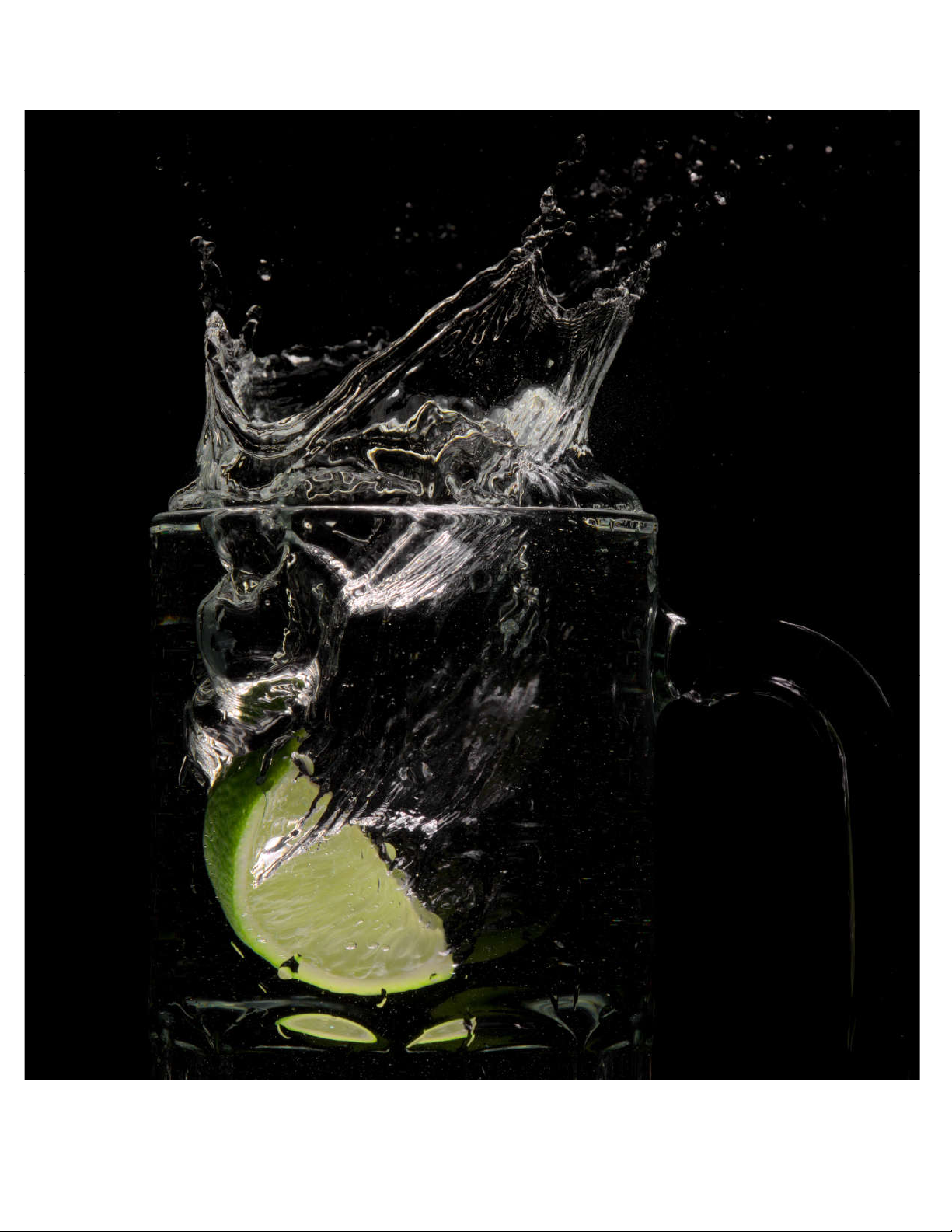
Fruit drop example:
10
Indice


