
StarTech.com CONYX ECS0016 Manuale utente
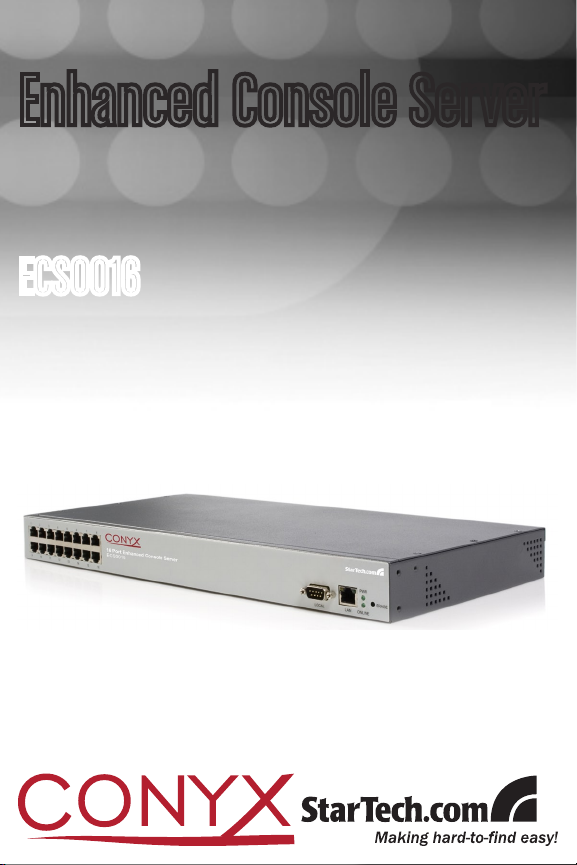
ECS0016
Enhanced Console Server

FCC Compliance Statement
This equipment has been tested and found to comply with the limits for a Class B digital de-
vice, pursuant to part 15 of the FCC Rules. These limits are designed to provide reasonable
protection against harmful interference in a residential installation. This equipment generates,
uses and can radiate radio frequency energy and, if not installed and used in accordance with
the instructions, may cause harmful interference to radio communications. However, there is
no guarantee that interference will not occur in a particular installation. If this equipment does
cause harmful interference to radio or television reception, which can be determined by turning
the equipment off and on, the user is encouraged to try to correct the interference by one or
more of the following measures:
Reorient or relocate the receiving antenna.•
Increase the separation between the equipment and receiver.•
Connect the equipment into an outlet on a circuit different from that to which the receiver•
is connected.
Consult the dealer or an experienced radio/TV technician for help.•
Use of Trademarks, Registered Trademarks, and other Protected Names and Symbols
This manual may make reference to trademarks, registered trademarks, and other protected
names and/or symbols of third-party companies not related in any way to StarTech.com. Where
they occur these references are for illustrative purposes only and do not represent an endorse-
ment of a product or service by StarTech.com, or an endorsement of the product(s) to which
this manual applies by the third-party company in question. Regardless of any direct acknowl-
edgement elsewhere in the body of this document, StarTech.com hereby acknowledges that all
trademarks, registered trademarks, service marks, and other protected names and/or symbols
contained in this manual and related documents are the property of their respective holders.

Instruction Manual
i
Instruction Manual
Table of Contents
Introduction.................................................................................... 1
Features ......................................................................................1
Package Contents .......................................................................1
Initial Configuration....................................................................... 2
Power Connection .......................................................................2
Management Console Connection............................................... 3
ARPPing IP Address Assignment................................................4
Administrator Password...............................................................6
Network IP address .....................................................................7
System Services..........................................................................8
HTTPS.........................................................................................9
HTTP ...........................................................................................9
Telnet...........................................................................................9
SSH .............................................................................................9
SNMP ..........................................................................................10
Ping .............................................................................................10
Base ............................................................................................10
Communications Software...........................................................11
MetaConnect ...............................................................................11
Applications & Database Servers................................................11
Web Server..................................................................................11
Desktop PCs................................................................................11
Network Appliance ......................................................................11
PuTTY .........................................................................................12
SSHTerm .....................................................................................13

Instruction Manual
ii
Serial Port and Network Host Configuration............................... 13
Configuring Serial Ports ..............................................................13
Common Settings........................................................................15
Console Server Mode..................................................................16
SDT Mode ...................................................................................20
Power Strip Mode ........................................................................20
Terminal Server Mode .................................................................20
Serial Bridging Mode ...................................................................21
Syslog..........................................................................................21
Add / Edit Users...........................................................................22
Authentication..............................................................................24
Network Hosts .............................................................................25
Serial Port Cascading..................................................................27
Remote Power Control (RPC) ....................................................32
Uninterruptible Power Supply Control (UPS)...............................36
Overview of Network UPS Tools (NUT) ......................................43
Environmental Monitoring............................................................45
Failover and Out-of-Band Dial Access ........................................ 50
OoB Dial-In access......................................................................50
Configure Dial In PPP..................................................................51
Using The MetaConnect client ....................................................53
Set up Windows XP/ 2003 client..................................................53
Set up earlier Windows clients ....................................................53
Set up Linux clients .....................................................................54
Secure Tunneling & MetaConnect................................................ 56
Telnet or SSH connection to serially attached devices................56
MetaConnect for OoB Connection to the Gateway......................58
MetaConnect Public Key Authentication .....................................60

Instruction Manual
iii
Setting up MetaConnect for Remote Desktop access ................61
Set up MetaConnect Serial Ports on ECS0016 ..........................62
SSH port forward over the ECS0016 Serial Port.........................63
Alerts and Logging........................................................................ 64
Enable SMTP, SNMP and/or Nagios ...........................................64
Configure Alerts...........................................................................65
Remote Log Storage ...................................................................67
Power Control ................................................................................ 68
Configuring Serial Port Power Strips ...........................................70
Configuring IPMI Power Management.........................................70
Configuring Browser Controlled Power Strips .............................71
Nagios Integration ......................................................................... 72
Nagios overview ..........................................................................72
Central management and setting up MetaConnect for Nagios....73
Central Site..................................................................................75
NagiosServer...............................................................................75
Network .......................................................................................75
ECS0016 .....................................................................................75
Remote Site.................................................................................75
Serial ...........................................................................................75
Managed Hosts ...........................................................................75
Remote ECS0016 Gateway.........................................................78
System Management..................................................................... 82
System Administration and Reset ...............................................82
Firmware Upgrades.....................................................................83
Configure Date and Time ............................................................84

Instruction Manual
iv
Status Reports............................................................................... 85
Port Access and Active Users .....................................................85
Statistics ......................................................................................86
Support Reports ..........................................................................86
Syslog..........................................................................................86
Device Management....................................................................88
Port Log Management.................................................................88
Power Management ...................................................................88
Serial Port Terminal Connection ..................................................89
Basic Configuration - Linux Commands ..................................... 90
The Linux Command line.............................................................91
Administration Configuration .......................................................93
Date and Time Configuration.......................................................94
Network Configuration.................................................................95
Serial Port Configuration .............................................................99
Users ...........................................................................................100
Trusted Networks.........................................................................101
Event Logging Configuration .......................................................102
MetaConnect Host Configuration ................................................104
Advanced Configuration............................................................... 105
Advanced Portmanager...............................................................105
pmshell ........................................................................................105
pmchat.........................................................................................106
pmusers.......................................................................................106
Portmanager Daemon .................................................................107
Signals.........................................................................................108
External Scripts and Alerts..........................................................108

Instruction Manual
v
Raw Access to Serial Ports .........................................................110
Access to Serial Ports .................................................................110
Accessing the Console Port ........................................................110
IP - Filtering .................................................................................111
Customizing the IP-Filter: ............................................................112
Modifying SNMP Configuration ...................................................113
Power Strip Control .....................................................................115
Glossary of Terms Used ..............................................................121
TERM ..........................................................................................121
MEANING....................................................................................121
Technical Specifications ..............................................................129
Technical Support ......................................................................... 132
Warranty Information .................................................................... 132

Instruction Manual
1
Introduction
Thank you for purchasing a StarTech.com Conyx ECS0016 Enhanced
Console Server. This innovative remote service management solution
enables system administrators and network managers to affordably moni-
tor and control their computers, networks and connected serial devices
remotely, from anywhere in the world (using an Internet connection).
Features
DHCP client for dynamic IP assignment•
Offline data logging (Syslog, NFS, CIFS)•
Out-of-band access (external dial-up modem)•
Port triggers with SMNP and email alerts•
SSH tunneled serial bridging•
Strong Encryption (3DES, Blowfish, AES, Arcfour)•
SUN / Solaris ready•
Telnet/SSH/Raw TCP connect•
Unlimited user accounts•
Package Contents
1 x DCE Connector•
1 x DTE Connector•
1 x ECS0016 Enhanced Console Server•
1 x Power Cable•
1 x Software/User Manual CD•
1 x Quick Start Guide•
2 x CAT5 Cables•
2 x Mounting Brackets•
Instruction Manual
2
Initial Conguration
Unpack the ECS0016 kit and verify you have all of the parts indicated in
the Package Contents list shown on the previous page, and that they all
appear in good working order.
If you are installing your ECS0016 in a rack, you will need to attach the
rack-mounting brackets supplied with the unit, and install the unit in the
rack. Following this, proceed to connect your ECS0016 to the network, as
well as to the serial ports of the controlled devices, and to an power outlet
as outlined below.
Power Connection
The ECS0016 and CM4148 models have a built-in universal
autoswitching AC power supply. This power supply accepts AC input
voltage between 100 and 240 VAC with a frequency of 50 or 60 Hz and
the power consumption is less than 20W.
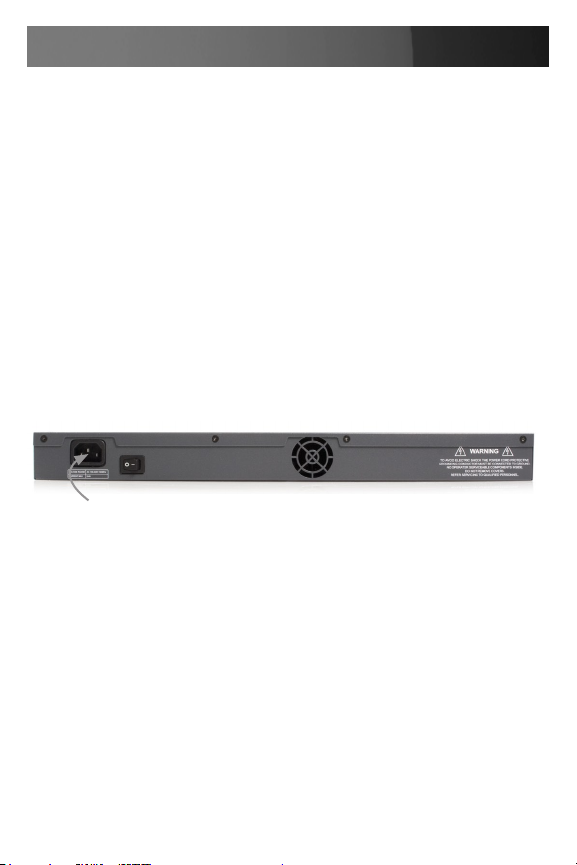
The ECS0016 has an IEC AC power socket located at the rear of the
metal case, which uses a conventional IEC AC power cord. The North
American power cord is provided by default.
There is a warning notice printed on the back of each unit:
AC power socket

Instruction Manual
3
Management Console Connection
The ECS0016 is pre-configured with a default IP Address: 192.168.0.1
and Subnet Mask: 255.255.255.0 .
Directly connect a PC or workstation to the ECS0016. To configure the
ECS0016 with a browser, the connected PC or workstation should have
an IP address in the same range as the ECS0016 (e.g. 192.168.0.100)
To configure the IP Address of your Linux or Unix PC/workstation simply
run ipconfig. For Windows PCs (Win9x/Me/2000/XP/ NT):
Click1. Start > Settings, then select Control Panel and double-click
Network Connections (for 95/98/Me, double click Network).
Right-click on2. Local Area Connection and select Properties.
Select3. Internet Protocol (TCP/IP) and click Properties.
Select4. Use the following IP address and enter the following details:
IP address: 192.168.0.100 Subnet mask: 255.255.255.0.
If you wish to retain your existing IP settings for this network connection,
click Advanced and add the above as a secondary IP connection.
Please note: For initial configuration, it is recommended that the
ECS0016 be connected directly to a single PC or workstation. If you
choose to connect your LAN before completing the initial setup steps:
Ensure there are• no other devices on the LAN with an IP Address of
192.168.0.1
Ensure the Console Server and the PC/workstation are on the• same
LAN segment, with no interposed router appliances
Altri manuali per CONYX ECS0016
1
Indice
Altri manuali StarTech.com Hardware di rete

StarTech.com
StarTech.com ExpressCard 16950 Manuale utente

StarTech.com
StarTech.com NETRS232 Manuale utente

StarTech.com
StarTech.com CONYX ECS0016 Manuale utente

StarTech.com
StarTech.com NETRS2321P Manuale utente

StarTech.com
StarTech.com POEINJ1G Manuale utente

StarTech.com
StarTech.com SV565HDIP Manuale utente
Manuali Hardware di rete popolari di altre marche

Matrix Switch Corporation
Matrix Switch Corporation MSC-HD161DEL Manuale utente

B&B Electronics
B&B Electronics ZXT9-IO-222R2 Manuale utente

Yudor
Yudor YDS-16 Manuale utente

D-Link
D-Link ShareCenter DNS-320L Manuale utente

Samsung
Samsung ES1642dc Istruzioni per l’uso

Honeywell Home
Honeywell Home LTEM-PV Istruzioni per il montaggio


