IB-CD10(SL)-WM-E-052605
PRECAUTIONS
9
OnOperation
•Iftheplayerisbroughtdirectlyfroma
cold toawarmlocation,orisplacedina
verydamproom,moisturemaycondense
onthelensinsidetheCDplayersection.
Should thisoccur,the playerwill not
operateproperly.Inthiscase,remove
the CDand waitaboutanhourforthe
moisturetoevaporate.
OnPlacement
•Donotleavethe playerin alocation
nearaheat source,orin aplacesubject
todirectsunlight, excessivedustor
mechanical shock.
•Donotplacethe playeron an inclined
orunstable place.
•Donotplaceanythingwithin1inchofthe
back ofthecabinet.The ventilation holes
mustnotbecoveredfortheplayerto
operateproperlyand prolong the lifeof
itscomponents.
•Iftheplayerisleftinacarparkedinthe
sun,besuretochoosealocationinthe
carwherethe playerwillnot besubjected
tothedirectrays ofthesun.
•Sinceastrong magnetisused forthe
speakers,keeppersonalcreditcards
using magneticcodingorspringwound
watchesawayfromtheplayertoprevent
possibledamagefromthemagnets.
OnSafety
•Asthe laserbeam used in the CD player
section maybe harmful tothe eyes,do
notattempttodisassemble the cabinet.
Referservicingtoqualifiedpersonnel only.
•Shouldanysolidobjectorliquidfallinto
theplayer,unplugtheplayer,andhaveit
checkedbyqualifiedpersonnel before
operatingitanyfurther.
OnPowerSources
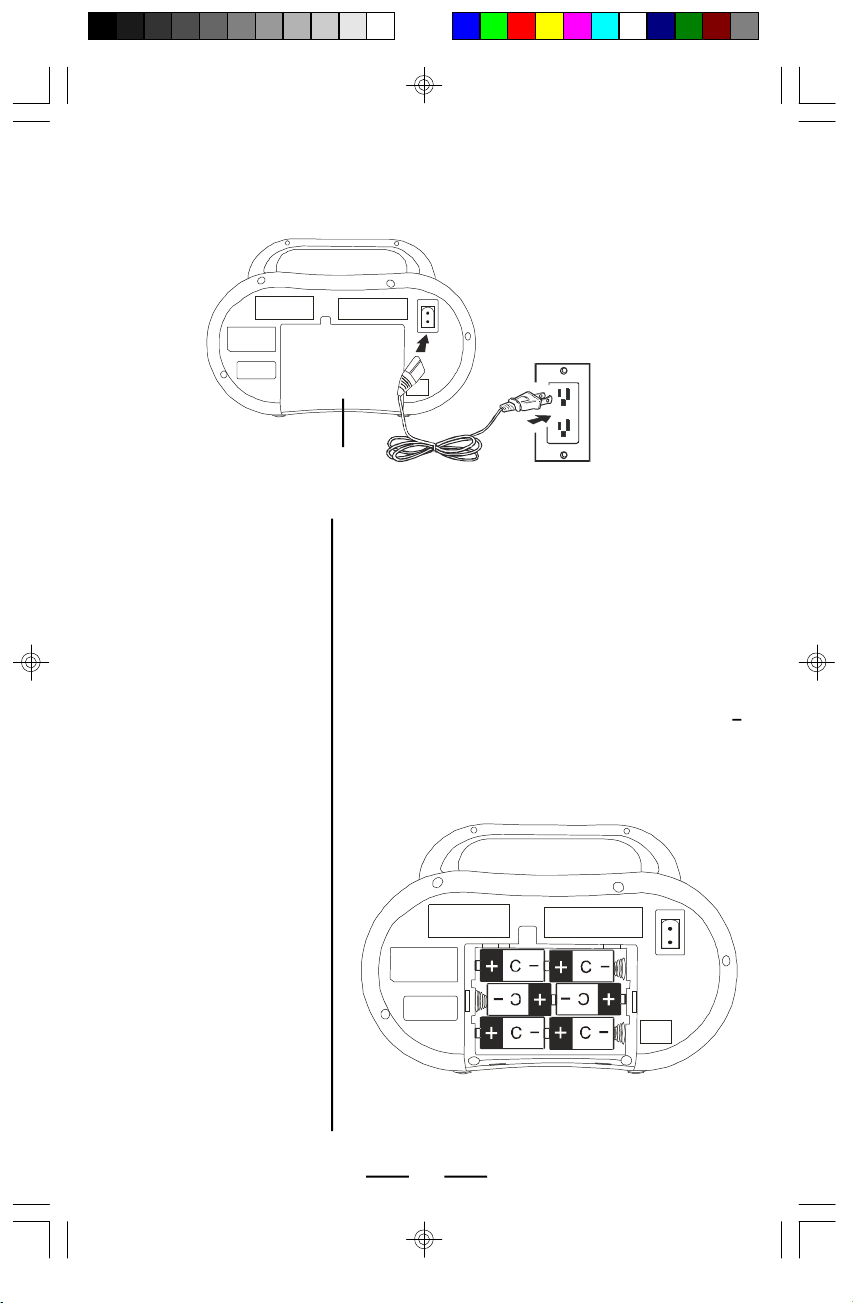
•Forbatteryoperation,use6size “C”
batteries.Werecommendalkaline
batteriesforlongerlife.
•When thebatterieswill notbeused fora
fewweeksormore, removethem toavoid
damage thatcan be caused bybattery
leakage orcorrosion.
•ThisCD playerisdesignedtobeplayed
onastablenovibrationposition.Ifyou
bumpthesetduringCD play,themusic
will stoporskipforafewseconds.This
isnormalforthistypeofplayer.
Notes on CDs
•Beforeplaying,cleantheCDwitha
cleaningcloth.WipetheCD from the
centerout.
•Donotusesolventssuchasbenzine,
thinner,commerciallyavailablecleaners
oranti-staticsprayintended forvinylLPs.
•Donotexposethe CD todirectsunlight
orheatsourcessuchashotairducts,
norleaveitin acarparked indirect
sunlightastherecanbeaconsiderable
risein temperatureinsidethecar.
•DonotstickpaperorstickersontheCD,
norscratchtheCD.
•Afterplaying,storetheCDinitscase.If
thereisascratch,dirtorfingerprintson
theCD,itmaycauseatracking erroror
skipping.
MAINTENANCE
Cleaning theCabinet
Clean the cabinet, panel and controlswith
asoft clothslightlymoistened withamild
detergentsolution.Donotuseanytype
ofabrasivepad,scouring powder,or
solvent, suchasalcohol orbenzine.
Cleaning theLens
If the lensbecomesdirty,itmay causea
skipping ofsoundduring CDoperation.
Clean withacommerciallyavailable lens
cleanerandblower.
IB-CD10(SL)-WM-E-050705.pmd 5/26/2005, 9:23 AM10