Model 374A User Guide Issue 5, March 2021
Studio Technologies, Inc. Page 7
MODEL 374A
INTERCOM BELTPACK
Call Function
A call function allows Model 374A users to
receive and send channel-specific visual
alert signals. Using 20 kHz tones, the call
signals are sent within the audio chan-
nels (“in band”) allowing interoperability
between multiple Model 374A units as well
as being compatible with legacy party-line
intercom systems. Call signals can be use-
ful to indicate to users that they are needed
“on headset” or should be actively listening
to an intercom channel. The call function
can also be used to provide realtime cues
to production personnel during the running
of live events. Call signals present on the
four audio input (Dante receiver) channels
can be detected and displayed. To opti-
mize for specific applications, a configura-
tion choice allows the way in which the
Model 374A will display Call when 20 kHz
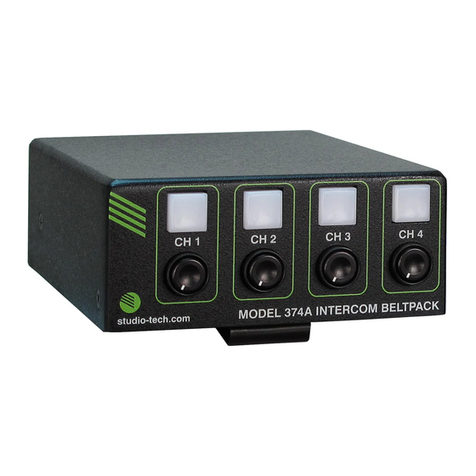
has been detected. Pushbutton 4, on the
Model 374A’s top panel, can be configured
to serve as a call button. This allows a call
signal to be generated for talk channels 1,
2, and 3.
Configuration Flexibility
A highlight of the Model 374A is its abil-
ity to be easily configured to meet the
needs of specific users and applications.
All configuration choices are made using
the STcontroller software application that
communicates with the Model 374A by way
of an Ethernet network connection. Con-
figurable parameters include microphone
power and preamplifier gain, sidetone
audio operation, talk button operation, call
indication, remote control inputs, and head-
phone monitoring.
The microphone input can be selected for
compatibility with dynamic or electret (DC-
powered) microphones. The gain of the mi-
crophone preamplifier can be selected from
among four choices. These allow compat-
ibility with a variety of microphones that are
part of broadcast and intercom headsets.
A unique Model 374A feature is the ability
to individually configure the way in which
the four talk pushbutton switches function;
four choices are available. For standard
intercom beltpack operation either Push
to Talk or Push to Talk/Tap to Latch opera-
tion can be selected. For situations where
only monitoring of an intercom channel is
desired a Talk Disabled mode is available.
And for advanced monitoring-only situa-
tions the Talk Disabled/Phones Tap to Latch
mode can be selected such that a button
will serve in an audio on/off role.
Configuration choices allow the two remote
control inputs to be individually assigned
to activate any one of the four talk channel
functions.
Four audio channels arrive via Dante and
are destined for the 2-channel headphone
output. Each input source can be indepen-
dently routed to the left headphone chan-
nel, right headphone channel, or both the
left and right headphone channels. This
flexibility allows a variety of listening envi-
ronments to be created, including stereo,
single-channel monaural, and dual-channel
monaural.
Ethernet Data and PoE
The Model 374A connects to an Ethernet
data network using a standard 100 Mb/s
twisted-pair Ethernet interface. The physi-
cal interconnection is made by way of a
Neutrik® etherCON RJ45 receptacle. While
compatible with standard RJ45 plugs,
etherCON allows a ruggedized and locking
interconnection for harsh or high-reliability
environments. An LED displays the status
of the network connection.