
TechniSat TechniFon i1 Manuale utente

TechniFon i1 USB
Phone User Manual
TechniFon i1 USB
Phone
integrated
soundcard
driver
Phoning
via the internet
for free1)
WWW
VoIP phone
1) Phoning via the internet for free. To use Technisat TechniFon i1 you need
to have access to the internet, with possible additional costs arising.

2
Please read this first!
Before starting the use of the device, please check whether the delivery is comple-
te. The following items are included:
1 TechniFon i1 USB Phone, 1 USB Connecting Cable, 1 CD-ROM, 1 Connecting
Cable TechniFon / Receiver, 1 Guarantee Card, 1 Installation Guide
If any of these items are missing or appear to be damaged, please contact your
dealer or call our technical support immediately.
Safety instructions
For your own protection read the safety instructions carefully before starting to use
your new device.The manufacturer is not liable to damage caused by improper
handling or by disregarding the safety instructions.
• Do not use the device near radiators, stoves or other heat sources.
• Protect your device from splash water and do not use it in rooms with high
air humidity.
• Use the device in moderate climate only
• Never open the device! There is danger of an electric shock. Repairs
should be carried out by qualified personal only.
• In the following cases disconnect the device from power and contact a
specialist:
• the power supply cord or the connector is dama-
ged
• the device was exposed to humidity or fluid got
into the device
• in case of considerable malfunctions
• in case of considerable external damage

Content:
Connecting the cables . . . . . . . . . . . . . . . . . . . . . . . . .4
Software installation . . . . . . . . . . . . . . . . . . . . . . .5 - 7
VoIP software support by various providers . . . . . .8
Activating Drivers for the provider Skype . . . . . . . . .9
Configuration of the TechniFon i1 for Skype . . . . .10
Using TechniFon i1 with Skype . . . . . . . . . . . . .12 - 14
Troubleshooting . . . . . . . . . . . . . . . . . . . . . . . . . . . .15
Disposal notes . . . . . . . . . . . . . . . . . . . . . . . . . . . . . .16
System requirements:
• Pentium III 800 MHz, 256 MB Ram
• Windows 2000 or Windows XP
• 20 MB free hard-disk space
• CD-ROM drive for the installation
• One free USB-Port
• Internet connection
3

Connecting the cables:
4
1
2
3
Connect the USB
plug with your
laptop or PC
USB plug
USB handset USB base station handset cableUSB cable
handset cable
USB cable
USB base station
USB handset

5
Software-Installation
Enclosed to your TechniFon i1 you will find a CD.
Please insert this CD into your CD-ROM drive. In the appearing window you can
either choose to install the driver or to open the manual.
If this window does not start automatically, you can start the setup file manually from
the folder “TechniFon i1” on the CD.
Clicking the button “Weiter” in Figure 2 takes you to Figure 3. There you can speci-
fy the folder where the drivers should be installed. (You can type the folder into the
textbox or choose a folder from your hard drive by clicking the button “Durchsu-
chen”.)
Figure 1
(Figure 2)

6
In the lower part of the window you can choose whether the drivers should be instal-
led for all users on your computer (“Alle Benutzer”) or only for you (“Aktueller Benut-
zer”).
Figure 3 - Confirm your inputs / choices by clicking the “Weiter” button.
Figure 4 - Process of installation (progress bar)
7
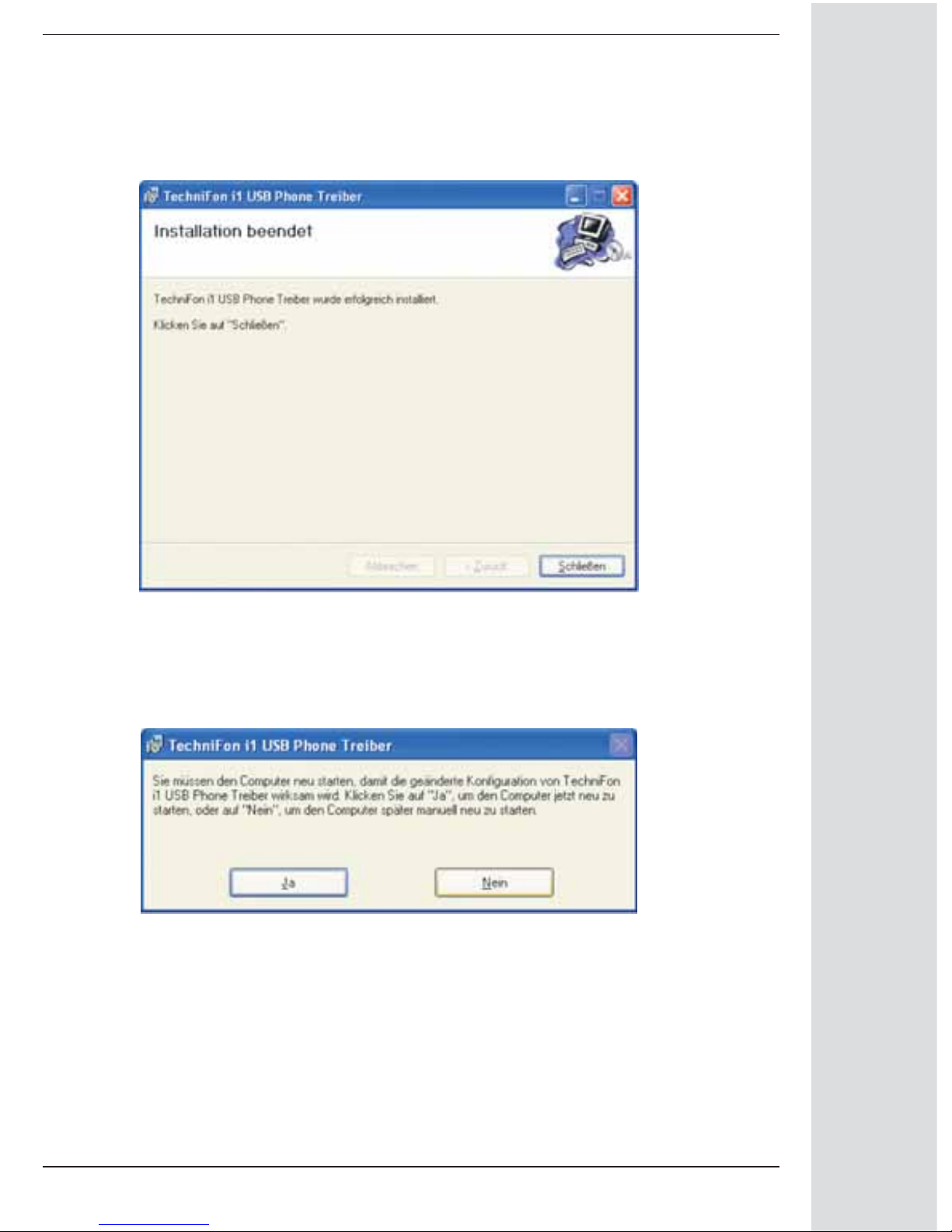
If you see Figure 5, the installation process has been successfully completed. Click
the “Schließen” button.
Choose “Ja” to restart your computer now or “Nein” to restart later manually.
Note that the computer needs to be restarted before you can start using your Tech-
niFon i1.After restarting your computer you can connect the TechniFon i1 to a USB-
Port of your computer.
Figure 5
Figure 6

8
VoIP software support by various providers
Using the TechniFon i1 USB Phone with appropriate VoIP Software, so-called “Soft-
Phones”, you can communicate via internet with other users all over the world, no
matter where you are. For software download and getting more information about
supported soft-phones please visit the websites of the providers.
Skype:
http://www.skype.com
MSN Messenger:
http://messenger.msn.com
SJPhone:
http://www.sjlabs.com
X-Lite:
http://www.globalipphones.com
Net2phone:
http://web.net2phone.com
eyeBeam:
http://softphones.globaliptel.com
In the following you will find instructions on how to configure your TechniFon i1 USB
Phone for Skype. For this reason Skype needs to be installed on your computer and
you have a user account. If you donʼt know how to do this you will find instructions
at http://www.skype.com.

9
Activating Drivers for the provider Skype
Plug your TechniFon i1 USB Phone into the USB port of your PC.
Once Skype, Net2phone, MSN Messenger, SJ phone or X-Lite has been installed,
your TechniFon i1 USB Phone is activated.
An icon will appear on the bar at the right bottom of the screen:
By double click the red marked icon on Figure 7 the following
program window pops up:
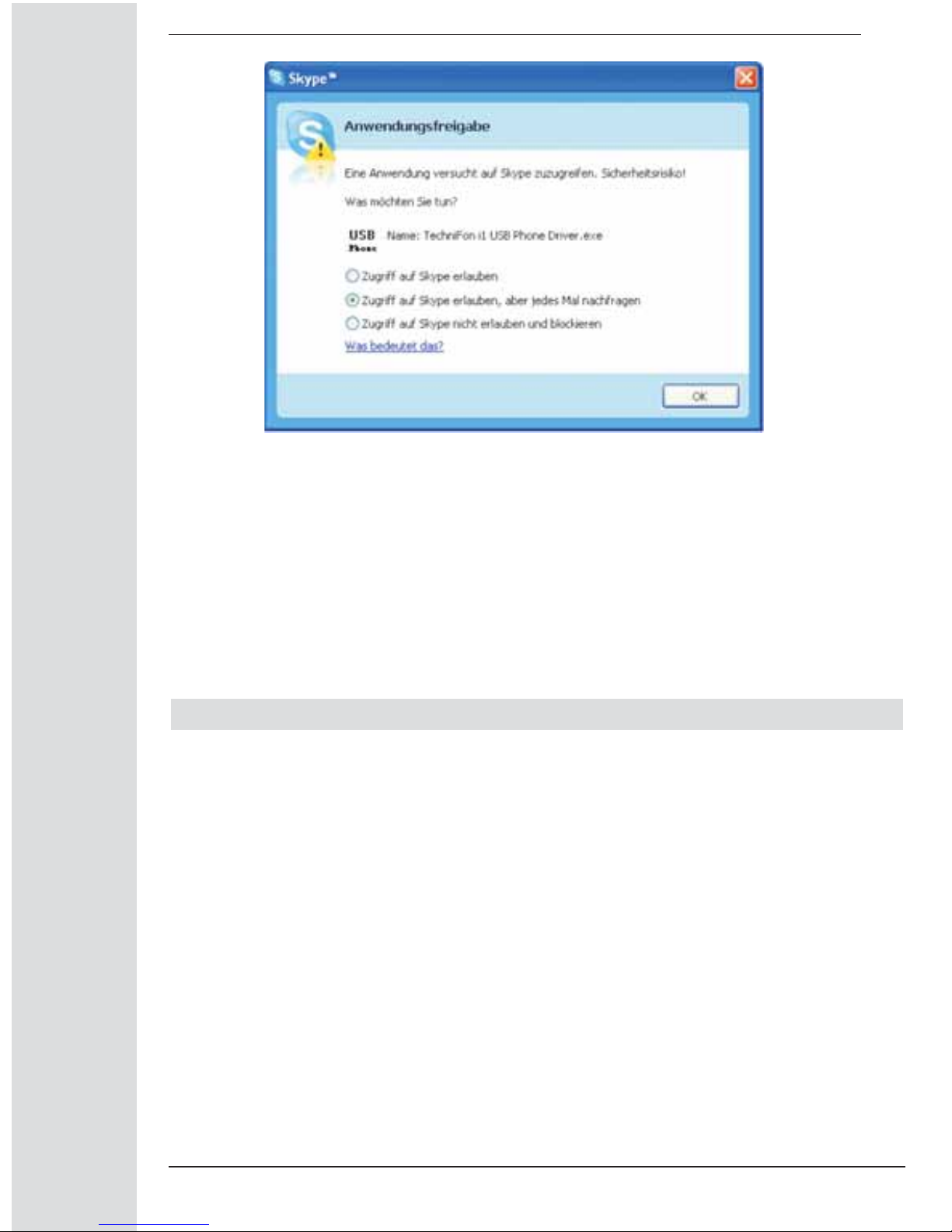
As soon as Skype is started the phone driver will ask you for access rights to Skype.
Allow the program full access rights.
Now login to your Skype account.
Figure 7
Figure 8 - Select Skype
10
Possible choices:
• Zugriff auf Skype erlauben (admit full access rights to Skype)
• Zugriff auf Skype erlauben, aber jedes Mal nachfragen (admit full access
rights to Skype, but ask again on every startup)
• Zugriff auf Skype nicht erlauben und blockieren
Select your user account and login.
Setup the TechniFon i1 for Skype
To telephone with your TechniFon i1 you have to ensure that the phone is installed
as I/O device in your Skype audio device settings.
Please follow these steps:
1. Click on “Aktionen” and select “Optionen”
2. Click on “Audiogeräte” on the left side of the menu
3. Set up the options as shown in figure 10
Mark 1 sets the Phone as audio input device
Mark 2 sets the Phone as audio output divece
Mark 3 will use the speakers of your PC additionally to the one of the
phone itself when the phone rings.
Figure 9
Indice


