Operation in AP (“Access Point”) mode
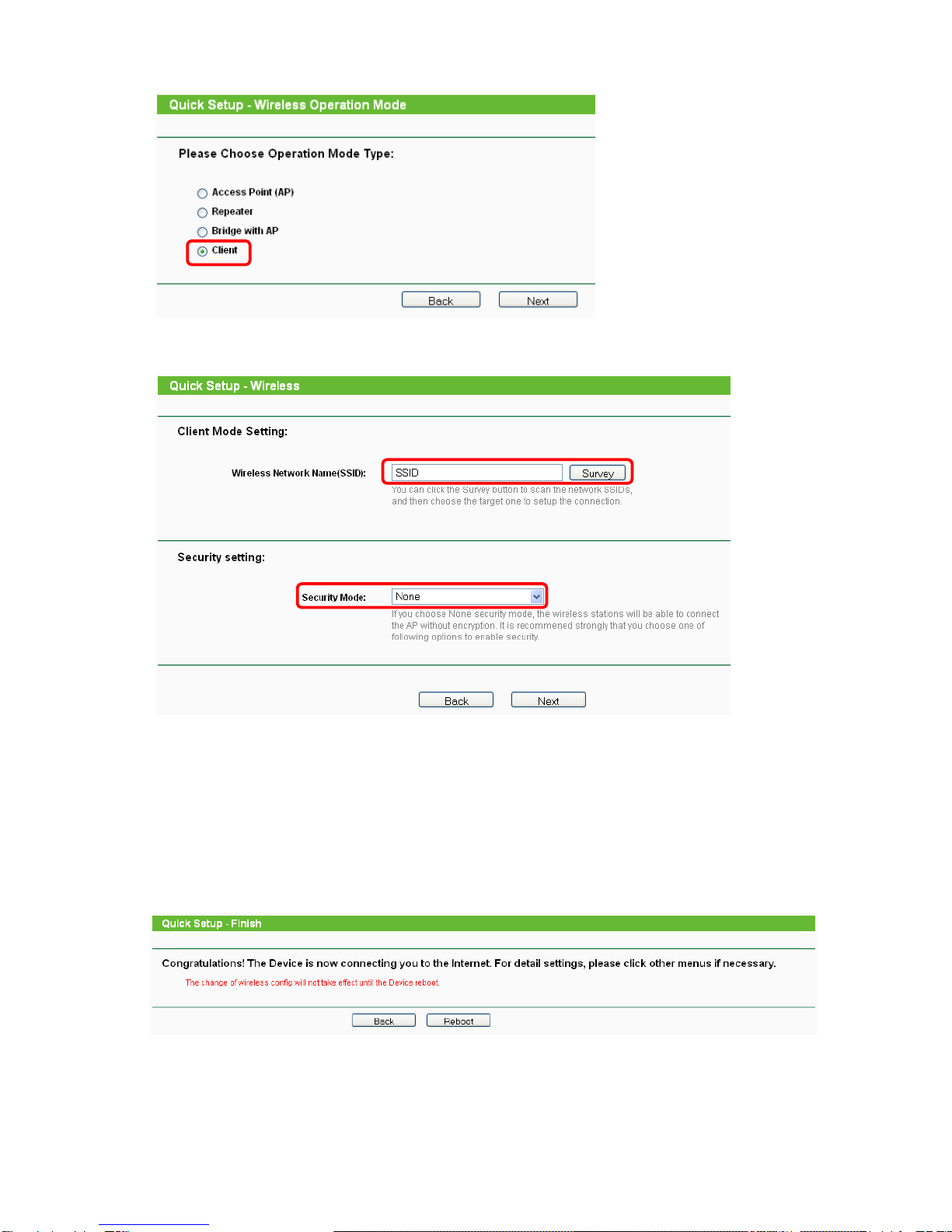
Configured as Client, the router how behaves like a WLAN card and thus does integrates non-WLAN-
capable Ethernet devices in a wireless network.
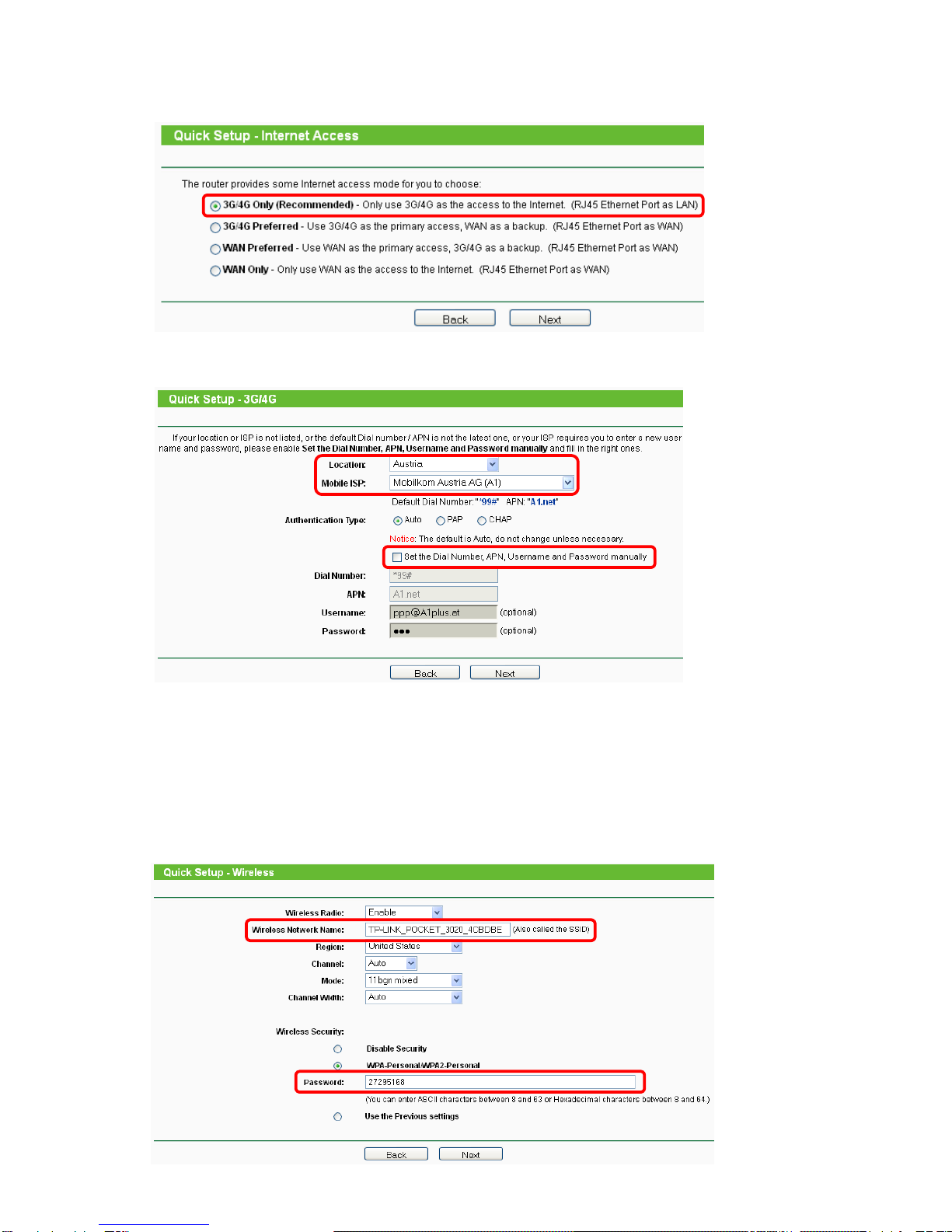
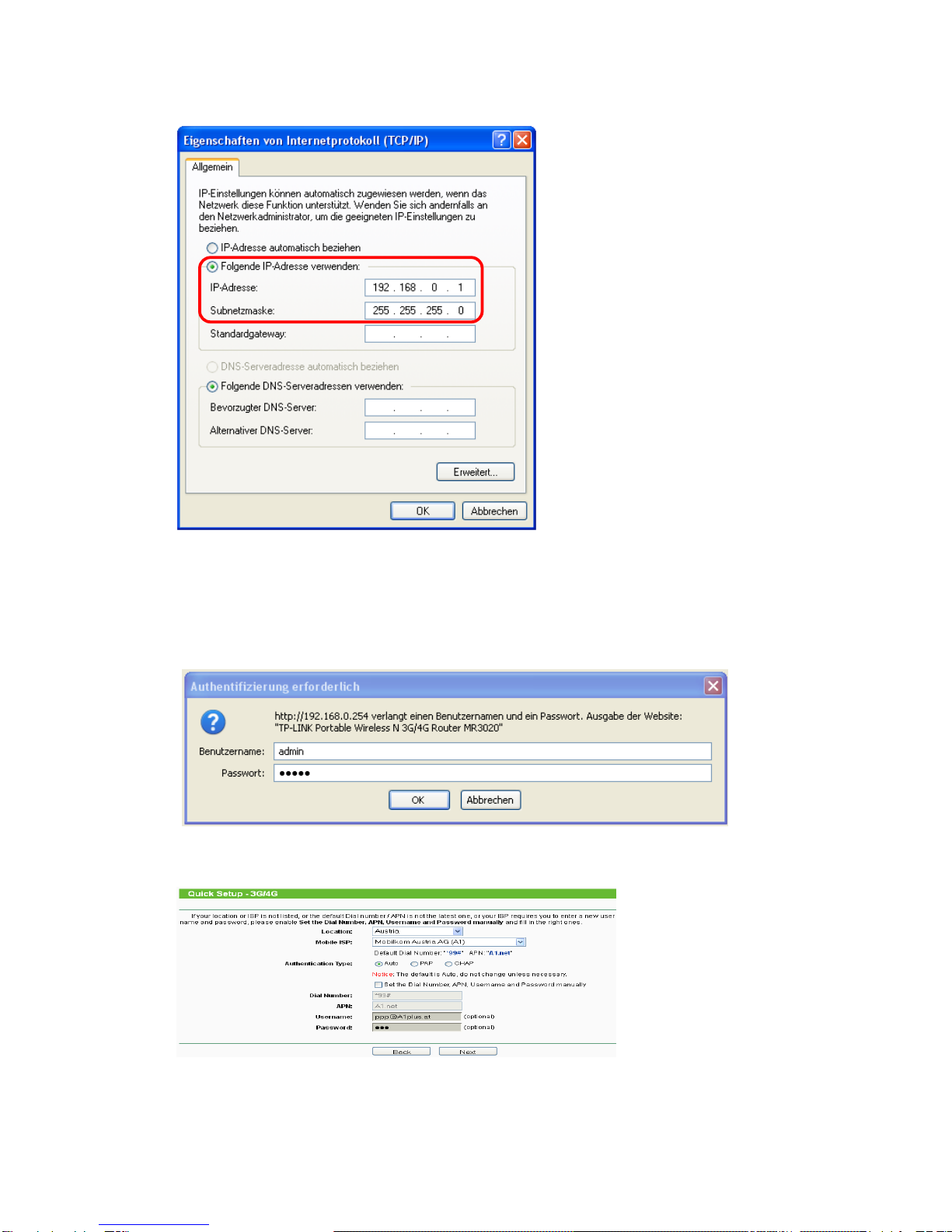
TCP/IP configuration
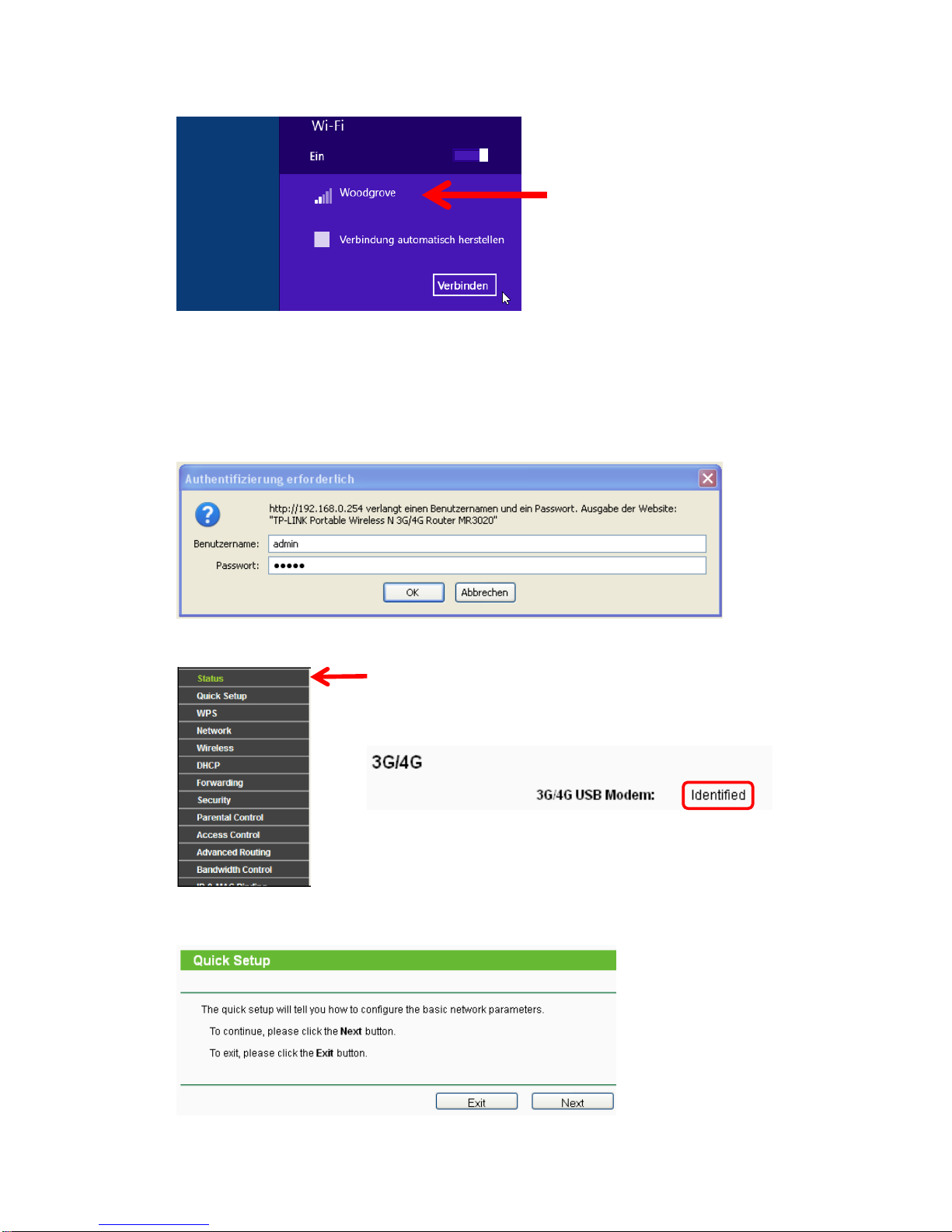
A LAN connection is used to configure the router in the example. (You can also use a WLAN connec-
tion for the configuration.)
1. Windows XP: Start → Settings → Control panel → Network connections;
for Windows 7: Start → Control panel → Network and Internet → Network and release
center → Change adapter settings;
for Windows 8: Windows- + C key → tap/click on Search → enter the text Control panel in
the search field and then tap/click on Control panel. → Network and Internet → Network
and release center → Change adapter settings
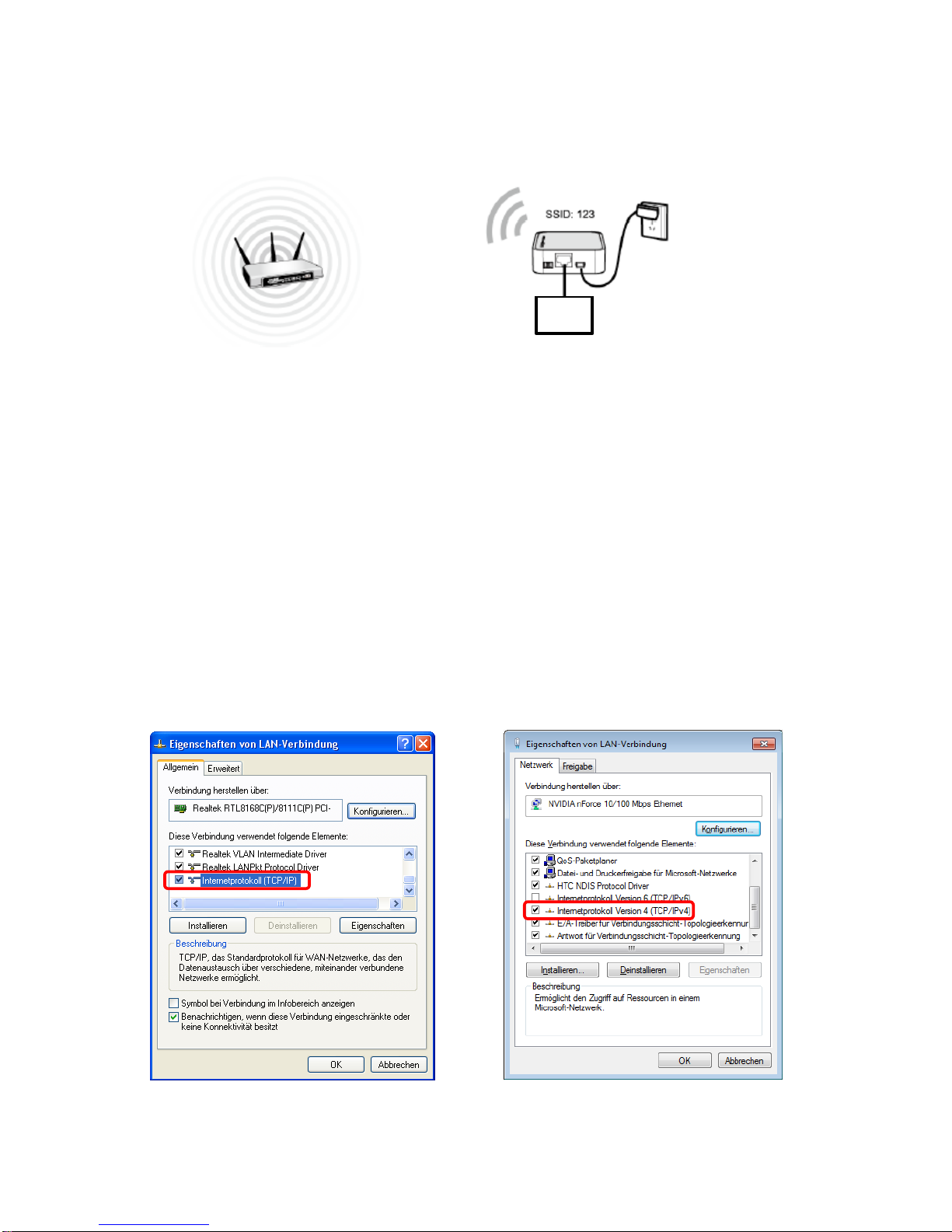
2. Right-click on the LAN connection and select Properties.
3. In Windows XP, double-click on the Internet protocol (TCP/IP);
In Windows 7 and Windows 8.x, double-click on the Internet protocol version 4 (TCP/IPv4).
Windows XP Windows 7 / Windows 8.x