
Tekxon Technology Still Camera K5 Manuale utente

English
DIGITAL still CAMERA
DIGITAL still CAMERA
US ER S M AN UAL
US ER S M AN UAL

CONTENTS
1
E-2
E-3
E-6
E-16
ENGLISH
Basic Reference
Safety Precautions....................................................
Quick Reference.......................................................
General Information...................................................
Trouble Shooting.......................................................
Thanks for your selection of this camera.
Please read the instruction carefully before using. And
do as the followings to avoid the damages caused by
improper operations to the camera.

Safety Precautions
2
Should you evernotice smoke( ora strange smellcoming out ofthe camera) burn your
finger sound strange orany other abnormalstatus , immediatelyremove the camera's
battery.
You should be responsiblefor the damageto the cameraor materials causedby your
improper operation tothe Digital Camera.
Do not attemptto modify thisDigital Camera.
Do not openthe battery coverwhile turn onthe camera.
Do not exposethe Digital camerato moisture andmake sure nowater get intothe camera.
Turn offthe power andremove the batteryonce water getinto the camera.
Do not operatethe Digital Camerawhen you aredriving.
Do not coveror swap theDigital Camera witha cloth. Itshould be placedin well-ventilated
locations.
Do not makethe camera strickenwith hard.
If the DigitalCamera will notbe used fora long time,you would betterto remove thebattery.
3
5.1Mega Pixels CMOSsensor, andup to maximunof 12 MegaPixels by
interpolated
3.0 inch LTPS LCD Display
8 Digital Zoom
32MB flash memory, and supportsup to 4GBSDHC SD or MMCcard
10sec Self-timer 20sec Self-timer
DPS
PC-Camera
Function Characteristic
4
Package Contents
Check to makesure that allof the items
shown on thebelow are includedwith
your package.
Camera Strap
USB/TV cable
Pouch User manual
Alkaline/2xAA rechargeablebattery
CD-ROM
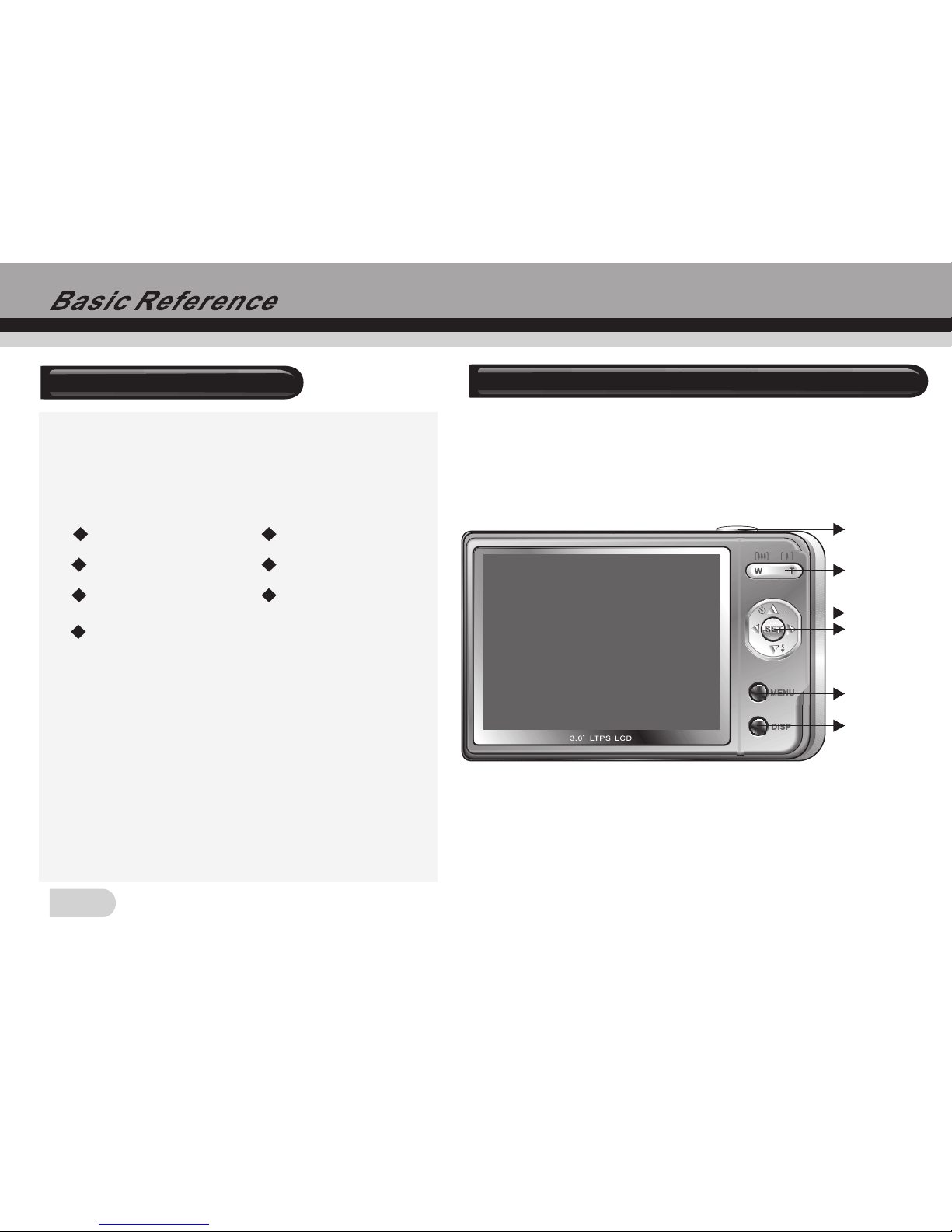
Getting to know your Digital Video Camera
Shutter
MENU button
Display button
SET button
Direction button
Zoom button

USB/TV
5
Getting to know your Digital Video Camera
LensFlash
Macro
Battery
cover
Busy
Charge
Shutter Mode
button playback
button
Slide cover
Sd card slot
6
Loading the battery into the camera
1.Slide the batterycover and thenswing it open.
2.Align the mark on thebattery with mark on thecamera and slidethe battery intothe
camera.
3.Close the batterycover.
[+-] [+-]
Using Memory Card
1.The Camerahas 32MB built-inmemory for recording.
2.The camerasupports up to4GB SDHC SD or MMCcard.
Note:
When there isa memory cardinserted, it willbe the toppriority for savingdata.
The camera supportsSDHC SD and MMCcard, and the range of usagespecification of
the card isfrom 32MB to4GB.
Be sure toorient the cardcorrectly when insertingit. Never try to force amemory card into
the slot whenyou feel resistance.
While the cameracannot read thememory card, pleaseclean the metal interface softly with
soft cloth andthen reload.
Never remove acard from thecamera while thecamera is working.Doing so cancause the
file save operationto fail, andeven damage the memory card.

5M
0.0
EV
2008/01/08 00:18:16
035
000
AWB
7
5M
035
000
AWB
2008/01/08
00:18:16
0.0
Capture Mode
1. Push thelens' cover andthen enter thecapture mode
2. Holding thecamera still, pointthe camera atthe subject, gentlypress button and then
compose the image.
3. Press button. When theimage shown onthe screen turningleft, indicating theimage is
recorded.
Press button you canselect the WhiteBalance EV Shift Resolution Image Quality and
so on accordingto your favouriteand then press button affirm andback to previous.
Press button again canback to standbymode for capture.
Before recording, press button can zoomin or zoomout.
Press button toswitch the flashmode Off Auto Red-eye reduction Compulsion.
Press button toselect different capturemodes such asSingle,Continuous and 10secSelf-timer.
Slide button forMacro then icon willappear on thescreen the macro rangeis
150mm to 250mm.
SHUTTER
SHUTTER
MENU
SET
MENU
W/T
Monitor Screen
Capture mode
Image Quality
Resolution
EV Shift
Flash mode
White Balance
Counter(Recorded/
Allowance)
Macro
Power Capacity
Data/Time

8
2008/01/08
00:18:16
640
001
Monitor Screen
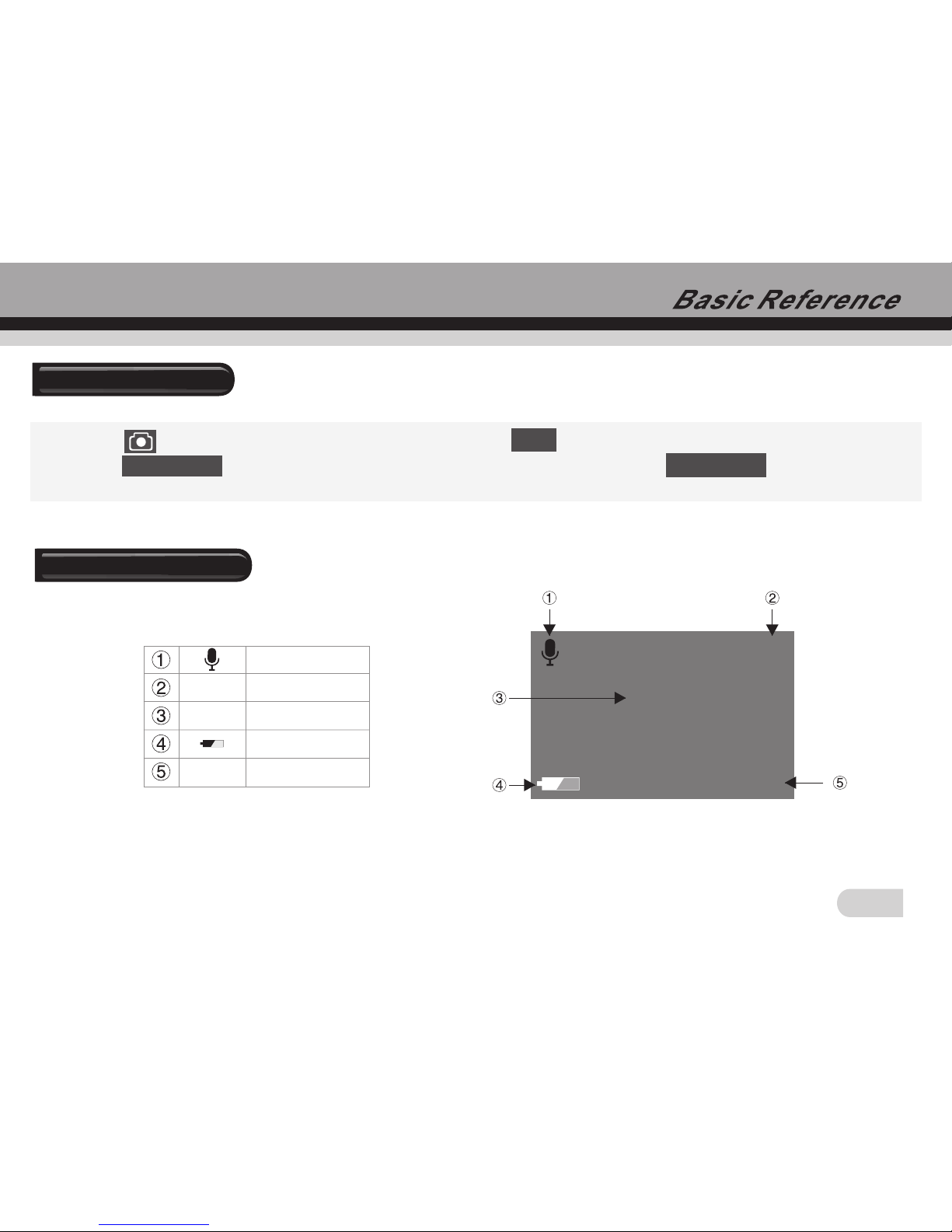
1. Press buttonto chooseAVI icon, and press button to switchit into videomode.
2. Press button to startvideo recording andtiming, you willfind the recording symbol
(a red dot)appeared on thescreen. Press button again tostop video recording.
During the videorecording, press buttonthat scenery canbe zoom in ( pull )orzoom
out( push ).
In current mode,press button can selectWhite Balance EV shift Resolution
according to thereal environment, sameas the selectionin capture mode.
Slide button forMacro then icon willappear on the screen the macro rangeis
150mm to 250mm.
SET
SHUTTER
SHUTTER
MENU
Video mode
Video mode
Resolution
Recorded Num.
Power Capacity
Data/Time
640
START:SHUTTER
001
2008/01/08 00:18:16
9
2008/01/08
00:18:16
001
00:00:00
00:00:10
Monitor Screen
Audio mode
Audio mode
Recorded Num.
Allowance of
recording time
Power Capacity
Data/Time
001
2008/01/08 00:18:16
START:SHUTTER
00:00:00
00:00:10
1. Press buttonto choose WAV icon, and press button to switchit into audiomode.
2. Press button to startaudio recording andtiming. Press button again to
stop audio recording.
SET
SHUTTER SHUTTER
Indice
Altri manuali Tekxon Technology Macchina fotografica digitale


