
unication Partner P900 Manuale utente
1038B30a.book Page 1 Friday, October 26, 2001 11:24 AM
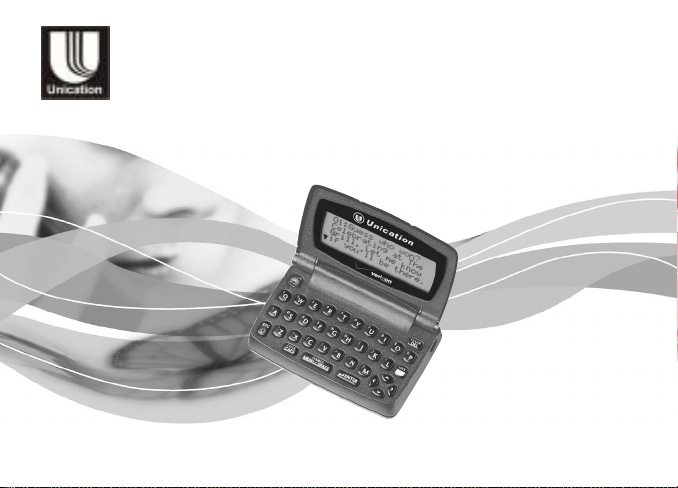
PARTNER
User's Guide
Model P900
FLEX™ Technology
Personal Interactive Communicator

1038B30a.book Page 2 Friday, October 26, 2001 11:24 AM

Introduction
1
Introduction
Congratulations on your purchase ofthe Partner P900
Personal Interactive Communicator. Whether receiving or
sending messages,the Partner P900 Personal Interactive
Communicator can become a vital part of your business and
personal life and change the way you communicate with
family, friends, and business associates.
This guide explains how to use your new communicator and
provides helpful suggestions for first-time, as well as
experienced users.
A detachable quick-reference card is included for your
convenience.
1038B30a.book Page 1 Friday, October 26, 2001 11:24 AM

Introduction
2
Effective Use of Your Communicator
With this communicator, you can send wireless messages to
internet e-mail addresses and other communicator devices,
yet it is small enough to comfortably wear on your belt or fit in
a pocket. By supplying business associates, family members,
and friends with your wireless address information, you can
be contacted whenever needed.
Verizon Wireless Messaging Services,
1004 Avenue N, suite 100, Plano, Texas 75074
© 2003,Unication, Inc. All rights reserved. Printed in Taiwan
ITC00-003
1038B30a.book Page 2 Friday, October 26, 2001 11:24 AM

Contents
Introduction ................................... 1
Effective Use of Your
Communicator........................ 2
Safety and General Information... 5
Getting Started............................ 14
Battery Information ................... 14
Installing/Replacing the
Battery.................................. 15
Control Buttons ..................... 16
ALT-mode Functions ................. 19
Turning On
Your Communicator.............. 20
Turning Off
Your Communicator.............. 21
Setting Transmitter Mode.......... 21
Messaging Service Instructions 22
Sending a Test Message to
Yourself................................. 22
Backlight ................................... 23
Setting Up
Your Communicator.............. 23
Using the Main Menu................ 23
Setting the Key Click................. 25
Creating a Signature................. 25
Setting the Font Size. ............... 26
Time and Date ............................. 27
Setting the Time and Date........ 27
Alerts............................................ 28
Setting the MailBox and
the News/Info Alert .............. 28
Setting the Alert Volume .......... 29
Reminder Alert ......................... 29
Private Time................................. 30
Setting Private Time ................ 31
Quiet Mode .................................. 31
Setting the Quiet Mode ............ 32
Addresses.................................... 33
Creating an Address Book
Entry .................................... 33
Searching the Address Book .... 34
Deleting Addresses .................. 34
Editing Addresses ................... 35
Messages..................................... 36
Selecting the Address(es) ........ 36
1038B30a.book Page 3 Friday, October 26, 2001 11:24 AM

Composing a Message ..........38
Sending a Message .................. 38
MailBox ..................................... 39
Previewing and Reading
Messages ............................. 40
Previewing Messages .............. 42
Reading Messages ............... 43
Working with the
Message Options Menu........ 44
Replying to Messages .............. 46
Resending Messages ............... 48
Forwarding Messages............... 48
Deleting Messages ................... 49
Animated Icons ......................... 52
Advanced Messaging ................. 53
Using Info-On-Demand ............. 53
Setting News AutoPreview........ 54
Turning On News
AutoPreview ....................... 54
Alarms .......................................... 55
Setting the Alarm ................... 55
Folders .........................................56
Accessing the
MailBox Folders....................56
Using Your Personal Folder ......58
Using Your News/Info Folder..... 59
InBoxes ........................................60
Using Your MailBox InBox......... 60
Using Your News/Info InBox...... 60
Vital Signs....................................64
Use and Care ...............................66
FCC Compliance .........................67
Export Law and Patents .............69
Notes ............................................71
Personal Numbers.......................73
1038B30a.book Page 4 Friday, October 26, 2001 11:24 AM

Safety and General Information
5
Safety and General Information
IMPORTANT INFORMATION ON SAFE AND EFFICIENT
OPERATION.
READ THIS INFORMATION BEFORE USING YOUR
PERSONAL INTERACTIVE COMMUNICATOR.
The information provided in this document supersedes the
general safety information contained in user guides published
prior to July 2000. For information regarding radio use in a
hazardous atmosphere please refer to the Factory Mutual (FM)
Approval Manual Supplement or Instruction Card, which is
included with radio models that offer this capability.
RF Operational Characteristics
Your Personal Interactive Communicator contains a transmitter
and a receiver. When it is ON, it receives and transmits radio
frequency (RF) energy. The Personal Interactive Communicator
operates in the frequency range of 896 MHz to 941 MHz and
employs digital modulation techniques.
When you communicate with your Personal Interactive
Communicator, the output power level is 1.0 watt.
1038B30a.book Page 5 Friday, October 26, 2001 11:24 AM

Safety and General Information
6
Exposure to Radio Frequency Energy
YourUnication Personal InteractiveCommunicator is designed to
comply with the following national and international standards
and guidelines regarding exposure of human beings to radio
frequency electromagnetic energy:
•United States Federal Communications Commission,
Code of Federal Regulations; 47 CFR part 2 sub-part J.
•American National Standards Institute (ANSI) / Institute of
Electrical and Electronic Engineers (IEEE) C95. 1-1992.
•Institute of Electrical and Electronic Engineers (IEEE)
C95.1-1999 Edition.
•National Council on Radiation Protection and
Measurements (NCRP) of the United States, Report 86,
1986.
•International Commission on Non-Ionizing Radiation
Protection (ICNIRP) 1998.
•Ministry of Health (Canada) Safety Code 6. Limits of
Human Exposure to Radiofrequency Electromagnetic
Fields in the Frequency Range from 3 kHz to 300 GHz,
1999.
1038B30a.book Page 6 Friday, October 26, 2001 11:24 AM

Safety and General Information
7
•Australian Communications Authority
Radiocommunications (Electromagnetic Radiation -
Human Exposure) Standard 1999 (applicable to wireless
phones only).
To assure optimal Personal Interactive Communicator
performance and make sure human exposure to radio frequency
electromagnetic energy is within the guidelines set forth in the
above standards, always adhere to the following procedures:
Portable Personal Interactive Communicator
Operation and EME Exposure
Body-worn Operation
To maintain compliance with FCC/Health Canada RF
exposure guidelines, if you wear a Personal Interactive
Communicator on your body when transmitting, always place the
Personal Interactive Communicator in aUnication supplied or
approved clip, holder, holster, case, or body harness. Use of
non-Unication-approved accessories mayexceed FCC/Health
Canada RF exposure guidelines. If you do not use a body-
1038B30a.book Page 7 Friday, October 26, 2001 11:24 AM

Safety and General Information
8
worn accessory, ensure the device is at least one inch
(2.5 cm) from your body when transmitting.
Approved Accessories
For a list of approved Unication accessories call
+886-2-22999678 or visit our website at www.uni.com.tw
Electromagnetic Interference/Compatibility
NOTE: Nearly every electronic device is susceptible to
electromagnetic interference (EMI) if inadequately shielded,
designed or otherwise configured for electromagnetic
compatibility.
• FACILITIES
To avoid electromagnetic interference and/or compatibility
conflicts, turn off your Personal Interactive Communicator in
any facility where posted notices instruct you to do so.
Hospitals or health care facilities may be using equipment
that is sensitive to external RF energy.
• AIRCRAFT
When instructed to do so, turn off your Personal Interactive
Communicator when on board an aircraft. Any use of a
1038B30a.book Page 8 Friday, October 26, 2001 11:24 AM
Altri manuali per Partner P900
1
Indice
Altri manuali unication Telefono cellulare


