Vidifox GV 200 Manuale utente

Vidifox® Document Camera
GV 200
USER MANUAL
Please read this manual carefully before operating the document camera and keep it for reference.
1

PRECAUTIONS
NOTICES: PLEASE READ CAREFULLY BEFORE USE
Use the document camera under the rated electric conditions.
Do not place the document camera on any unstable surface. It may fall and cause injures
or damages.
Do not place this device directly under sunlight or near heaters.
Do not place this device near water.
Keep the camera away from acid or alkali gas.
Do not place this document camera in humid, dusty, windy or vibrant locations.
The recommended operating environment is:
Temperature: 0ºC--45ºC (32ºF-113ºF)
Humidity: less than 75%
Always unplug BEFORE cleaning the device. Use a damp soft-cloth for cleaning. Do not
use volatile solvent.
When this equipment functions abnormally, such as smoke, smell, noise, immediately
unplug and call for professional assistance.
Unplug the document camera or shut off the power when not in use.
Legal Notice
FCC Part 15
This device complies with Part 15 of the FCC Rules. Operation of this product is subject to the
following two conditions: (1) this device may not cause harmful interference, and (2) this device
must accept any interference received, including interference that may cause undesired operation.
Compilation and Publication Notice
This manual has been compiled and published to cover the latest product’s descriptions and
specifications. The contents of this manual and the specifications of this product are subject to
change without notice.
Wanin USA reserves the right to make changes without notice in the specifications and materials
contained herein and shall not be responsible for any damages (including consequential) caused by
reliance on the materials presented, including but not limited to typographical and other errors
relating to the publication.
©2011 Wanin USA Inc. All Rights Reserved.
2

USER MANUAL.......................................................................................1
1. PARTS IDENTIFICATION.................................................................4
2. CONTROLPANEL..............................................................................5
3. INPUTS AND OUTPUTS ....................................................................5
4. REMOTE CONTROL .........................................................................6
5. CONNECTIONS...................................................................................8
5.1. COMPUTER CONNECTION...........................................................................................8
5.2. VGA OUTPUT CONNECTION........................................................................................8
6. COMMUNICATE WITH COMPUTER............................................9
6.1. COMPUTER REQUIREMENTS......................................................................................9
6.2. USB CAMERA..................................................................................................................9
7. FEATURES .........................................................................................15
LIGHT.....................................................................................................................................15
ZOOM IN AND ZOOM OUT ................................................................................................15
FOCUS ADJUSTMENT.........................................................................................................15
BRIGHTNESS ADJUSTMENT.............................................................................................15
WHITE BALANCE ADJUSTMENT.....................................................................................15
TEXT/PICTURE MODE........................................................................................................16
IMAGE FREEZE....................................................................................................................16
IMAGE MIRROR...................................................................................................................16
SPLIT SCREEN......................................................................................................................16
IMAGE SAVE.........................................................................................................................16
IMAGE RECALL...................................................................................................................16
USB 2.0 PORT........................................................................................................................16
USB IMAGE CAPTURE AND VIDEO RECORDING.........................................................17
8. SPECIFICATION...............................................................................18
9. TROUBLE-SHOOTING....................................................................19
10. PACKING LIST................................................................................27
3

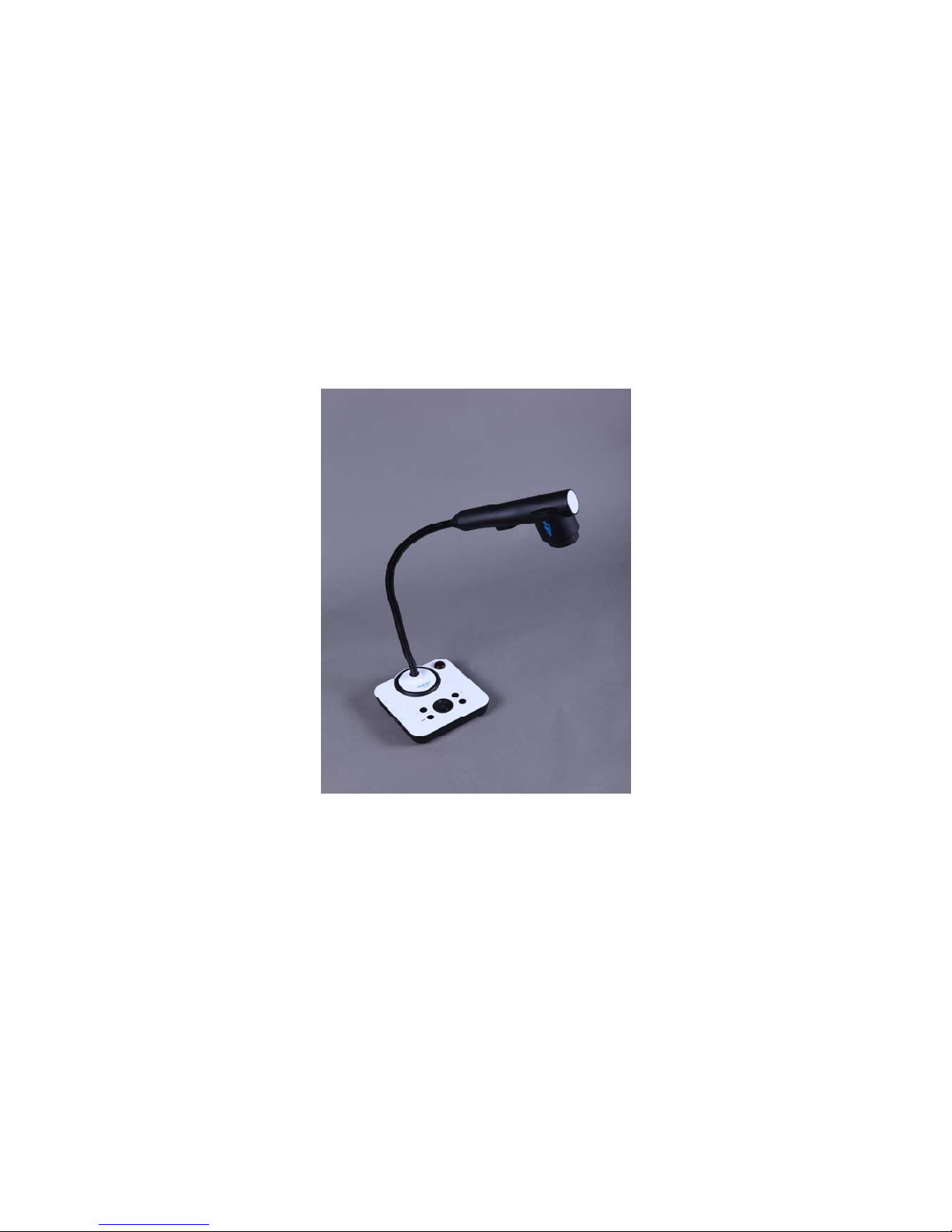
1. PARTS IDENTIFICATION
1. Camera
2. LED light box
3. Goose neck
4. Remote control IR receiver
5. Side panel
6. Control panel
4

2. CONTROL PANEL
1. POWER: Turn the power on/off.
2. LAMP: Turn the LED light on/off.
3. AUTO: Carry out auto focus, color adjustment and white balance.
4. FOCUS+/-: Adjust focus manually, focus far and focus near.
5. BRIGHT+/-: Adjust image brightness manually.
6. ZOOM+/-: Image zoom in and zoom out.
3. INPUTS AND OUTPUTS
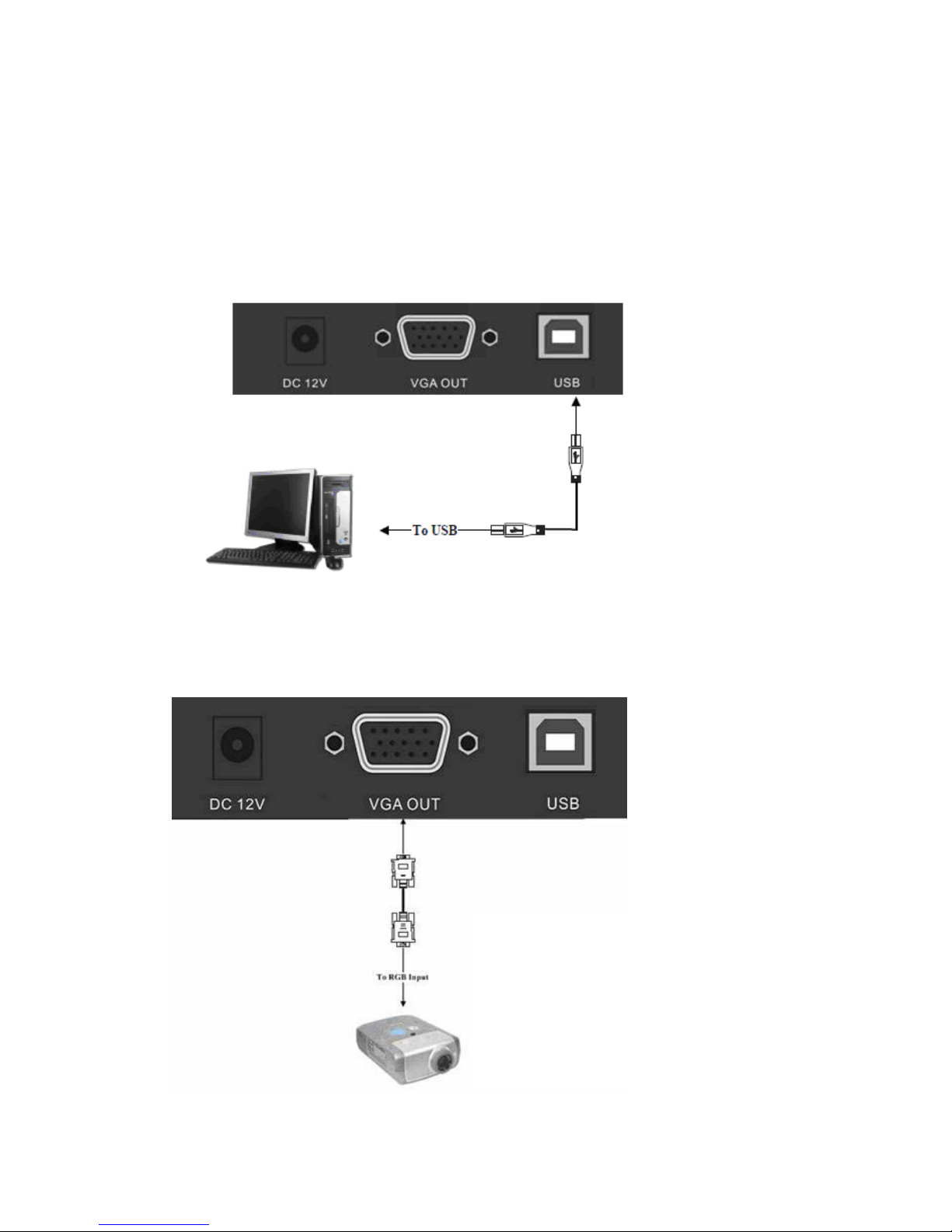
1. DC 12V: Power input.
2. VGA OUT: VGA(RGB) signal output(15 pin D-SUB).
3. USB: Capture image into a connected computer via provided software
5

4. REMOTE CONTROL
1. : Turn the document camera on or off.
2. Save: Capture the image in display to internal memory.
3. Recall: Image recall mode enabled, display the saved images.
4. Lamp: Turn the LED light on/off.
5. Split: Split screen, enable the comparison between the frozen image and live image.
6. Pg- (Page down): Saved image page down when image recall mode is enabled.
7. Pg+ (Page up): Saved image page up when image recall mode is enabled.
8. Mir (Mirror): Output right-and-left, up-and-down mirror image.
6

9. Frz (Freeze): Freeze/unfreeze the image.
10. T/P: Switch the output image between text mode and picture mode.
11. Red+/-:Image chroma control (red).
12. Blue+/-: Image chroma control (blue).
13. SXGA/XGA: Switch the output signal between XGA and SXGA.
14. Home: Activate when it makes the focus curve and optics center adjust.
15. Sharp+/-:Image sharpness control.
16. Auto: Carry out auto focus, color adjustment and white balance.
17. Computer: Activate when it makes the focus curve.
18. Video: Activate when it makes the focus curve.
19. Zm+/-: Image zoom in and zoom out control.
20. Fc+/-: Adjust focus manually, focus far and focus near.
21. Bri+/-: Adjust image brightness.
7

5. CONNECTIONS
5.1. COMPUTER CONNECTION
5.2. VGA OUTPUT CONNECTION
8

6. COMMUNICATE WITH COMPUTER
6.1 COMPUTER REQUIREMENTS
The PC's hardware and software configurations shall not be less than the following requirements:
Operating system: Windows XP
CPU: 1.8 GHz
Physical memory: 512M
Video memory: 64M
6.2 USB FUNCTION
、
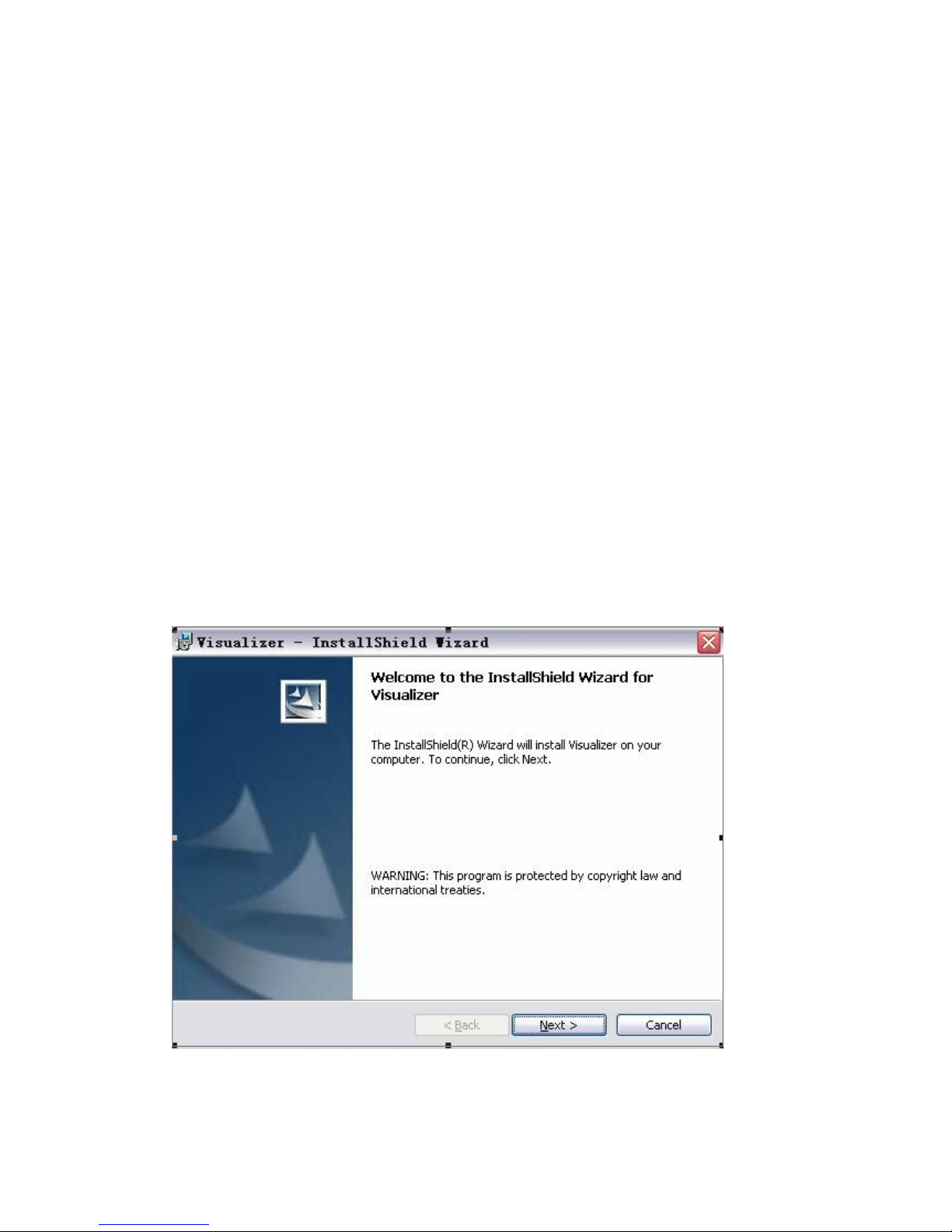
1 SOFTWARE INSTALLATION
Click to run the software installation package, the following dialogue appears, click "Next":
Read the terms, Select "I accept the terms in the license agreement." Click "Next", as the following
figure.
9

The following dialogue box appears, click "Next":
The default installation directory is Program Files, C: \ Program Files \, you can select a different
installation directory, as shown:
10
Indice
Altri manuali Vidifox Telecamera per documenti

Vidifox
Vidifox DV 480 Manuale utente

Vidifox
Vidifox GV 400 Manuale utente

Vidifox
Vidifox DV 485 Manuale utente

Vidifox
Vidifox i3780T Manuale utente

Vidifox
Vidifox PV 700ST Manuale utente

Vidifox
Vidifox PV 360 Manuale utente

Vidifox
Vidifox PV 380 Manuale utente

Vidifox
Vidifox DV 550S Manuale utente

Vidifox
Vidifox i3030 Manuale utente

Vidifox
Vidifox PV 490S Manuale utente