
Virgin MC760 Manuale utente

Broadband2GoTM
USER GUIDE
MC760 USB Modem
Novatel Wireless

Please save this User Guide to your computer’s
hard drive for further reference.
© 2009. Novatel Wireless, Inc. All rights reserved. Novatel Wireless names and logos are trademarks of Novatel
Wireless. All other brands and trademarks are trademarks of their respective holders.

Congratulations on purchasing a broadband modem
by Novatel Wireless!
This Modem operates over high-speed networks enabling you to connect at
high speeds to the Internet or your corporate Intranet, and access your email
while you are away from the ofce.
Patents and licenses
Licensed by QUALCOMM Incorporated under one or more of the following Patents:
4,901,307 5,490,165 5,056,109
5,504,773 5,101,501
5,506,865 5,109,390 5,511,073
5,228,054 5,535,239
5,267,261 5,544,196 5,267,262
5,568,483 5,337,338
5,600,754 5,414,796 5,657,420
5,416,797 5,659,569
5,710,784 5,778,338
Software License
Proprietary Rights Provisions
The software drivers provided with this product are copyrighted by Novatel Wireless and/or Novatel
Wireless’ suppliers. And although copyrighted, the software drivers are unpublished and embody
valuable trade secrets proprietary to Novatel Wireless and/or Novatel Wireless’ suppliers. The
disassembly, decompilation, and/or Reverse Engineering of the software drivers for any purpose is
strictly prohibited by international law. The copying of the software drivers, except for a reasonable
number of back-up copies is strictly prohibited by international law. It is forbidden by international
law to provide access to the software drivers to any person for any purpose other than processing
the internal data for the intended use of the software drivers.
U. S. Government
Restricted Rights Clause:
The software drivers are classied as “Commercial Computing device Software” and the U.S.
Government is acquiring only “Restricted Rights” in the software drivers and their Documentation.
U.S. Government Export Administration Act Compliance Clause:
It is forbidden by US law to export, license or otherwise transfer the software drivers or Derivative
Works to any country where such transfer is prohibited by the United States Export Administration
Act, or any successor legislation, or in violation of the laws of any other country.
Please visit www.novatelwireless.com for the latest information about your device.
Your Terms of Service
Your services begin on the date your modem is activated. The use of your modem is subject to the
Virgin Mobile Canada Terms of Service, which may change from time to time (“Terms of Service”).
You can read them online at www.virginmobile.ca. To stay up-to-date with the most recent Terms of
Service, please make sure to check www.virginmobile.ca or call 1.888.999.2321. By activating your
modem, you’re accepting and agreeing to follow the current Terms of Service, so please ensure you
read them over before you activate your modem. If there is anything in the Terms of Service that
you don’t agree with, return your modem before you activate or use it within ten (10) days of its
purchase date to receive a refund.

Table of Contents
Congure & Connect . . . . . . . . . . . . . . . . . . . . . . . . . . . . . . . . . . . . . . 5
Overview ...............................................................6
Using the MobiLink Connection Manager ...................................7
Features of the Connection Manager. . . . . . . . . . . . . . . . . . . . . . . . . . . . . . . . . . . . 8
Connect Using the Connection Manager. . . . . . . . . . . . . . . . . . . . . . . . . . . . . . . . . 9
Using the MobiLink Menus . . . . . . . . . . . . . . . . . . . . . . . . . . . . . . . . . . . . . . . . . . . . . . . 10
Prole Manager. . . . . . . . . . . . . . . . . . . . . . . . . . . . . . . . . . . . . . . . . . . . . . . . . . . .11
Conguration ....................................................14
Auto-Launch . . . . . . . . . . . . . . . . . . . . . . . . . . . . . . . . . . . . . . . . . . . . . . . . . . . . . 15
Device Properties ................................................16
About . . . . . . . . . . . . . . . . . . . . . . . . . . . . . . . . . . . . . . . . . . . . . . . . . . . . . . . . . . . 17
Troubleshooting ..........................................18
Troubleshooting ........................................................19

About This Guide
Thank you for choosing Novatel Wireless and welcome to the MobiLink
3 User Guide for Windows. The MobiLink software works with your
Broadband Modem to enable you to connect at high speeds to the
Internet, your corporate Intranet, and your email while you’re away
from the ofce.
This User Guide outlines the features and use of the MobiLink software.
This guide is separated into 2 chapters:
Congure and Connect – This chapter provides instructions for
managing and conguring your Internet connection and using the
features of the MobiLink software.
Troubleshooting – This chapter provides troubleshooting
information for your MobiLink software.
1
22

Overview
Using the MobiLink Connection Manager
Using the MobiLink Menus
Configure & Connect
1
6
Overview
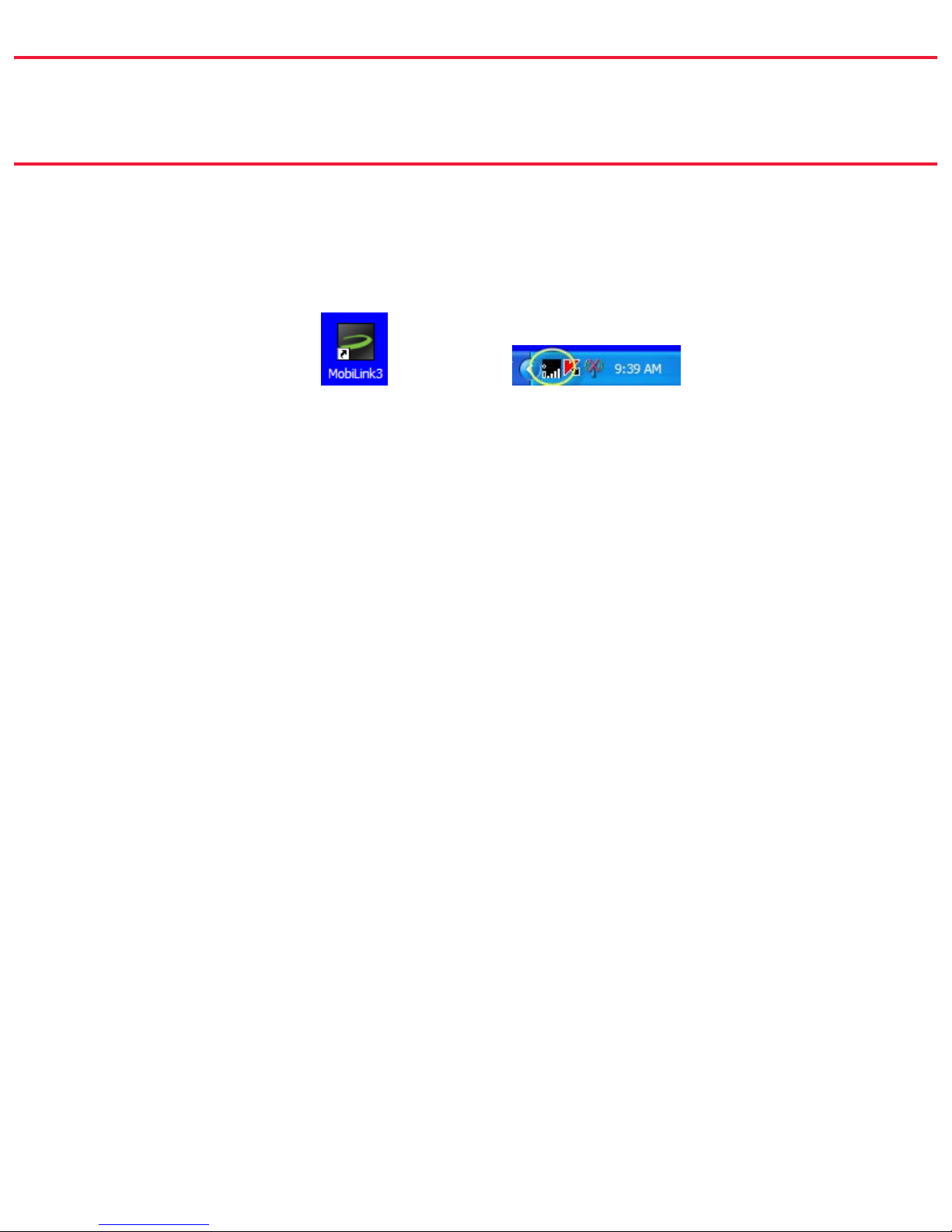
When you attach your modem the rst time, the MobiLink software is installed
automatically.
The MobiLink shortcut is placed on the desktop and an icon appears in the system
tray (Windows notication area).
The desktop shortcut launches the MobiLink software.
The system tray icon opens the Connection Manager as well as providing visual
connection status.
Both the system tray icon and the Connection Manager provide access to the
MobiLink menus, status information, and settings. You can use the one that better
suits the way you work.

7
Using the MobiLink Connection Manager
Right-click the system tray icon and choose ➤Open Connection Manager.
➤
The Connection Manager will open on the desktop.
If the system tray icon is not present, double-click the ➤
desktop shortcut to launch the software.
Tip!

8
Features of the Connection Manager
The Connection Manager provides status information about your connection, tells
you whether you are roaming, as well as providing access to the MobiLink menus.
1
2
3
4
5
Broadband2GoTM
Web@emporterMC
1
2
3
4
5
6
Broadband2GoTM
Web@emporterMC
1
1
2
2
3
3
4
4
5
5
6
Menu – Opens the MobiLink menus.
Prole – The name of the current
connected prole.
Duration – How long the network
has been connected.
Bytes Out – The number of bytes
sent this session.
Bytes In – The number of bytes re-
ceived this session.
Close – Closes the Connection Manager.
MobiLink continues to run and the
system tray icon is available.
SMS Received – Shows that you have
received an SMS message. Note: Your
device is equipped to receive, but not
send, SMS messages.
Connection – Displays the connection
status (Connected, Disconnected,
Ready, Radio Off, and No Device
Detected).
Signal Strength – More bars indicate a
stronger signal.
Network Technology – Type of network.
Connect/Disconnect – Connect or
disconnect from the network. May read
Activation the rst time you connect.

9
Connect Using the Connection Manager
Right-click the system tray icon and choose ➤Open Connection Manager.
Click the ➤Connect or Disconnect button.
If the status reads ➤No Device Detected, be sure that
your modem is properly connected to your computer.
NOTE:
Questo manuale è adatto per i seguenti modelli
1
Indice
Altri manuali Virgin Modem

Virgin
Virgin USB modem Manuale utente

Virgin
Virgin USB modem Manuale utente

Virgin
Virgin Mini WiFi Modem Manuale utente

Virgin
Virgin Broadband2Go Manuale utente

Virgin
Virgin Home Modem Manuale utente

Virgin
Virgin MF62 Manuale utente

Virgin
Virgin Mobile USB modem Manuale utente

Virgin
Virgin USB modem Manuale utente


