Vitafit Diapozitiv 1 Istruzioni per l'installazione

Thank you for choosing Vitafit Smart body weight scale. This scale is your personal health
assistant that could track and record your weight. We sincerely hope that you enjoy our Vitafit
scale.
Vitafit Smart Body Weight Scale
Safety Cautions
1. This scale is not intended for commercial use.
2.This scale should not be used to diagnose or treat any medical condition. Consult your primary care physician before making
changes to your diet, exercise plans, or physical activities.
3. If you are pregnant, have a pacemaker, or other internal device, you should not heavily rely on the data provided by this
product. Please note that all data should be used as a reference and is not substitute for medical advice from a licensed
healthcare professional.
4. Check the scale before use. Do not use the scale if it is damaged in any way.
5. The glass platform is slippery when wet. Make sure the platform and your feet are dry before stepping on for measurement.
Use and Care
1. To weigh safely and accurately, stand with your feet shoulder-width apart while on the scale.
2. DO NOT strike or drop the scale.
3. DO NOT stand on the edge of the scale or jump on it.
4. DO NOT stand on the scale platform for a prolonged period of time or when not in operation.
5. DO NOT store or operate near heat sources or in humid environments.
6. Handle the scale with care, as it is a precision instrument.
7. Clean the scale with a clean and dry cloth. Avoid getting water or any other liquid inside the scale.
8. DO NOT use chemical or abrasive cleaning agents to clean the scale.
9. Keep the scale in a cool and dry environment.
10. Always keep the scale in a horizontal position, do not store vertically.
11. If the scale fails to turn on, check whether the batteries are installed correctly. Replace the batteries if necessary.
12. If an error appears on the display or if the scale does not turn off automatically, remove the batteries for over 30 seconds,
then reinstall them.
13. DO NOT overload the scale (maximum weight capacity: 250 kg / 550 lb/39st6lb).
14. DO NOT mix new and used batteries or different battery brands to power the scale.

Product Introduction
LCD display Unit SwitchScale Foot
Battery Cover
Tempered glass

Operation
1. Remove the isolator tab from the battery compartment.
2. For best accuracy, place the scale on a hard and flat floor. Carpeted or uneven floors can negatively effect the accuracy .
3. The scale operates with step-on technology but needs to be calibrated automatically under following occasions.
A. when first time use, moving the scale or battery exchange, the scale will display scale itself weight, and appear ”CAL” after around
1second, and then display “0.0” or “0.00” after around 2seconds , now it’s ready to step on to weigh normally.
B. If step on the scale before calibration, the scale will display an wrong weight and appear ”CAL” after around 1second, and then
display “0.0” or “0.00” after around 2seconds.
After calibration, please step again on to weigh and get correct weight.
4. Under other occasions, please step on to weigh directly.
5. When weighing, please remain standing evenly on the scale without shifting feet or body to get stable and right weight.
6. Step off the scale, the weight readings remain for several seconds. Then the scale will turn off automatically.
7. When Weighing without App, switch the unit by press the unit button on the backside of scale.
Weighing without Vitafit App

Weighing with Vitafit App
-- 02--
The Vitafit Bluetooth Scale can connect with your mobile phone or Ipad via Bluetooth . The Body Weight and BMI data will
be showed at the App named “Vitafit”, which is easy to download from IOS App Store or Google Play.
Download App and Register ID
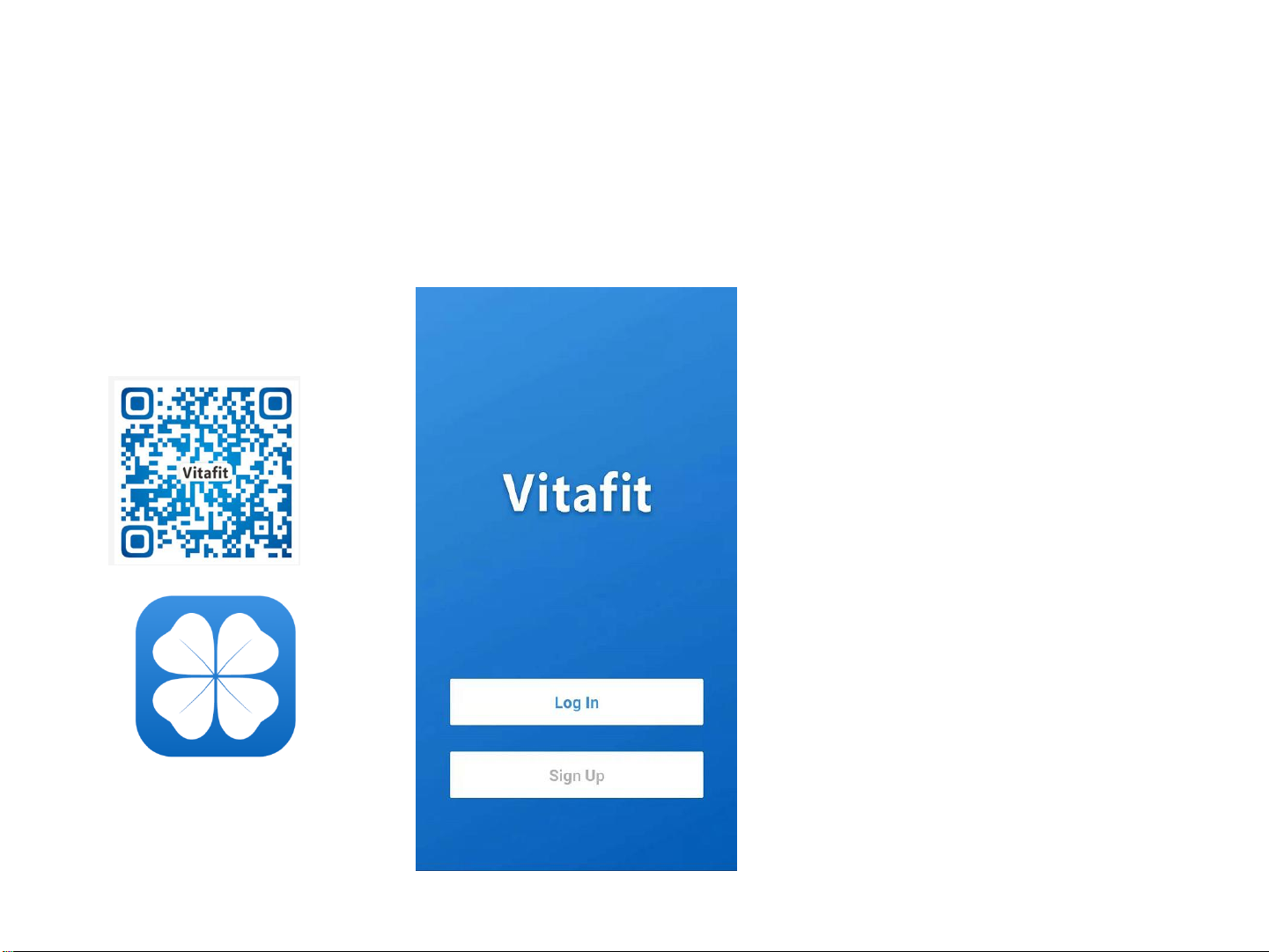
Scan the QR code or
Download “ Vitafit” via
IOS App Store or Google
Play.
Register Your own ID,
Then add personal data and confirm OK.
Note: When weighing with Vitafit App,
please switch the unit via App, the scale
will keep same unit with App. Let’s make
more clear, the unit button on the backside
of scale will be nonfunctional when the
scale connected to Vitafit App.

Pairing the Vitafit Scale with your smartphone
1. Turn on Bluetooth® on your smartphone.
NOTE: For Android users, Location and Bluetooth®
must be turned on for Android 6.0 and later.
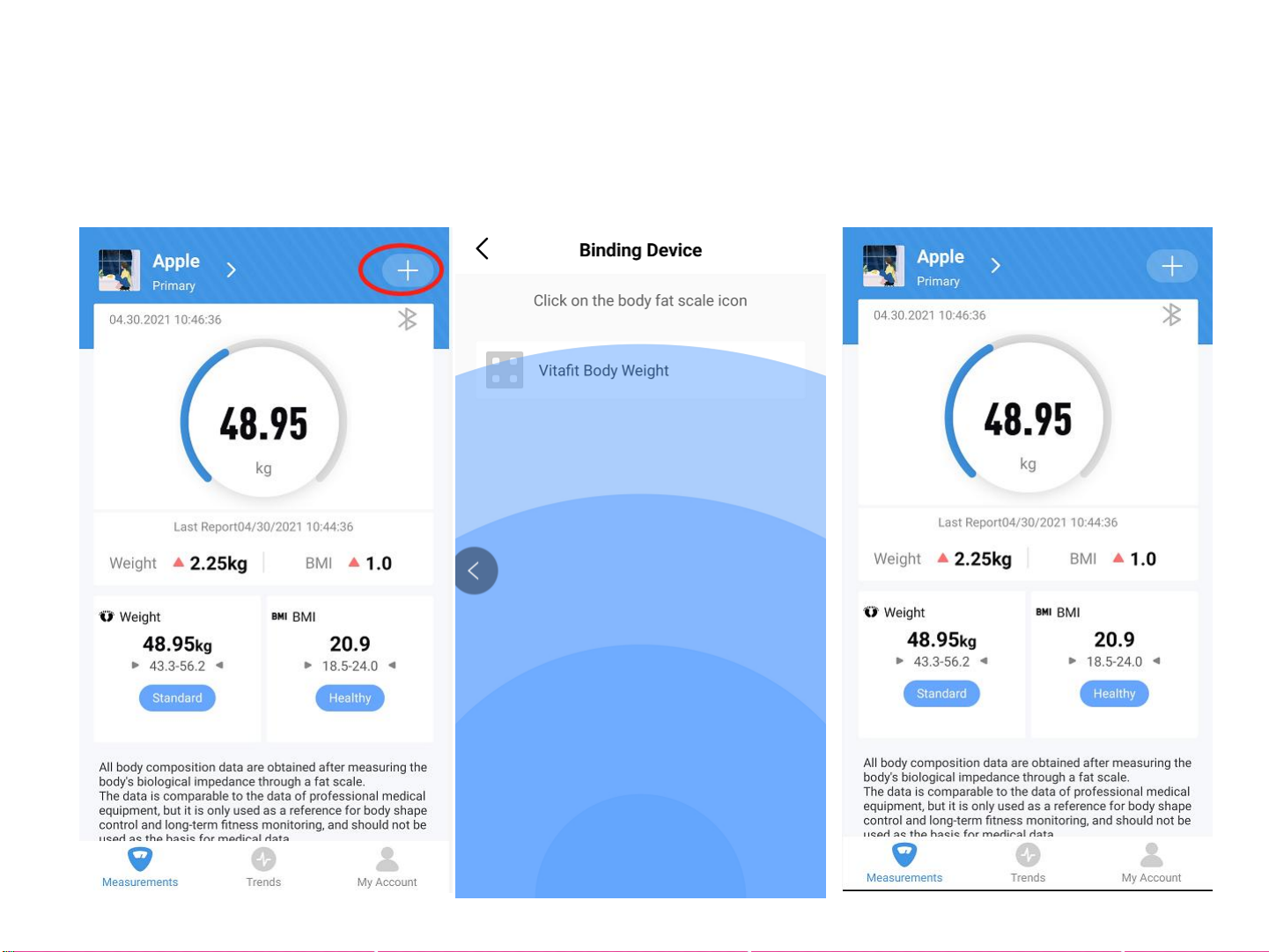
2. Tap + on the measuring page to discover the scale.
3. Step onto the scale, then add the device named
“Vitafit Body Weight”.
4. Keep standing on the scale for 5-10 seconds.
Pairing is successful when your final weight
measurement appears on the Vitafit app.

1. At the bottom you will find a bar when you can
click compare data to display.
Viewing Reports 3. To view comparison data for a specific time, select
starting date and ending date to generate the report,
you can save or share your progress with friends via
Facebook and Instagram by Click the “share” button on
this page.
2. Click Weight or BMI bar, you can view history data
for the previous three times.

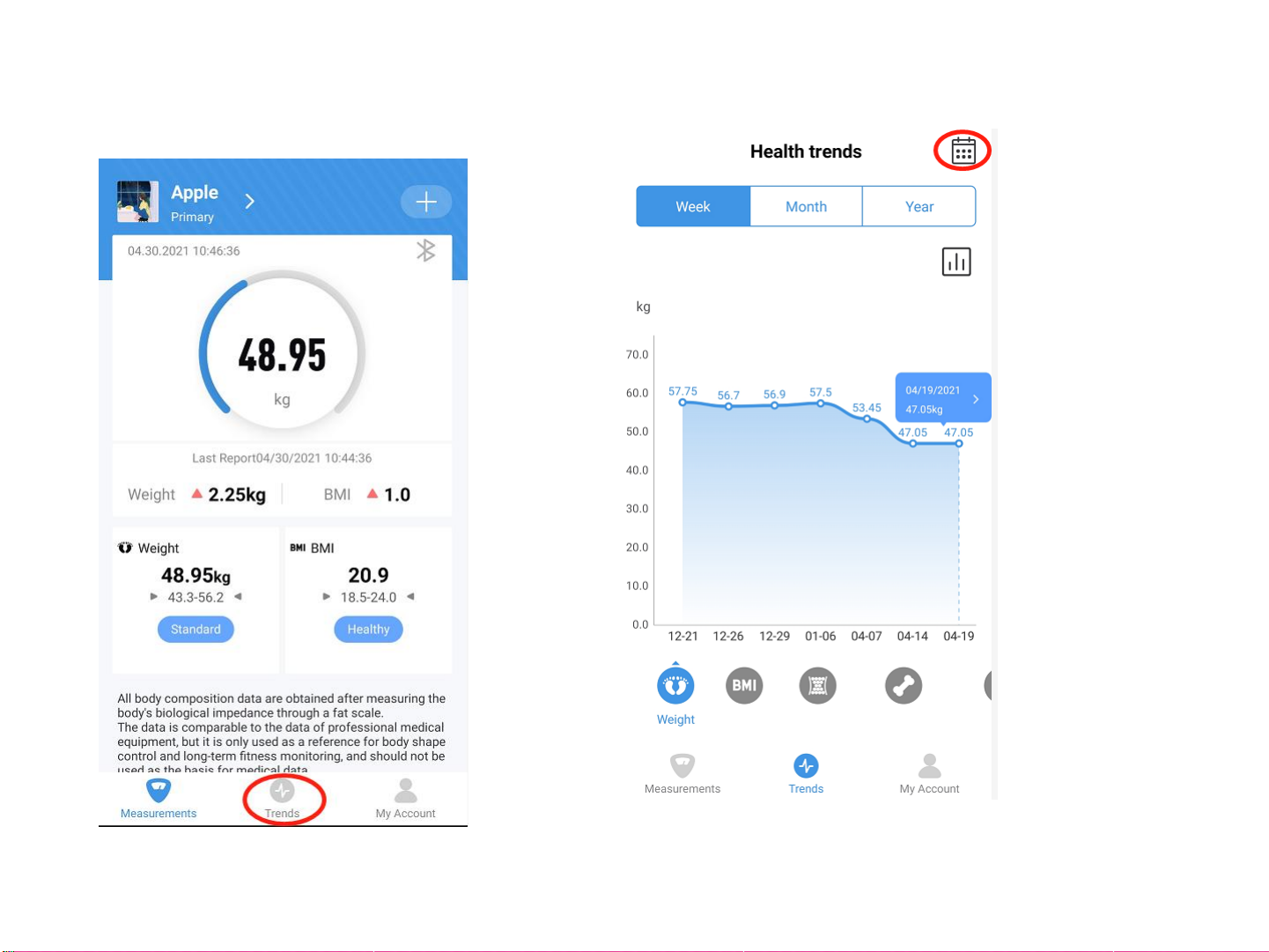
1. Click Trend to view your progress history.
You can select your progress for the
week, month, or year.
2. To view data for a specific day, click calendar logo the
top right corner of the screen.

3. To view reference data from a specific time
frame, click Data Select, then select date.
1. To delete a reference data, click Select and select date,
then click the
Deleting Reference Data

1. On the Measurement page, tap My Account
at the bottom of the screen.
Adding/Deleting Users and Other Setting
2. To add new users, click Member the unit button on the
backside of scale r and enter their information.

Adding/Deleting Users and Other Setting
4, other setting:
You can set goal weights, change weight units, select sounds, select
languages, and set weighing reminder on the current page.
3. To delete a user, first click Edit and delete, and then confirm. 4. To delete the account, first click SET logo and click” Delete Account” .
Indice
Altri manuali Vitafit Scala