
Vivotech ViVOpay 5000 Manuale utente

Part number: 631-0013-00 Rev A
A
ViVOpay 5000™User Guide
December 2004 Version 1.0
ViVOtech, Inc.
451 El Camino Real
Santa Clara, CA 95050
Ph: (888) 363-3753
Email: [email protected]
www.vivotech.com

Copyright2004, ViVOtech,Inc. All rights reserved.
ViVOtech, Inc.
451 El Camino Real
Santa Clara, CA 95050
Written and designed at ViVOtech, Inc.
This paper, as well as the software and hardware described in it, is furnished under license
and may be used or copied online in accordance with the terms of such license. The
content of this paper is furnished for information use only, is subject to change without
notice, and should not be construed as a commitment by ViVOtech, Inc. ViVOtech, Inc
assumes no responsibility or liability for any errors or inaccuracies that may appear in this
document.
Except as permitted by such license, no part of this publication may be reproduced or
transmitted by electronic, mechanical, recording, or otherwise, or translated into any
language form without the express written consent of ViVOtech, Inc. ViVOtech,
ViVOwallet, ViVOcard, ViVOpay, ViVOpay, ViVOplatform Dynamic Strip, ViVOsmartcable
and ViVOgiftcard are trademarks or registered trademarks of ViVOtech, Inc. MasterCard
Paypass is a trademark or registered trademark of MasterCard, Inc. American Express
ExpressPay is a trademark or registered trademark of American Express, Inc. ExxonMobile
Speedpass is a trademark or registered trademark of Exxon, Inc. Visa MSD is a trademark
or registered trademark of Visa, Inc. VisaWave is a trademark or registered trademark of
Visa, Inc. HID/iClass is a trademark or registered trademark of HID Corporation.
Warranty Disclaimer: The services and hardware are provided "as is" and "as-available,"
and the use of the services and harware is at its own risk. ViVOtech does not make, and
hereby disclaims, any and all other express or implied warranties, including, but not limited
to, warranties of merchantability, fitness for a particular purpose, title, and any warranties
arising from a course of dealing, usage, or trade practice. ViVOtech does not warrant that
the services or hardware will be uninterrupted, error-free, or completely secure.
December 2004
ViVOtech Confidential 3 ViVOpay 5000™ User Guide
ViVOpay 5000™ User Guide
Overview
The ViVOpay 5000 seamlessly integrates existing POS systems and requires minimal
counter space at checkout stands. The unit accepts a variety of magnetic credit/debit cards,
key fobs, and wireless devices in various shapes and forms.
ViVOpay 5000 supports the following contactless card types:
• MasterCard Paypass
• American Express ExpressPay
• ExxonMobile Speedpass
•VisaMSD
• VisaWave
• HID/iClass
This document assumes that users are familiar with their host POS systems and all related
functions.
Cautions and Warnings
Avoid close proximity to items such as cellular telephones and portable 2-way radio which
may reduce the ability of the reader.
A distance of at least 1 foot (30 cm0) should be maintained between units.
CAUTION: The unit should be mounted 1-2 feet away from other units. Can
be adjusted based on lane setup.
CAUTION: The unit should not be placed directly on or within 4 inches of
any large metal surfaces.

ViVOtech Confidential 4 ViVOpay 5000™ User Guide
Features
The following features are supported:
• Table top mounting w/stand
• Multi-directional and curly cable routing
• Less than 300 mSec transaction time
• Power - 12 V, 500m A (standard)
• Power from POS PIN pad port (optional)
• LCD Graphical Display with 128 x 32 matrix
• Supports global currency signs
• Simple message display
Multilingual to include:
• English
• Mandarin
• Chinese
• Korean
•French
•German
• French Canadian
• Spanish
•Italian
The ViVOpay 5000 supports the following transaction types:
• Contactless RF devices such as ISO 14443 Type A and Type B, MiFare, and Ultra Light
MiFare devices
• Proximity Infrared devices
• Radio Frequency (RF)
• SIM Standard (ISO7816) Type Support
Optional Features
• Smartcable
• SD Memory
Installing ViVOpay 5000
This section describes how to install the ViVOpay 5000. Installation methods may vary
depending upon the location of the POS and counter configuration.
NOTE: Units can be customized for most any language.
ViVOtech Confidential 5 ViVOpay 5000™ User Guide
Configuring the Cable
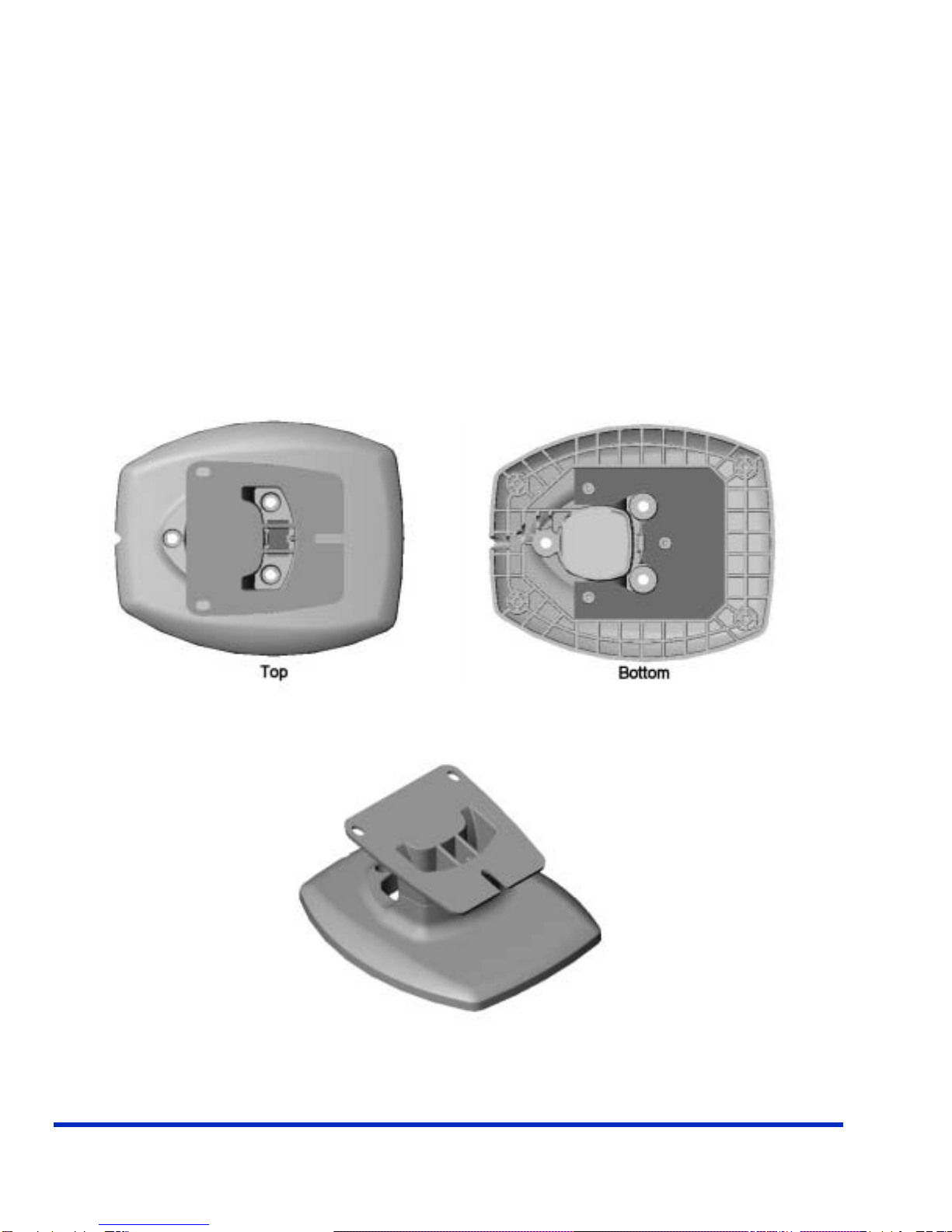
When installing the ViVOpay 5000, the cables should be threaded through the stand as follows:
1. Thread the POS cable through both stand pieces prior to attaching them to the
ViVOpay 5000.
2. Ensure the cable and power cords are connected to the reader.
3. Snap both stand pieces to the rear of the ViVopay unit.
Depending on the lane set up, installers can bolt the stand to the counter top or
leave it free standing.
Note that the cables can be routed between the stand and ViVOpay unit as shown
below.
4. Attach the cable to the POS.
5. Plug in the power adapter.
ViVOtech Confidential 6 ViVOpay 5000™ User Guide
Using the ViVOpay 5000
Presenting Cards and Fobs
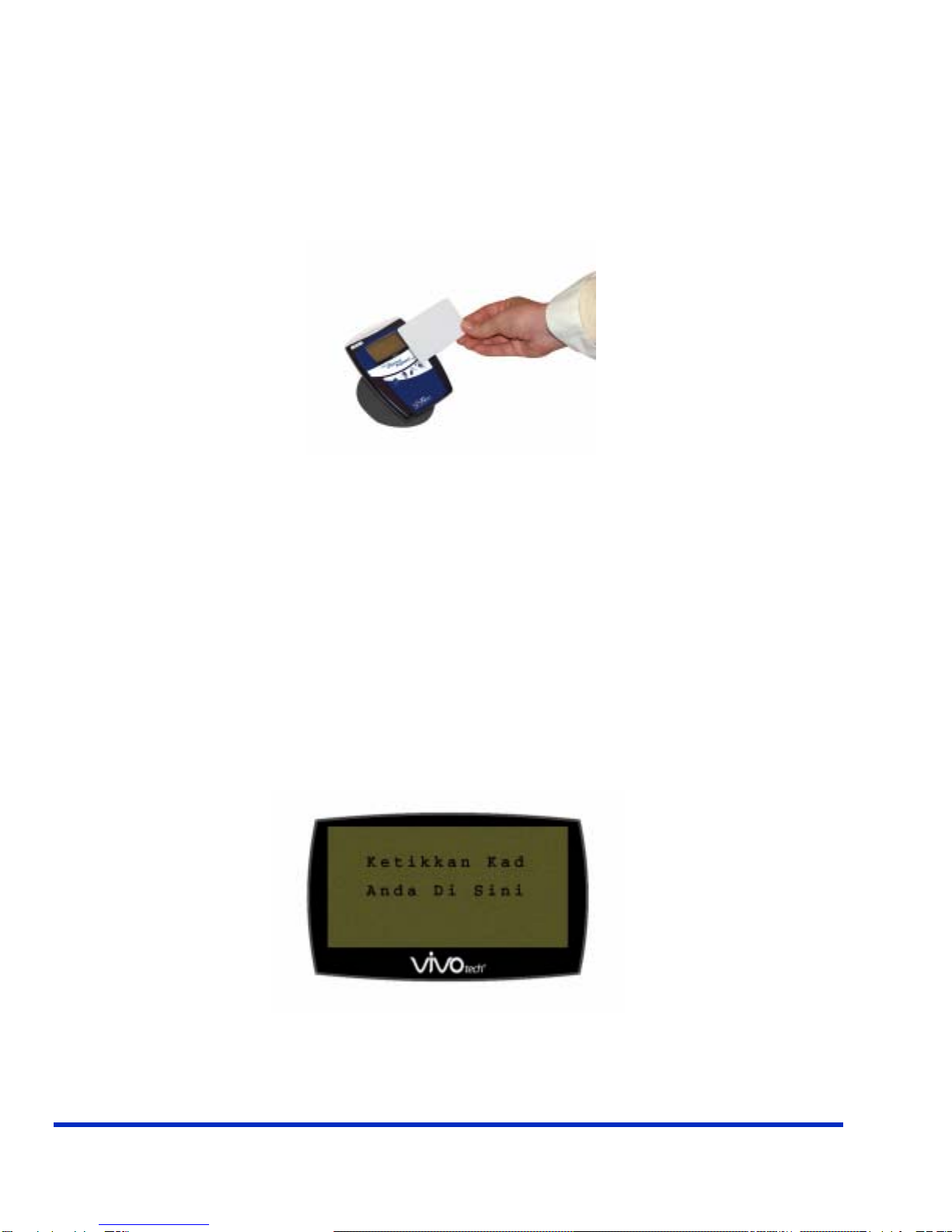
Present the card/fob in close proximity to the reader. Present the card/fob so that maximum
surface area is parallel to the antenna as shown below.
When a card/fob has been successfully read, an audible beep is emitted and four LEDs will
be illuminated.
Making a Purchase
1. After the transaction has been rung up, have the customer wave their card in close
proximity to the ViVOpay reader. Users may also use their employee HID contactless
badges as applicable.
2. A series of beeps and LED flashes indicate the card or badge has been validated.
3. A receipt is printed with the purchase amount.
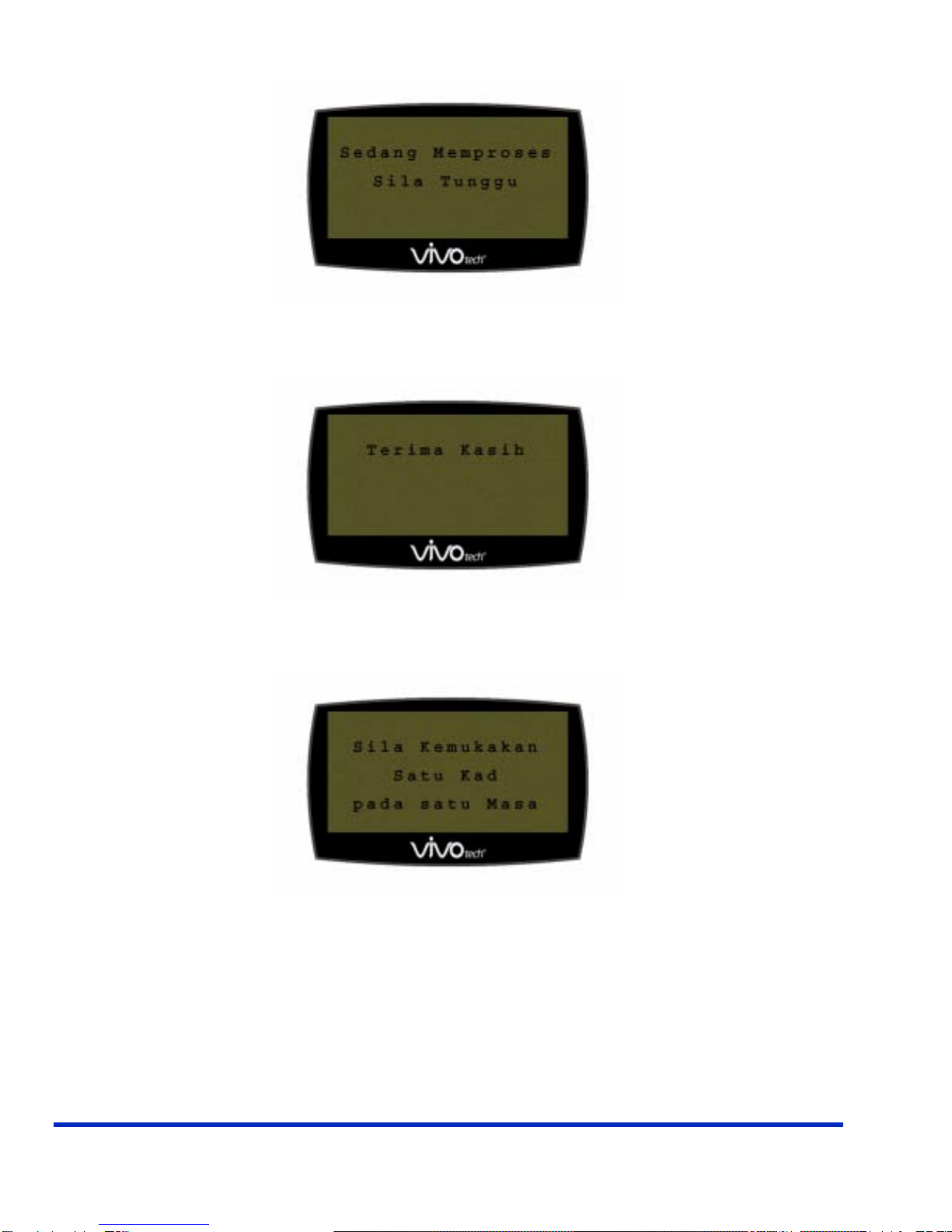
The following screens are displayed on the unit to guide customers through the purchase
process. The screens shown here are viewed in Malaysian:
Ketikkan Kad Anda Di Sini - Tap Your Card Here
ViVOtech Confidential 7 ViVOpay 5000™ User Guide
Sedang Memproses - Sila Tunggu - Processing - Please Wait
Terima Kasih - Thank You
Sila Kemukakan Satu Kad pada satu Masa - Please Present One Card at a Time
Other messages include:
Hak Cipta - Copyright
Peralatan Tegar - Firmware
Versi - Version

ViVOtech Confidential 8 ViVOpay 5000™ User Guide
This page intentionally left blank.

ViVOtech Confidential 9 ViVOpay 5000™ User Guide
Troubleshooting
Symptom Possible Cause Probable Cause and Remedy
General Issues
Reader does not appear to be
powered on (no LEDs lit) Reader not powered on or
incorrect voltage • Check cable connections.
• Ensure power is on and correct
voltage and current is present.
Reading Cards/Fobs
LEDs do not light and beeper is
not audible when card/fob is
presented
• Card/fob not properly
presented
• Power supply voltage
• Metal or RF interference
• Wrong firmware
• Present card/fob closer to the
antenna
• Ensure the card/fob is valid/current
• Ensure the voltage is correct
• Ensure the unit is not near and metal
• Ensure correct firmware
Some cards/fobs read, not all • See above
• Possible bad card/fob
• See above
• Check to see if card/fob is damaged
Communication
No data received or data is
garbled • Faulty or incorrect cable
connections
• RS-232 parameters
• Check and /or replace cable
• Ensure host parameters are correct
• Ensure there are no COM port
conflicts

ViVOtech Confidential 10 ViVOpay 5000™ User Guide
This page intentionally left blank.
Indice
Altri manuali Vivotech Terminale di pagamento


Manuali Terminale di pagamento popolari di altre marche


Ingenico
Ingenico iWL250B Manuale utente

Optimum
Optimum M4230 Manuale utente

Triton
Triton RL5000 Manuale utente

Ingenico group
Ingenico group Lane/8000 Manuale utente

Gilbarco
Gilbarco FlexPay IV CRIND Manuale di installazione e funzionamento

Infinite Peripherals
Infinite Peripherals Infinea Tab Lite Manuale utente


