
Walker Ameriphone XL-30 Manuale utente

©AMERIPHONE products are manufactured by Walker, a Division of Plantronics, Inc.
12082 Western Avenue, Garden Grove, CA 92841
(800) 874-3005 VOICE • (800) 772-2889 TTY/TDD • (714) 897-4703 FAX
®
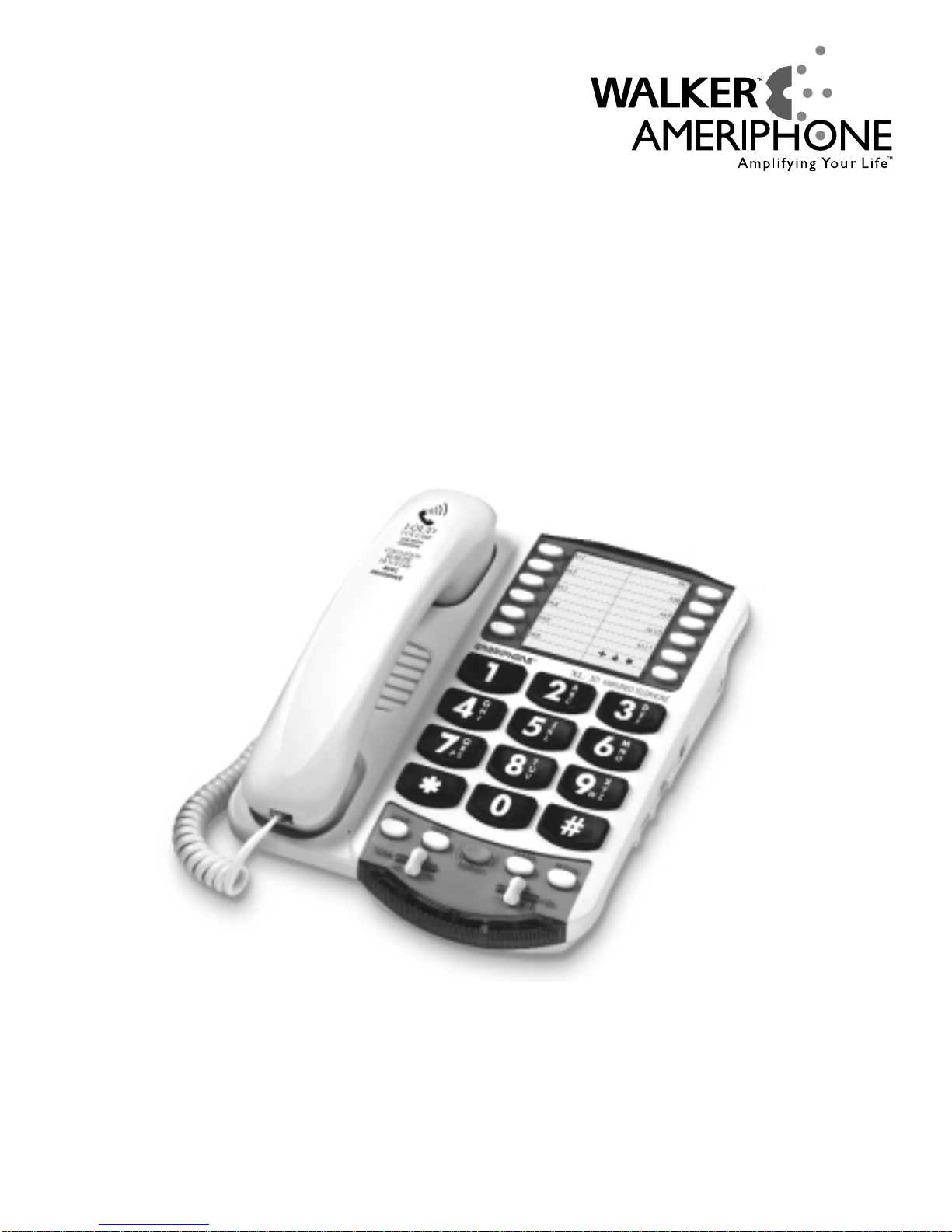
Operating Instructions
XL-30LP 5270-3321 A 4/03
∆
M03699 XL-30
®
XL
XL-30
AMPLIFIED TELEPHONE
The Extra Loud & Clear
(Line Powered)

IMPORTANT INSTRUCTIONS
Important Safety
Instructions
When using your telephone
equipment, basic safety precautions
should always be followed to
reduce the risk of fire, electric
shock and persons including the
following:
1.Read and understand all
instructions.
2.Follow all warnings and
instructions marked on the
telephone.
3.Do not use this telephone
near a bathtub, wash basin,
kitchen sink or laundry tub, in
a wet basement, near a
swimming pool or anywhere
else there is water.
4.Avoid using a telephone
(other than a cordless type)
during a storm. There may be
a remote risk of electrical
shock from lightning.
5.Do not use the telephone to
report a gas leak in the
vicinity of the leak.
6.Unplug this telephone from
the wall outlets before
cleaning. Do not use liquid
cleaners or aerosol cleaners
on the telephone. Use a damp
cloth for cleaning.
7.Place this telephone on a
stable surface. Serious damage
and/or injury may result if the
telephone falls.
8.Do not cover the slots and
openings on this telephone.
This telephone should never
be placed near or over a
radiator or heat register. This
telephone should not be
placed in a built-in installation
unless proper ventilation is
provided.
9.Operate this telephone using
the electrical voltage as
stated on the base unit or the
owner’s manual. If you are
not sure of the voltage in your
home, consult your dealer or
local power company.
10. Do not place anything on
the power cord. Install the
telephone where no one will
step or trip on the cord.
11. Do not overload wall outlets
or extension cords as this
can increase the risk of fire or
electrical shock.
12. Never push any objects
through the slots in the
telephone. They can touch
dangerous voltage points or
short out parts that could
result in a risk of fire or
electrical shock. Never spill
liquid of any kind on the
telephone.
13. To reduce the risk of electrical
shock, do not take this phone

Important Safety
Instructions
apart. Opening or removing
covers may expose you to
dangerous voltages or other
risks. Incorrect reassembly
can cause electric shock when
the appliance is subsequently
used.
14. Unplug this product from the
wall outlets and refer
servicing to the manufacturer
under the following conditions:
A. When the power supply
cord or plug is frayed or
damaged.
B. If liquid has been spilled
into the product.
C. If the telephone has been
exposed to rain or water.
D. If the telephone does not
operate normally by
following the operating
instructions. Adjust only
those controls that are
covered by the operating
instructions. Improper
adjustment may require
extensive work by a
qualified technician to
restore the telephone to
normal operation.
E. If the telephone has been
dropped or the case has
been damaged.
F. If the telephone exhibits a
distinct change in
performance.
15. Never install telephone
wiring during a lightning
storm.
16. Never install telephone
jacks in wet locations
unless the jack is specifically
designed for wet locations.
17. Never touch uninsulated
telephone wire s or terminals
unless the telephone line
has been disconnected at
the network interface.
18. Use caution when installing
or modifying telephone lines.
19. Use only the power cord
and batteries indicated in
this manual. Do not dispose
of batteries in a fire. They
may explode. Check with
local codes for possible
special disposal instructions.
ADDITIONAL SAFETY NOTES
FOR CANADIAN USERS
The following items are included
as part of the CS-03 Requirements.
The standard connecting
arrangement for the equipment is
CA11A. This product meets the
applicable Industry Canada
technical specifications.
NOTICE: The Canadian

Important Safety
Instructions
Department of Communications
label identifies certified equipment.
This certification means that the
equipment meets certain
telecommunications network
protective operational and safety
requirements. The Department
does not guarantee that the
equipment will operate to the
user’s satisfaction. Before installing
this equipment, users should
ensure that it is permissible to be
connected to the facilities of the
local telecommunications company.
The equipment must also be
installed using an acceptable
method of connection. In some
cases, the company’s inside
wiring associated with a single
line individual service may be
extended by means of a certified
connector assembly (telephone
extension cord). The customer
should be aware that compliance
with the above conditions may not
prevent degradation of service in
some situations. Repairs to certified
equipment should be made by an
authorized Canadian maintenance
facility designated by the supplier.
Any repairs or alterations made
by the user to this equipment, or
equipment malfunctions, may give
the telecommunications company
cause to request the user disconnect
the equipment.
Users should ensure for their own
protection that the electrical
ground connections of the power
utility, telephone lines and internal
metallic water pipe system, if
present, are connected together.
This precaution may be particularly
important in rural areas.
CAUTION: Users should not
attempt to make such connections
themselves, but should contact the
appropriate electric inspection
authority, or electrician, as
appropriate. The Ringer Equivalent
Number is an indication of the
maximum number of terminals
allowed to be connected to a
telephone interface. The
termination on an interface may
consist of any combination of
devices subject only to the
requirement that the sum of the
Ringer Equivalent Number of all
the devices not exceed five.
SAVE THESE INSTRUCTIONS

Contents
Introducing the XL-30
Warranty Service..............................................................................1
Sales Receipt....................................................................................1
Help from Ameriphone ......................................................................1
Features ..........................................................................................3
Setting up Your XL-30
Installing the Backup Batteries ............................................................4
Setting the Dialing Mode ..................................................................4
Connecting for Desk or Wall Mount ..................................................4
Desktop Use ..............................................................................4
For Wall Mounting......................................................................5
Using Your XL-30
Incoming Voice Volume......................................................................6
Incoming Voice Tone..........................................................................7
Ringer Volume and Pitch ....................................................................8
Hold................................................................................................8
Last Number Redial ..........................................................................8
Flash................................................................................................8
Special Features
Programming the Memory Buttons ......................................................9
Direct Audio Output ........................................................................10
Outgoing Voice Amplification............................................................10
Cochlear Implant Adapter Cord ........................................................10
Troubleshooting Chart ......................................................................13
Regulatory Compliance ....................................................................13
Warranty ........................................................................................19
Specifications ..................................................................................21
Index..............................................................................................22

Help from Ameriphone
For help with using your XL-30, call
our Customer Relations department
at 800-874-3005.
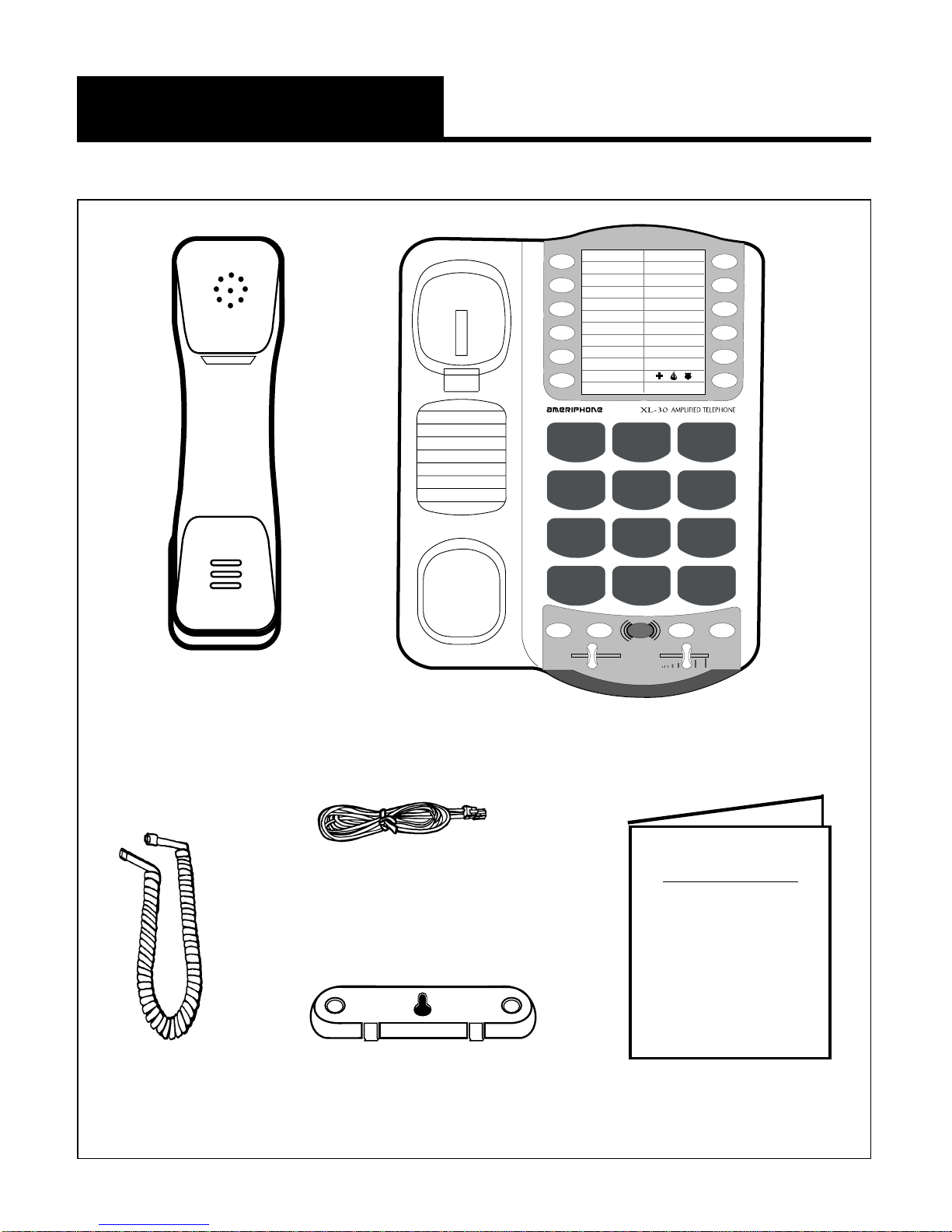
Please make sure your XL-30
package includes the items shown
in Figure 1.
1
Introducing the XL-30
Thank you for selecting the XL-30
amplified telephone from
Ameriphone. These Operating
Instructions and the associated
Quick Operating Guide provide
you with the information you
need to use your XL-30 effectively
and safely. Read this manual
thoroughly before using your
telephone. Keep the manual
near
the telephone for easy reference.
Warranty Service
Your telephone is designed to
provide years of quality service.
But, should the phone malfunction
and the Trouble-shooting Chart
on page 11 not resolve the
problem, follow the Warranty
procedure on page 12.
Sales Receipt
Be sure to save your sales receipt
as proof of purchase date should
you need warranty service.
2
Introducing the XL-30
1A
B
C
G
H
I
Q
R
S
T
U
V
X
Y
Z
J
K
L
M
N
O
D
E
F
23
456
789
0#
*
HOLD PROG
TONELO HI
FLASH REDIAL
VOL
AMPLIFY
M1
M2
M5
M6
M7
M8
M9
M10
M11
M3
M4
¤
PW
OPERATING
INSTRUCTIONS
AND
QUICK GUIDE
XL-30
Handset Base Unit
Telephone Line Cords
Handset
Coil Cord Operating Guides
Figure 1 - Package Components
Mounting Bracket
3
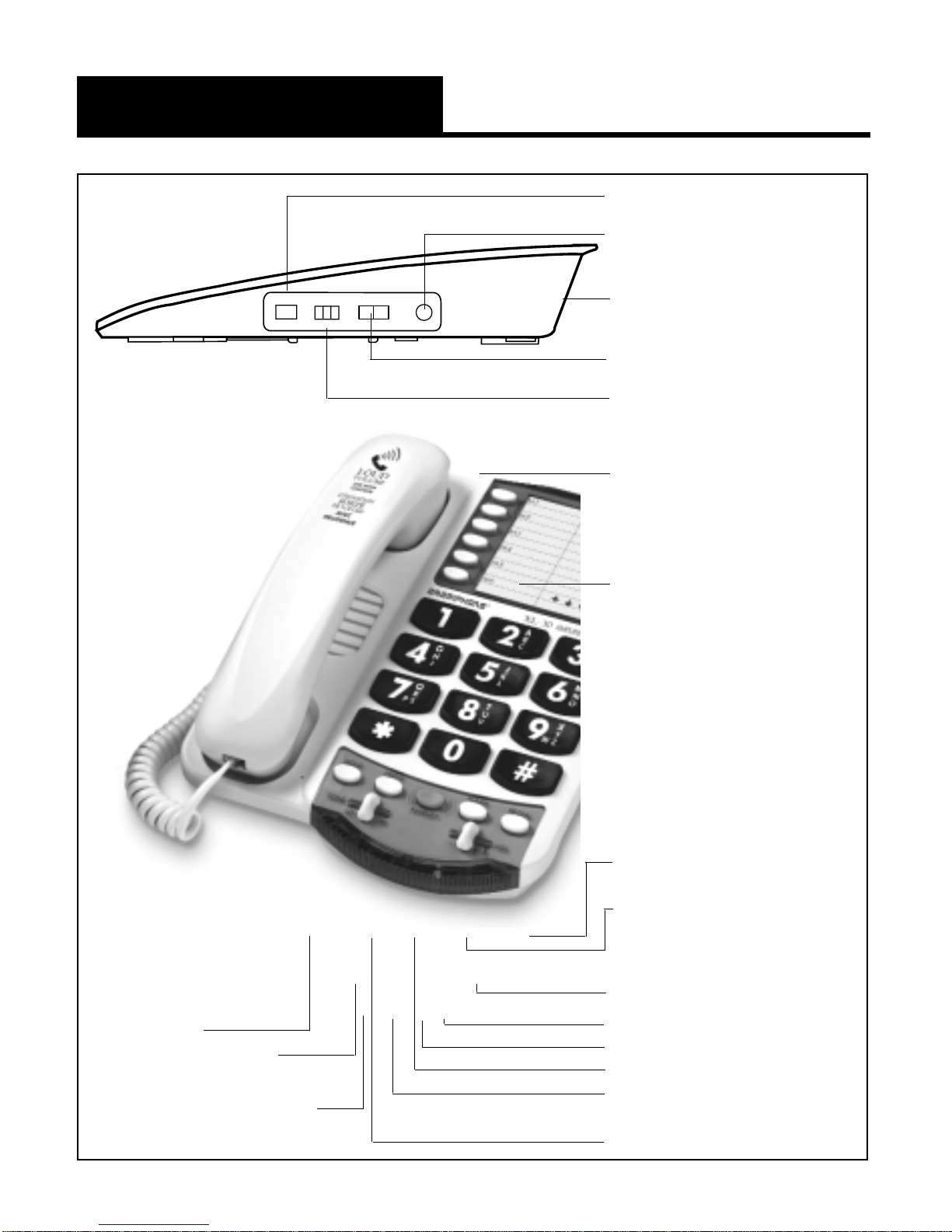
Features on the XL-30
PULSE/TONE switch
AUDIO OUTPUT jack
Phone line connection
RING TONE switch
RINGER volume switch
Phone number
directory
MEMORY button
REDIAL button
FLASH button
VOL volume slider
LOW BATTERY indicator
RING flasher
AMPLIFY button
AMPLIFY indicator
PROG program button
DIAL AUDIO
OUTPUT
P T
RINGER RING TONE
Lo Hi
Off Lo Hi
Figure 2 - Base Unit Controls
TONE
slider
HOLD
button
HOLD
indicator
4
Setting up Your XL-30
There are five steps involved in
setting up your XL-30.
•Insert one 9 Volt alkaline
battery for extra bright ring
flasher (optional).
•Decide if you want the phone
to sit on a desk or hang on the
wall.
•Connect the telephone
components.
•Program up to to 12 telephone
numbers to call with the press
of a memory button.
•Setup special features
Installing the Backup Batteries
To add extra brightness to the
XL-30’s ring flasher when you
receive calls, install one 9 Volt
alkaline battery (not included).
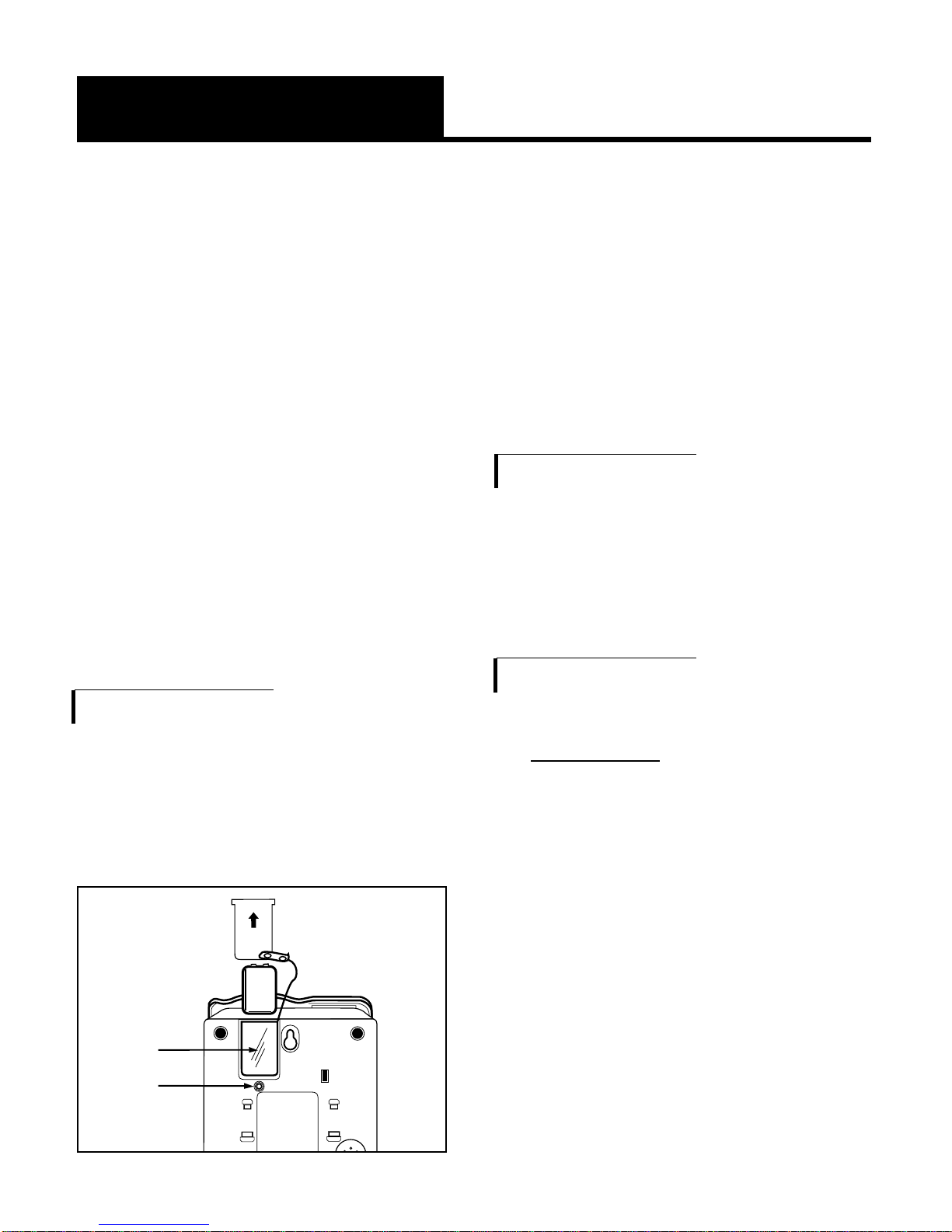
To install new battery:
1.Slide open the battery
compartment cover on the
bottom
of the telephone,
(Figure 3).
2.Install one fresh battery, and
reinstall the cover.
Setting the Dialing Mode
Set the dial mode switch to T(tone) if
you have touch tone service. Set the
switch to P(pulse) if you have rotary
dialing.
Connecting for Desk or Wall Mount
Desktop Use
1.Connect the telephone line
cord and the handset cord to
the telephone as shown in
Figure 4.
2.Lift the handset and listen for
a dial tone.
The phone is ready to use.
Insert
battery
here
Press in
here
to open
battery
compartment
Figure 3 - Accessing the Batteries
Indice
Lingue:
Altri manuali Walker Ameriphone Telefono


