Wisi OS Manuale utente

- 1 -
Getting started
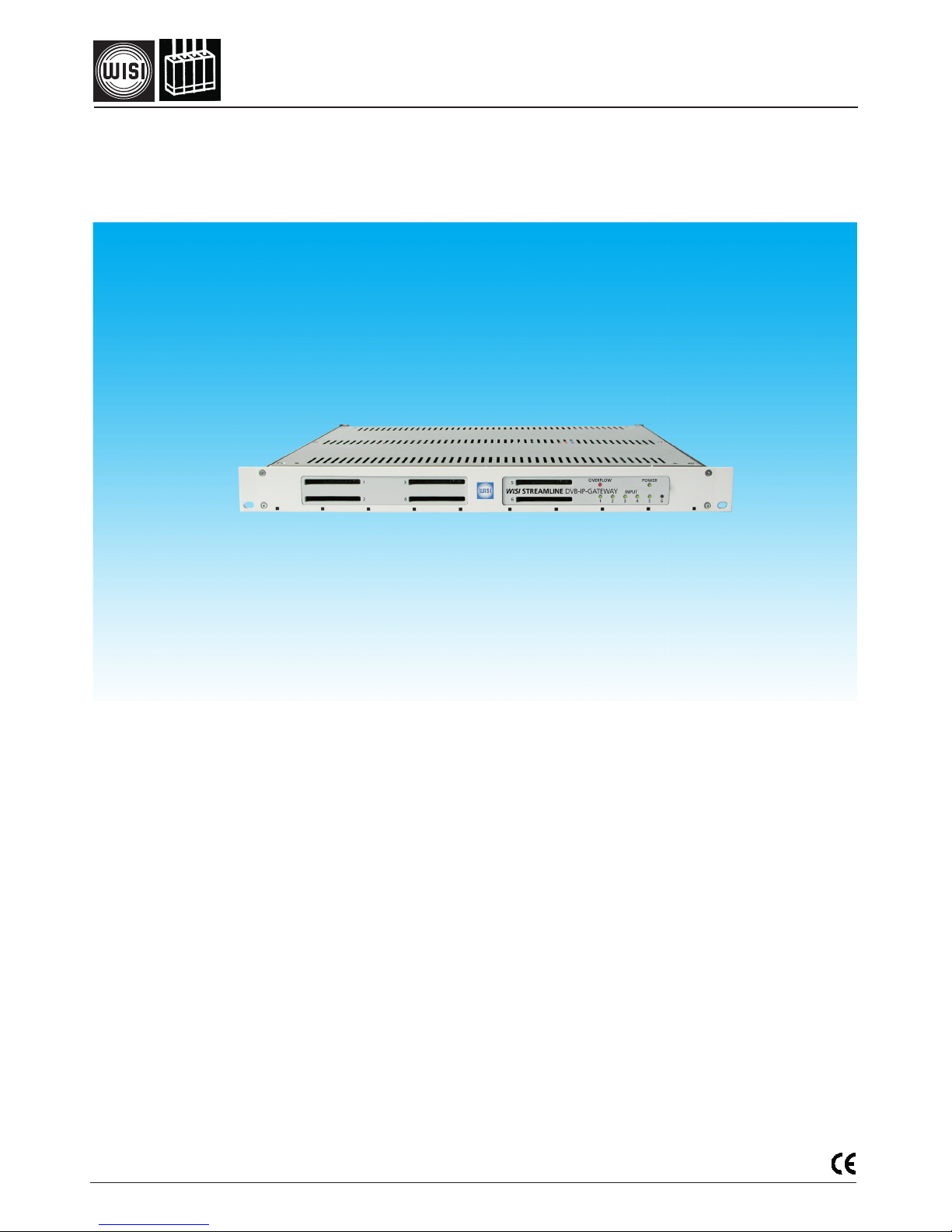
WISI STREAMLINE
OSxxx DVB-IP-Gateway
410 360
Modular platform for DVB-MPEG Video streaming
Up to 6 DVB frontend modules
Support for DVB-S, DVB-S2, DVB-C, DVB-T, DVB-ASI and DVB-Encoder
MPTS/SPTS Remultiplexing and GigE aggregation
6 CI slots (supports professional CAMs) for scrambled signal sources
Multiple service CAM support
MPEG-TS over UDP protocol
Separate Ethernet port (10/100 Mb/s) for management interface
Configuration via Web browser
Contribution- and IPTV applications

- 2 -
Caution
The mains voltage must match the rated input voltage of the unit (180-265 VAC; 50/60 Hz).
Connecting cable — Lay the cable so that no-one can trip over it.
— Lay the cable with a downward loop so that any water condensing on it can drip on
the floor instead of running into the unit.
Selecting the installation location
Excessive temperatures will reduce the operating lifetime of the unit. DO not install the unit directly above or in
the vicinity of radiators or heating systems where it would be subjected to thermal radiation or oil vapours.
Ventilation slots
Do not cover the ventilation slots.
Moisture
Water dripping or splashing onto the unit will damage it. If there is condensation on the unit, wait until this has
evaporated before switching the unit on.
Caution – danger!
In accordance with EN 50 083-1, the antenna system must comply with the safety requirements with respect to
grounding, potential equalisation, etc.
Service work
Service work may be carried out only by qualified personnel. Always disconnect the supply voltage before
starting any such work.
Safety and installation notes – please observe!
1 HE
1 HE
OSxx
OSxx
OSxx
Rack assembly Index
Safety and installation notes - please observe 2
Front and rear panel 3
Connection 4
Setting the IP address 4
IP address Configuration 4
Status of output streamer 5
Configuration IP-Address, Netmask Gateway 6
DVB-S frontend 7
Common interface 8
Streamer 1 9
- Output Streamer 1 - mode Selection ALL 10
- Streamer Mode - Transmodulator 11
Specifications 9
Block diagram 14
Ordering informations 15

- 3 -
1
2
3
4
WISI STREAMLINE DVB-IP-GATEWAY
1 2 3 4 5 6
OVERFLOW POWER
1 2 3456
5
6
2
INPUT
FUSE T2A/250 VAC
OFF
ON
P
O
W
E
R
Control
10/100
7 8 10
230 VAC
Option: Eingangsmodule
Input modules
GbE
1000
9
o
11
Customer device
DVB S / S2 / T / C
Modul
DVB-Dual S,
Modul
F
F
ASI,
Dual ASI
BNC
AV
Cinch
Video
Audio
L R
yellow
white
red
IP Modul
Ethernet
SDI
Audio
SDI MPEG2/
AV MPEG 2
Front and rear panel
1-3 CI Common Interface slots
4OVERFLOW red - data volume too high (Total bitrate of at least one streaming module
>90 Mbit/s)
5 Input modules 1-6.
LED1= Modul slot 1
- green: input signal o.k.
- off: no module plugged in.
- yellow: no TV signal (AV module)
one signal missing (Dual module)
- red: no signal, signal incorrect
6LED - Power ON
7Mains plug
8Fuseholder (T2A/250 V)
9Mains switch
10 Gb Ethernet connector*
11 CONTROL 10/100 - additional Ethernet connector as e.g. management input for PC
Accessory
* SFP - Adaptor FCLF-8521-3
refer to (www.finisar.com)
Remove Fuseholder

- 4 -
Connection
Cable connections
- Connect HF-or appropriate (ASI. Ethernet, AV signal) to the corresponding input module (front end).
- Connect „GbE 1000“ to distribution system as e.g. switch.
- For local settings connect PC to CONTROL 10/100.
Set IP address
- Open Internet browser.
- Set IP address (1) printed on the carton label.
(1)

- 5 -
Status
Fig. 1
Status
Shows the status of output streamer bitrate.
Input TS: green signal: transport stream signal OK.
Input TS: red signal: transport stream signal error.
Streamer Bitrate: Output Streamer Bitrate (only displaed)
Streamer overflow: red signal: streamer overflow: > 90 Mbit/s
GbE 1000
Link up: green signal: network connection OK
Link down: red signal: network connection malfunction

- 6 -
IP-Address Configuration
CONTROL: Set IP address „CONTROL 10/100“ for PC connection.
Streamer 1...6.: Set IP address (refer to Fig 1). Set Netmask (subnet address) and
Gateway (access to another network, Broadcast* etc).
* refer to wikipedia. org and Search „Multicast“ or refer
to Iana.org for usable Multicast address range.
MAC-Address: Displays the MAC-Address of control and streamer 1...6.
(not adjustable)
CI-Configuration Deselect CI setting to none, if you don‘t want to stream decryp-
ted pay TV.
Save new settings.
Save: Save settings. Save button inactive when no settings are done.
Reload: Reloads the previous saved settings.
Fig. 1
Configuration

- 7 -
Fig. 1
DVB-S Module
Front end
Input
LNB LO Frequency (MHz): Set IF frequency or transponder frequency
For transponder frequency set 9750 or 10600 MHz button.
Input frequency (MHz): Set IF frequency 1354 or transponder frequency as e.g.11954*
Symbol rate (kS/s): 27500
Display
Bit Error Rate: 2.0e-06 input signal OK (e-04...e-06)
Puncture (Code) rate: 3/4
Bit rate (MBit/s): 41250 input bit rate
Input level (dBµV): 52
S/N (dB): 12
Front end locked: green signal: SAT input signal OK
Front end unlocked: red signal: low level SAT input signal
Module-Version (factory settings)
SW: Software Version
HW: Hardware Version
Serial Number (factory settings) 8 digits
Save: Save settings. Save button inactive when no settings are done.
Reload: Reloads the previous saved settings.

- 8 -
Fig. 1
Common Interface
Conditional Access Module
CAM name: shows the CAM name
Input
Transportstream: green signal: transport stream signal OK.
Transportstream: red signal: transport stream signal error.
Decode The Decode field displays the services contained in the
transport stream. Confirm the selected programs.
CA Sysids shows the provider CA-System ID‘s as (e.g.. 0x0B01) that the
smartcard / CAM supports
Module-Version
SW: Software Version
HW: Hardware Version
Serial Number (factory settings) 8 digits
Save: Save settings. Save button inactive when no settings are done.
Reload: Reloads the previous saved settings.

- 9 -
Streamer 1
Stream Analyzer green 100 % ready, red = busy
Input
Transportstream: green signal: transport stream signal OK.
Transportstream: red signal: transport stream signal error.
Output
Stream: summary of selected streams 1...32 max. or ALL
refer to chapter Streamer 1 - ALL
IP Address: Target IP address (Multicast/Unicast). Output at GbE connector.
Port: Set port number > 1024 ...<49151. (For more informations refer
to Wikipedia, Search: port numbers).
Streaming This field displays all elementary streams in the transport stream.
Select streams by clicking the relevant selection boxes.
E.g. ZDF 28006
- All componets of the stream are then set active.
Disable Output: Disables the selected stream output incl. all components
e.g. Stream 1
Streamer Mode: SPTS = Single Program TransportStream. Selection of severall TS.
Transmodulator: Offers the compact total streaming. refer to chapter
„Streamer 1 Transmodulator mode“
Save: Save settings. Save button inactive when no settings are done.
Fig. 1

- 10 -
Streamer 1 - Output Streamer 1 - ALL
Fig. 2
Output
Stream ALL
Displaying Stream 1...32 incl. IP-Address, Port and Disable Output status. (Not available in Transmodu-
lator mode).
Scroll down with the bar tool at the right side.
Questo manuale è adatto per i seguenti modelli
2
Indice
Altri manuali Wisi Portale
Manuali Portale popolari di altre marche

LST
LST M500RFE-AS Manuale utente

Kinnex
Kinnex Media Gateway Manuale utente

2N Telekomunikace
2N Telekomunikace 2N StarGate Manuale utente

Mitsubishi Heavy Industries
Mitsubishi Heavy Industries Superlink SC-WBGW256 Manuale utente

ZyXEL Communications
ZyXEL Communications ZYWALL2 ET 2WE Manuale utente

Telsey
Telsey CPVA 500 - SIP Manuale utente