WMF 1742016040 Manuale utente

Operating instructions
WMF Cook Assist

Page Content
3Safety instructions
4Product description
5Function description
1. Start-up
19 1.1. Prior to first use
19 1.1.1 Charge the sensor
19 1.1.2. First coupling of the sensor with the smartphone
19 1.1.3. Install the app
19 1.1.4. First setup
2. Cooking in the WMF Vitalis+Cook Assist
8 2.1. Select ingredients
10 2.2. Specify details
11 2.3. Start cooking process
12 2.3.1. Preparations
13 2.3.2. Heating
14 2.3.3. Add ingredients
15 2.4. Cooking
17 2.5. End of the cooking process
18 3. Tips on cleaning and storage
19 Error management
20 Disposal
20 Guarantee
20 Disclaimer
| 2
WMF CookAssist Operating instructions
WMF Cook Assist

Congratulations on your selection,
You have chosen a quality WMF product. The sophisticated functionality ensures
high performance.
Safety instructions
Prior to the start-up of the WMF Cook Assist, please read the user manual for
the WMF Vitalis steamer, which you will want to use together with the sensor!
Please note the following safety instructions when using the WMF Cook Assist:
•Respond if the sensor flashes red or the application / smartphone calls
you to act: via sound, vibration or message.
•The sensor is not suitable for temperatures above 60°C. This may cause
damage (e.g. dishwasher).
•Do not use the sensor in the oven.
•Do not place the sensor in boiling water, as otherwise the battery
will be damaged.
•Do not plug the sensor into a household socket for power.
•If you leave the room during the cooking process, please reduce the
energy supply on the cooker. Do not leave the WMF Vitalis on the cooker
unattended for a long period of time.
•Do not continue to use a damaged sensor, e.g. after falling on a hard
surface. Please contact customer service.
•The measuring pin of the sensor becomes hot during the cooking process.
Let it cool before removing it or use pan holders/gloves.
| 3
WMF CookAssist Operating instructions
WMF Cook Assist

NL
IT
ES
1
2
3
5
5a
6
4FR
EN
DE
NL
IT
ES
1
2
3
5
5a
6
4FR
EN
DE
0470
Product description
The WMF Cook Assist consists of a sensor for the WMF Vitalis steamer and
the charger for the battery. The battery is integrated in the sensor and cannot
be replaced. If the battery is defective, please replace the sensor.
The WMF Cook Assist is available separately or as a set with the WMF Vitalis
steamer. The WMF Cook Assist only works in combination with the WMF Vitalis.
It cannot be combined with other cookware.
This device corresponds to the European directives 2004/108/EC, 2006/95/EC,
1999/5/EC, 2011/65/EU and 2009/125/EC.
1 Front side of the sensor
2 Rear side of the sensor with button
3 Charger (100-240V; 50/60Hz; 150mA)
Maximum power: 2-3 W, 40 mW standby power
4 Brief operating instructions
(DE, EN, FR, ES, IT, NL)
5 WMF Vitalis steamer
5a Insert opening
6 Thermometer
NL
IT
ES
1
2
3
5
5a
6
4FR
EN
DE
NL
IT
ES
1
2
3
5
5a
6
4FR
EN
DE
NL
IT
ES
1
2
3
5
5a
6
4FR
EN
DE
| 4WMF CookAssist Operating instructions
WMF Cook Assist

Functional description
Sensor button for manually switching on or off
The sensor has a button on the back side that can be used to manually
switch it on (press briefly) or off (press for 3 seconds).
Normally, the sensor is switched off via the app.
Sensor operating display
The operating display on the sensor shows the changing light and flash intervals
depending on the operating mode. The flashing intervals repeat approximately
every four seconds.
The most important flashing indicators
1. SWITCH ON
(>0.3 seconds of pressing the button)
2. ESTABLISHING
Android/Google blue/green colour signal
iOS/Apple blue/green colour signal
3. CHARGE STATUS OF THE BATTERY:
Charging: Flashes 2 x green
Charging complete: Flashes 2 x white
4. ERROR
Battery empty: Flashes 2 x red
Charging break: Flashes 3 x red
| 5
WMF CookAssist Operating instructions
WMF Cook Assist

1. Start-up
1.1. Prior to first use
1.1.1. Charge the sensor
•Clean the sensor with a dry, soft cloth.
•Insert the sensor in the charger.
•Plug the charger with the sensor into a socket.
•Once the operating display flashes white, pull the charger with
the sensor out of the socket.
•Pull the sensor out of the charger.
1.1.2. First coupling of the sensor with the smartphone
•Activate the sensor by briefly pressing the button on the reverse.
•The sensor is set at the factory for the Android/Google operating system.
•To change to iOS/Apple, hold the button for approximately 1 second
(blue / white colour signal).
•Activate Bluetooth on your smartphone.
•Search for “Cook Assist xxxx“ in the Bluetooth settings.
Here, xxxx stands for the designation of your sensor.
| 6
WMF CookAssist Operating instructions
WMF Cook Assist

1.1.3. Install the app
To be able to work with the app, it must first be loaded onto the smartphone from
the respective store. Use the following address or the QR code displayed below:
http://m.wmf.de/cookassist/uebersicht
Select your operating system (iOS or Android). You will be taken to the respec-
tive store entry. Install the app on your smartphone. Start the app. The WMF Cook
Assist homepage appears on your smartphone. Follow the initial set-up dialogue.
1.1.4. First setup
• Download database
• Enter sea level either manually or by pressing „Use location“.
• Select your WMF Vitalis (versions WMF Vitalis 6.5 l, WMF Vitalis 6.5 l Asia
or WMF Vitalis 3.5l Compact).
The installation is completed once confirmed. The WMF Cook Assist page
“Cooking selection“ appears on your smartphone.
2. Cooking with the WMF Vitalis+Cook Assist
Follow the instructions on your smartphone for a successful preparation.
The preparation takes place in the following steps:
•Select ingredients.
•Specify details.
•Make preparations for cooking.
•Heat.
•Add ingredients.
•Start cooking process.
•Monitor and complete.
WMF Cook Assist app free for
your iPhone. Made for iPhone 5,
iPhone 4S and iPhone 4
WMF Cook Assist app free for
your Android mobile device
| 7WMF CookAssist Operating instructions
WMF Cook Assist

2.1. Select ingredients
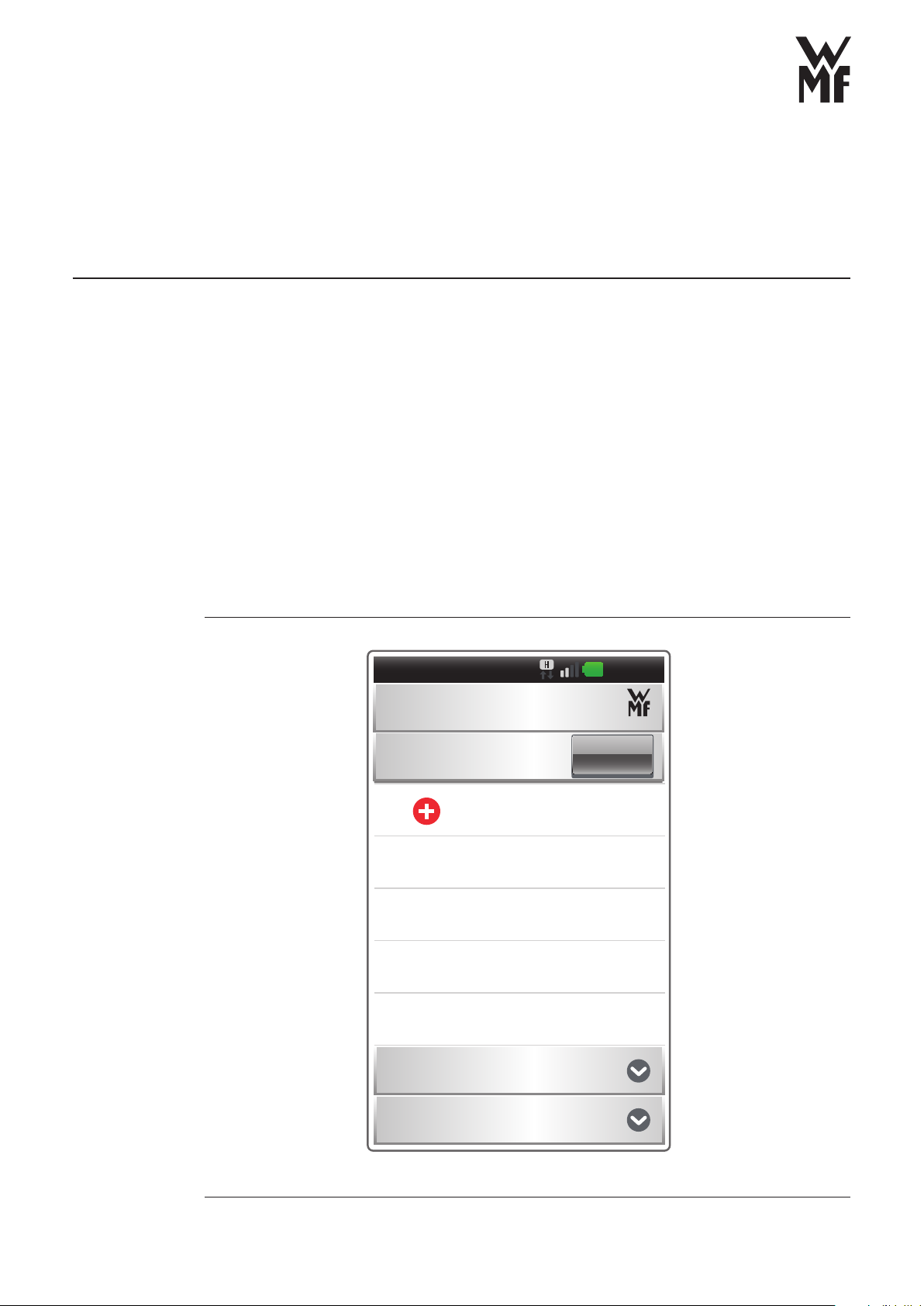
You have two options.
You make your decision from lists already saved…
Cooking selection
Ingredient list
Favourites
Recent lists
Cooking
10:04
1.
| 8WMF CookAssist Operating instructions
WMF Cook Assist

2.1. Select ingredients
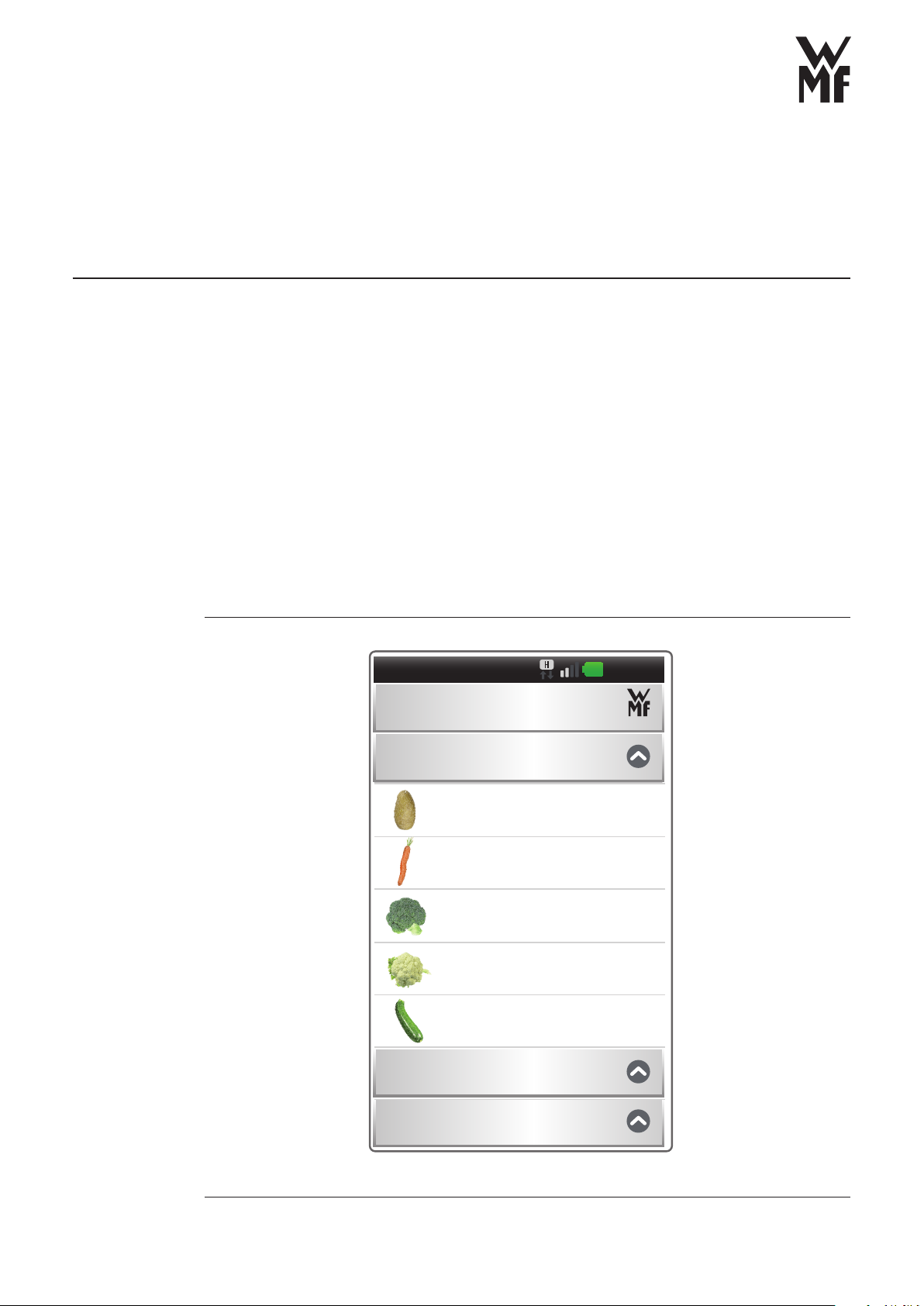
…you re-compile the ingredients from the list. You can select a total of up
to five ingredients from the three categories.
10:06
Ingredients
Vegetables and side dishes
Fish and meat
Other
Cauliflower
Zucchini
Potatoes
Carrots
Broccoli
| 9WMF CookAssist Operating instructions
WMF Cook Assist

2.2. Specify details
Once the selection is made, you define the details for each ingredient:
Are the ingredients cooled or at room temperature? How big are they?
Are they in one piece or cut into small pieces? Do you prefer your vegetables
al dente or well cooked?
For this purpose, use the buttons to increase or decrease or use the slider.
The setting can be reset using the „Standard“ button.
Use the „Further info“ button to fi nd more information regarding the selected
ingredients.
Ingredient details
Standard OK
Size
Starting temperature
Cooking state
(Daucus carota)
Carrot
Root
Carrot
10:07
| 10WMF CookAssist Operating instructions
WMF Cook Assist
Indice
Altri manuali WMF Vaporiera elettrica
Manuali Vaporiera elettrica popolari di altre marche

Morphy Richards
Morphy Richards FS48751MEE Manuale utente

Cuisinart
Cuisinart STM1000AR Manuale utente

Hastings
Hastings DIRECT GAS FIRED ELECTRIC STEAM Guida rapida

Galantine
Galantine SILVER Style SC-5003B Manuale utente

Cleveland
Cleveland SteamChef 22CET3.1 Manuale utente

Cleveland
Cleveland Enodis 24-CDM Manuale utente