
Wondlan WM700B Manuale utente
1
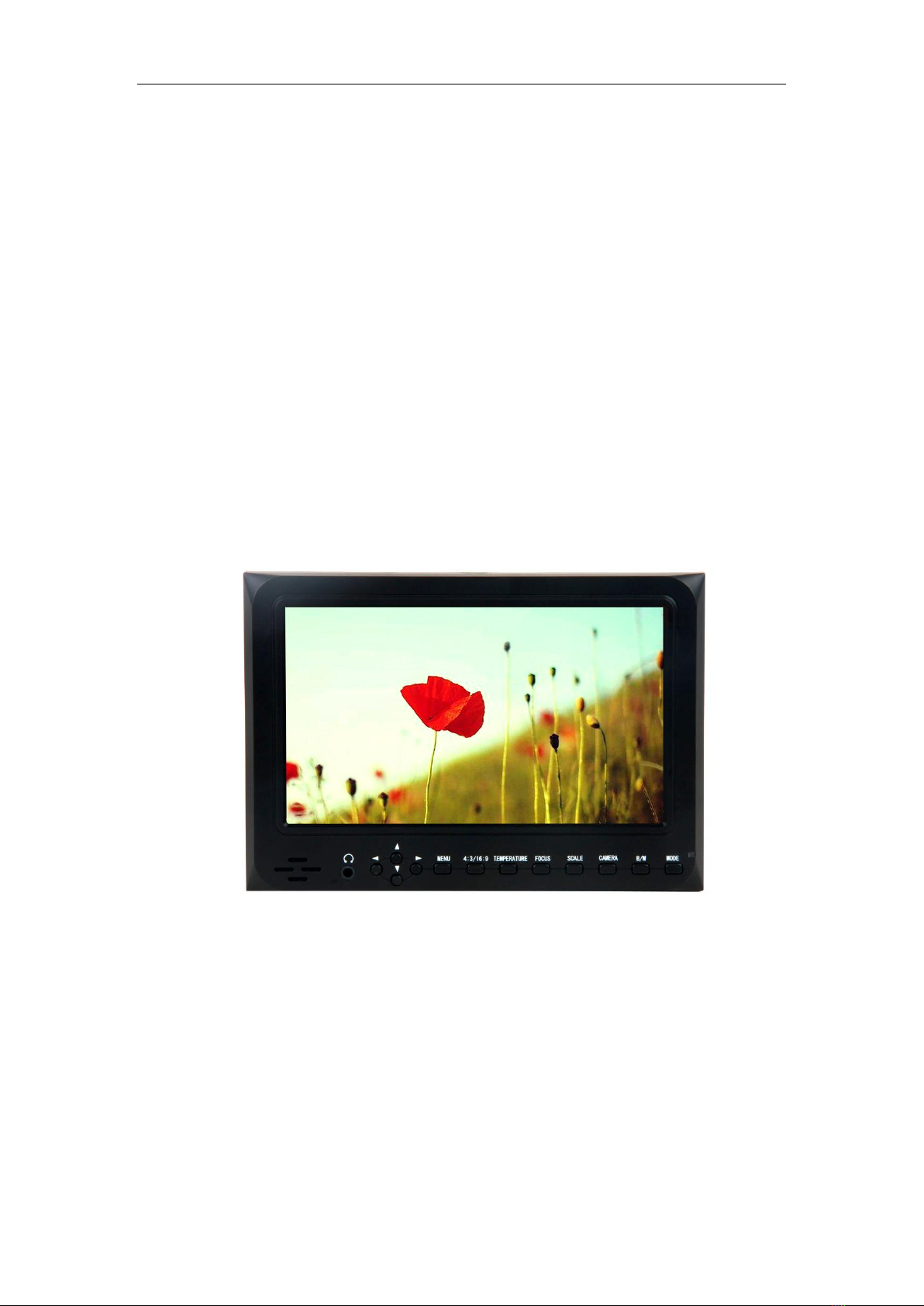
7Inch On-Camera Field HD Monitor
Operation Manual

2
Dear users:
Thank you for purchasing our On-Camera Field HD Monitor Kit.
This 7" Pro HD Monitor is designed to be used as an external video display,
allowing you to step back from the camera while still being able to frame and
capture the action without having to look through the cameras built-in
viewfinder. This monitor is light weight, low power consumption and low cost
make it ideal to use with any Pro Video Camera, DSLR, DV and HD Video
Camera. With high resolution 1024*600pixel, 700:1 High Contrast Ratio,
HDMI, Component, Composite Video, Audio Input and HDMI Output
(Optional).
Whether mounted on your camera with a shoe mount, on your tripod with an
arm and clamp or near the camera with the included stand, it will provide you
with instant playback of your footage wherever you are.
To ensure the best use of this product, please read this manual carefully
beforehand.
CAUTION
1. Please use the adapter attached in the accessory, if necessary, please use
qualified adapter.
2. Please do NOT expose this product to direct sunlight, heat, or humid
conditions.
3. Please keep away from strong light while using this product to ensure the
image effect and long-term use.
4. Please avoid heavy impact or drop onto the ground.
5. Please do NOT use chemical solutions to clean this product. Please wipe
with a clean soft cloth to maintain the brightness of the surface.
6. Without adjustable component in the unit, please do not take apart or repair
the unit by yourself, to avoid damage the product.

3
CONTENTS
1. Product description .…………………………………....4
2. Power input way …………………………………….......8
3. Operating instructions ……………………..................10
●Panel shourcut button function instruction........10
●Menu operating instruction…………………..........11
4. Technical parameters …………………….…….............15
5. Accessories ……………………………………………….16
6. Trouble shooting…………………………………............17
7. Remark .…………………………......………....................17
4
Product description
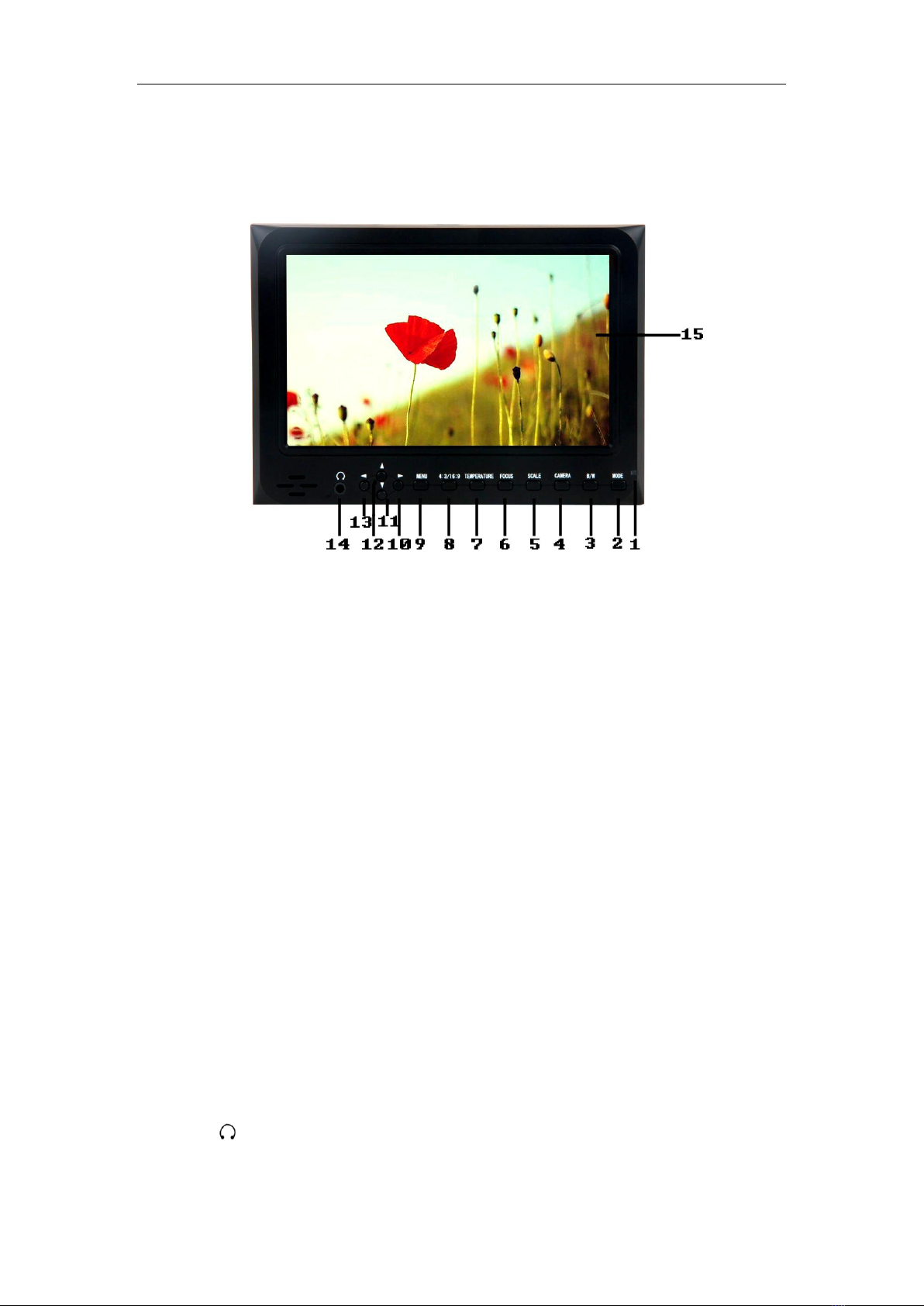
Front view
1. Power indicator light:Light turns red when powered
2. MODE: To switch VIDEO、HDMI、YPbPr input signal
3. B/W: Check Field, Press to switch the image monochrome (red、green、blue、
monochromatic and color)
4. CAMERA: Click to switch ON/ OFF 5D-Ⅱmode
5. MARKER:Click to switch ON/ OFF Screen Markers mode
6. FOCUS: Click to switch ON/ OFF Peaking Filter(FocusAssist)mode
7 .COLOR.TEMP :Color temperature value option adjustment
8. 4:3/16:9: Use to switch between 4:3 and 16:9 aspect ratios
9. MENU:To activate OSD (on-screen display) menu
10. ▶: Function confirmation or value up while using menu setting functions
11. ▼: Menu item value down adjustment button
12. ▲: Menu item value up adjustment button. No Menu State to cycle adjust the 5
level brightness
13. ◀:Function confirmation or value down while using menu setting functions
14. : 3.5mm Earphone Jack
15. Display screen

5
Back view:
1.Y-IN:Y signal input
2.VIDEO-IN:Video signal input
3.Pb-IN:Pb signal input
4.VIDEO-OUT: Video signal output
5.Pr-IN: Pr signal input
6.AUDIO-IN: Audio signal input
7.Power :ON/OFF Switch
8.HDMI-IN: HDMI(High Definition Multimedia Interface) signal input
9. HDMI-OUT: HDMI(High Definition Multimedia Interface) signal output(Optional)
10. Battery Plate slot
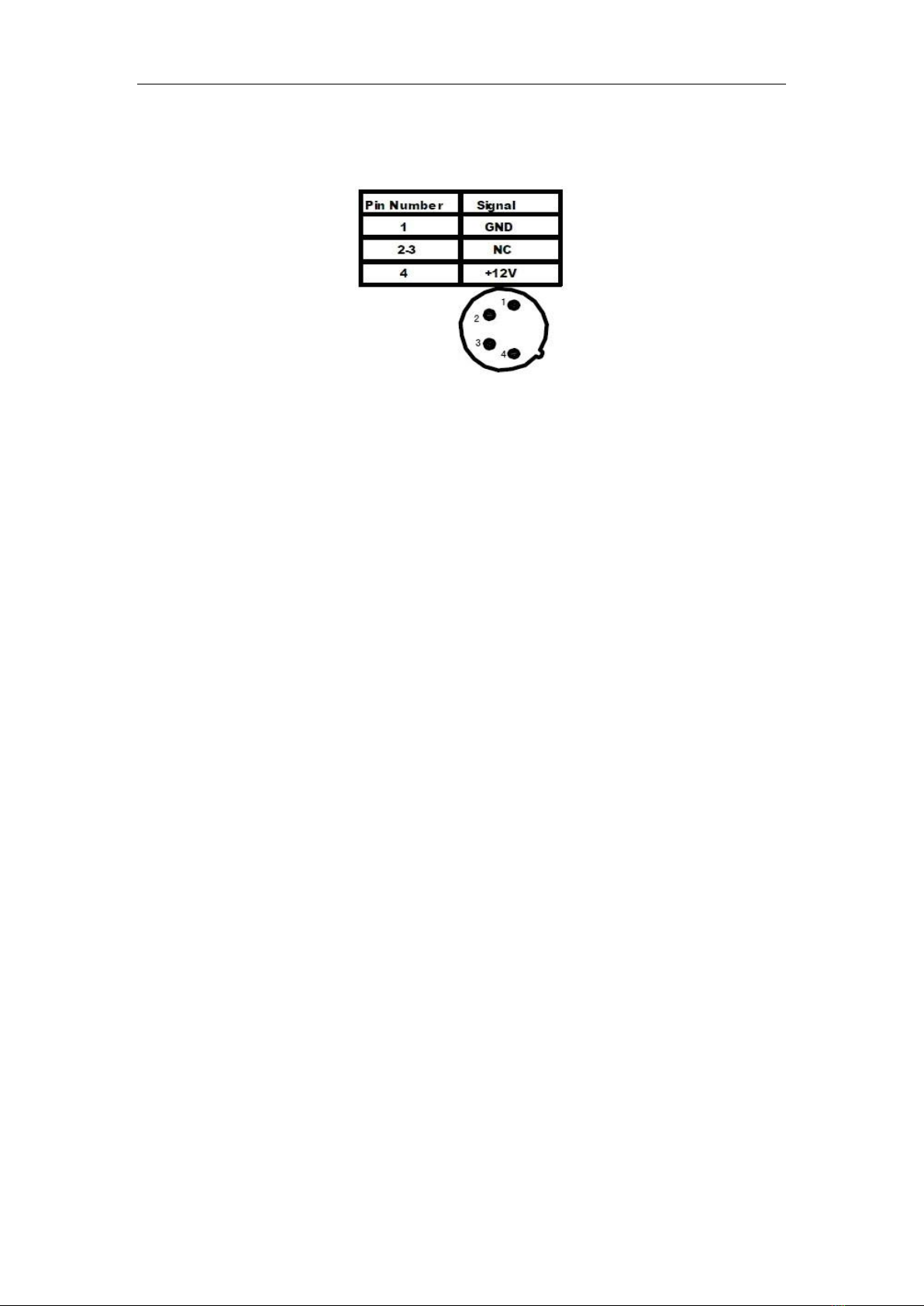
11.4-pin XLR DC power input
12.DC power input interface :

6
●¼inch Mounting Hole
Use the ¼inch mounting hole to attach the monitor to a camera or variety of
mounting devices.
7
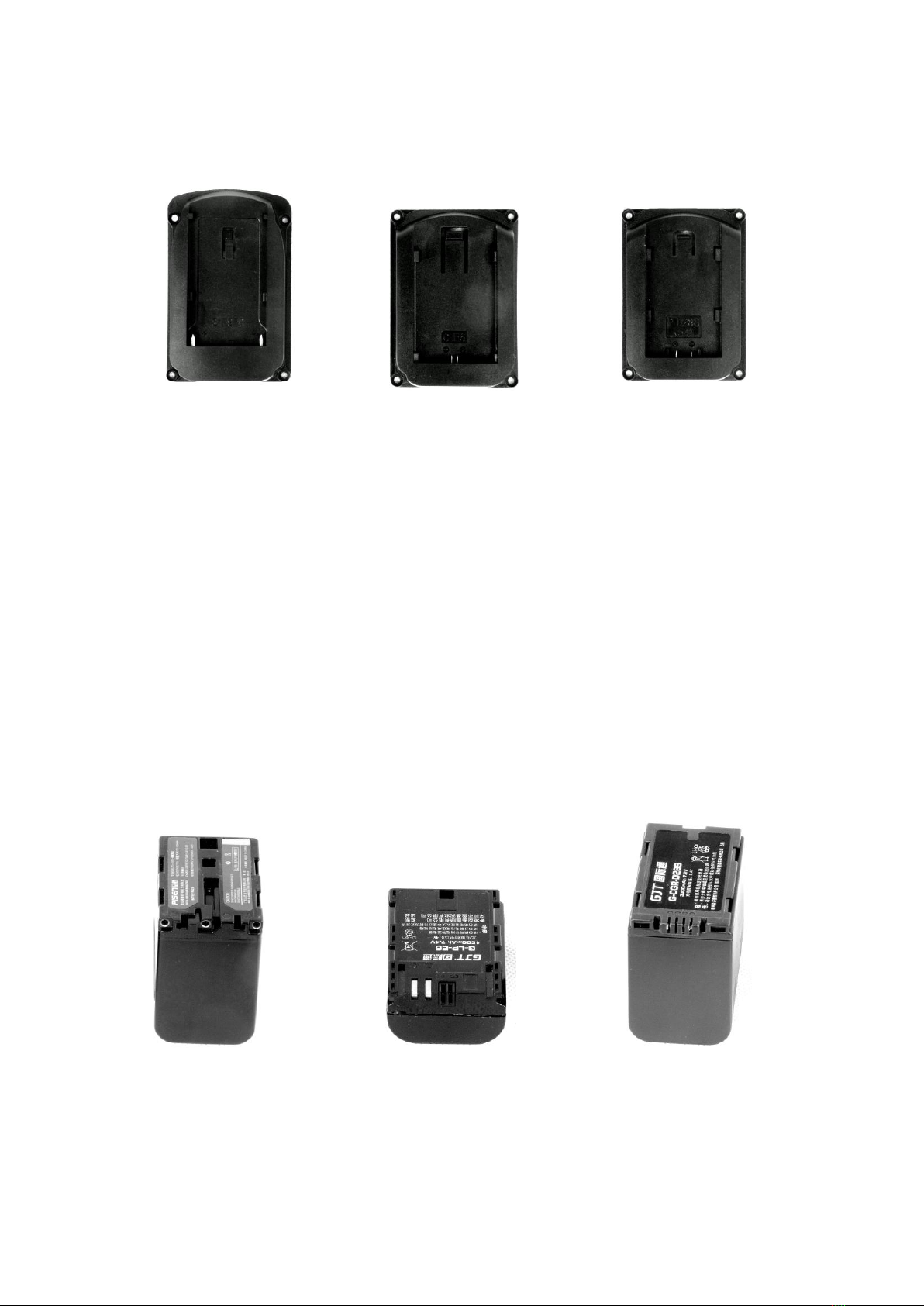
●Battery Plate slot:
F970 LP-E6 D28
According to the different requirements of battery for the customers, attached
different batteries plate slot.
Sony F970 battery slot for battery of Panasonic DV:
F970/F960 F950 T930 F770 T750 F730 F570 F550 F530 QM91D OM91
QM90D QM90 QM71D QM71 QM70D QM70 QM51D QM51 FM71 FM70
serial
Canon LP-E6 battery slot for battery of Canon DV:
Canon LP-06
Panasonic D28 battery slot for battery of Panasonic DV:
D55 554S D54SE D40 D35 D33 D32 D28 D25 D22 serial
F970 LP-E6 D28
Picture: Three types of batteries corresponding to the upper three slots
8
2.Power input way
There are some ways to supply the power of the monitor.
●The power supply by the adapter. 12V/1.0A is optional DC voltage
changer, insert DC power input interface directly. It can be choosed qualified
adapter which current with output voltage DC 6~15V, output capacity >10W
by customers
Please use the adapter attached in the accessories. If necessary to use
other specifications adapter, please note to provide the qualified adapter which
power supply should be not less than 10W (DC6V-24V)
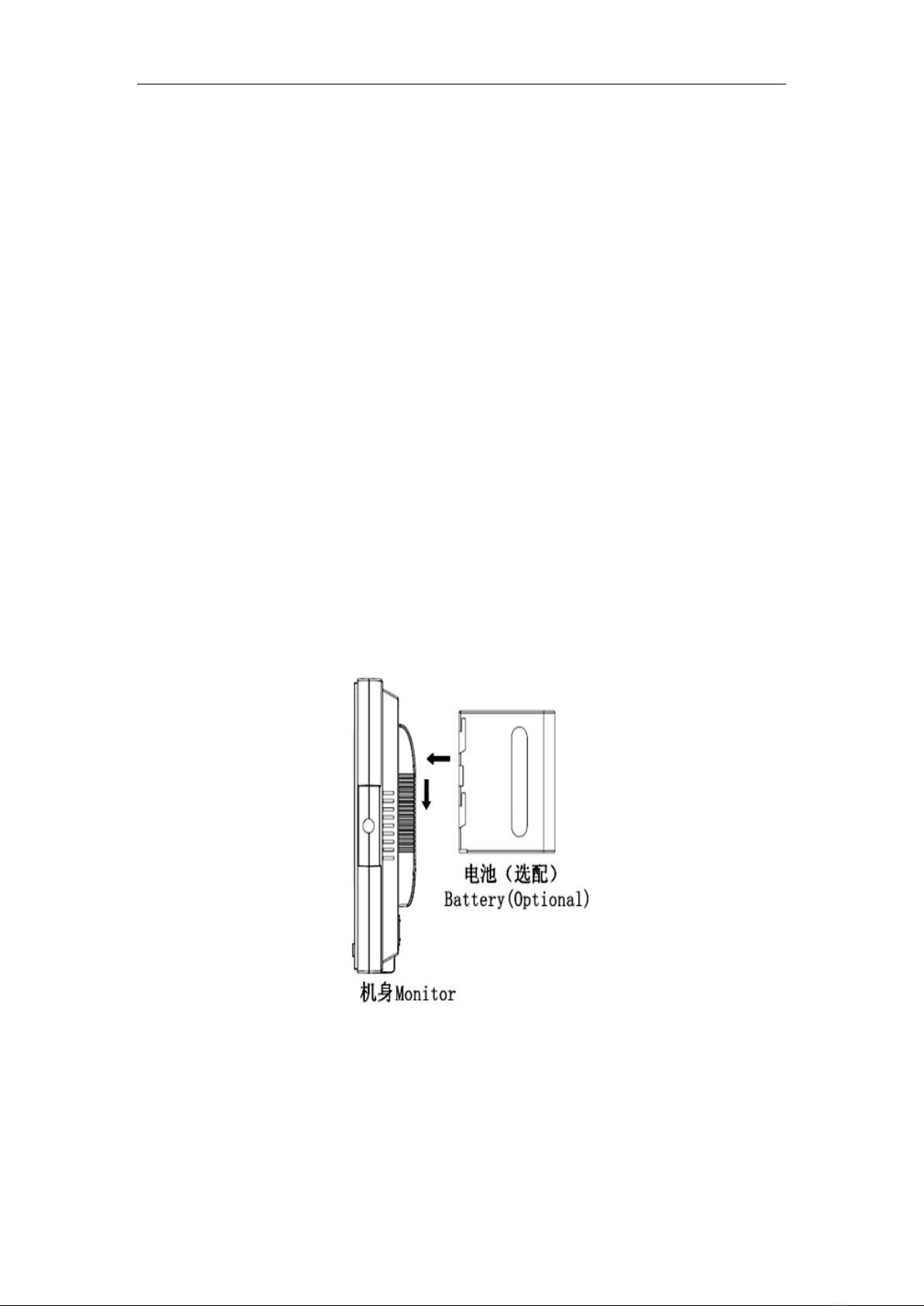
●Another option of power source is using batteries. The product back
case including battery slots are available for three types of batteries.
Customers can choose different battery slots according to their needs.
Battery install way as below picture
Suggestion: Better remove the battery for long-term NO use this product.
Different specifications of the battery, capability is different. The working time
for the monitor will be different. Higher capability (working time) will be longer.
Without design charging circuit for the monitor, please remove the
battery to the battery charger for charge.
9
●This product also can be by 4-Pin XLD interface to use the power
supplied from camera.
Operating instruction(When operating,the monitor should be power on
in the working state)

10
3.Operating instructions
●. Panel shortcut button function operation
VIDEO
input signal selection HDMI
YPbPr
color
B/ W Image color/ black and white
Monochrome selection Monochrome
(R/G/B)
Canon 5DⅡ
camera real time display press this button to
real time shooting the camera
Select safety frame ratio
MARKER:、 、
93%、95%、off
Shortcut button
Image the edges of
objects appear white
crispening focus assist crispening this time to
adjust the focal length of the video equipment, view the crispening
for the focus function
6500K
COLOR.TEMP 7500K
lection 9300K
User
4︰3
image frame
selection 1 ︰
operation function
▲
◀
Indice
Altri manuali Wondlan Accessori per fotocamere


