
X-Vision HD 960H Manuale utente
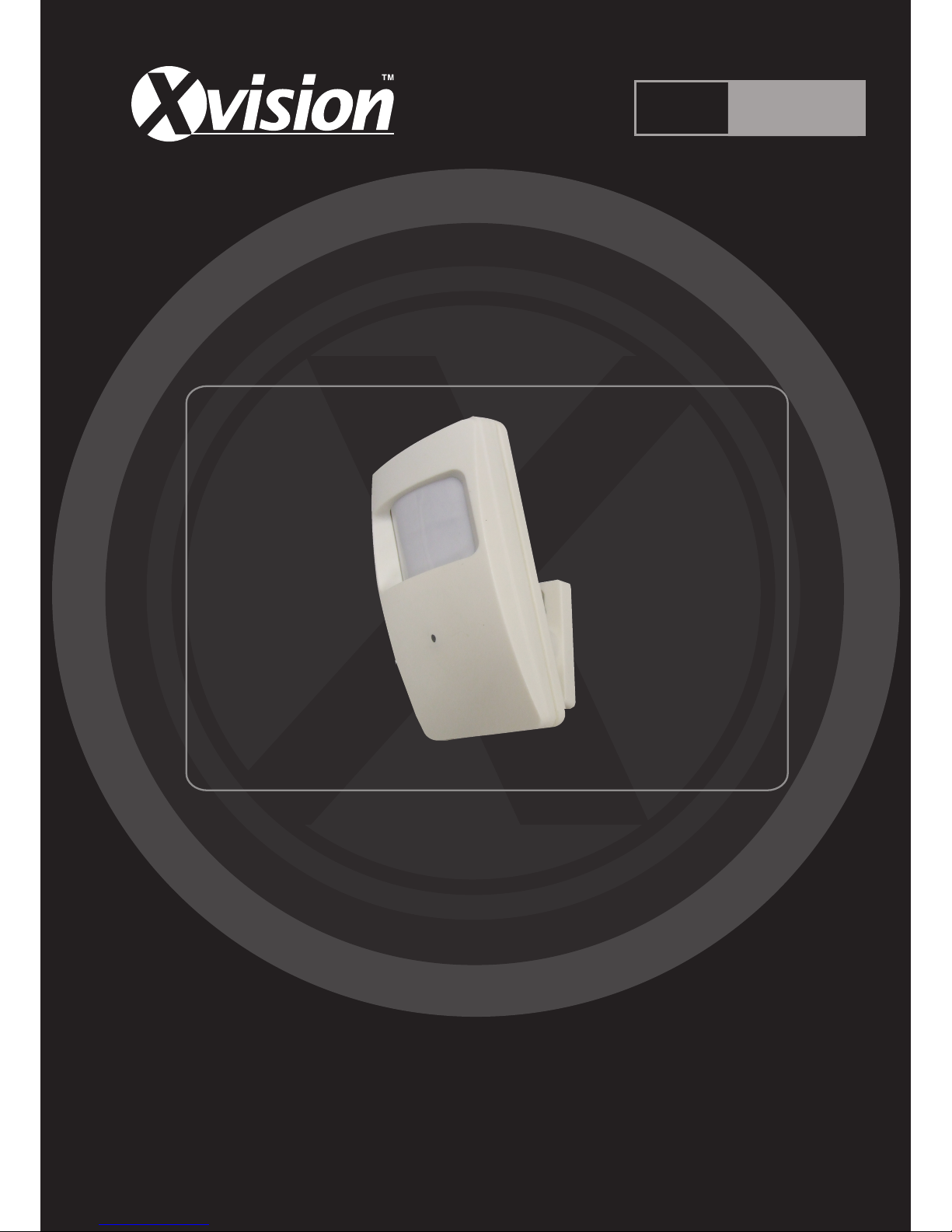
Professional HD 960H Covert PIR
Alarm Sensor Camera
User Manual
Version 1
Thank you purchasing the XC960PIR camera from Xvision.
Please ensure that you read and understand this User Guide before operating the camera.
Please store this User Guide in an easily accessible location.
HD 960H

XC960PIR
HD 960H
2
www.xvision.com
Contents
1. Product Overview .................................................................................. 4
1.2 Package Contents .......................................................................... 4
2. Installaon ............................................................................................ 5
3. How to Operate the Camera .................................................................. 6
4. Specicaons ........................................................................................ 7

XC960PIR
HD 960H
3
www.xvision.com
Safety Precauons
1. Do not install the equipment in an environment with too much moisture, dust or smoke dust as this
may result in re or electric shock.
2. In the unlikely event that the equipment should malfuncon and emit an abnormal smell or smoke,
please immediately stop it, shut o the power and contact your supplier.
3. Please do not place this equipment near a heat source to avoid risk of re.
4. Please do not store, install and use this product in danger areas with inammable or explosive
substances.
5. Please make sure the power is turned o when installing the product.
6. Please ensure that you install the camera in an area with good venlaon.
7. When installing the camera, please make sure that it does not face any objects giving out strong lights
as this will damage the CCD of the camera.

XC960PIR
HD 960H
4
www.xvision.com
Thank you for purchasing the HD 960H XC960PIR from Xvision. Please read through this manual carefully
and make sure you understand before operang the camera.
1.1 Features
• High quality camera designed to look like a PIR alarm sensor
• Sony 960H CCD Sensor
• Xvision X1K DSP
• HD960H (960x576) resoluon
• Xvision 3.6mm HD Megapixel Lens for a 78° viewing angle
• 0.01 low lux light level
• Up to 10m IR Night Vision
• Automac Digital Noise Reducon
• Integrated microphone for high quality audio
• Designed for Wall or Ceiling Mount
1.2 Package Contents
The packaged box for the XC960PIR comes with the following items:
Should any of these items be missing, please contact your local distributor.
1. Product Overview
1. Product Overview
XC960PIR Camera Bracket
Installaon Screws/
Wall Plugs
User Manual

XC960PIR
HD 960H
5
www.xvision.com
1. Product Overview
2. Installaon
The XC960PIR camera can be wall or ceiling mounted. To install the camera you will need to aach the
bracket to the wall or ceiling. Please see the diagram below on how to install the camera.
1. Select the posion you want to mount the
camera in and mark out the holes.
2. Take the wall plugs from the accessory
pack and get the correct size drill bit.
Depending on the wall or ceiling, please
make sure to choose the appropriate drill
bit.
3. Drill the holes. If you want to hide the
cables in the wall/ceiling, drill a hole for the
cables to go (As shown right).
4. Ensure cables are fed through the
wall/ceiling before xing the camera.
5. Once the plugs are in, place the bracket
over the wall plugs and screw the base in
place.
6. Aach the camera to the bracket secure.
7. Connect the video, audio & power cables
to the camera aer the camera has been
mounted.
8. Adjust the camera angle using the ball joint
on the bracket.
XC960PIR
HD 960H
6
www.xvision.com
1. Product Overview
3. How to Operate the Camera
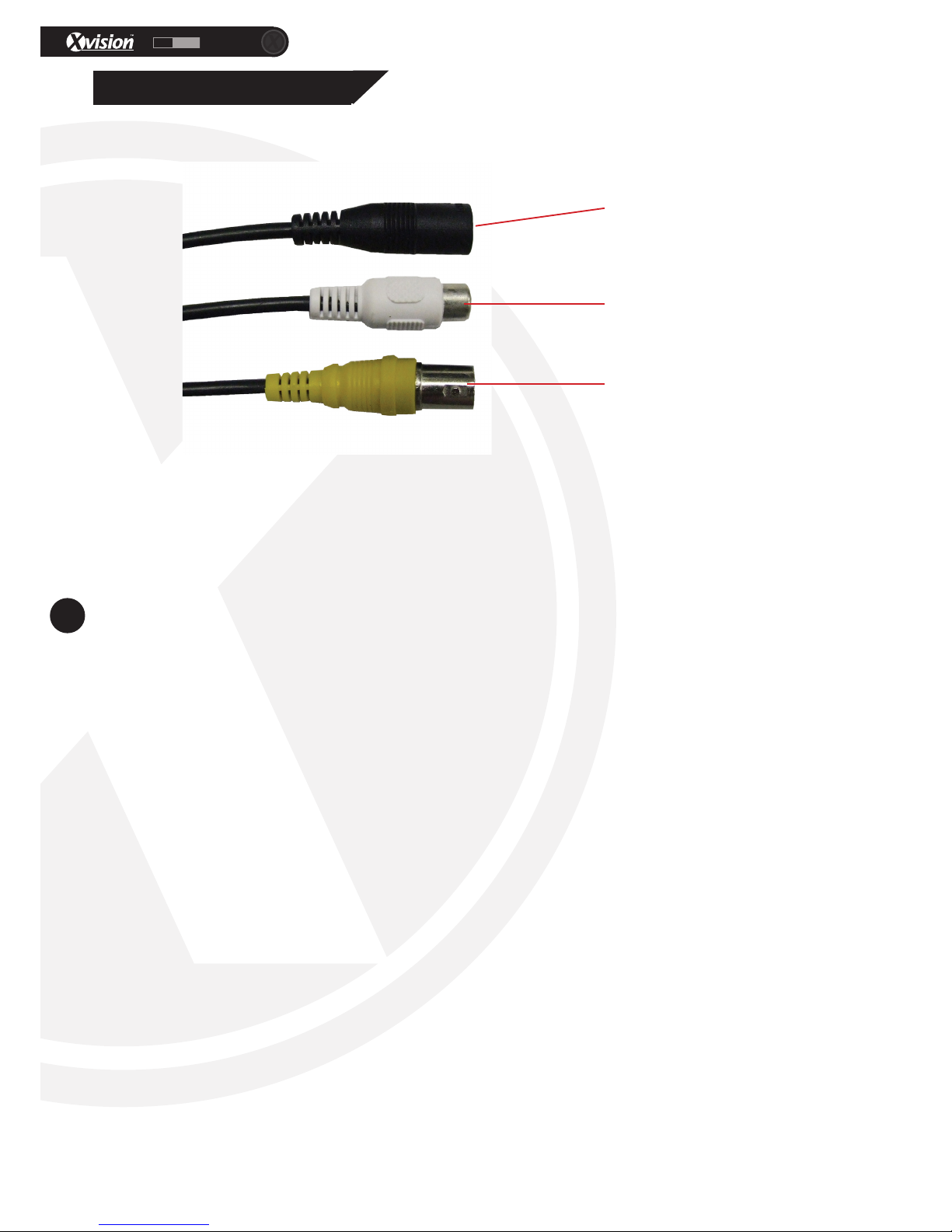
To operate the camera, rstly you will need to connect the BNC and DC sockets to the BNC and DC sockets
of a power supply and DVR or Monitor. If you wish to extend the cables, you can connect the DC and BNC
Sockets to the BNC/DC of a PNP cable/RG59 cable.
You can then connect the DC socket to a 12V DC Power Supply and the BNC socket to back of your
compable DVR or monitor.
To connect the audio, use an AV Cable to plug into the AV socket of the camera to the AV in socket at the
back of your compable DVR or monitor.
BNC Socket for
video
DC Socket for
power
AV Output for
Audio

XC960PIR
HD 960H
7
www.xvision.com
Model XC960PIR
Picture Type Day/Night (B/W & Colour)
Image Sensor 1/3” Sony CCD
Resoluon 960H
Minimum Illuminaon 0.01 Lux (IR O) 0 Lux (IR On)
Night Vision 10m IR Night Vision
Lens 78°
Moon Detecon No
Mirrored Image No
Audio Yes
Power Supply DC 12V
Consumpon 240mA
Dimensions in mm (WxHxD) 60x103x60
Weight (Kg) 0.10
Weatherproof No, Internal Only
For more informaon, please contact our technical team. Contact details are on the back page.
1. Product Overview
4. Specicaons
TECHNICAL SUPPORT
For technical support, please contact your local distributor.
Alternatively, call 0871 222 1430.
LIMITED WARRANTY
This product is supplied with a 12 month warranty. The warranty excludes products
that have been misused (including accidental damage) and damage caused by
normal wear and tear. In the unlikely event that you encounter a problem with this
product, it should be returned to the place of purchase.
Manufactured exclusively for:
Xvision UK, Unit 2 Valley Point, Beddington Farm Road, Croydon, Surrey CR0 4WP
www.xvision.com
www.xvision.com
HD 960H
Altri manuali per HD 960H
2
Indice


