
Xact Visor XS051 Manuale utente
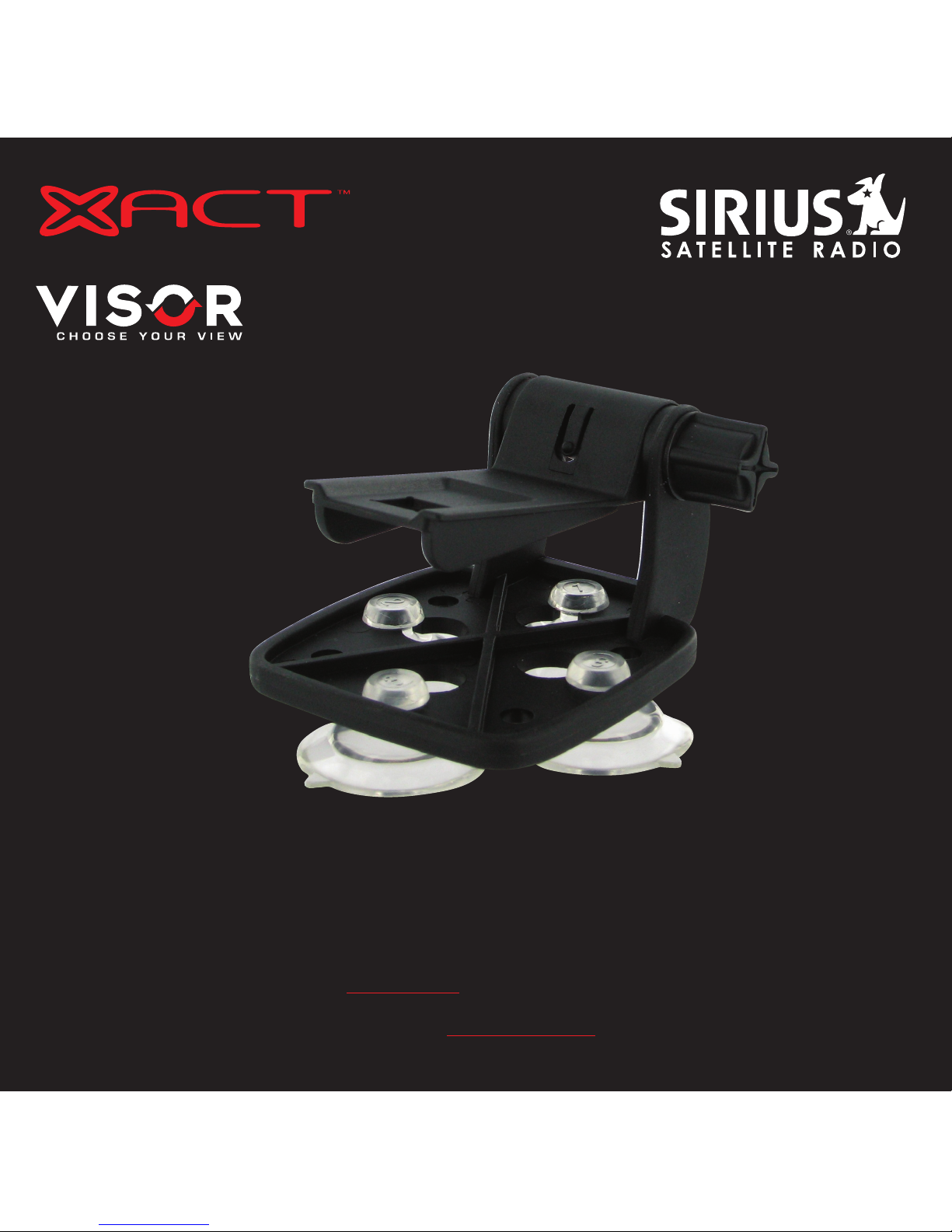
Vehicle Kit
Instruction
Manual
Model XS051
To activate your XACT Visor Sirius Satellite Radio Receiver or for latest news and questions
regarding Sirius Satellite Radio service visit www.sirius.com or call 1-888-539-SIRIUS (7474).
For accessory & product information visit us at www.getxact.com.
KEEP MOVING

This equipment has been tested and found to comply with the limits for a Class B digital device, pursuant to
Part 15 of the FCC Rules. These limits are designed to provide reasonable protection against harmful
interference in a residential installation. This equipment generates, uses, and can radiate radio frequency
energy and, if not installed and used in accordance with the instructions, may cause harmful interference to
radio communications. However, there is no guarantee that interference will not occur in a particular
installation. If this equipment does cause harmful interference to radio or television reception, which can be
determined by turning the equipment off and on, the user is encouraged to try to correct the interference by
one or more of the following measures:
•Reorient or relocate the receiving antenna.
•Increase the separation between the equipment and receiver.
•Connect the equipment into an outlet on a circuit different from that to which the receiver
is connected.
•Consult the dealer or an experienced radio/TV technician for help.
Changes or modifications not expressly approved by the Manufacturer for compliance could void the user’s
authority to operate the equipment. The manufacturer is not responsible for any Radio or TV interference
caused by unauthorized modifications to this equipment. Such modifications could void the user's authority to
operate the equipment.
NOTE! Use only the appropriate XACT accessories or input devices with your receiver. Use only the 12v Vehicle
Adapter that is provided with the kit. It is important that you do not modify it in any way since this will result
in damaging your equipment and void the warranty.
COPYRIGHT / TRADEMARKS
No part of this publication may be reproduced, stored in a retrieval system, or transmitted in any form or by
any means, whether electronic, mechanical, photocopying, recording or otherwise without the prior writing of
the publisher.
“Sirius” and Sirius dog logo are registered trademarks of Sirius Satellite Radio Inc. To activate your XACT
Visor Sirius Satellite Radio Receiver or for latest news and questions regarding Sirius Satellite Radio service
visit www.sirius.com or call 1-888-539-SIRIUS (7474).

SAFETY PRECAUTIONS
Warning
Follow these notifications to avoid any traffic accidents or personal injury:
1. Installation must be performed according to this user guide.
2. Do not install the device where it may obstruct your view through the windshield or of your vehicle’s
indicator displays.
3. Do not install the device where it may hinder the function of safety devices such as an airbag. Doing so
may prevent the airbag from functioning properly in the event of an accident.
4. The installation and usage suggestions contained in this user guide are subject to any restrictions or
limitations that may be imposed by applicable law. The purchaser should check applicable law for any
restrictions or limitations before installing and/or operating this device.
5. Failure to follow these safety instructions and warnings may result in a severe accident.
Danger
Be aware of the following precautions to prevent fire and avoid personal injury:
1. To avoid short circuits, never put or leave any metallic objects (coins, tools, etc.) inside the device.
2. If the device emits smoke or strange smells, turn the power off immediately and contact your dealer.
3. Do not drop the device or subject it to strong impacts or mechanical shocks.
4. If the LCD display becomes damaged or broken, do not touch the liquid crystal fluid. The fluid may be
dangerous to your health or even fatal. If the liquid crystal fluid contacts your body or clothing, immediately
wash it off with soap and water.
Caution
Do not operate this device in a way that might divert your attention from driving safely. As a driver, you are
responsible for safely operating your vehicle in accordance with traffic safety laws at all times.

5
INTRODUCTION
Product Overview
Thank you for purchasing this product! Your new XACT Visor Vehicle Kit is specifically designed to mount your
plug and play XACT Visor Sirius Satellite Radio Receiver in your vehicle.
Package Contents
Carefully unpack your kit and ensure that you have the following items.
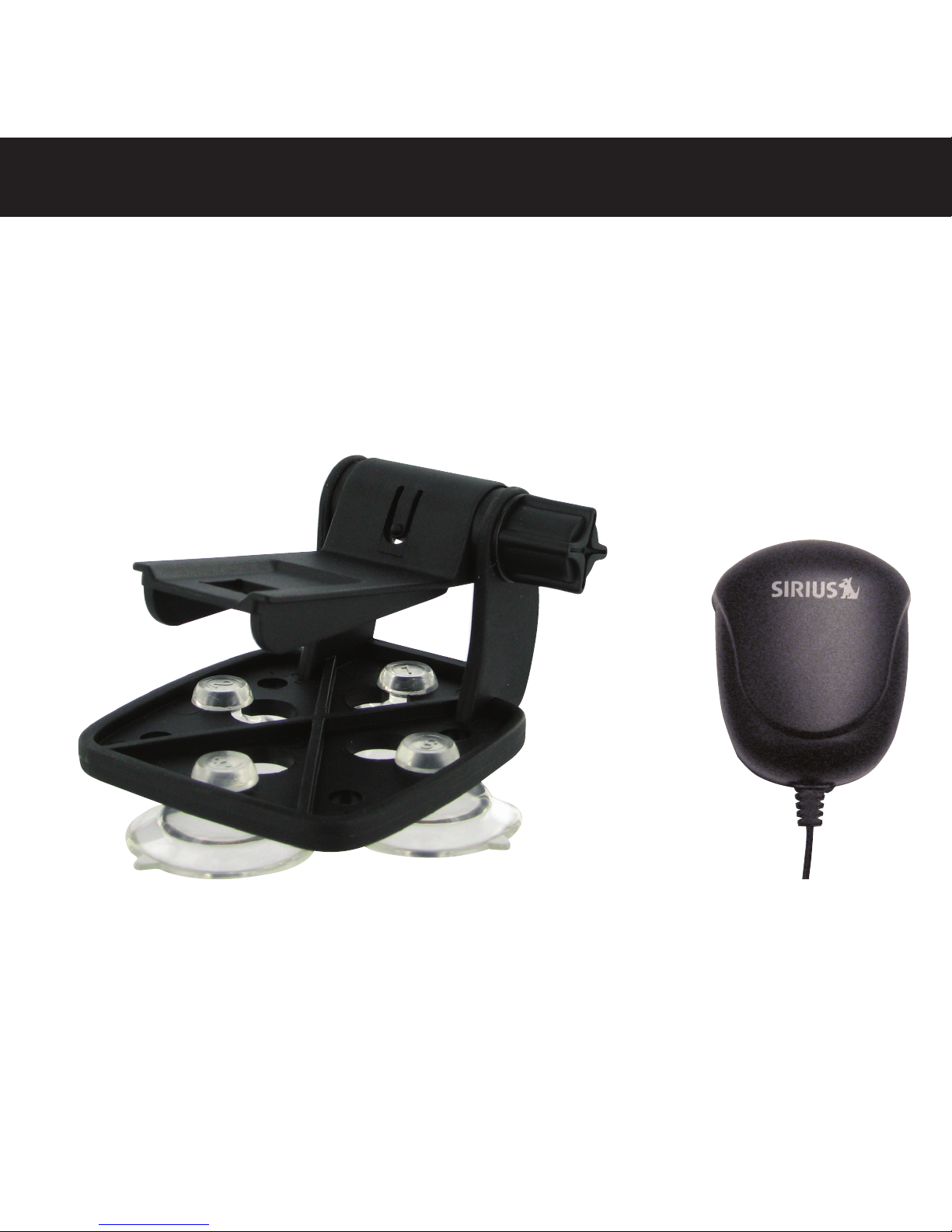
•XACT Visor Vehicle Mount (Windshield / Dashboard / Visor Mount)
•4 Suction Cups
•Adhesive Pad
•Vehicle Antenna
•12v Vehicle Adapter
•User’s Guide
In the event that any item is missing or if you find any mismatch or damage, promptly contact your dealer.
Your XACT Visor Vehicle Kit must be used in conjunction with your plug and play XACT Visor Sirius Satellite
Radio Receiver Model Number XTR3.
The easiest way to activate your XACT Visor Sirius Satellite Radio Receiver is to log on to www.sirius.com.
You may also call 1-888-539-SIRIUS (7474).
4
6
GETTING STARTED
Mounting Your XACT Visor Sirius Satellite Radio in a Vehicle
Find an accessible location in your vehicle to install your plug and play XACT Visor Sirius Satellite Radio
Receiver; usually, this is the dashboard. You mat also mount the receiver to the vehicles sun Visor.
Do not mount your device where it may obstruct your view through the windshield or your view of your
vehicle’s indicator displays.
Do not mount your device where it may impede your access to the vehicle’s controls.
Do not mount your device where it may hinder the function of safety devices, such as an airbag. Doing
so may prevent the airbag from functioning accordingly in the event of an accident.
Mount your Sirius Satellite Radio where it can be easily reached.
The device must be directly in line-of-sight of the remote controller.
If you're not going to operate your vehicle for an extended period of time (e.g. parking garage while on
vacation) unplug your XACT Visor Sirius Satellite Radio Receiver from the the cigarette lighter adapter.
NOTE! Do not modify or alter in any way the wires or connections especially to the 12v vehicle adapter. Doing
so will prevent the protection provided in the circuitry from functioning properly and result in damaging
your receiver. This will void your warranty.
5
6
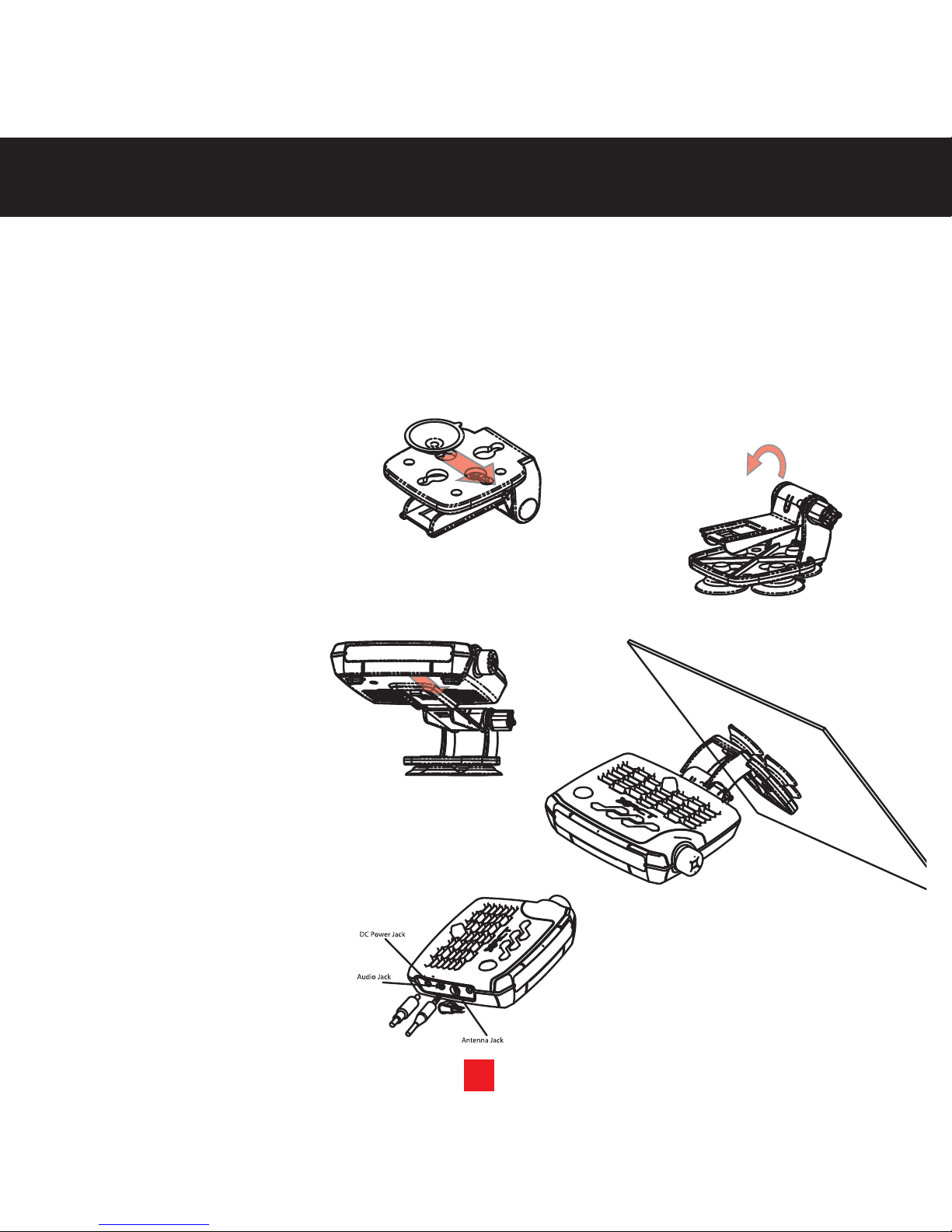
Mounting to the Dashboard or Console
NOTE! Use only the appropriate XACT accessories or input devices with your receiver. Use only the 12v Vehicle
Adapter that is provided with the kit. It is important that you do not modify it in any way since this will result
in damaging your equipment and void the warranty.
If using the AMPs mounting holes to fasten the Visor Vehicle Mount to your vehicle, Bolt or screw the Visor
Vehicle Mount in place and proceed to step 3.
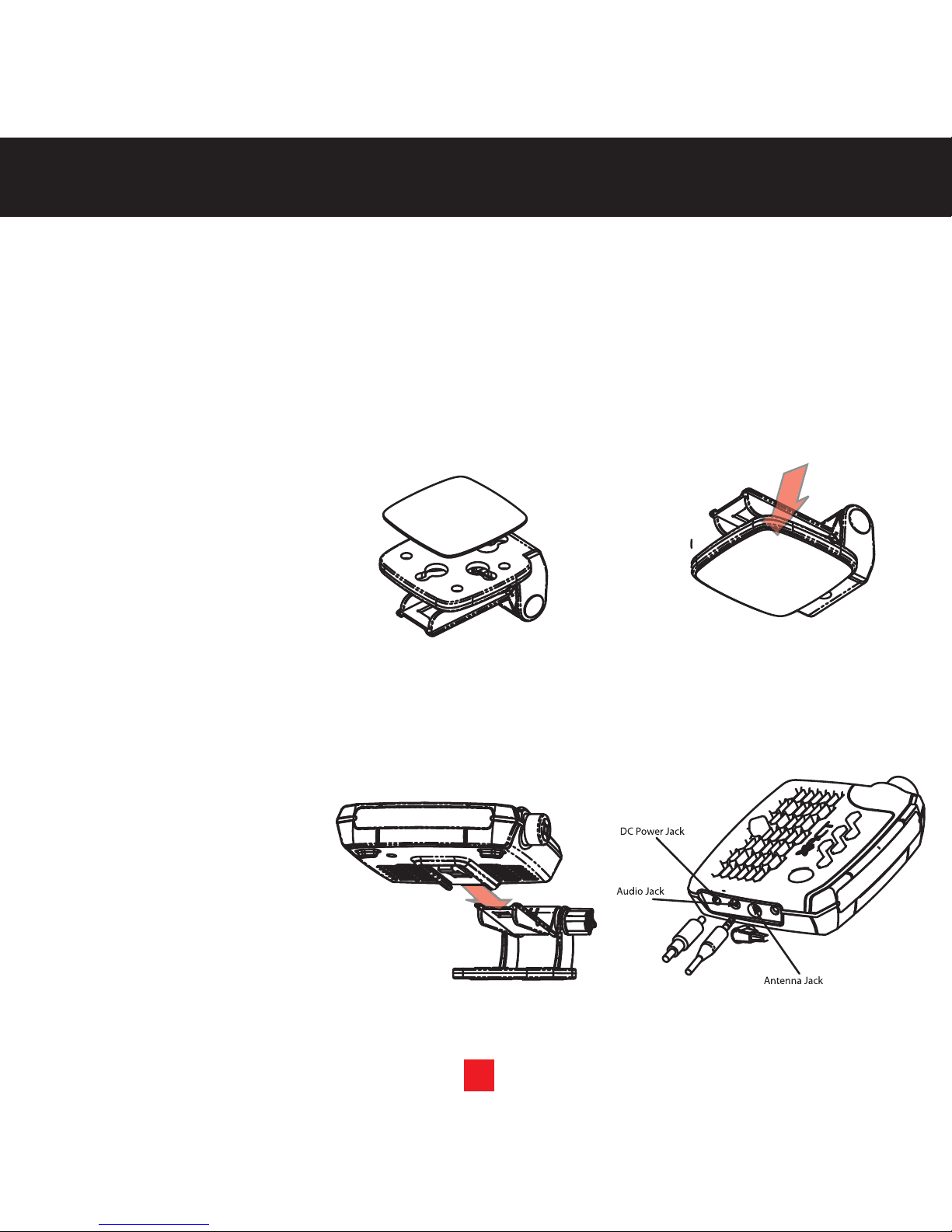
1. Remove the protective film
from one side of the supplied
double sided 3M tape. Press
firmly to secure the tape to the
bottom of the Visor Vehicle
Mount. (figure 1).
2. Remove the protective film
from the remaining side of the
double sided 3M tape.Place
the mount in the appropriate
location on the vehicle’s dash
or console and press firmly.
(figure 2).
3. Slide the XACT Visor Satellite
Radio Receiver onto the
mounting tab of the Visor
Vehicle Mount until it locks
into place. (figure 3). To
remove the XACT Visor
Sirius Satellite Radio
Receiver, push the locking tab
on the bottom of the Visor
inward and slide forward.
4. Connect the DC Power,
antenna and audio (if
required) to the appropriate
jacks. (figure 4).
VEHICLE KIT
INSTALLATION
1. 2.
3. 4.
7
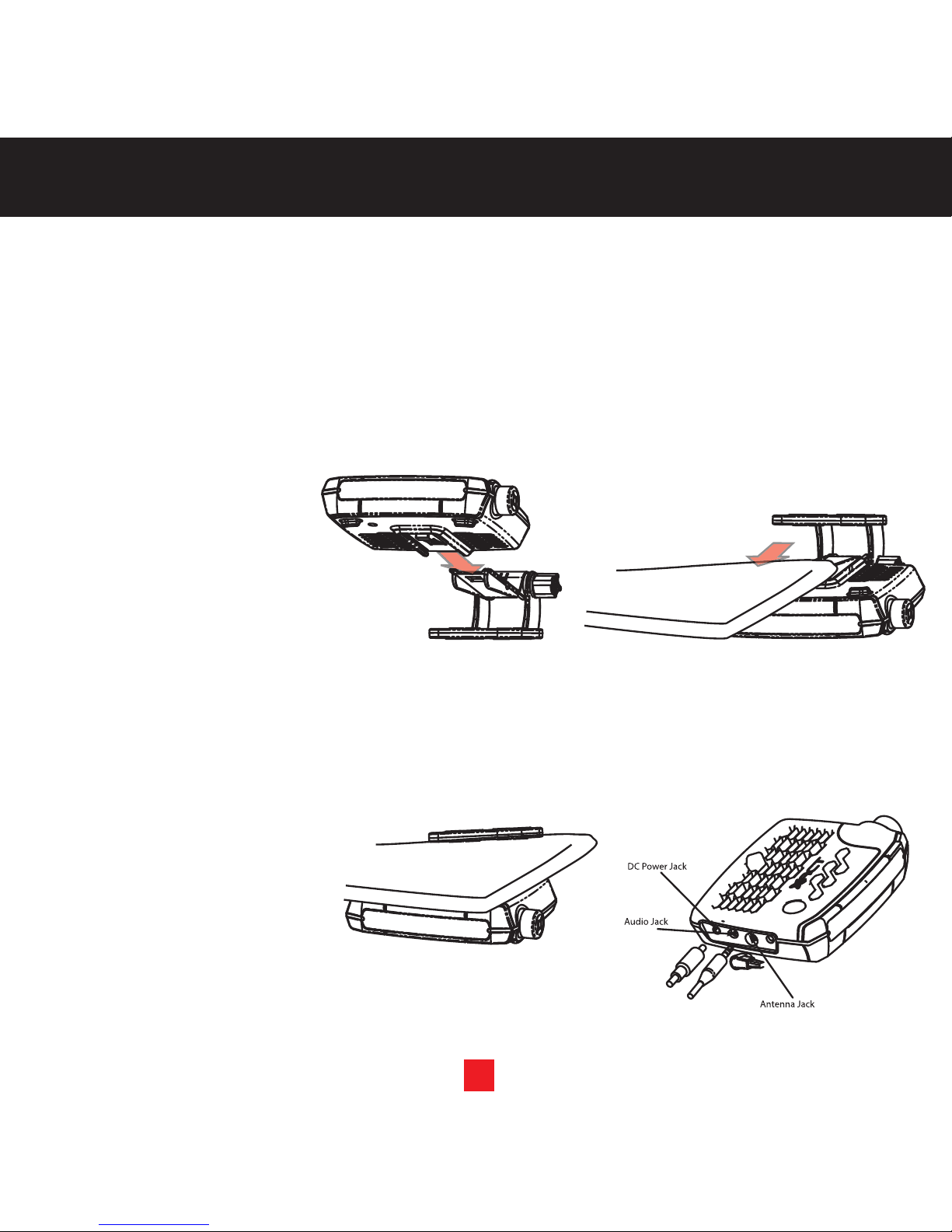
Mounting to the Windshield
NOTE! Use only the appropriate XACT accessories or input devices with your receiver. Use only the 12v Vehicle
Adapter that is provided with the kit. It is important that you do not modify it in any way since this will result
in damaging your equipment and void the warranty.
1. Insert the 4 suction cups into
the larger side of the holes
on the Visor Vehicle
Mounting Bracket and slide
outward to lock in place.
(figure 1).
2. Loosen the thumb screw and
rotate the Visor Mounting tab
to the appropriate angle for
your vehicle’s windshield.
Tighten the thumb screw.
(figure 2).
3. Slide the XACT Visor
Sirius Satellite Radio
Receiver onto the mounting
tab of the Visor Vehicle
Mount until it locks into place.
(figure 3). To remove the
XACT Visor Sirius Satellite
Radio Receiver, push the
locking tab on the bottom of
the Visor inward and slide
forward.
4. Place the suction cups on the
Visor Vehicle Mount in an
appropriate location on your
windshield. Press firmly to
secure the Visor in place.
(figure 4).
5. Connect the DC Power,
antenna and audio (if
required) to the appropriate
jacks. (figure 5).
INSTALLATION
1.
2.
4.
3.
5.
8
Mounting to the Sunvisor
NOTE! Use only the appropriate XACT accessories or input devices with your receiver. Use only the 12v Vehicle
Adapter that is provided with the kit. It is important that you do not modify it in any way since this will result
in damaging your equipment and void the warranty.
1. Slide the XACT Visor
Sirius Satellite Radio
Receiver onto the mounting
tab of the Visor Vehicle
Mount until it locks into
place. (figure 1). To remove
the XACT Visor Sirius
Satellite Radio Receiver,
push the locking tab on the
bottom of the Visor inward
and slide forward.
2. Loosen the thumb screw and
slide the Visor Mount
between the sunvisor and
the vehicle’s headliner.
(figure 2).
3. Push the XACT Visor
Sirius Satellite Radio
Receiver up so it is flush with
the bottom of the sunvisor
and tighten the thumb screw.
(figure 3).
4. Connect the DC Power,
antenna and audio (if
required) to the appropriate
jacks. (figure 4).
Note: Hardwiring is
recommended. Care
should be taken to ensure
no obstruction of view,
controls or safety equipment.
INSTALLATION
3.
1.
2.
4.
USING THE FM TRANSMITTER
WITHIN THE RECEIVER
FM Transmitter
The FM Transmitter allows your XACT Visor Sirius Satellite Radio Receiver to transmit music to your car FM
radio.
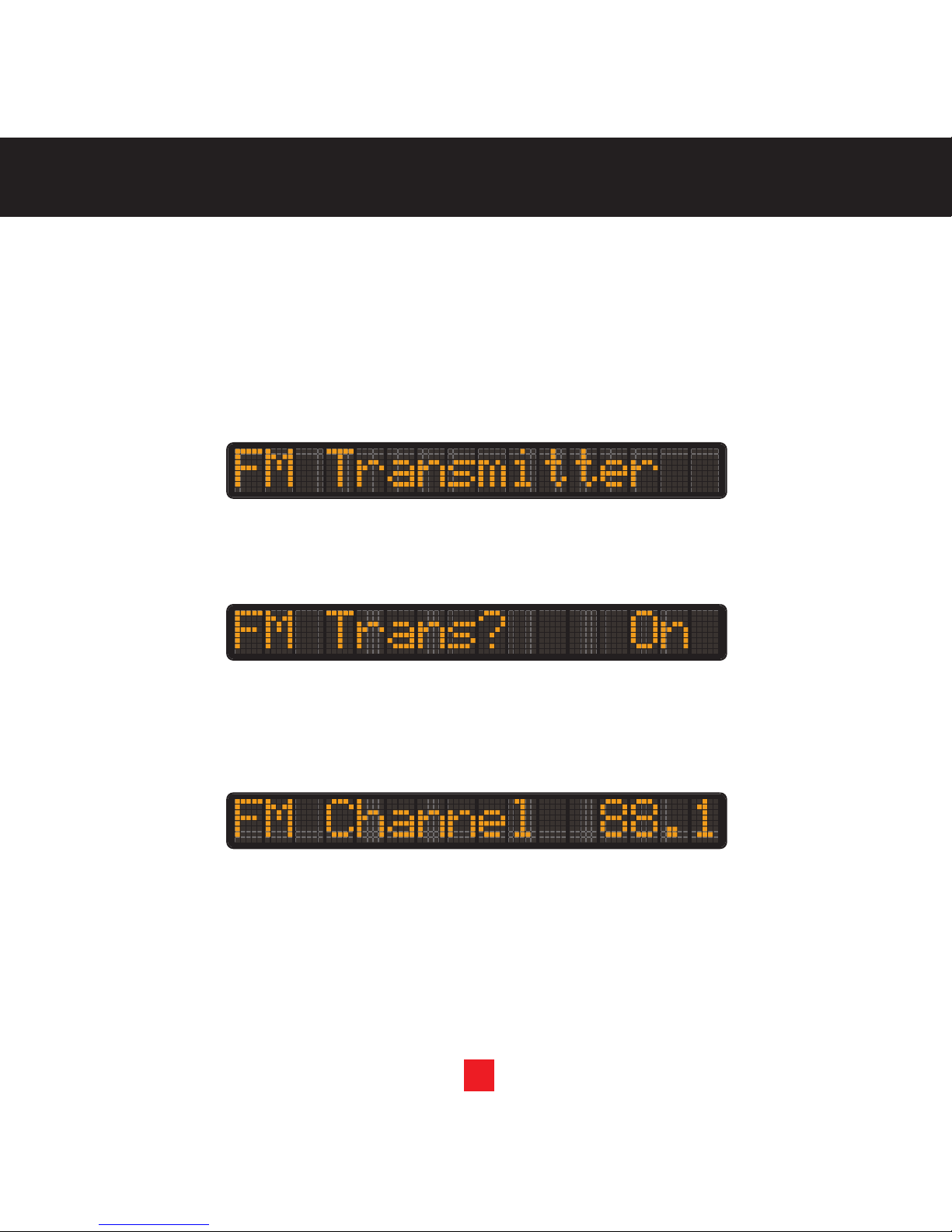
1. Press the MENU button to enter the Menu Options settings.
2. Rotate the Channel Up/Down Rotary Dial until FM Transmitter is displayed and press the Select button
inward to enter the sub menu.
3. Rotate the Channel Up/Down Rotary Dial until “On” is selected press the Select button to continue.
4. Rotate the Channel Up/Down Rotary Dial until an FM Channel that is not being used by an FM Broadcaster
in your area is displayed. Press the Select Button to set the FM Channel.
9
Indice
Altri manuali Xact Rack e supporto


