
Xcube X-700 R Manuale utente

INSTRUCTION MANUAL
INSTRUCTION MANUAL 2
ИНСТРУКЦИЯ
ПО ЭКСПЛУАТАЦИИ 16
307IM.qxd 25.05.2006 10:09 Page 1

Precaution
This User's Manual is designed to make it easier for you to operate your player. Please read through this manu
al and fully understand the instructions before use so that this player may offer you a unique experience of
highquality music.
It is our responsibility to minimize the risk for you to use this player. Below are some recommendations you
should follow:
A. Please do not expose the player to rain,spatter dipping or moisture.
B. Power off and pull out the plug to prevent short circuit if there is any liquid splashed on the player
C. To avoid electric shock, please never attempt to open the casing. Only professionals can perform mainte
nance or repair.
D. Laser is used in this product. Never look at laser directly while it is in operation or it may hurt your eyes.
E. Long time listening with maximum sound volume will damage your hearing.
1. The player and its enclosed accessories use special design. To avoid damage to your player, please advoid
using any accessories other than those specified for this product.
2. To protect your damage to your player, please avoid mistakenly plugging of functional jacks.
3. Keys with identical designations on the host and online controller have the same functions unless otherwise
specified in User's Manual.
English
2
307IM.qxd 25.05.2006 10:09 Page 2
3
English
307IM.qxd 25.05.2006 10:09 Page 3

English
4
1. PLAY/PAUSE
A. Press:
To Start/Play/Pause/Charge
2. STOP/OFF
A. Press: To Stop/Cancel
B. Press for a long interval:
To Shut off
3. HOLD
To Start/Shut off Hold key
function
4. /
A. Press: Last misic/Next music
B.Press for a long interval:
Fast backward/Fast forward
5. PRG:
A. Music programming
6. MODE
Press: To shift between play
modes
7. ESP/DIR/EQ
A. Press: Shockproof (CD)/Scroll
directory (MP3)
B. Press for a long interval:
To shift between sound effects
8. VOL
Volume down
9. VOL +
Volume up+
307IM.qxd 25.05.2006 10:09 Page 4

5
English
Disc type
Single song repeat
Directory repeat
All disc repeat
Introductive play
Programmed play
Random play
Button lock ! indicator mark
Power level
Playing status
307IM.qxd 25.05.2006 10:09 Page 5

Power Supply and Batterry recharge
AC Power
Instructions for specified adaptor
Plug the small plug of the adaptor into the DC input jack on the player and then plug the adaptor into AC
output socket.
Notes for using specified adapter
If adaptor is plugged with battery loaded, it will automatically shift to AC power and thus disconnects
battery. When shifting between battery and AC power, music being played will stop. Press PLAY to
resume normal play.
How to use and charge rechargeable batteries
Preparations:
1. Load nickelhydrogen rechargeable batteries in compliance with polarity indications in the battery.
2. Plug specified adaptor.
Charging:
1. Push HOLD in arrow direction and press PLAY to start the player. Now, the player begins to charge nickel
hydrogen rechargeable batteries.
2. To stop charging process,push HOLD in a direction opposite to the arrow and then press STOP.
3. When batteries are fully charged, the player will automatically exit charging mode.
Rechargeable batteries should be fully discharged before the first charging, otherwise it may reduce
their service life.
English
6
307IM.qxd 25.05.2006 10:09 Page 6

External DC Power
Load two AA alkaline batteries into external battery cartridge in compliance with polarity indications and
plug the small plug of external battery cartridge into external battery input jack.
Attention should be paid to the following instances:
Instructions for alkaline batteries:
Please don't use batteries of different types. Even one battery is installed in the wrong direction, it may
cause leakage of electrolyte.
Never charge, heat, disassemble or dispose of alkaline batteries in fire.
When there is no response when pressing play/pause button, it indicates battery is exhausted. Unload bat
teries or use adaptor (Also check whether batteries are loaded in compliance with polarity indications).
7
English
To avoid electric shock, please
don't use power plug in the
process of thundering and light
ning.
If cable for power plug is con
stantly I pressed against by
heavy objects, it may lead to
damage to external protection
layer. This may cause short cir
cuits. Please check before use.
Power plug may have hidden
damage, which may cause short
circuits. Please check before
use.
Poor contact between power
plug and power socket may
cause short circuits and electric
shock. In this case, Please
replace power plug and/or
power socket.
307IM.qxd 25.05.2006 10:09 Page 7

General operation
Power on/off
A.. Press to start the player (backlight on online controller automatically lights up for 6 seconds.
B. Press when playing to stop playing and press to switch off player.
Volume adjustment
A. Press " + " on player or online controller to turn up volume.
B. Press “ ” on player or online controller to turn down volume.
LCD backlight lights up
Press any key on online controller and LCD backlight on online controller will light up for 6 seconds.
To avoid erroneous operation, the player is provided with HOLD functions.
1. Push HOLD key on player in arrow direction and the keys on player will be locked and remain nonoperable.
2. Push HOLD key on online controller in arrow direction and the keys on online controller will be locked and
remain nonoperable.
Antishock operation (to be used while playing)
A. Press ESP (electronic shockproof) key while playing and the player will activate ESP protection function. CD
may have better sound effects when antishock function is disabled.
B. Shockproof function will automatically start while playing MP3 and cannot be disabled.
English
8
307IM.qxd 25.05.2006 10:09 Page 8

Play operation
Power on/Off
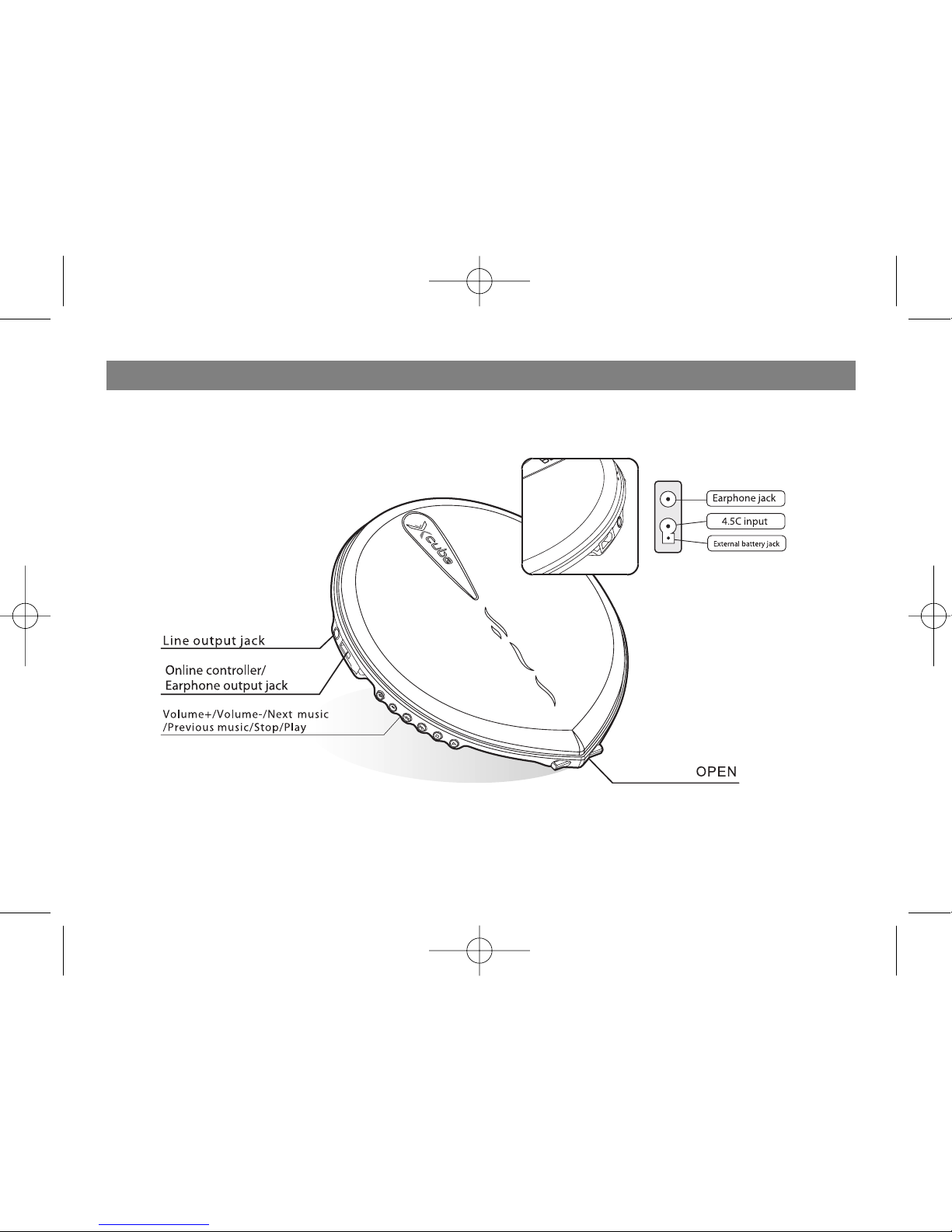
A. Plug one end of input plug on sound box into LINE OUT on player and plug the other end into sound box.
B. Switch on player and sound box.
Play
A. Plug online controller plug into online controller jack on player.
B. Push disc tray switch to open disc tray.
C. Load disc and close disc tray. Press PLAY on player or online controller and disc begins to rotate.
D. When player finding disc and beginning to play, music type will be displayed at the left upper corner on
online controller LCD screen.
E. Press PLAY/PAUSE key to pause and the time will be flashed on the screen. Press PLAY/PAUSE to
resume .
F. Press STOP to stop playing and press it again to switch off power.
Skip music operation
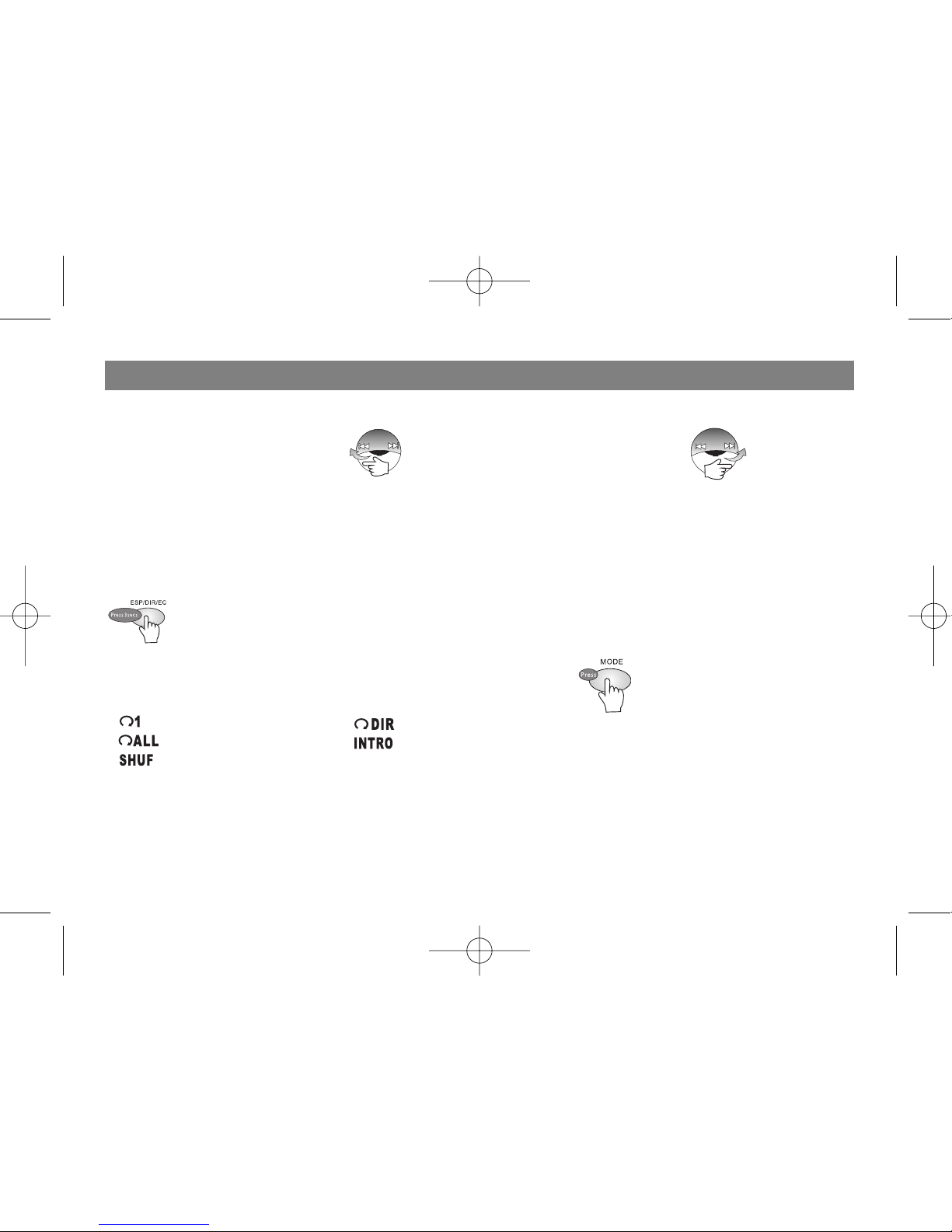
A. Select music (MP3 or WMA)
9
English
307IM.qxd 25.05.2006 10:09 Page 9
B. Audio CD music selection
1. Select number for last music 2. Select number for next music
C. After completing music selection in stop status, it is necessary to press to enable the player to play the
selected music.
Sound effects switching
CD/MP3:
Sound effect modes will be swifted the following manner each time EQ is pressed: EQ 1 (Standard),
EQ 2 (Classic), EQ 3 (Rock and roll), EQ 4 (Jazz), EQ 5 (Pop), EQ OFF
Play mode switching
Player will shift between the play modes each time MODE is pressed:
Single music repeat Directory repeat(MP3)
All disc repeat Introductive play
Random play
English
10
307IM.qxd 25.05.2006 10:09 Page 10
Indice
Lingue:


