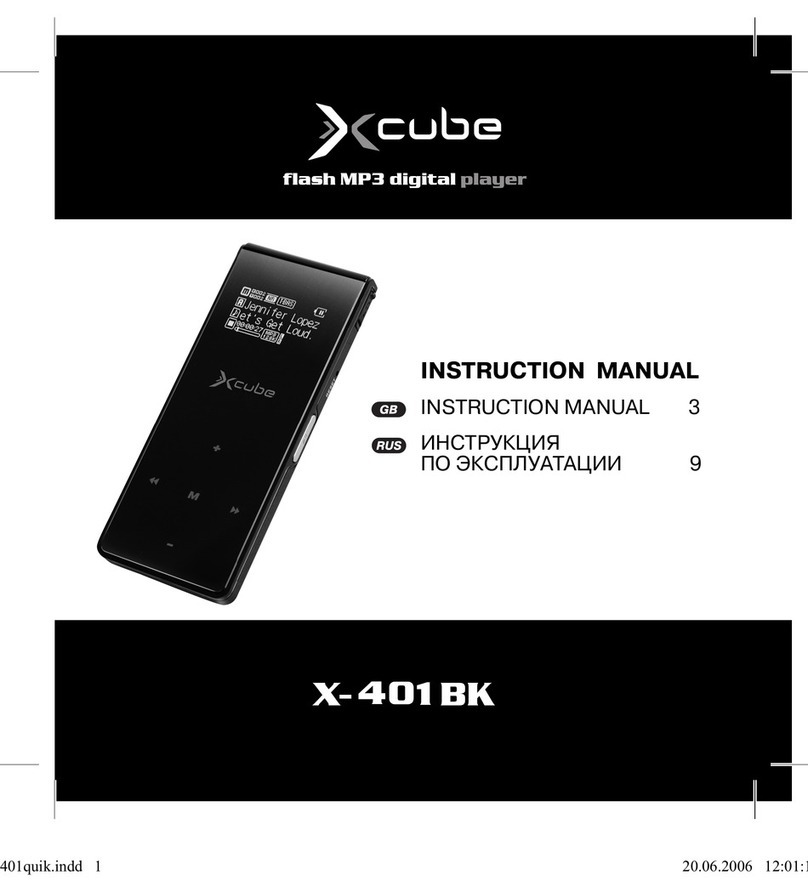
Xcube X-301 BK Manuale utente

INSTRUCTION MANUAL
INSTRUCTION MANUAL 3
ИНСТРУКЦИЯ
ПО ЭКСПЛУАТАЦИИ 10
301short.qxd 01.06.2006 16:22 Page 1

2
301short.qxd 01.06.2006 16:22 Page 2

Player Overview
A. Power on/off
B. Earphone jack
C. Menu/AB Button
D. Play/ Pause
E. Skip next/Fast forward
F. Skip previous/Fast rewind
G. Hold switch
H. Stop
I. Microphone
J. Volume up
K. Volume down
L. USB port
M. Enter button
Transferring files
1. Installing the driver
1.1 Windows® 98SE users: Please install the driver from the
bundled CD disc. After installation is finished, please restart
your computer;
1.2 Windows® Me/2000/XP/Mac® OS X 10.2.6 users: You
need not to install driver.
English
3
301short.qxd 01.06.2006 16:22 Page 3

2. Connecting the player into USB port
2.1 Remove the USB port cover of the player.
2.2 Connect the player into your PC USB port via one USB
cable.
2.3 The builtin displays "USB Connected", indicating that the
player is in USB mode. The player is then automatically rec
ognized (in 'My Computer') as one removable media
device.
3. Transferring files
3.1 Transfer files to or from the internal Flash RAM using
Windows explorer.
3.2 When the displays "USB Connected" again for a while,
unplug the player from your computer.
Listening to music
4. Installing the earphone
4.1 Connect the earphone to the earphone socket.
5. Turn on the player
5.1 Unlock the player.
5.2 Press on the Power button for a while to turn on the player.
5.3 Use the player controls to adjust playback and volume
level.
English
4
301short.qxd 01.06.2006 16:22 Page 4

5.4 Press on the Play button to start music playback.
6. Turn off the player
6.1 Press and hold the Power button for about 3 seconds to
turn off the player.
Video play & Photo show
7. Video play
7.1 Select Video in the Main Menu list and press Play button to
enter Video play.
7.2 Use the Skip buttons to choose the Video and press Play
button to paly.
8. Photo show
8.1 Select Photo in the Main Menu to enter Photo show.
8.2 Select Manual, Slide show, Thumbnail and press Play but
ton to show the Photo.
Voice Recording
9. Start Voice Recording
9.1 Select Record in the Main Menu list and press Play button
or Menu button to enter Record menu, select Start Record
and press Play button or Menu button to begin recording.
9.2 Press the Stop or Menu button to stop the recording and
English
5
301short.qxd 01.06.2006 16:22 Page 5

enter Voice mode.
The voice recording will be saved as a file named Vxxx.WAV
in the Voice folder.
Note that the display will read MEMORY FULL when all
available memory has been used.
10. Playback a Voice Recording file
10.1 Select Voice in the Main Menu to enter Voice mode.
10.2 Select a recording to listen to by pressing the Skip buttons.
10.3 Press the Play button to playback the recording.
FM Tuner
11. Start FM Tuner
11.1 In music mode, press and hold the Menu button for a while
to enter the menu.
11.2 Use the Skip buttons to select FM.
11.3 Press the Menu button. FM Tuner starts.
11.4 The player starts to seek all FM radio stations. Please wait.
11.5 The player would stop seeking at the first FM radio station.
12. Listening to FM radio
12.1 Press on Play or Stop buttons to skip to other FM radio sta
tions which are found and locked by the player automatically.
12.2 To seek a FM radio station manually, press and hold the
Skip buttons.
English
6
301short.qxd 01.06.2006 16:22 Page 6

12.3 To exit FM radio, press and hold the Menu button for a while
and release it when in FM mode.
13. FM radio Recording
13.1 In FM mode, press and hold the Play button for a while and
release it. The player starts to record current FM radio.
13.2 Press on Menu button again to stop FM radio recording.
14. Playback a FM radio recording file
14.1 Exit to Music mode by pressing and holding the Menu button.
14.2 Use Skip buttons to select the file (e.g. F001.WAV).
14.3 Press the play button to start playback.
Menu Settings
15. Setting Menu
15.1 In Music mode, press and hold the Menu button for a while
and release it. The Main menu appears.
15.2 Select Settings from the menu and press Menu button.
15.3 Press the Skip buttons to choose a setting and press Menu
button.
15.4 There are several settings, such as Equalizer, Repeat,
Contrast, Backlight, Power Savings and Record in the
Setting menu.
15.5 Select a setting and use Skip buttons to change the setting.
English
7
301short.qxd 01.06.2006 16:22 Page 7

15.6 To exit the menu, press and hold the Menu button for a
while and release it.
Navigation
16. Navigation
Use Menu button to enter Menu
16.1 Select Navigation and press Menu button to enter naviga
tion mode.
16.2 Press Skip buttons to select Flash Disk and press Menu
button, choose Enter and press Menu button to get to sub
menu.
16.3 Press Skip buttons to select a file or folder and use Play
button to play the music or enter the folder.
16.4 Select the Back icon at first row in Navigation Menu and
press Menu button to backward to upper level.
Note: When a folder is selected in navigation mode, press on
Menu button, a submenu window will popup. To enter the
folder, select Enter. To play music located in the folder,
select Play.
When a file is selected in navigation mode, press on Menu but
ton, a submenu window will popup. To play this file, select
Play. To erase, select Delete.
English
8
301short.qxd 01.06.2006 16:22 Page 8

User's Manual
See the User's Manual on the bundled CD for details on trans
ferring music, Screen display, erase files, setting menus, trou
ble shootings, technical specifications, etc.
Service life – no less than 3 years.
Guarantee
Details regarding guarantee conditions can be obtained from the
dealer from whom the appliance was purchased. The bill of sale
or receipt must be produced when making any claim under the
terms of this guarantee.
This product conforms to the EMCRequirements as laid
down by the Council Directive 89/336/EEC and to the Low
Voltage Regulation (23/73 EEC)
New Media Entertainment(NME) Inc.
25 Greystone Manor Lewes, Delaware 19958
County of Sussex USA
English
9
301short.qxd 01.06.2006 16:22 Page 9

Обзор проигрывателя
A. Вкл./Выкл.
B. Гнездо для подключения наушников
C. Кнопка AB/Menu
D. Воспроизведение/Пауза
E. Перейти вперед/Перемотать вперед
F. Перейти назад/Перемотать назад
G. Переключатель блокировки
H. Стоп
I. Микрофон
J. Увеличить громкость
K. Уменьшить громкость
L. Порт USB
M. Кнопка Enter
Передача файлов
Установка драйвера
Информация для пользователей Windows 98SE:
установите драйвер, находящийся на прилагаемом CD.
По окончании установки перезагрузите компьютер.
Информация для пользователей Windows®
Русский
10
301short.qxd 01.06.2006 16:22 Page 10
Indice
Lingue:
Altri manuali Xcube Lettore MP3