
Zennio Presentia W0 Manuale utente
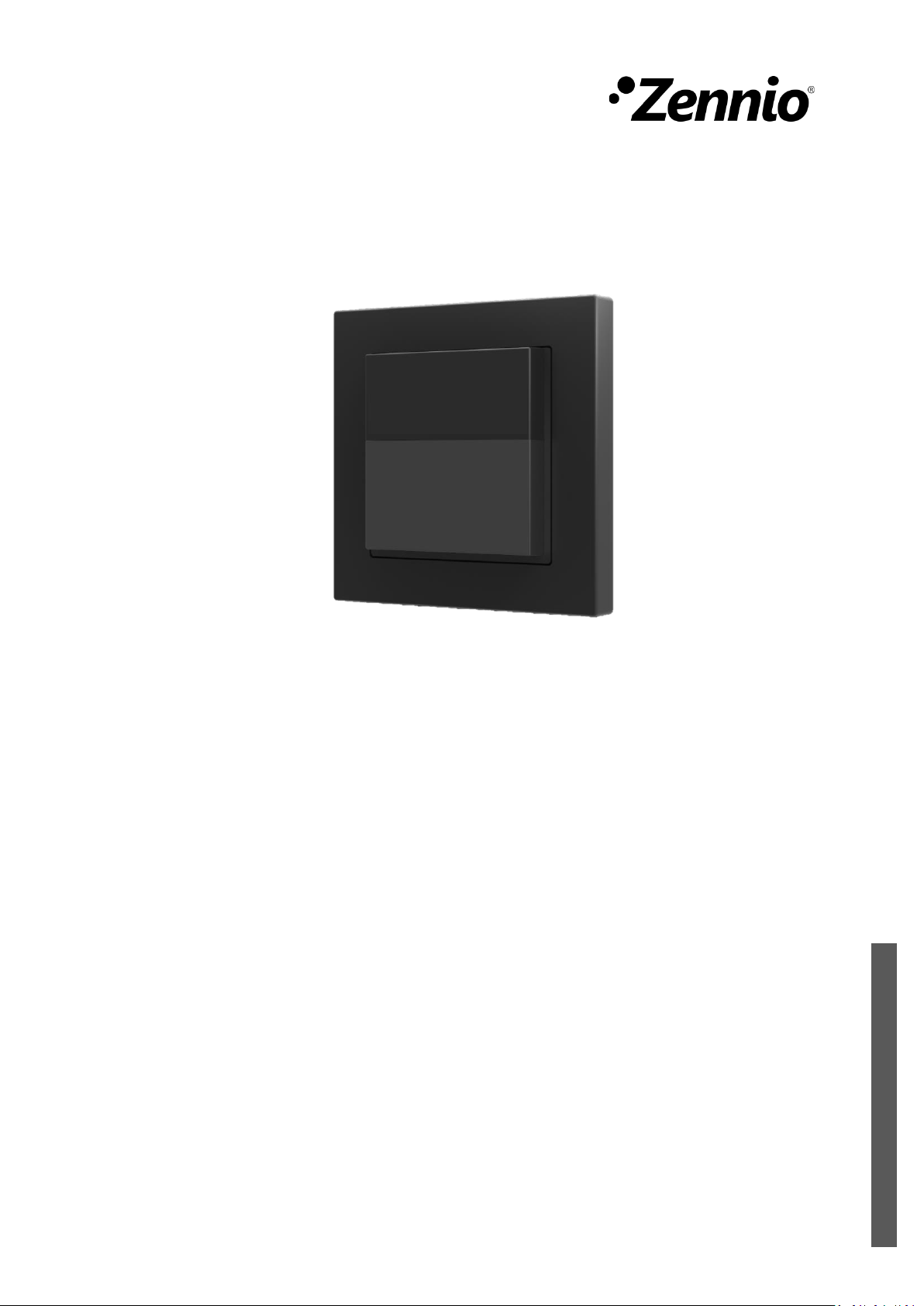

Presentia W0
https://www.zennio.com Technical Support: https://support.zennio.com
2
CONTENTS
Contents........................................................................................................................................ 2
Document Updates ....................................................................................................................... 3
1 Introduction .......................................................................................................................... 4
1.1 Presentia W0................................................................................................................. 4
1.2 Installation..................................................................................................................... 5
1.3 Start-Up and Power Loss............................................................................................... 7
2 Configuration......................................................................................................................... 8
2.1 General.......................................................................................................................... 8
2.1.1 Configuration..................................................................................................... 8
2.2 Motion Detector.......................................................................................................... 11
2.3 Logic Functions............................................................................................................ 12
ANNEX I. Communication Objects............................................................................................... 13

Presentia W0
https://www.zennio.com Technical Support: https://support.zennio.com
3
DOCUMENT UPDATES
Version
Changes
Page(s)
[1.1]_a
Changes in the application program:
•New device recovery objects.
•Optimisation of logic functions, luminosity sensor and
motion detector modules.
•Presence detector is renamed as Motion Detector.
9
-
-

Presentia W0
https://www.zennio.com Technical Support: https://support.zennio.com
4
1INTRODUCTION
1.1 PRESENTIA W0
Presentia W0 from Zennio is a device that aims at, among other functions, the motion
detection, the measurement and control of the room luminosity and the detection of
occupancy within the room where it has been installed. It has been designed for wall
mounting by means of the bundled accessories.
The most outstanding features of Presentia W0 are:
3 available colours, white, black and silver (lens are only available in white
or black).
2 sensors with configurable sensitivities.
1 LED to indicate motion.
Motion detection:
➢6 motion detection channels.
➢Luminosity-dependent motion detection (optional).
➢Periodic and delayed sendings (binary, scene, HVAC, percentage).
Occupancy detection:
➢1x occupancy detection channel.
➢Master / slave configuration.
➢Trigger upon door opening or closing.
➢Periodic and delayed sendings (binary, scene, HVAC, percentage).
Luminosity measurement:
➢Periodic sending or upon value change.
➢Sending of luminosity-dependent notifications.
Day / night configuration.
10 customisable, multi-operation logic functions.
Heartbeat or periodic “still alive” notification.

Presentia W0
https://www.zennio.com Technical Support: https://support.zennio.com
5
1.2 INSTALLATION
Presentia W0 connects to the KNX bus through the on-board KNX connector.
Once the device is provided with power from the KNX bus, both the individual address
and the associated application program may be downloaded.
This device does not need any additional external power since it is entirely powered
through the KNX bus.
Figure 1. Presentia W0. Elements
The main elements of the device are described next.
Programming button (5): a short press on this button sets the device into
the programming mode, making the associated LED (4) light in red.
Note: if this button is held while plugging the device into the KNX bus, the
device will enter the safe mode. In such case, the LED will blink in red every
0.5 seconds.
Detection notification LED (2): emits a light flash whenever the sensor
associated to that zone observes motion.
Note: for an optimal operation of the motion and luminosity sensors it is
recommended that this detection notification LED only be activated during the
installation process.
55,5
55,5
40 32
55,5
55,5
40 32
5
1
2
3
4
6
7
1. Frame.
2. Detection notification LED.
3. Fixing clip.
4. Programming LED.
5. Programming button.
6. KNX connector.
7. Levelling plates (1 y 1,5mm)

Presentia W0
https://www.zennio.com Technical Support: https://support.zennio.com
6
To get detailed information about the technical features of this device, as well as on the
installation process and on security procedures, please refer to the corresponding
Datasheet, bundled with the original packaging of the device and also available at
www.zennio.com.

Presentia W0
https://www.zennio.com Technical Support: https://support.zennio.com
7
1.3 START-UP AND POWER LOSS
During the start-up of the device, the detection notification LED flashes red for one
minute before the motion sensor is operational.
Depending on the configuration, some specific actions will also be performed during
the start-up. For example, the integrator can set whether the detection channels should
start up enabled or disabled.
Presentia W0
https://www.zennio.com Technical Support: https://support.zennio.com
8
2CONFIGURATION
After importing the corresponding database in ETS and adding the device into the
topology of the desired project, the configuration process begins by entering the
parameters window of the device
2.1 GENERAL
This window is subdivided into several other sections, which contain different general
parameters.
2.1.1 CONFIGURATION
ETS PARAMETERISATION
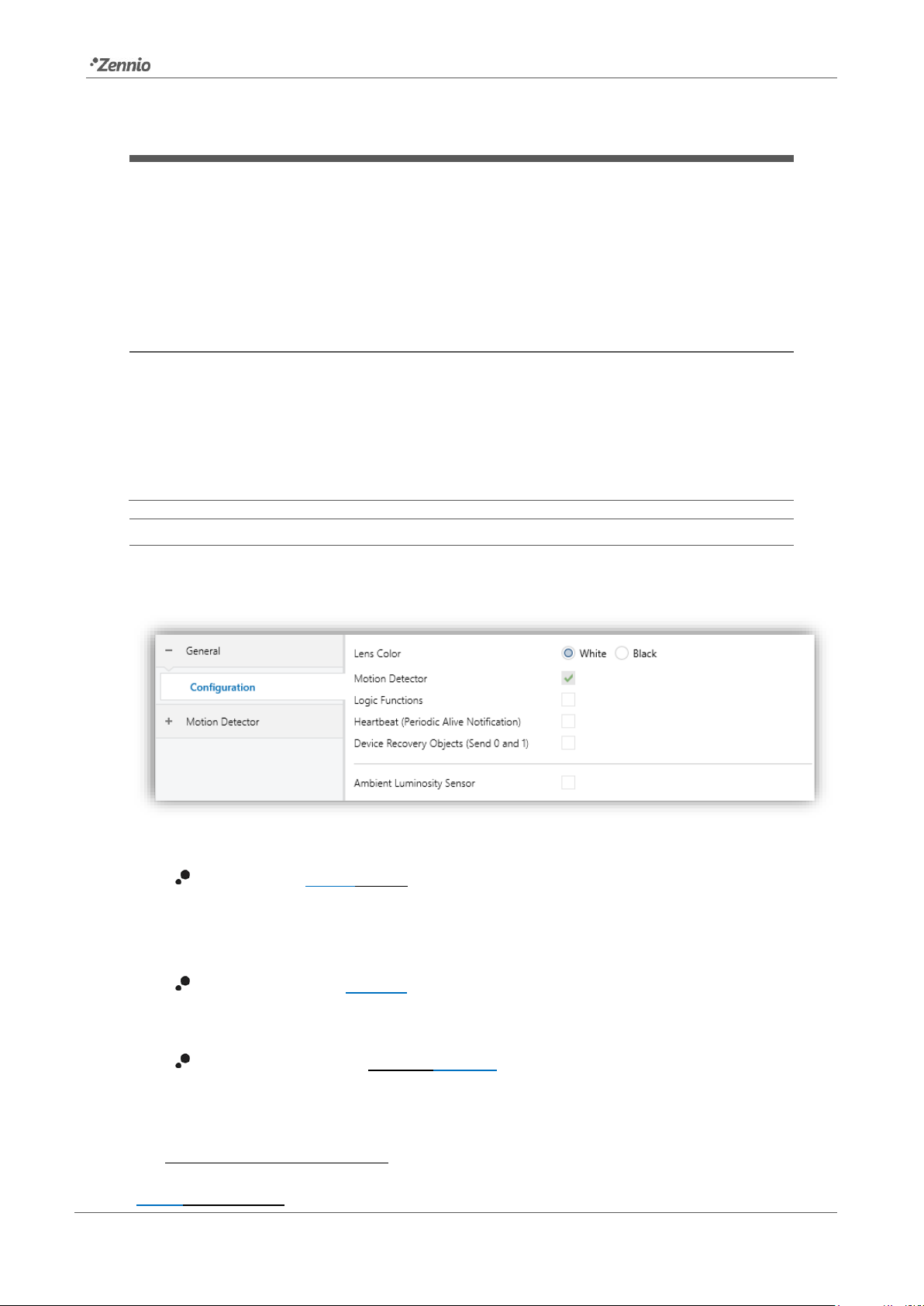
From “General”tab all the required functionality can be activated/deactivated.
Figure 2. General
Lens Color [White / Black]
1
: selects the lens colour depending on Presentia
W0 type (white or black), allowing a correct measurement of luminosity and
detections through the sensors.
Motion Detector [enabled]: enables the “Motion Detector” tab in the tree on
the left. For more information, see section 2.2.
Logic Functions [enabled/disabled] enables or disables the “Logic
Functions” tab in the tree on the left. For more information, see section 2.3.
1
The default values of each parameter will be highlighted in blue in this document, as follows:
[default/rest of options].
Presentia W0
https://www.zennio.com Technical Support: https://support.zennio.com
9
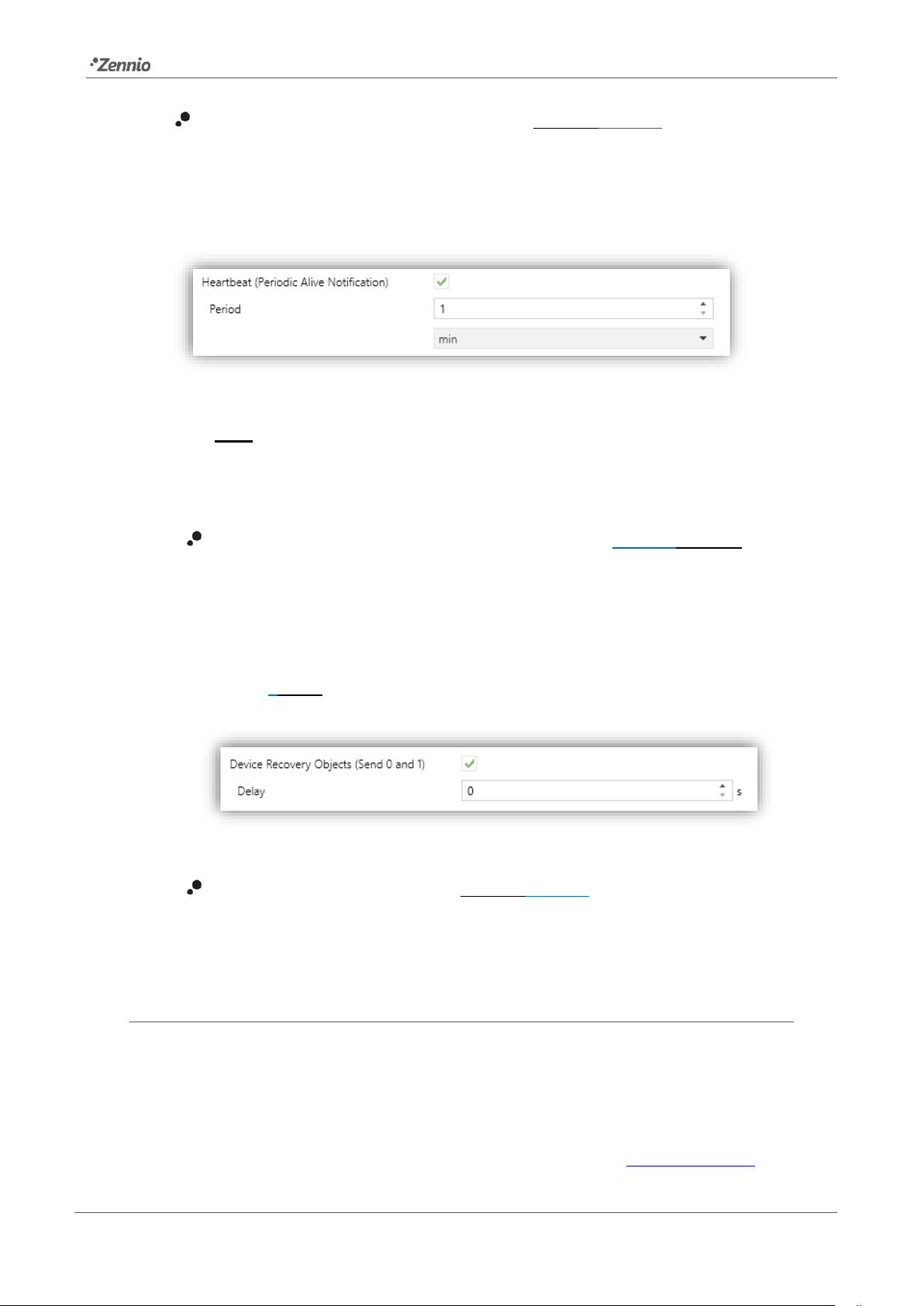
Heartbeat (Periodic Alive Notification) [enabled/disabled]: incorporates a
one-bit object to the project (“[Heartbeat] Object to Send ‘1’”) that will be
sent periodically with a value of “1” to notify that the device is still working (still
alive).
Figure 3. Heartbeat
Note: the first sending after download or bus failure takes place with a delay
of up to 255 seconds, to prevent bus overload. The following sendings
match the period set.
Device Recovery Objects (Send 0 and 1) [disabled/enabled]: this
parameter lets the integrator activate two new communication objects
(“[Heartbeat] Device Recovery”), which will be sent to the KNX bus with
values “0” and “1” respectively whenever the device begins operation (for
example, after a bus power failure). It is possible to parameterise a certain
delay [0…255] to this sending.
Figure 4. Device Recovery Objects.
Ambient Luminosity Sensor [enabled/disabled]: enables or disables the
ambient luminosity sensor. When enabled, a new tab is added in the tree on
the left. For more information, see section 2.1.1.1.
2.1.1.1 AMBIENT LUMINOSITY SENSOR
Presentia W0 incorporates a luminosity sensor to receive and monitor ambient
luminosity measurement.
Please refer to the specific manual “Luminosity and Proximity Sensor” (available in
the Flat Display product section at the Zennio homepage, www.zennio.com) for

Presentia W0
https://www.zennio.com Technical Support: https://support.zennio.com
10
detailed information about the functionality and the configuration of the related
parameters.
Note: Proximity functionality, described in the "Luminosity and Proximity Sensor"
manual, is not included in Presentia W0.
Altri manuali per Presentia W0
1
Questo manuale è adatto per i seguenti modelli
1
Indice
Altri manuali Zennio Sensore di sicurezza

Zennio
Zennio WinDoor RF Manuale utente

Zennio
Zennio ZN1IO-DETEC Manuale utente

Zennio
Zennio EyeZen RF ZPDEZRF868 Manuale utente

Zennio
Zennio Presentia C v2 Manuale utente

Zennio
Zennio WinDoor RF Guida

Zennio
Zennio EyeZen TP Manuale utente

Zennio
Zennio Presentia W0 Manuale utente

Zennio
Zennio EyeZen TP v2 Manuale utente

Zennio
Zennio EyeZen TP vT Manuale utente

Zennio
Zennio Presentia C v2 Manuale utente


