
AirMobi iReceiver Manuale utente
1
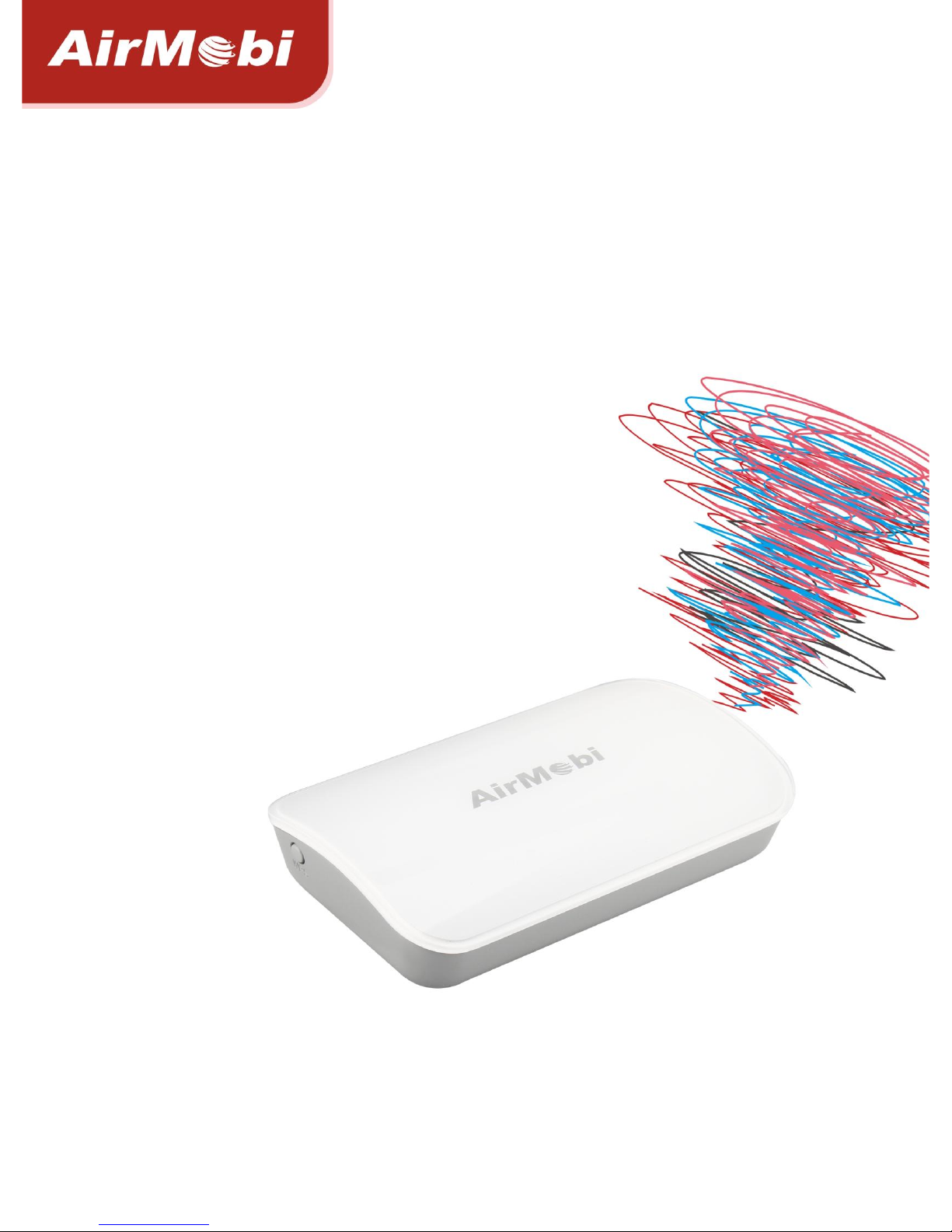
WiFi Music Receiver
iReceiver
User Manual
V1.0

2
Copyright Statement
AirMobi is the registered trademark of Shenzhen Huaxunark Technology Co., Ltd. Other trademark
or trade name mentioned herein are the trademark or registered trademark of the company.
Copyright of the whole product as integration, including its accessories and software, belongs to
Shenzhen Huaxunark Technology Co., Ltd. Without the permission of Shenzhen Huaxunark
Technology Co., Ltd., individual or party is not allowed to copy, plagiarize, imitate or translate it
into other languages.
All the photos and product specifications mentioned in this manual are for references only, as the
upgrading of software and hardware, there will be changes. And if there are changes, AirMobi is
not responsible for informing in advance. If you want to know more information about our
products, please visit our website at www.cctairmobi.com.

i
CONTENTS
Copyright Statement ..................................................... 1
Chapter 1: Introduction .................................................. 1
Product Overview ..................................................................... 1
Main Features........................................................................... 2
Chapter 2: Installation ................................................... 3
Operating Mode Introduction .................................................... 3
Configure the Computer’s IP Address.......................................... 3
Setup Wizard .......................................................................... 13
Music Streaming ..................................................................... 15
Chapter 3: Software Configuration.................................... 17
Login...................................................................................... 17
Running Status........................................................................ 17
Setup Wizard .......................................................................... 18
Network Settings .................................................................... 18
Wireless Settings..................................................................... 18
System Tools .......................................................................... 23
Chapter 4: Specification................................................ 25
Appendix A: Troubleshooting ......................................... 27
Appendix B: Certification .......................................... 28
CE Mark Warning .................................................................... 28
Appendix C: Glossary................................................ 29

WiFi Music Receiver www.cctairmobi.com
1
Chapter 1: Introduction
Product Overview
Thank you for choosing iReceiver WiFi Music Receiver.
iReceiver WiFi Music Receiver allows you to play, control and listen all your favorite music
wirelessly from your Smart Phone, Tablets, notebooks or other WiFi enable PC, through your
home stereo, headphone or car stereo system. With the advanced soft decoding technology, you
can enjoy fantastic and high quality music. iReceiver is easy to use, plug iReceiver into a USB port
with the micro USB cable, connect to your stereo system, then sit back and enjoy your music-
without worrying about the media cable fetter. Moreover, you can extend your existing Wi-Fi
network’s range by simply pressing the WPS button.
Top Panel
LED
Status
Description
SYS
Solid Red
During Power ON or system is defective.
Solid Blue
The device is powered ON and operating properly.
Blinking Blue
The device is processing WPS or settings are saving by App.

WiFi Music Receiver www.cctairmobi.com
2
Side Panel
Button/Interface
Description
WPS
Use for connecting device to your wireless network.
AUDIO
Connect stereo or speakers.
Micro USB
Connect USB adapter (5V, 0.5A) to power the device.
RST
Long press and hold the button for 5 seconds, the device will
reboot to its factory default settings.
Main Features
Streams music from Smart Phone, Tablet, notebook to stereo wirelessly
Receives up to 100 meters away
IEEE 802.11b/g/n, wireless speed up to 150Mbps
Extends an existing Wi-Fi network’s range by simply pressing the WPS button
Compatible with AirPlay and DLNA
Supports iOS, Android OS, Mac OS and Windows
Free App for for iPhone, iPad and Android mobile devices
WiFi Music Receiver www.cctairmobi.com
3
Chapter 2: Installation
Operating Mode Introduction
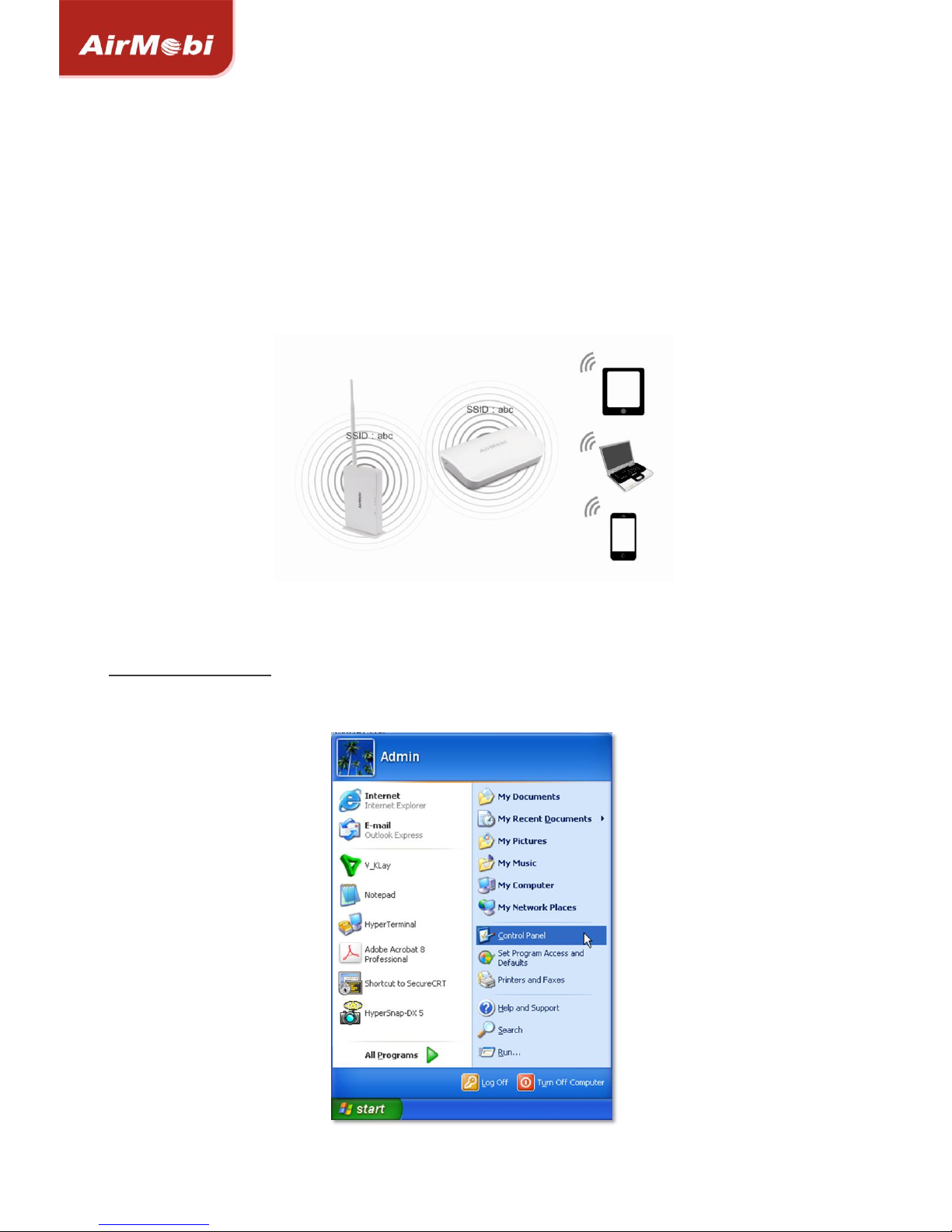
This WiFi Music Receiver supports Repeater function, it can be used for extending the coverage of
your root wireless router, boost the wireless signal strength.
Configure the Computer’s IP Address
For Windows XP/2000
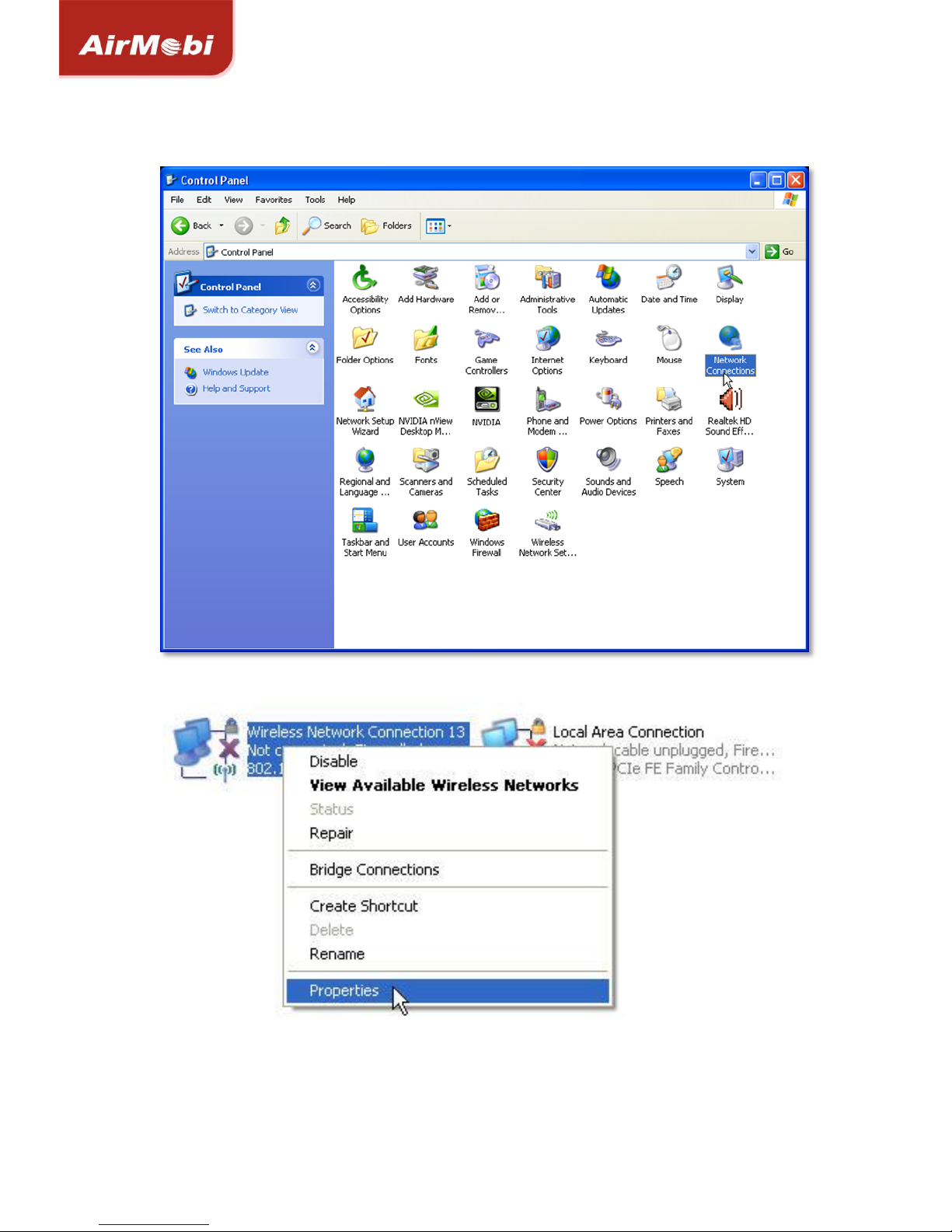
1) Click Start > Control Panel.
WiFi Music Receiver www.cctairmobi.com
4
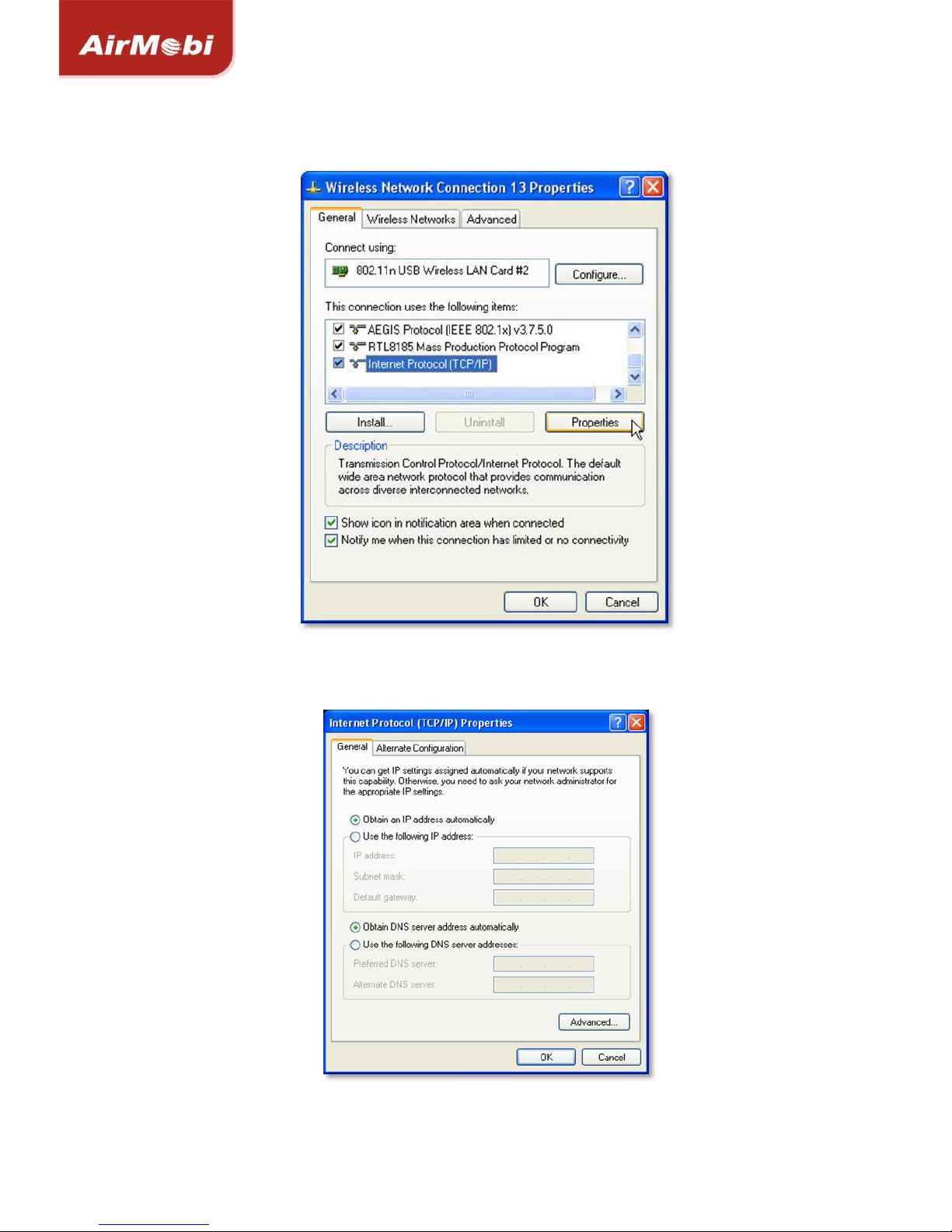
2) Select and double click Network Connections.
3) Right click Wireless Network Connection and then select Properties.
WiFi Music Receiver www.cctairmobi.com
5
4) Select Internet Protocol (TCP/IP) and click Properties.
5) Select Obtain an IP address automatically and Obtain DNS server address automatically.
Then click OK.
WiFi Music Receiver www.cctairmobi.com
6
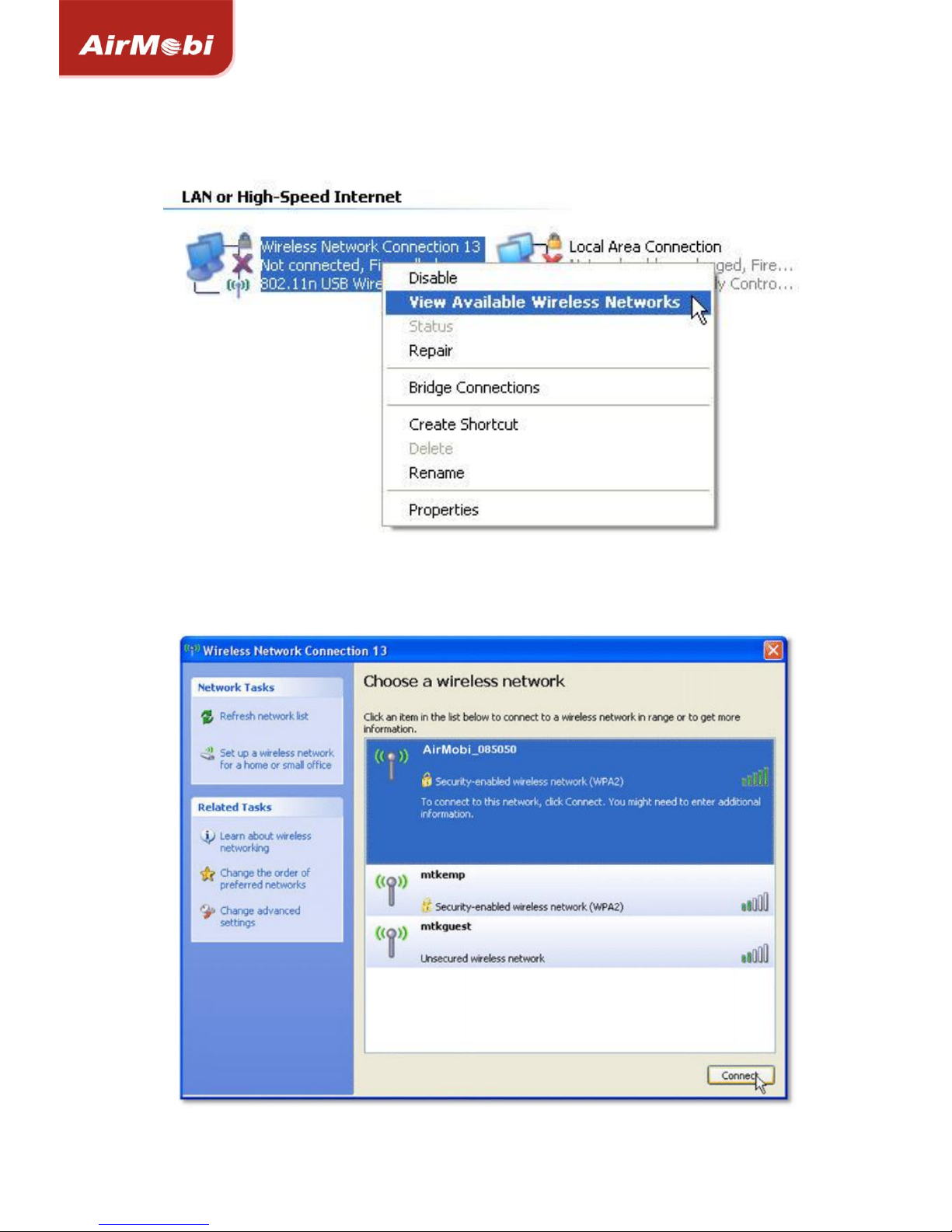
6) Right click on Wireless Network Connection again, choose View Available Wireless Networks.
7) Click Refresh network list, search for AirMobi_XXXXXX, highlight on it and then click Connect
button.
WiFi Music Receiver www.cctairmobi.com
7
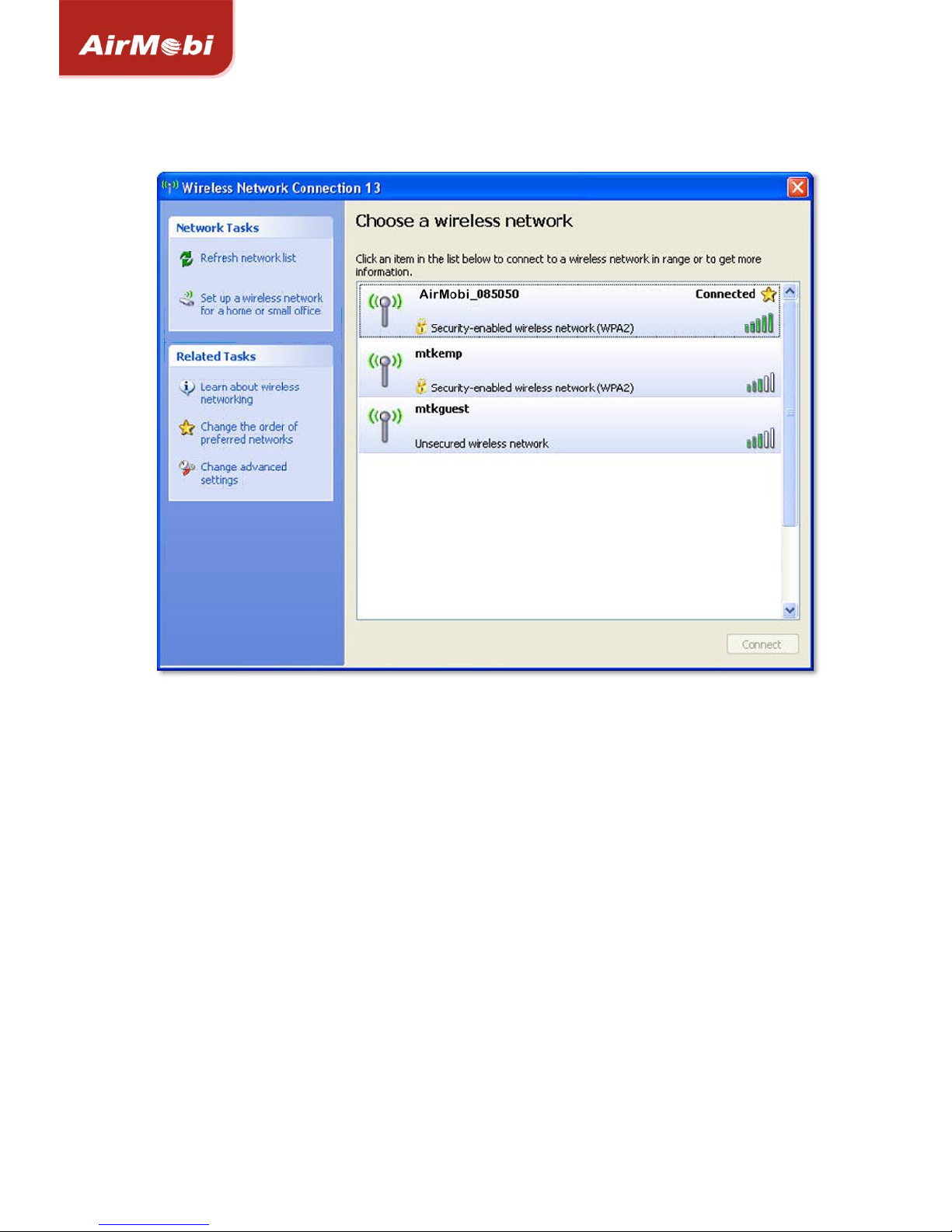
8) If the connection is successful, you can see it showing connected.
Altri manuali per iReceiver
1
Indice
Altri manuali AirMobi Ricevitore


