Alfa Network AFSG-2242 Manuale utente


IP- MAC Lock Control brief introduction
product special feature introduces
Web-Based Management ……………………………… 06
Web interface management style- The system logs on… 07
Web manages a menu brief introduction ……………… 08
System information explains …………………… 10
IP structure explains ……………………………… 11
SET DHCP Server……………………………… 13
DHCP user's information ……………………………… 15
SET DHCP Server - Port and IP Bindings ………………… 16
TFTP - Update Firmware ………………… 17
TFTP – Restore Configuration ………………… 22
TFTP - Backup Configuration ………………… 24
System Event Log …………………… 26
SET SMTP Configuration ………………… 27
SET Event Configuration ………………… 29
SET SNTP ………………………………… 31
SET IP Security ………………………… 34
SET User Authentication …………………… 36
Rank manage setting–to broadcast storm filtering… 37
Rank manage setting–Aging Time ………………… 38
Rank manage setting–Jumbo frame ………………… 38
Port Statistics …………………………… 39
Port Control …………………………… 41
Port Trunk ……………………………… 43
Aggregator Information…… ………………… 45
State Activity ……………………………… 46
Port Mirroring ………………………………… 47
Rate Limiting………………………………… 48

- 2 -
SET VLAN configuration ………………………… 50
SET Port-based VLAN ……………………… 51
SET 802.1Q VLAN …………………………… 53
SET Group Configuration ………………… 56
SET 4094 802.1Q VLAN Mode ………………… 57
Rapid Spanning Tree ………………………… 58
RSTP - Port Configuration ………………………… 60
SNMP v1 / v2c Configuration …………………… 62
Trap Configuration …………………………… 64
SNMP v3 Configuration ………………………… 65
QoS Configuration ……………………………… 68
IGMP Configuration …………………………… 70
LLDP …………………………………………… 72
IP-MAC-LOCK …………………………………… 73
Use for the very first time the function of IP- MAC Lock 73
SET IP-MAC Lock……………………………… 78
opportune moment of hand operation Lock(blockade) …… 78
SET IP-MAC Lock status ………………………82
IP-MAC Locked Table lock out table and learning table… 84
IP – MAC Lock function usage … personnel manage …88
IP – MAC Lock function usage … equipment manage…89
IP – MAC Lock function usage … space manage ……91
IP – MAC Lock function usage … direct defense usage…93
IP – MAC Lock function usage … brush card will also……95
IP – MAC Lock an usage … economic type ……………96
IP – MAC Lock an usage … enter the rank manage…………97
Security manage … ………………………………………… 98
SET 802.1x Per Port Configuration ……………100
Misc Configuration ………………………………… 101
SET MAC Address Table …………………… 102
SET MAC Filtering ………………………104

- 3 -
View All MAC Addresses ……………………… 105
Access Control List(ACL) …………………… 106
How make use of ACL the function reach space to control… 107
Illegal DHCP Server filters…………… 112
Factory Default ………………...…………… 113
Save Configuration ………………………… 114
System Reboot ………………………………… 115
CLI operates an instruction set ……………… 116
Troubleshooting ……………………………… 146
Technical Specification …………..……… 149
Appendix …………………………………… 151

- 4 -
Lock of the IP- MAC Control is a local - area network information
security a key defense line, the IP in the local - area network's using a
security is easily ignored, no matter BE deliberately embezzle, or
usually caused the trouble of information personnel management as
for misapplication that pay no attention.。
IP-MAC Lock Control the local - area network security control an
expert, can let the indocile user appear original shape, can't do as
pleases any further, spreads widely change IP, change MAC and
change a connector without the block …all forbid to move!
IP-MAC Lock Control can help information, the personnel effectively
manages the usage of network, and the illegal user has no the form
escaped.
IP – MAC Lock Switch
AFSG – 2242
Layer2 24+2G Switch / IP - MAC Lock control : 200 Rule
Exchange capability : 9.6Gbps
About …. IP – MAC Lock Control

5
Adopt the chip of the latest ASIC, handle capability multiplication
complete hardware type handles the function of IP- MAC Lock.
Support Multilingual to turn a management interface
Found exchanger Multilingual to turn a management interface, manage more
diversified.
Automatically learn on-line information of the IP/ MAC/ Port/ VLAN
Don't need to pursue a pen to key-in the data of the IP/ MAC, can be opened
by the automatic lieutenant general of the learning detailed list legal user to
allow detailed list.
Can the single port select IP – MAC the function of Lock or Mapping
The information personnel goes to work time and can select Lock the function
locks dead to make trouble ghost, the public holiday can start Mapping function
and let oneself lightly loosen a loose management network!
bandwidth limits
accurate bandwidth limits, the least limits unit: 64 kbpses.
Layer 2 ~ Layer 4 ACL
hardware type ACL controls.
Advantage of VLAN
Support 4094 sets of VLANs, can set 4094 sets of VLANs at a time.
DHCP Client
Can aim at a constant port to start the function of quiescent DHCP, the user
can obtain same IP every time through the DHCP function.
DHCP Server Filter
Can expel other illegal DHCP Server device, avoid the IP issue network of the
conflict influence using as usual.
Remote Control
Can carry on a Remote Control through the Web's method, and can limit a
certain particular IP on-line management, is not allowed of IP can't on-line.
Special specification

6
Web-Based Management
This chapter will introduce structure and function concerning network interface
management management.
network interface manage
In the central panel flash memory of transducer in having already contained HTML
the format can provide a valid management and let the user all anywhere can manage
this transducer as Explorer of Internet of Microsoft through the browser of
standardization at any time.
The network interface management supports Explorer of Internet 5.0. It can reduce
the dissipation rate of computer bandwidth and provide to sooner and soon and more
simplely browse an interface.
Note : According to the default, IE5.0 or after of the release also disallow Java
Applets open usage distance, The user has to immediately change the rear of the
browser setting and can use.
Use a special note for the very first time
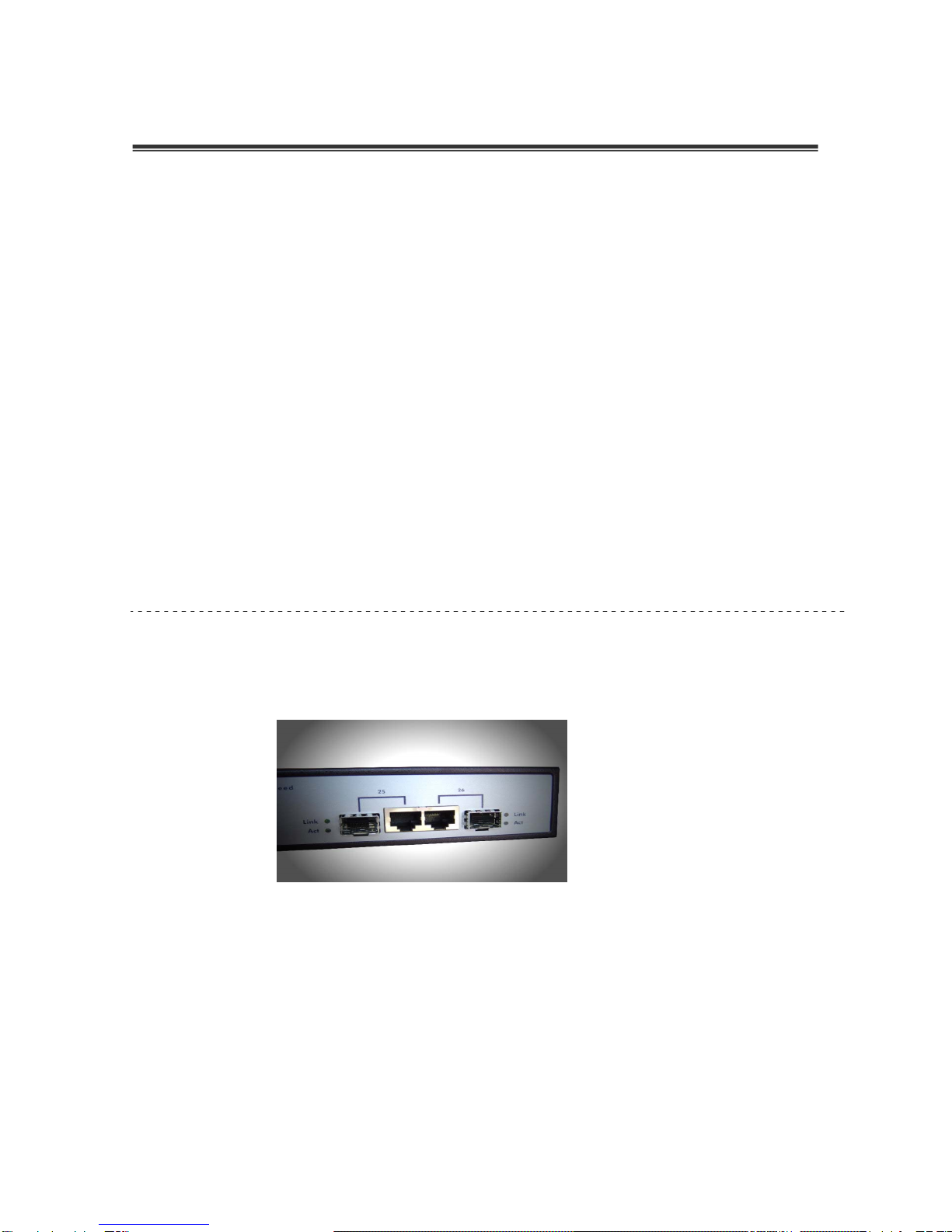
The string connects a port( Uplink Port) to please to use Port 25 and Port 26.
Note:
This series product 1~24 Ports controls range for the IP-MAC Lock, therefore the
string connects a port( Uplink Port) unwell be used for a 1~24 Ports, at IP-MAC Lock
function start, if the immodesty misapplication will make the network broken a wire
phenomemon, you as long as link the connector of the management computer at Port
25 or Port 26 can get into this machine management interface, first IP-MAC Lock
function close, again connect string to port exactitude connect connect Port 25 or
Port 26, again start IP-MAC Lock the function can immediately operate as usual.

7
Web interface management style- The system logs on
At first factory default
IP address : 192.168.2.1
Sub - network : 255.255.255.0
Gateway : 192.168.2.254
User name : admin
Password : password
1. Run Internet Explorer.
2. Press the Enter key after inputing an IP address..
3. Log on menu to appear
4. Key-in user name and password. The in advance setting user name and
password are "admin" and" password" respectively.
5. After clicking ENTER or OK key, can present the page of network
management system.

8
Web manages a menu brief introduction
Above graphic: Stats of Port(the port link a status)
When the port connectivity operates, the port's will display green lamp signal.
Left side graphic: The function manages row
The containment of the system function:
The system address of the information/ IP sets/ DHCP server/ TFTP update picking/
event record/ SNTP time set/ safe ccess management/ user name and password
manage/ enter the rank manage.
Port function containment:
Port status/ Port controls/ Port remit to gather/ Port monitor/ the bandwidth set.
Layer of Protocol 2 containment of the setting functions:
VLAN / RSTP / SNMP / QoS / IGMP / LLDP。

9
containment of the interblock function of IP and MAC:
The IP and MAC interblock sets the interblock status of table/ IP and MAC to set/ IP
and MAC learn and lock out table.
network security manages function containment:
access of the 802.1 xes/Radius/ MAC address table/ ACL controls tabulator/ illegal
DHCP filter setting.
Independent picking function:
Recover default/ storage initial value/ reboot.
Altri manuali per AFSG-2242
1
Indice
Altri manuali Alfa Network Interruttore