
Alfano ADSMAG Manuale utente

Copyright 2005 Alfano, S.A. Tous droits réservés. 1
ADSMAG
Manual ( N)
Firmware 0.1
Serial
Be preserved
1
0
0
0
Copyright 2005 Alfano, S.A. Tous droits réservés. 2
INSTALLATION
•It consists of 6 L Ds, 4 buttons, the external dimensions are
133,5x90x40mm, weight 275gr.
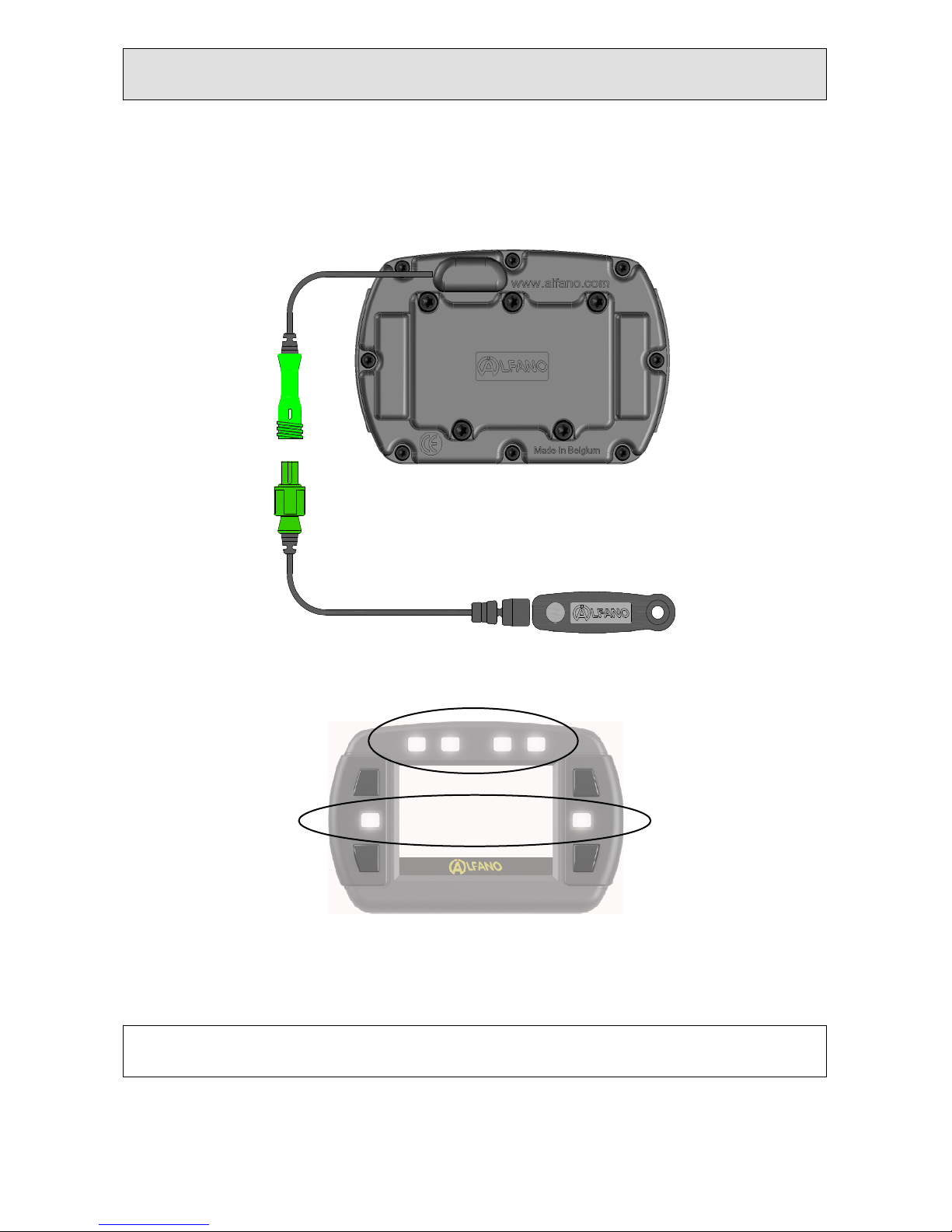
•The ADSMAG is equipped with a magnetic sensor ref. A1301
•Batteries : Type 2xAA
The four L Ds above the screen are activated by running the fastest time
achieved.
The two L Ds on the sides are activated by running the best partial.
DESIGNED FOR RENTAL
MAG

Copyright 2005 Alfano, S.A. Tous droits réservés. 3
Power On
Press the button on the bottom right, the
system is activated on the main page.
Backlig t
Depending on the setting in the S TUP
DISPLAY, the Alfano is active in several ways :
• "OFF" : Alfano the comes on without
backlight.
• "MAN" : the Alfano activates the
backlight :
o To activate : press the "ON", then
adjust the light intensity.
o To not activate : press the "OFF" or do
nothing for 3 seconds.
•"1-9" : The backlight automatically turns
on ALFANO.
Finally, the Alfano is positioned on "HOM ".
•Measurer status battery
•Measurer memory available
•Icon backlight

Copyright 2005 Alfano, S.A. Tous droits réservés. 4
Turn Off
From the main page, press the button on the
bottom right.
CIRCUIT, Configuration
From the main page, press the button on the
bottom left.
For t e visualization and t e logical recording of t e data, it is necessary,
before using t e ALFANO in race, to configure t e morp ology of t e
track.
-With the arrow « » at the top, choose the number of magnetic
strips installed on the circuit.
-With the arrow « » down, choose which band Magnetic must
start the stopwatch.
-Press on « OK » to finish the configuration of the circuit.
In the following example : configuration of a circuit with three magnetic
stripes with the departure timing from the second magnetic stripe.
This figure shows a circuit with a
magnetic stripe.

Copyright 2005 Alfano, S.A. Tous droits réservés. 5
Press the arrow above to add a second
magnetic stripe.
Press the arrow above to add a third
magnetic stripe.
Press the arrow down to select the
starting point of the timing of the second
magnetic strip, then press on « OK » to
finish the configuration of the circuit.
Note : this circuit will be in memory until
you change the morphology.
Windows race & Setting Led
From the main page, press the button at
the top right.
Then press on « C oice » to display
windows race (layout). Currently, there
are 12 windows to choose from.

Copyright 2005 Alfano, S.A. Tous droits réservés. 6
Press Setup to set the
maintenance of the lap time, the
brightness of the backlight and
L D. ach "Layout" is numbered to
facilitate the choice, this figure
with the word «Confirm» appears
only a few seconds. Press the
button « Confirm » to choose,
even if this word is no longer
visible on the screen.
The windows of racing
Race « 1 »
•Lap time
•Best ( best lap )
Race « 2 »
•Lap time
•Difference on the lap
•Difference on partial
Race « 3 »
•Lap time
•Nr of laps
•Difference on the lap
•Difference on partial

Copyright 2005 Alfano, S.A. Tous droits réservés. 7
Race « 4 »
•Lap time
•Nr of laps
•Difference on the lap
Race « 5 »
•Lap time
•Nr of partial
•Difference on the lap
Race « 6 »
•Lap time
•Nr of laps
Race « 7 »
•Lap time (R V RS )
•Nr of laps
•Difference
Race « 8 »
•Lap time with partial
ACCUMULAT D
•Nr of laps
•Difference

Copyright 2005 Alfano, S.A. Tous droits réservés. 8
Race « 9 »
•Lap time
•B ST lap
•Times of partial
•Nr of laps
•Nr of partial
•Difference on the lap
•Difference on partial
Race « 10 »
•Lap time
•B ST lap
•Times of partial
•Nr of laps
•Nr of partial
•Difference on the lap
•Difference on partial
Race « 11 »
•Nr of laps
Race « 12 »
•Lap time
•Times of partial
•Nr of laps
•Nr of partial
•Difference on partial
Note : You can c ange t e display w ile driving on t e circuit, wit t e
same button. Ot er windows will be available in t e future.

Copyright 2005 Alfano, S.A. Tous droits réservés. 9
Start a timing session
and use t e Alfano in race
Start a timing session
Upon detection of the start line,
the system displays window
race, timing and recording starts.
To c ange t e window in race
Then press the button at the top
right.
To enable or disable
t e backlig t in t e race
Press the button on the top
left.
Copyright 2005 Alfano, S.A. Tous droits réservés. 10
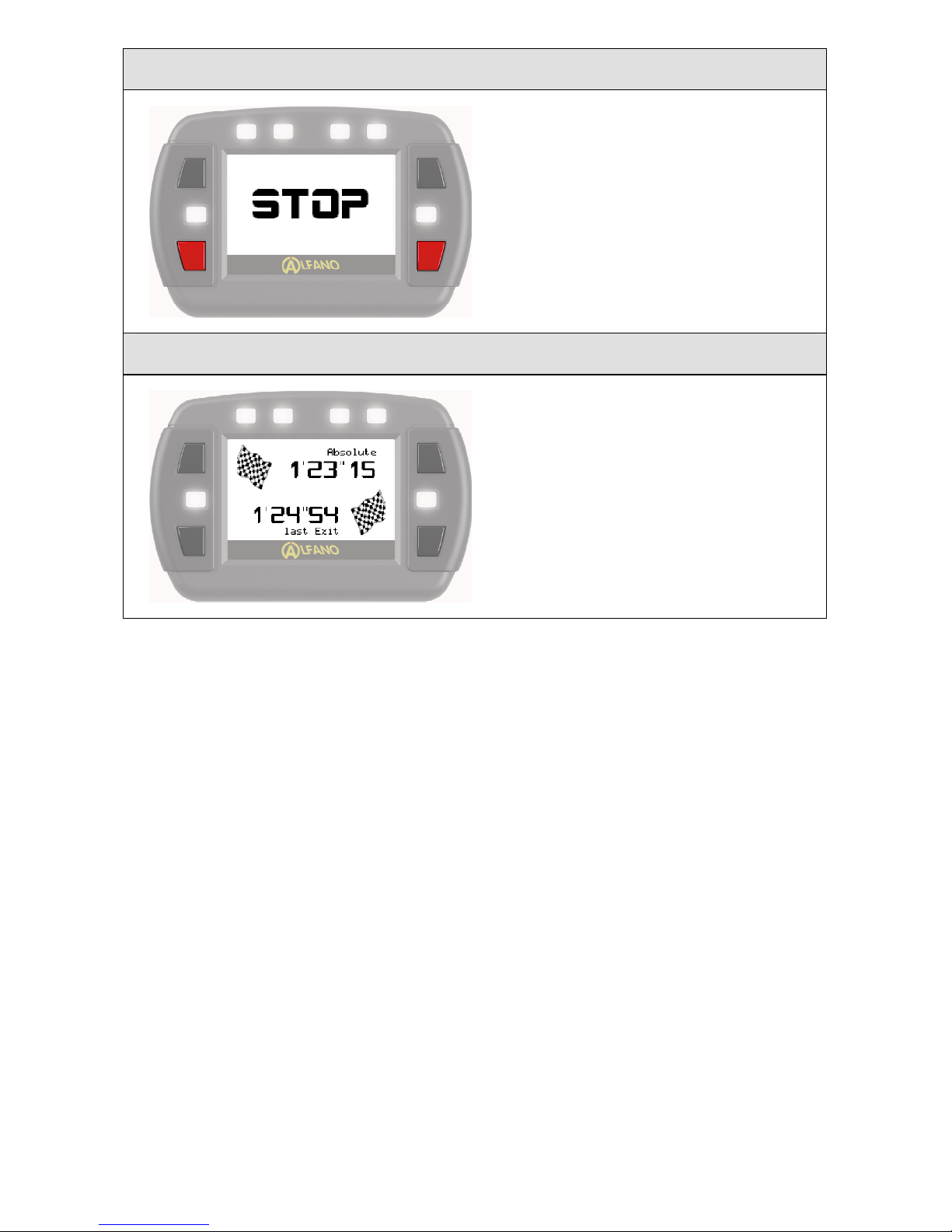
To close t e session
Press the button on the botton
left or botton right. STOP
appears for a few seconds.
Best laps
Before returning to the main
page, the ALFANO shows the
best time and the best time of
the last session
Indice
Altri manuali Alfano Timer


