
ASPERA F46 Manuale utente
-1-
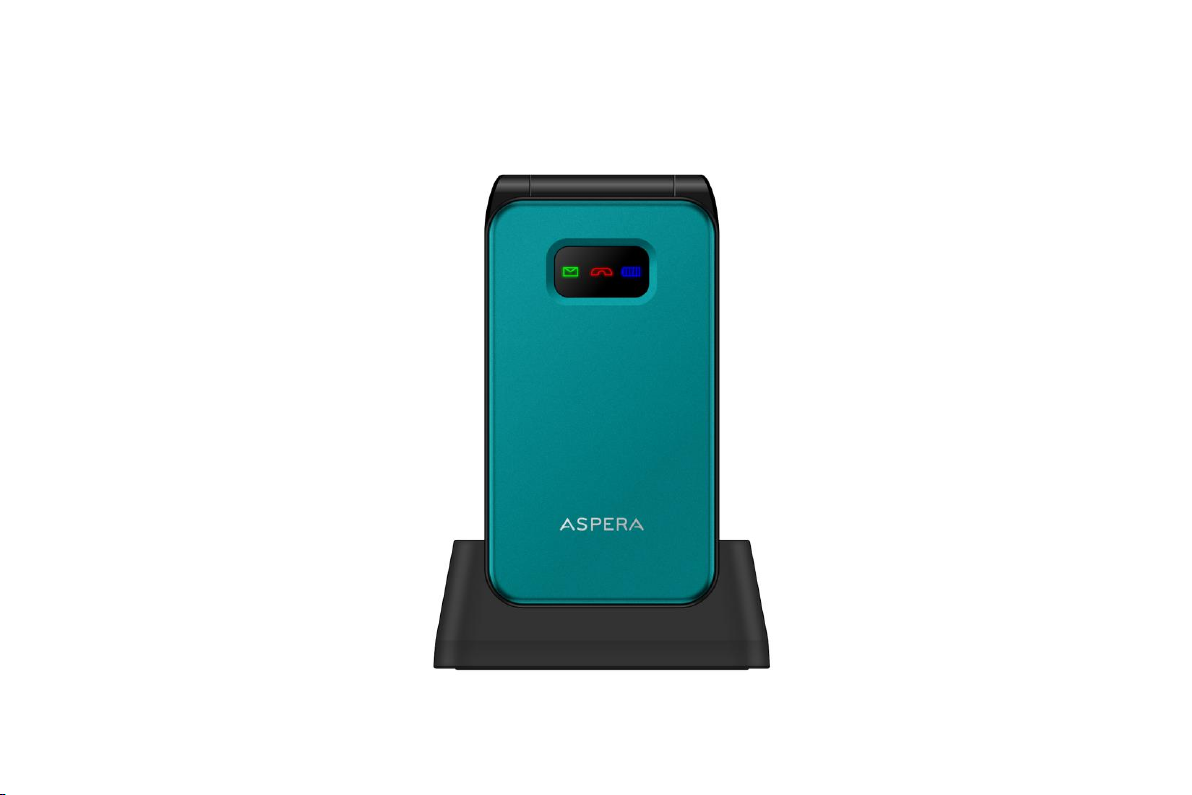
Aspera F46

-2-
User Manual
1Aspera F46 handset layout .......................................................................................................................................7
2General Information.................................................................................................................................................8
2.1 Profile.............................................................................................................................................................. 8
2.2 Safety Information .......................................................................................................................................... 8

-3-
2.3 Safety warning and Attentions ........................................................................................................................ 8
3Getting started.........................................................................................................................................................10
3.1 Installing SIM Cards and the Battery............................................................................................................ 10
3.2 Installing SD Card......................................................................................................................................... 15
3.3 Charging the Battery ..................................................................................................................................... 15
3.4 Powering On/Off the Mobile Phone ............................................................................................................. 18
3.5 Linking to the Network................................................................................................................................. 18
3.6 Dialing Calls ................................................................................................................................................. 18
3.7 Using the Headset ......................................................................................................................................... 20
2.8 Turning phone on silent ...................................................................................................................................... 20
2.9 Adjusting volume during a call ........................................................................................................................... 20
4Input method ...........................................................................................................................................................21
4.1 Selecting Input Methods ............................................................................................................................... 21
4.2 To Change Entry Methods ............................................................................................................................ 21
4.3 Numeric Input ............................................................................................................................................... 21
4.4 English input and numeric input: .................................................................................................................. 21
4.5 Inserting a Symbol ........................................................................................................................................ 23
5Using the Menus......................................................................................................................................................23

-4-
5.1 Messages....................................................................................................................................................... 23
Write message ................................................................................................................................................................... 23
Conversations.................................................................................................................................................................... 23
Drafts ................................................................................................................................................................................ 24
Sent messages ................................................................................................................................................................... 24
Delete messages................................................................................................................................................................ 24
Broadcast messages .......................................................................................................................................................... 24
Message settings ............................................................................................................................................................... 25
5.2 Phonebook..................................................................................................................................................... 25
5.3 Setting up Speed dial..................................................................................................................................... 26
5.4 Call Logs....................................................................................................................................................... 27
Go to menu –scroll to the phone icon “Call logs” click on it........................................................................................... 27
Missed Calls...................................................................................................................................................................... 27
Dialed Calls....................................................................................................................................................................... 27
Received Calls .................................................................................................................................................................. 27
Delete call logs.................................................................................................................................................................. 28
Call timers......................................................................................................................................................................... 28
5.5 Multimedia.................................................................................................................................................... 28
Camera .............................................................................................................................................................................. 28
Gallery .............................................................................................................................................................................. 28
Video camera .................................................................................................................................................................... 28

-5-
Audio player...................................................................................................................................................................... 29
Video................................................................................................................................................................................. 29
FM radio ........................................................................................................................................................................... 29
5.6 SOS Setting................................................................................................................................................... 30
5.7 Settings.......................................................................................................................................................... 30
Sound profiles ................................................................................................................................................................... 30
Changing the ringtone....................................................................................................................................................... 31
Turning the phone to silent ............................................................................................................................................... 31
Call settings....................................................................................................................................................................... 31
Phone Settings –go to Settings –Phone settings.............................................................................................................. 32
Security Settings ............................................................................................................................................................... 33
Display settings:................................................................................................................................................................ 34
Connections....................................................................................................................................................................... 34
5.8 My files and Micro SD card.......................................................................................................................... 34
5.9 Tools.............................................................................................................................................................. 35
❖Calendar ................................................................................................................................................................... 35
❖Calculator ................................................................................................................................................................. 35
❖Bluetooth.................................................................................................................................................................. 35
❖Alarm ....................................................................................................................................................................... 35
6. Telecoil –Hearing aid compatibility .........................................................................................................................36

-6-
-7-
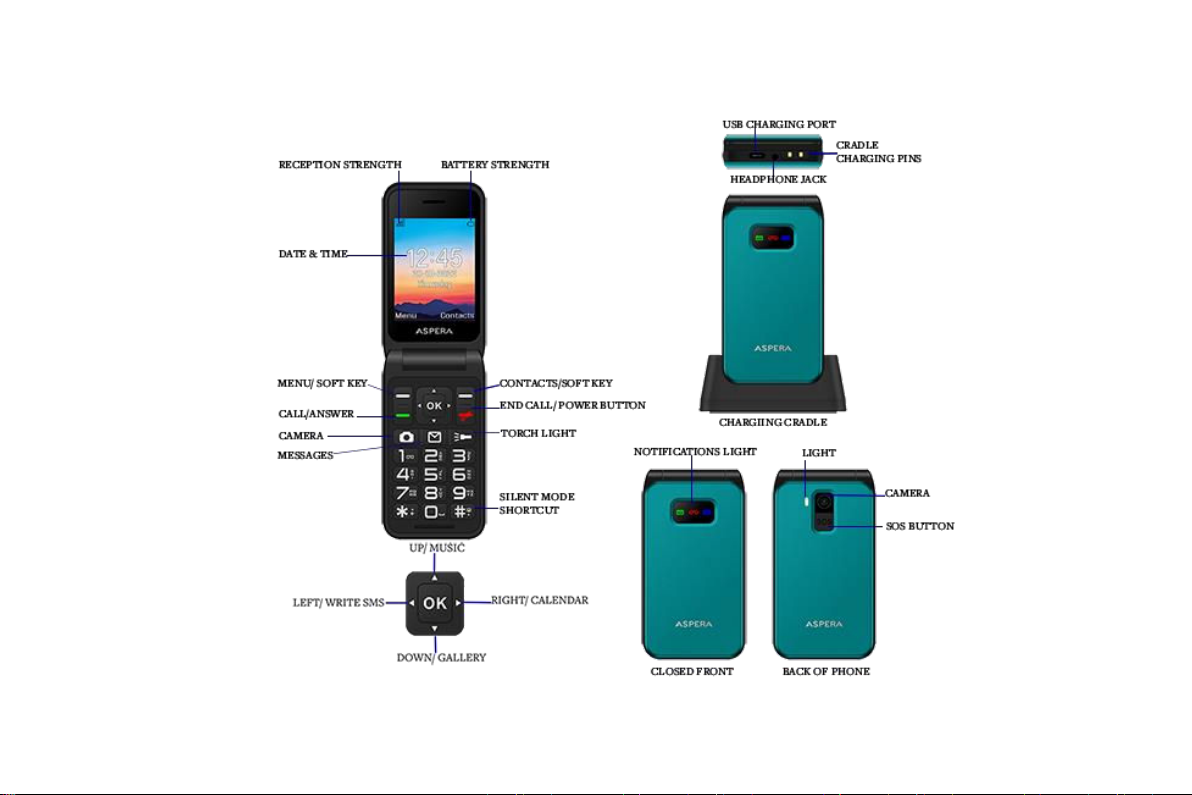
1Aspera F46 handset layout

-8-
2General Information
2.1 Profile
Please read this user guide carefully for advice on keep your phone in the best condition. Aspera Mobile may
change this phone without prior written notice and reserves the final right to interpret the performance of this
mobile phone. Due to different software and network operators, display on your phone may be different, refer
to your phone for details.
2.2 Safety Information
If your phone has lost or been stolen, notify your network service provider and the SIM card will be disabled
(network support is required). This can avoid economic loss caused by unauthorised use.
2.3 Safety warning and Attentions
Safety warning
➢Road safety comes first
Do not use a mobile phone while driving.
In some countries, dialing or receiving calls while driving is illegal! Please check with your local anorthites
regarding using a mobile phone while driving.
➢Switch off in aircraft
Wireless devices can cause interference in aircraft. Please make sure to only use your phone when switched
to Airplane mode when in an aircraft.
➢Switch off before entering risk areas
Strictly observe the relevant laws, codes, and regulations on the use of mobile phones in risk areas. Turn off
your mobile phone before entering a place susceptible to explosion, such as an oil station, oil tank, chemical

-9-
plant or a place where a blasting process is under way.
➢Observe all special regulations
Follow any special regulations in force in any area such as hospitals and always switch off your phone
whenever it is forbidden to use it or, when it may cause interference or danger. Carefully use your mobile
phone near medical apparatuses, such as pacemakers and some other electronic medical devices, as it may
cause interference to such apparatuses.
➢Interference
The conversation quality of any mobile phone may be affected by radio interference. An antenna is built
inside the mobile phone and located near the microphone. Do not touch the antenna area during a
conversation, this will cause conversation quality to deteriorate.
➢Qualified service
Only qualified Aspera personnel or approved agent may install or repair phone equipment. Installing or
repairing the Aspera phone yourself or by unauthorised technician may void the warranty.
➢Accessories and batteries
Use only Aspera approved accessories and batteries.
➢Emergency calls
Ensure the phone is switched on and in service, enter the emergency number, e.g. 000, then press the Dial key.
Give your location and state your situation briefly. Do not end the call until told to do so. The emergency
number can be dialed with or without a sim card installed.
Precautions
This mobile phone has an intricate design. Please exercise special care when using it. The following
suggestions will help your mobile phone survive the warranty period and extend its service life:

-10-
➢Keep the mobile phone and all its fittings beyond young children's reach.
➢Keep the mobile phone dry. Keep away from rain, moisture, liquid or other substances that may corrode
electronic circuits.
➢Do not use or store the mobile phone in dusty places, lest that active parts of the mobile phone be damaged.
➢Do not store the mobile phone in a high-temperature place. High temperature may shorten the life of
electronic circuits and damage the battery and some plastic parts.
➢Do not store the mobile phone in extreme cold places. This will cause moisture to be `formed inside the
mobile phone and may damage electronic circuits when the mobile phone is moved to a constant temperature
place.
➢Do not throw, knock or shock the mobile phone, as that may cause damage to the internal circuits and
high-precision components of the mobile phone.
3Getting started
3.1 Installing SIM Cards and the Battery
A SIM card carries useful information, including your mobile phone number, PIN (Personal Identification
Number), PIN2, PUK (PIN Unlocking Key), PUK2 (PIN2 Unlocking Key), IMSI (International Mobile
Subscriber Identity), network information, contacts data, and short messages data.
Note: After powering off your mobile phone, wait for a few seconds before removing or inserting a SIM card.
Exercise caution when operating a SIM card, as friction or bending will damage the SIM card.
Properly keep the mobile phone and its fittings such as the SIM cards beyond children's reach.
Indice
Altri manuali ASPERA Telefono cellulare

ASPERA
ASPERA R7 Manuale utente

ASPERA
ASPERA R5 Manuale utente

ASPERA
ASPERA R3D Manuale utente

ASPERA
ASPERA Wren Manuale utente

ASPERA
ASPERA R10 Manuale utente

ASPERA
ASPERA F40 Manuale utente

ASPERA
ASPERA R5 Manuale utente

ASPERA
ASPERA F28 Manuale utente

ASPERA
ASPERA SWIFT Manuale utente

ASPERA
ASPERA R6 Manuale utente


