
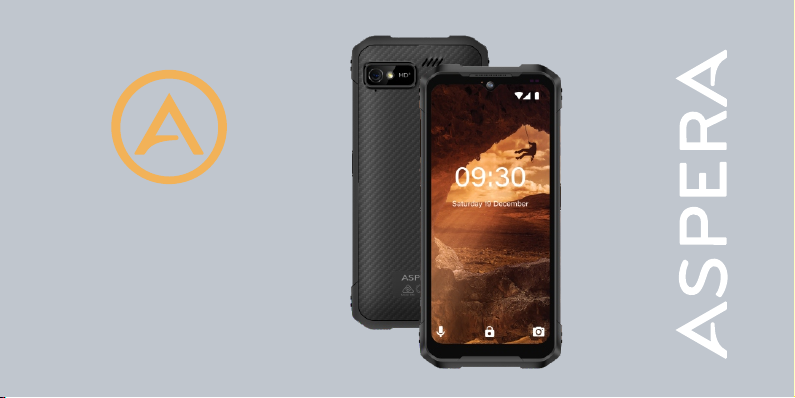
ASPERA R10 Manuale utente
1
User Manual
R10

2

3
User Manual
ASPERA
R10

4
Technical specifications ...................................................................................6
General and Safety Information ......................................................................7
Getting to know your Aspera R10 ..................................................................11
What’s in the Box ..........................................................................................12
Getting Started ..............................................................................................13
Introduction to Aspera R10 ............................................................................14
Basic Functionality ........................................................................................19
Locking and Unlocking your Device ..............................................................19
Notifications ...................................................................................................19
Applications ...................................................................................................20
Application Shortcuts .....................................................................................21
Calling and using the Phone Application .......................................................22
ASPERA
Answering a call ...........................................................................................22
Call Options ..................................................................................................23
Call History ...................................................................................................24
Caller ID .......................................................................................................25
Blocking Numbers ........................................................................................25
Messages .....................................................................................................28
Display and Screen Options .........................................................................29
Ringtones and Volumes ................................................................................31
Wi-Fi .............................................................................................................33
Cellular/Mobile Data .....................................................................................33
Roaming .......................................................................................................34
Bluetooth ......................................................................................................34

5
Audio ............................................................................................................44
Calculator .....................................................................................................45
Maintenance of your device .........................................................................45
Email Access and Setup ................................................................................35
Internet Access ..............................................................................................35
Installing and Updating Applications ..............................................................36
“Do Not Disturb” Feature ...............................................................................37
Expandable Storage ......................................................................................37
USB Tethering and Computer Connection ....................................................38
Application Functions ....................................................................................39
Camera and Gallery ......................................................................................39
Maps and GPS/Location ................................................................................41
Clock and Alarm .............................................................................................41
Calendar ........................................................................................................42
FM Radio .......................................................................................................43

6
Technical specifications
IP68 rated for waterproof/dustproof
Octa-Core Processor – 8 x 2GHz
6.517” HD + IPS Display
Powered by Android™ 13
3G 850/900/2100Mhz
4G Bands 1/3/5/7/8/28 a+b
13MPrear + 8MP front Camera
Face ID unlock
4GB RAM & 128GB ROM (114GB available pace after operating system)
5100mAh Li-ion battery
Dimensions: 175.6*80.7*13.3mm
Micro SD card slot, expands storage capacity up to 256GB (Not included)

7
General and Safety Information
Profile
Please read this manual carefully to help you make the most of your phone. Aspera Mobile may change features of this mobile phone without prior written notice
and reserves the final right to interpret the performance of this mobile phone. Due to different software and network operators, display on your phone may be
different, please refer to your phone for details.
Lost Devic
If your phone has been lost or stolen, notify your network service provider as soon as possible and ask for the SIM card to be disabled (network support is
required). This can avoid economic loss caused by unauthorised use.
Safety Warning - Road safety comes first!
Do not use the mobile phone in hand-held mode while driving. Use hands-free fittings when calls are unavoidable while driving. In some countries/states, dialling
or receiving calls while driving is illegal, regardless of hands-free status. You will need to ensure you are obeying road safety laws by checking the laws of the
state/country you are driving in.

8
Switch off in aircraft
Wireless devices can cause interference in aircraft. Please make sure to only use your phone when switched to Aeroplane mode when in an aircraft. Go to
Settings > Network Settings and tap on Aeroplane mode to switch on/off.
Switch off before entering risk areas
Strictly observe the relevant laws, codes, and regulations on the use of mobile phones in risk areas.
Turn off your mobile phone before entering a place susceptible to an explosion, such as an oil station, oil tank, chemical plant, or a place where a blasting
process is under way.
Observe all special regulations
Follow any special regulations in force in any areas such as hospitals and always switch off your phone whenever it is forbidden to use it or when it may cause
interference or danger. Use your mobile phone carefully near medical apparatuses, such as pacemakers, hearing aids and some other electronic medical devices,
as it may cause interference to such apparatus.
Interference
The conversation quality of any mobile phone may be affected by radio interference. An antenna is built inside the mobile phone and located near the microphone.
Do not touch the antenna area during a conversation; this will cause conversation quality to deteriorate.

9
Qualified service
Only qualified Aspera personnel or approved agents may install and/or repair phone Aspera equipment. Installing or repairing the mobile phone and/or parts by
yourself may be dangerous and will lead to breakage of warranty terms.
Accessories and batteries
The Aspera R10 box will come with an Aspera charger. The recommended charging time for the Aspera R10 is three to four hours when the battery is low or
depleted. We recommend to not leave it charging overnight, as this may damage or deteriorate the battery over time.
Please note the device is only warranted when used with Aspera authorised cables, plugs, and batteries supplied for this device.
Headset earphones
The Aspera R10 box will include a pair of earphones. They are USB-C earphones and plug into the charge port. Ensure that the earphones are pluggedinto the
port correctly to ensure clarity in the audio, and that the audio jack is clear of any obstructions or material.
Device Temperature
The Aspera R10 can become warm when completing different operations. These operations include, but are not limited to:

10
Utilising the wireless and mobile data functionalities for a multitude of purposes, including but not limited to video streaming, video recording, accessing the
internet, tethering, and more.
Using the GPS function for navigation or location services
Using the device in areas with weaker and/or no reception
If the device becomes warm, we recommend closing applications that are not in use, and to let the phone cool down naturally.
Emergency calls
Ensure the phone is switched on and has service reception, enter the emergency number (e.g., 000), then press the Dial key. Give your location and state your
situation briefly and follow the instructions of service personnel. Do not end the call until told to do so.
The emergency number can be dialled with or without a sim card installed.
Precautions
This mobile phone has an intricate design, so please exercise special care when using it. The following suggestions will help your mobile phone survive the
warranty period and extend its service life:
Keep the mobile phone and all its fittings beyond young children's reach.
If exposing the phone to water or dust ensure the seals over charge port and sim tray are firmly in place.
Indice
Altri manuali ASPERA Telefono cellulare

ASPERA
ASPERA F40 Manuale utente

ASPERA
ASPERA R25t Manuale utente

ASPERA
ASPERA F28 Manuale utente

ASPERA
ASPERA R3 Manuale utente

ASPERA
ASPERA Wren Manuale utente

ASPERA
ASPERA F42 Manuale utente

ASPERA
ASPERA R8 Manuale utente

ASPERA
ASPERA SWIFT Manuale utente

ASPERA
ASPERA R6 Manuale utente

ASPERA
ASPERA F26 Manuale utente


