
Bafo BF-310 Manuale utente
User’s Manual
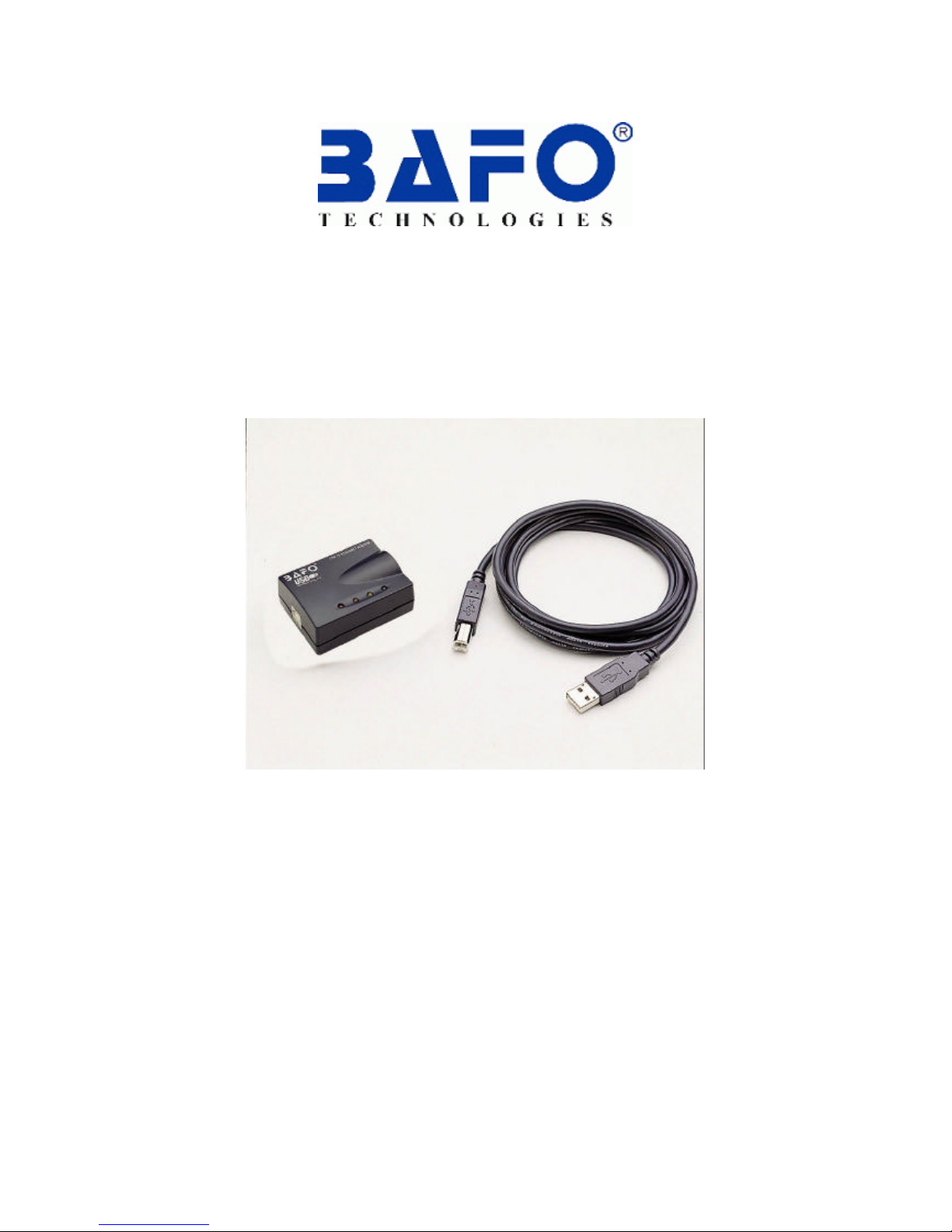
USB to 10/100 Base-TX
Ethernet Adapter
BF-310

USB to 10/100 Base-TX Ethernet adapter User’s Manual 1
CONTENT
1. Introduction----------------------------------------------------------------------------------2
2. Package Content--------------------------------------------------------------------------2
3. Product Features--------------------------------------------------------------------------2
4. System Requirements------------------------------------------------------------------2
5. Connecting for USB to 10/100 Base-TX Ethernet adapter-----------3
6. Driver Installation-------------------------------------------------------------------------3
6.1 Windows®98 Driver Installation------------------------------------------------3
6.2 Windows®ME Driver Installation-----------------------------------------------6
6.3 Windows®2000 Driver Installation---------------------------------------------8
6.4 Windows®XP Driver Installation----------------------------------------------11
7. FAQ----------------------------------------------------------------------------------------------12
8. Disclaimer-----------------------------------------------------------------------------------12
9. FCC Statement----------------------------------------------------------------------------12
10. Technical Support-----------------------------------------------------------------------13

USB to 10/100 Base-TX Ethernet adapter User’s Manual 2
1. Introduction
The USB to 10/100 Base-TX Ethernet adapters performs good plug and play
connection of PC peripherals “Out-side the box” and mark a significant advance in
desktop cable management. Using the USB Ethernet 10/100 adapter you can
simplify your PC network connections in the home, office and on the road.
The Universal Serial Bus was designed to replace the current serial, parallel and
other port types used on a PC with a single universal interface. Many different types
of devices can be attached to a single PC USB interface by using a USB Hub’s.
2. Package Content
Hardware:
§USB Ethernet 10/100 adapter
§USB A-B cable
Software:
§Driver software CD
§User’s Manual
3. Product Features
§USB specification 1.1 compliant
§IEEE 802.3 MII compliant
§Supports USB Suspend/Resume detection logic
§Full-Speed USB Device
§Supports wakeup frame, link status change and magic pocket wake-up.
§Supports automatically load vendor ID from EEPROM
§18Kbytes SRAM build in
4. System Requirements
PC
§AMD or Intel Pentium 133MHz or better based computer
§Available USB port
§CD-ROM drive
§Windows®98SE, Windows®ME, Windows®2000, Windows®XP

USB to 10/100 Base-TX Ethernet adapter User’s Manual 3
5. Connecting for USB to 10/100 Base-TX Ethernet adapter
To connect the USB to 10/100 Base-TX Ethernet adapter to local network, please
follow the below steps:
5.1 Prepare a straight-through twisted-pair cable, maximum length 100 meters
5.2 Use category 3, 4, 5 cables for connection to 10Mbps Ethernet
5.3 Use category 5 cable for connection to 100Mbps fast Ethernet
5.4 Connection one end of the cable to the RJ-45 port on the USB Ethernet 10/100
adapter
5.5 The other-end to any available station port on a network HUB or Switch
5.6 When inserting an RJ-45 plug, please make sure that the tab is on the plug clicks
into position
6Driver Installation
6.1 Windows®98 Installation
6.1.1 Connect the USB port of USB to 10/100 Ethernet adapter to PC with
USB cable.
6.1.2 The “Add New Hardware Wizard” dialog box will appears as below, click
“Next” to continue.
6.1.3 Choose “Search for the best driver for your device (Recommended)”
then click “Next”.

USB to 10/100 Base-TX Ethernet adapter User’s Manual 4
6.1.4 Select “Specify a location” and type D:\DRIVER\BF-310\WINDOWS (D:
represents CD-ROM) in the dialog box, then click “Next”
6.1.5 Windows®will search the driver for this device. Make sure the driver that
Windows® found is “D:\DRIVER\BF-310\WINDOWS\BAFO.INF” then click
“Next”.
6.1.6 After Windows® finish copying “BAFO.INF”; it wills pop-up a dialog box
asking “Windows 98 Second Edition CD-ROM”. Take driver CD off and put
Windows 98 CD in. Then Click “OK” to continue.
USB to 10/100 Base-TX Ethernet adapter User’s Manual 5
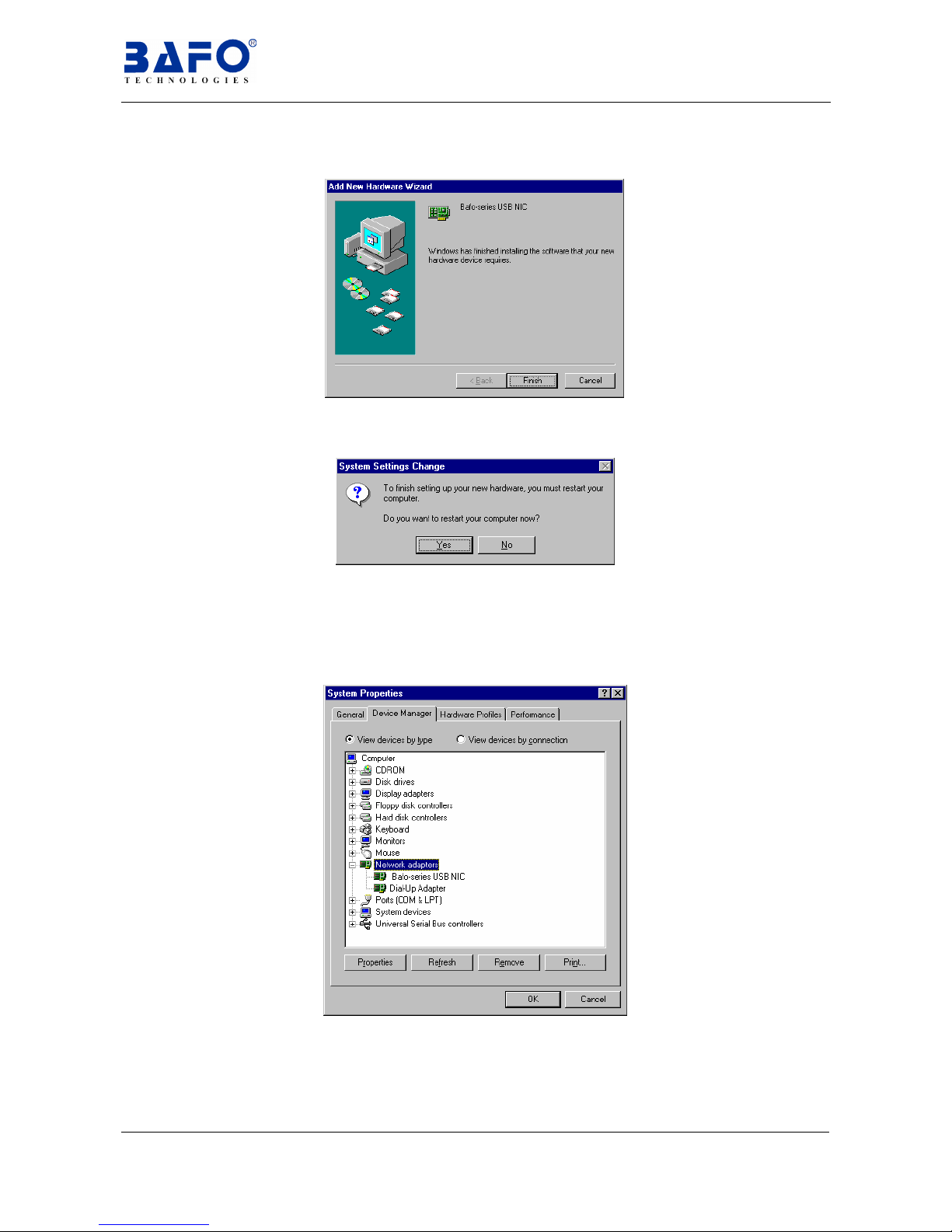
6.1.7 Click “Finish” to complete the installation of “BAFO-series USB NIC”
6.1.8 To finish setting up new hardware, click on “Yes” to restart your computer.
6.1.15 After Windows®installed the entire driver; you have to check “My
Computer”-“Control Panel”-“System”-”Device Manager” to make
sure the driver has already installed. In the “Network adapters” it will
show “BAFO-series USB NIC”.

USB to 10/100 Base-TX Ethernet adapter User’s Manual 6
6.2 Windows®ME installation
6.2.1 Connect the USB port of USB to 10/100 Ethernet adapter to PC with
USB cable.
6.2.2 The “Add New Hardware Wizard” dialog box will appears as below.
6.2.3 Choose “Automatic search for a better driver (Recommended)” and
click on “Next “to continue.
6.2.4 Click on “Finish” to end this installation.
6.2.5 Click on “Yes” to restart your computer.
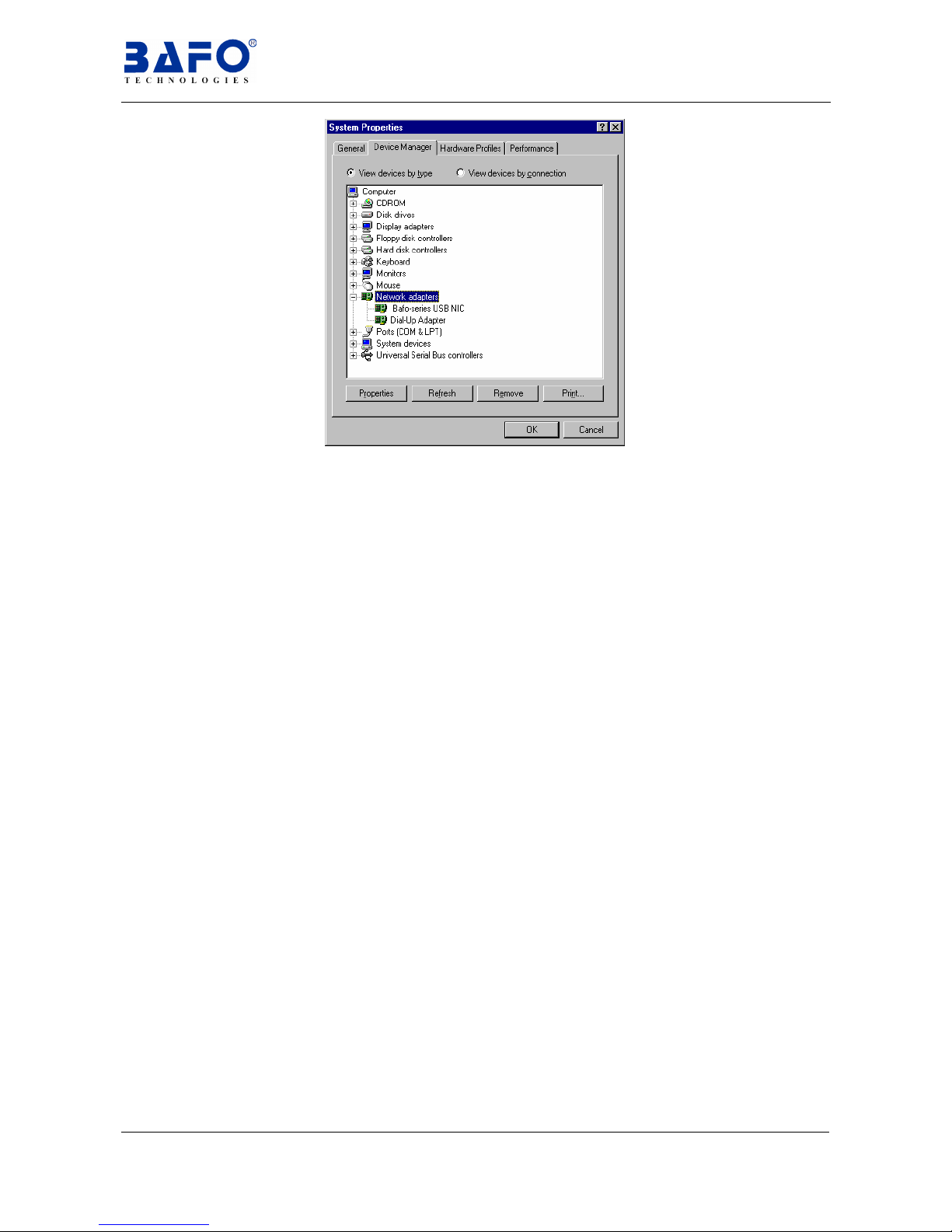
6.2.6 You should check“My Computer”-“Control Panel”-“System”-”Device
Manager” to make sure the driver has already installed.
Then, in the “Network adapters” it will show “BAFO-series USB NIC”.
USB to 10/100 Base-TX Ethernet adapter User’s Manual 7
USB to 10/100 Base-TX Ethernet adapter User’s Manual 8
6.3 Windows®2000 installation
6.3.1 Connect the USB port of “USB to 10/100 Ethernet adapter” to PC with
USB cable.
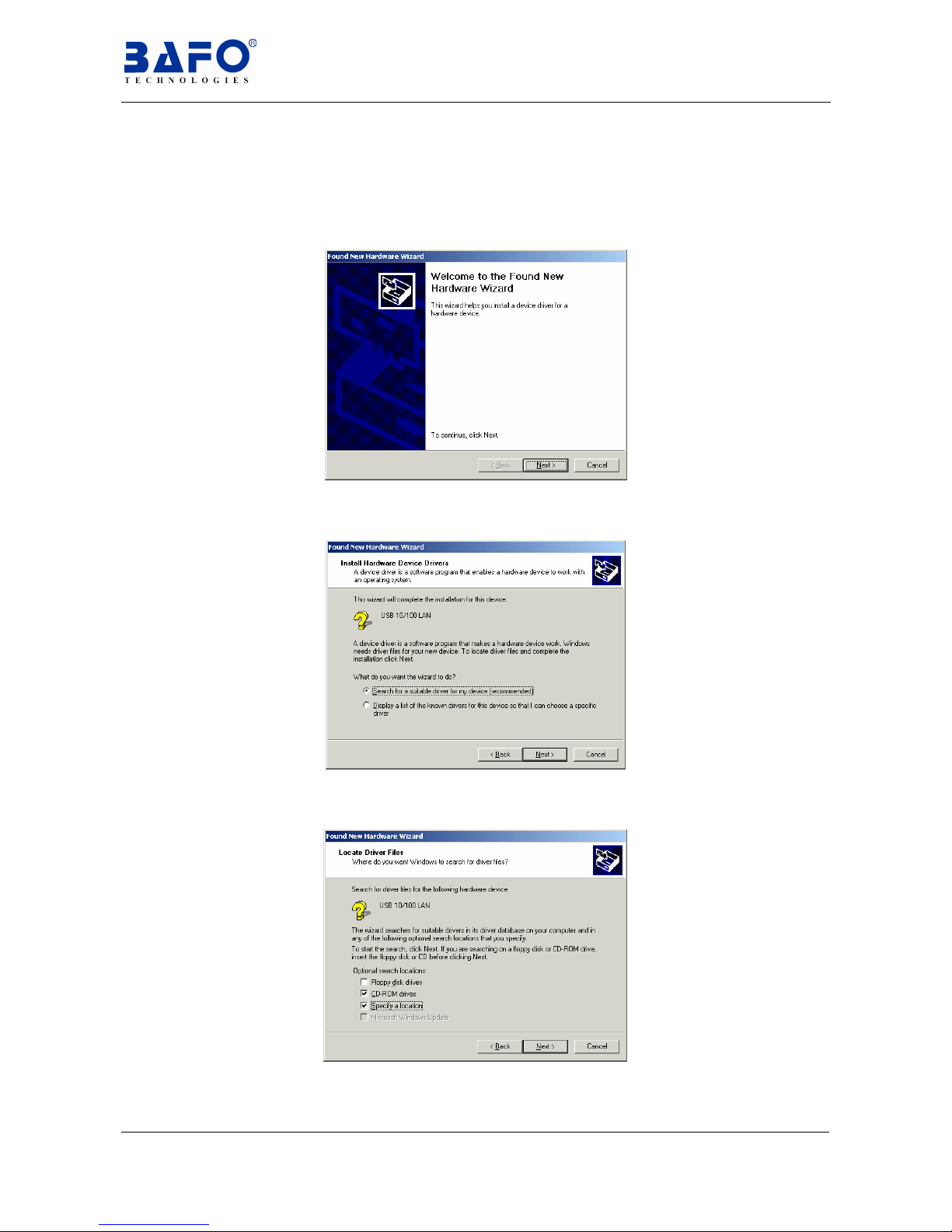
6.3.2 The “Add New Hardware Wizard” dialog box will appears as below.
6.3.3 Choose “Search for a suitable driver for my device (Recommended)”
then click “Next”.
6.3.4 Choose “CD-ROM drives” and“Specify a location” then click on “Next”
to continue.

USB to 10/100 Base-TX Ethernet adapter User’s Manual 9
6.3.5 Type D:\DRIVER\BF-310\WINDOWS (D: represents CD-ROM) in the
dialog box, and then click “OK” to continue.
6.3.6 Windows® will search the driver for this device. Makesure the driver that
Windows® find is “d:\driver\bf-310\windows\bafo.inf” then click “next”
to continue.
6.3.7 While Windows® install the driver, in the same time it will pop up a “Digital
Signature not found” dialog box. Click “Yes” to continue.
6.3.8 Click “Finish” to end the installation of “Bafo-series USB NIC”.
Indice
Altri manuali Bafo Adattatore


