BenQ V5000i Manuale utente

Digital Projector
User Manual
V5000i V 1.00

2 Warranty and Copyright information
Warranty and Copyright information
Limited warranty
BenQ warrants this product against any defects in material and workmanship, under normal
usage and storage.
Proof of purchase date will be required with any warranty claim. In the event this product is
found to be defective within the warranty period, BenQ's only obligation and your exclusive
remedy shall be replacement of any defective parts (labor included). To obtain warranty
service, immediately notify the dealer from which you purchased the product of any defects.
Important: The above warranty shall be void if the customer fails to operate the product in
accordance with BenQ's written instructions, especially the ambient humidity must be
in-between 10% and 90%, temperature in-between 0°C and 35°C, altitude lower than 4920 feet,
and avoiding to operate the projector in a dusty environment. This warranty gives you specific
legal rights, and you may have other rights which vary from country to country.
For other information, please visit www.BenQ.com.
Copyright
Copyright © 2023 by BenQ Corporation. All rights reserved. No part of this publication may be
reproduced, transmitted, transcribed, stored in a retrieval system or translated into any
language or computer language, in any form or by any means, electronic, mechanical,
magnetic, optical, chemical, manual or otherwise, without the prior written permission of BenQ
Corporation.
Disclaimer
BenQ Corporation makes no representations or warranties, either expressed or implied, with
respect to the contents hereof and specifically disclaims any warranties, merchantability or
fitness for any particular purpose. Further, BenQ Corporation reserves the right to revise this
publication and to make changes from time to time in the contents hereof without obligation to
notify any person of such revision or changes.
*DLP, Digital Micromirror Device and DMD are trademarks of Texas Instruments. Others are
copyrights of their respective companies or organizations.

3Table of Contents
Table of Contents
Warranty and Copyright information ...............................................................................2
Important safety instructions .........................................................................................4
Introduction ....................................................................................................................8
Shipping contents ............................................................................................................. 8
Projector exterior view ....................................................................................................11
Controls and functions ...................................................................................................12
Positioning your projector ............................................................................................15
Obtaining a preferred projected image size.................................................................. 15
Adjusting the projected image .......................................................................................16
Connection ...................................................................................................................18
Operation .....................................................................................................................19
Starting up the projector................................................................................................. 19
QS02 Android TV setup .................................................................................................. 20
Playing media files on a USB flash drive (Media Reader) ............................................23
Using the menus .............................................................................................................24
Securing the projector ....................................................................................................25
Switching input signal..................................................................................................... 25
Shutting down the projector........................................................................................... 25
Upgrading firmware ........................................................................................................26
Menu operation ............................................................................................................27
Menu system................................................................................................................... 27
Basic menu ......................................................................................................................32
Advanced menu .............................................................................................................. 34
Maintenance ................................................................................................................45
Care of the projector....................................................................................................... 45
Light source information ................................................................................................ 45
Troubleshooting ...........................................................................................................48
Specifications ..............................................................................................................49
Projector specifications ................................................................................................. 49
Dimensions...................................................................................................................... 50
Timing chart .................................................................................................................... 50

Important safety instructions4
Important safety instructions
Your projector is designed and tested to meet the latest standards for safety of
information technology equipment. However, to ensure safe use of this product, it is
important that you follow the instructions mentioned in this manual and marked on the
product.
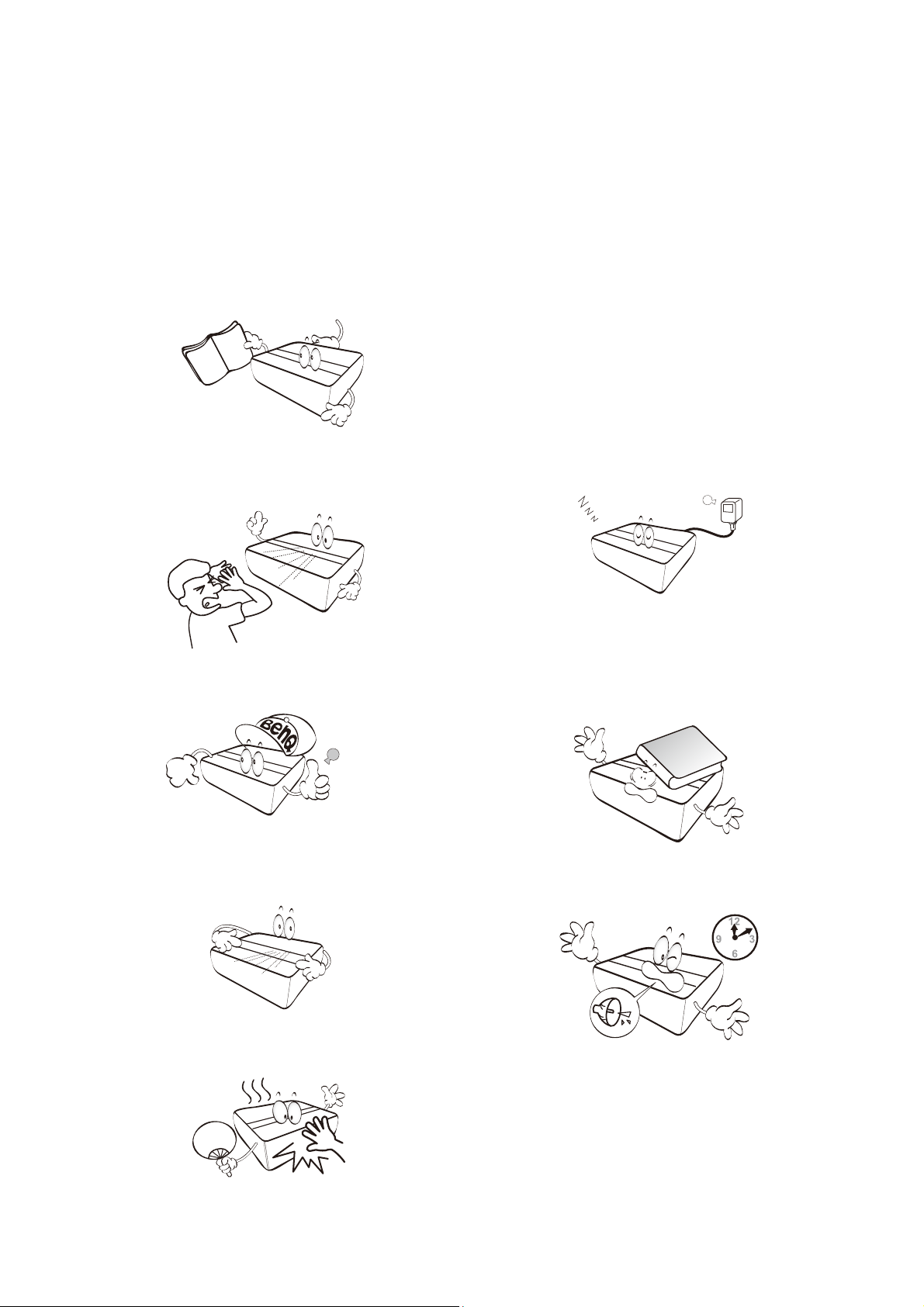
1. Please read this manual before you
operate your projector. Save it for future
reference.
2. Do not look straight at the projector lens
during operation. The intense light beam
may damage your eyes.
3. Refer servicing to qualified service
personnel.
4. Always open the lens shutter (if any) or
remove the lens cap (if any) when the
projector light source is on.
5. The light source becomes extremely hot
during operation.
6. In some countries, the line voltage is
NOT stable. This projector is designed to
operate safely within a mains voltage
between 100 to 240 volts AC, but could
fail if power cuts or surges of ±10 volts
occur. In areas where the mains voltage
may fluctuate or cut out, it is
recommended that you connect your
projector through a power stabilizer,
surge protector or uninterruptible power
supply (UPS).
7. Do not block the projection lens with any
objects when the projector is under
operation as this could cause the
objects to become heated and deformed
or even cause a fire.
8. Do not operate light sources beyond the
rated light source life.

5Important safety instructions
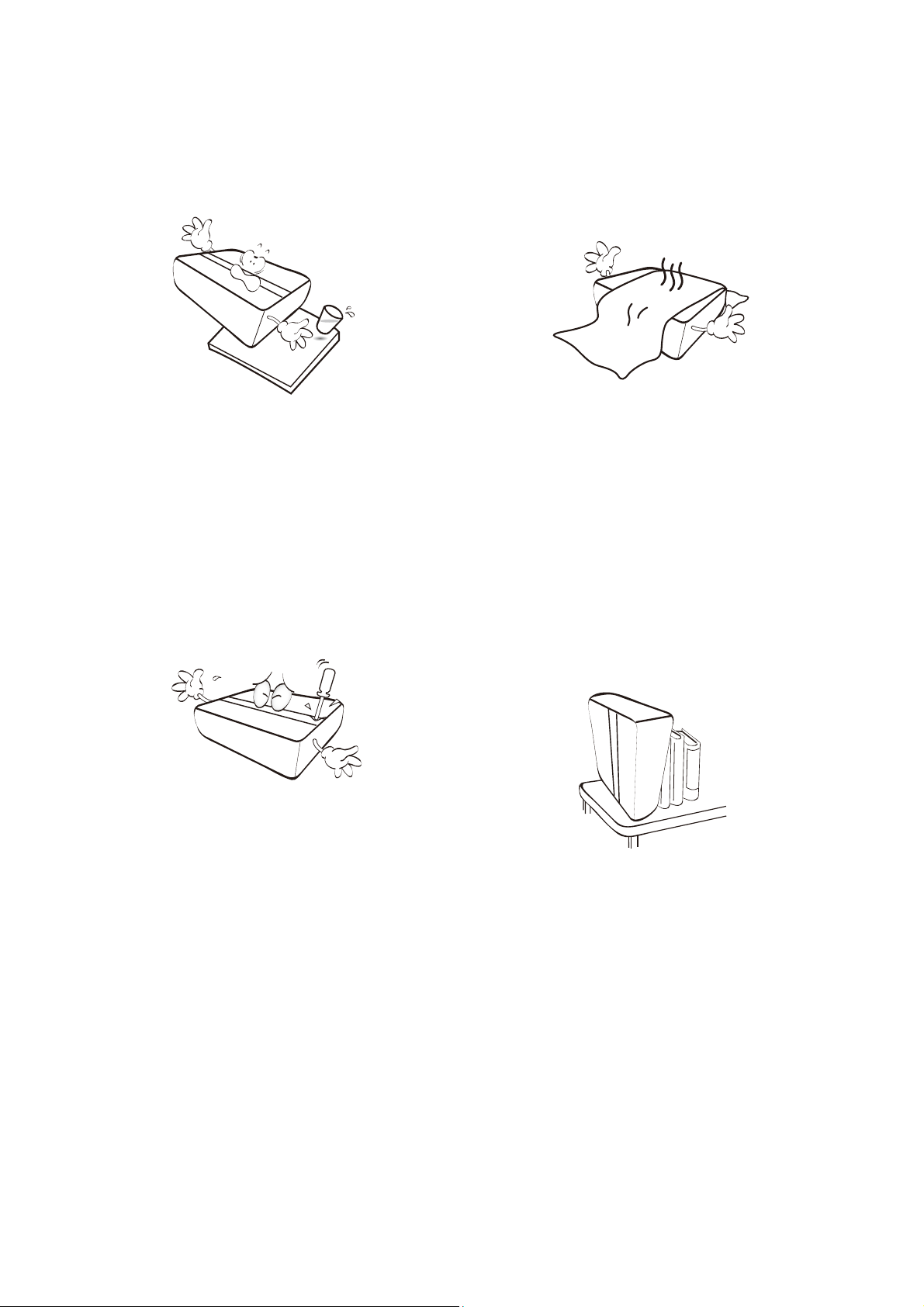
9. Do not place this product on an
unstable cart, stand, or table. The
product may fall, sustaining serious
damage.
10. Do not attempt to disassemble this
projector. There are dangerous high
voltages inside which may cause death
if you should come into contact with
live parts. The only user serviceable
part is the light source which has its
own removable cover.
Under no circumstances should you
ever undo or remove any other covers.
Refer servicing only to suitably qualified
professional service personnel.
11. Do not block the ventilation holes.
- Do not place this projector on a blanket,
bedding or any other soft surface.
- Do not cover this projector with a cloth or any
other item.
- Do not place inflammables near the projector.
If the ventilation holes are seriously
obstructed, overheating inside the
projector may result in a fire.
12. Always place the projector on a level,
horizontal surface during operation.
- Do not use if tilted at an angle of more than 10
degrees left to right, nor at angle of more than
15 degrees front to back. Using the projector
when it is not fully horizontal may cause a
malfunction of, or damage to, the light source.
13. Do not stand the projector on end
vertically. Doing so may cause the
projector to fall over, causing injury or
resulting in damage to the projector.

Important safety instructions6
14. Do not step on the projector or place any
objects upon it. Besides probable
physical damage to the projector, doing
so may result in accidents and possible
injury.
15. When the projector is under operation,
you may sense some heated air and
odor from its ventilation grill. It is a
normal phenomenon and not a product
defect.
16. Do not place liquids near or on the
projector. Liquids spilled into the
projector may cause it to fail. If the
projector does become wet, disconnect
it from the power supply's power outlet
and call BenQ to have the projector
serviced.
17. This apparatus must be earthed.
18. Do not place this projector in any of the
following environments.
- Space that is poorly ventilated or confined.
Allow at least 50 cm clearance from walls and
free flow of air around the projector.
- Locations where temperatures may become
excessively high, such as the inside of a car
with all windows rolled up.
- Locations where excessive humidity, dust, or
cigarette smoke may contaminate optical
components, shorten the projector's life span
and darken the image.
- Locations near fire alarms
- Locations with an ambient temperature above
40°C / 104°F
- Locations where the altitudes are higher than
3000 m (10000 feet).
3000 m
(10000 feet)
0 m
(0 feet)
To avoid damaging the DLP chips, never aim a high-power laser beam into the projection lens.

7Important safety instructions
Notice
To ensure safe use of this product, please read the user manual for details before you
operate your projector.
Caution – Use of controls or adjustments or performance of procedures other than those
specified herein may result in hazardous radiation exposure.
• Notice is given to supervise children and to never allow them to stare into the projector
beam at any distance from the projector.
• Notice is given to use caution when using the remote control for starting the projector
while in front of the projection lens.
• Notice is given to the user to avoid the use of optical aids such as binoculars or
telescopes inside the beam.
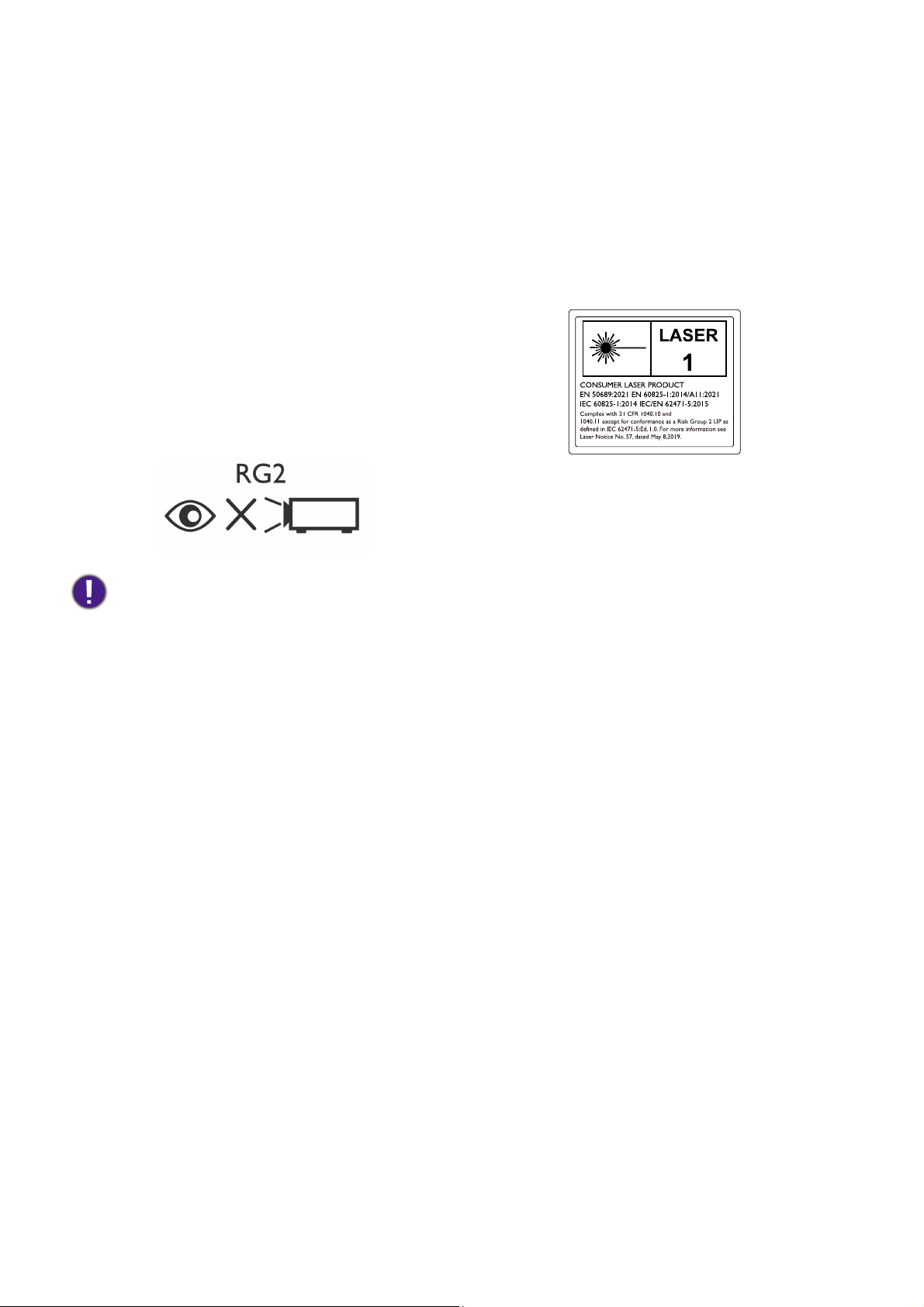
Risk Group 2
1. According to the classification of
photobiological safety of light sources
and light source systems, this product is
Risk Group 2, IEC 62471-5:2015.
2. Possibly hazardous optical radiation
emitted from this product.
3. Do not stare at operating light source.
May be harmful to the eyes.
4. As with any bright source, do not stare
into the direct beam.
The projector's light source unit uses a laser.
Laser Caution
This product belongs to CLASS 1 consumer
laser product and complies with IEC
60825-1:2014, EN 60825-1:2014/A11:2021
and EN 50689:2021.
Above laser cautions are located on the
bottom of this apparatus.

Introduction8
Introduction
Shipping contents
Carefully unpack and verify that you have all of the items shown below. If any of these
items are missing, please contact your place of purchase.
Standard accessories
Optional accessories
Projector Remote controls with
batteries Power cord
QS02 Android TV dongle Installation guide Warranty card*
Regulatory Statements Service QR code sticker
Installation Guide
Digital Projector
LaserTV Projector
Regulatory
Statements
• The supplied accessories will be suitable for your region, and may differ from those illustrated.
• *The warranty card is only supplied in some specific regions. Please consult your dealer for detailed
information.
• BenQ 3D glasses • Universal wall mount

9Introduction
Installing the Android TV dongle
You must first install the Android TV dongle before you can begin to use the projector. To
install the dongle:
1. Remove the wireless dongle compartment cover.
2. Connect the Micro USB cable located in the compartment to the Micro USB port on
the dongle.
3. Connect the Mini HDMI cable to the Mini HDMI port on the dongle.
4. Place the dongle into the compartment and then re-install the compartment cover.
2
3
1
4

Introduction10
Replacing the remote control batteries
Only use the remote control provided with the projector. Do not use the remote control
included in the QS02 Android TV dongle packaging.
1. Push down and open the battery cover, as
illustrated.
2. Remove the old batteries (if applicable) and
install two AAA batteries. Make sure that the
positive and negative ends are positioned
correctly, as illustrated.
3. Refit the battery cover until it clicks into place.
Using the measuring tools
Two rulers can be pulled out from the rear of the projector to measure the projection
distance between the projector and the screen, which helps you in positioning the
projector.
• Avoid leaving the remote control and batteries in an excessive heat or humid environment like the
kitchen, bathroom, sauna, sunroom or in a closed car.
• Replace only with the same or equivalent type recommended by the battery manufacturer.
• Dispose of the used batteries according to the manufacturer's instructions and local environment
regulations for your region.
• Never throw the batteries into a fire. There may be danger of an explosion.
• If the batteries are dead or if you will not be using the remote control for an extended period of time,
remove the batteries to avoid damage to the remote control from possible battery leakage.
Remember to retract the measuring tools once you have finished using them, otherwise any vibrations due
to sound coming from the projector will cause the measuring tools produce sound (due to the power of
the projector’s sound system).
Altri manuali per V5000i
1
Indice
Altri manuali BenQ Proiettore

BenQ
BenQ MW571H Manuale utente

BenQ
BenQ W750 Manuale utente

BenQ
BenQ CP270 - XGA DLP Projector Manuale utente

BenQ
BenQ MX666 Manuale utente

BenQ
BenQ MX726 Manuale utente

BenQ
BenQ Home Entertainment Series W1800i Manuale utente

BenQ
BenQ TH682ST Manuale utente

BenQ
BenQ MP512 ST Manuale utente

BenQ
BenQ CinePrime Series Manuale utente

BenQ
BenQ SH960 Manuale utente

BenQ
BenQ Gaming X300G Manuale utente

BenQ
BenQ i500 Manuale utente

BenQ
BenQ HT6050 Manuale utente

BenQ
BenQ CineHome I Series Manuale utente

BenQ
BenQ MX810 ST Manuale utente

BenQ
BenQ MU641 Manuale utente

BenQ
BenQ PX9230 Manuale utente

BenQ
BenQ MX722 Manuale utente

BenQ
BenQ EX600 Manuale utente

BenQ
BenQ MS524 Manuale utente