N120 Installation User Manual
Table of Contents
CHAPTER 1. SAFETY INSTRUCTIONS ............................................................................................................ 2
CHAPTER 2. OVERVIEW ................................................................................................................................... 4
2.1. FEATURES ................................................................................................................................................ 5
2.2. SPECIFICATIONS ....................................................................................................................................... 5
2.3. PACKAGE CONTENTS ................................................................................................................................ 6
CHAPTER 3. PRODUCT DESCRIPTION........................................................................................................... 7
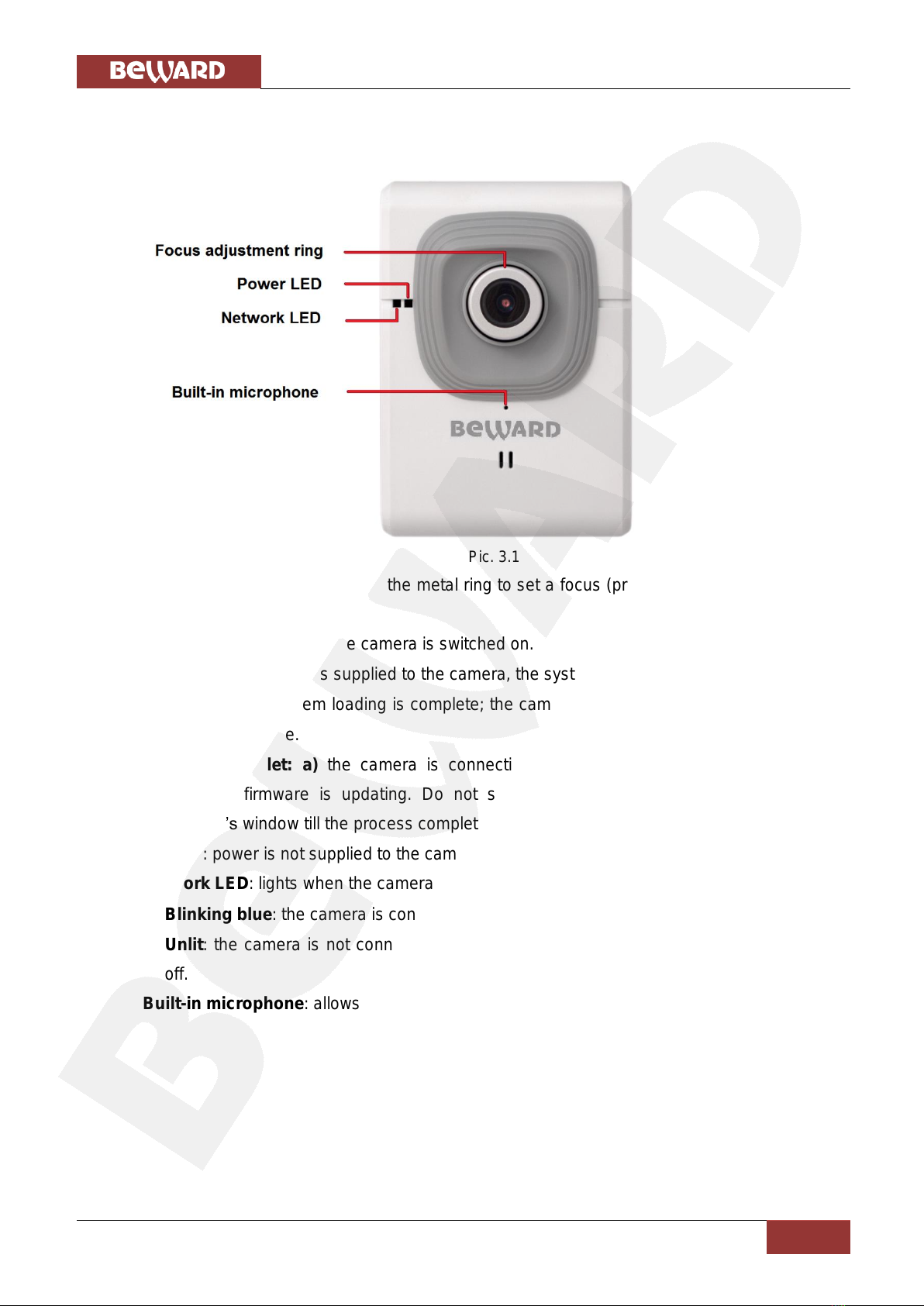
3.1. FRONT SIDE ............................................................................................................................................. 7
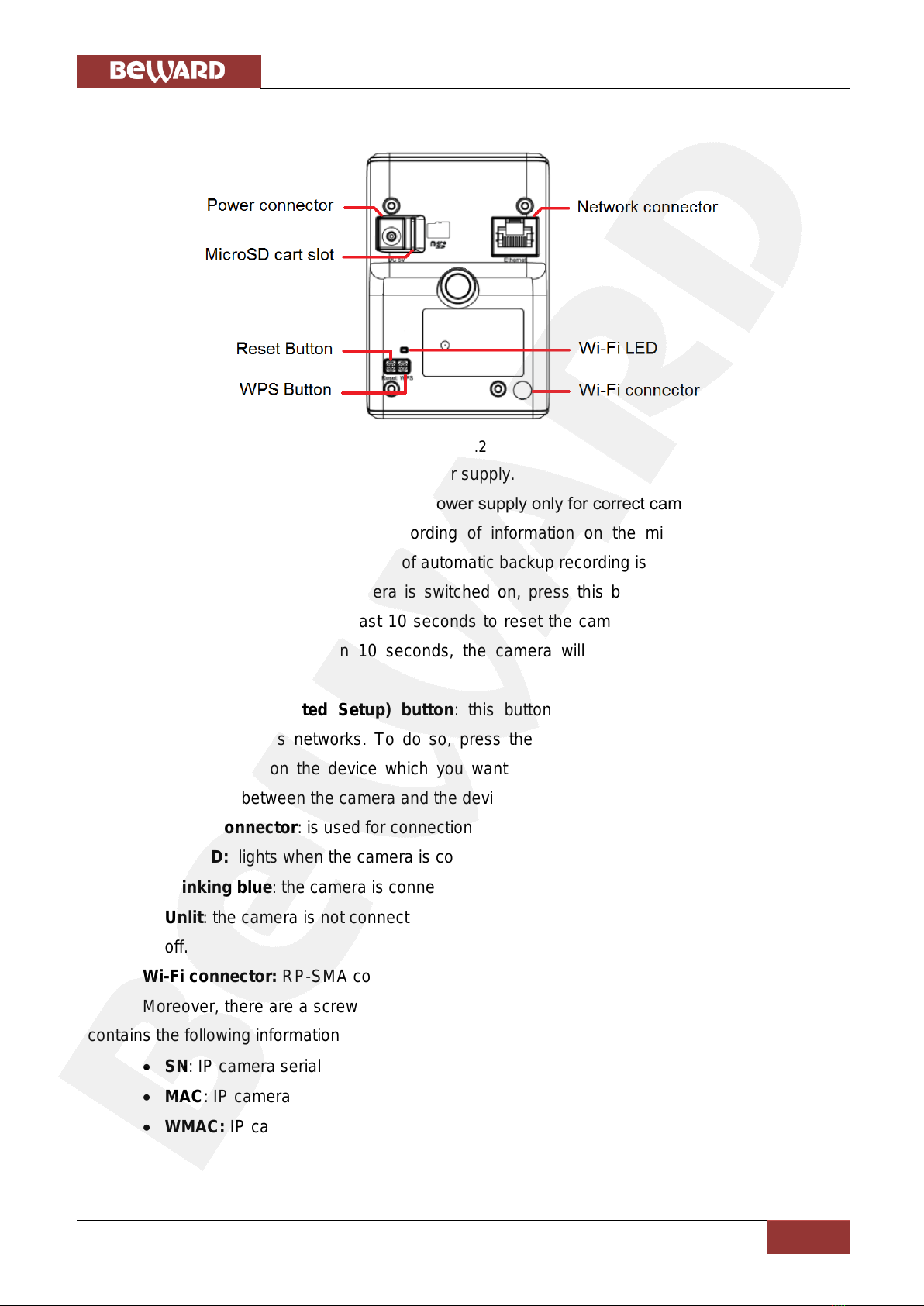
3.2. BACK PANE .............................................................................................................................................. 8
CHAPTER 4. INSTALLING THE CAMERA AND CABLES’ CONNECTING ..................................................... 9
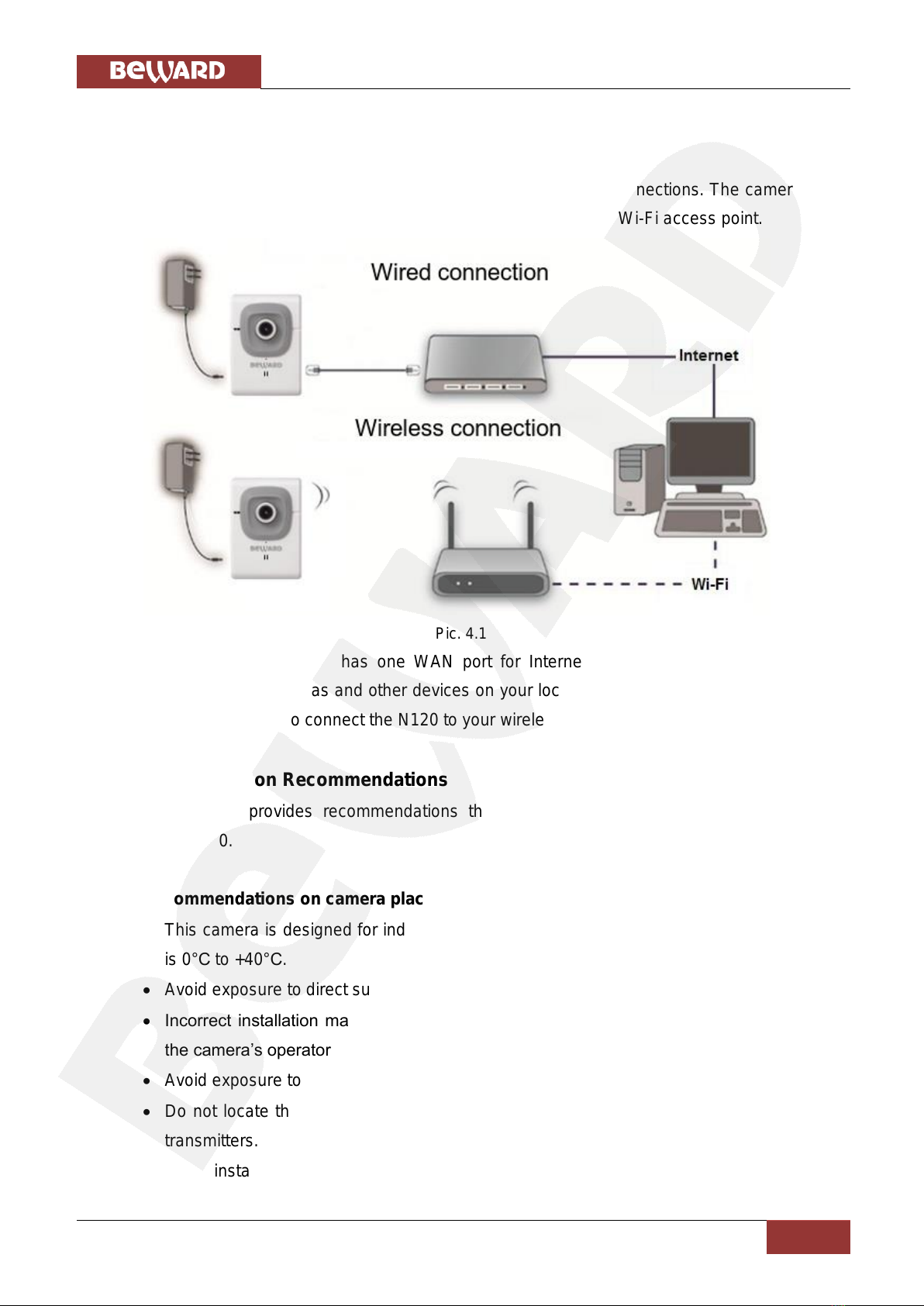
4.1. OVERVIEW OF CONNECTING THE N120 TO A NETWORK............................................................................... 9
4.2. INSTALLATION RECOMMENDATIONS ............................................................................................................ 9
4.3. INSTALLING THE CAMERA..........................................................................................................................11
4.4. WIRED CONNECTION TO A NETWORK ........................................................................................................11
CHAPTER 5. SETTING UP THE WIRED CONNECTION FOR WINDOWS 7 ................................................. 13
5.1. DEFINING THE LOCAL NETWORK PARAMETERS FOR WIRED CONNECTION .................................................. 13
5.1.1. Defining the Local Network Parameters when using a Dynamic IP Address ................................................. 17
5.2. CHANGING THE LOCAL NETWORK PARAMETERS ....................................................................................... 20
5.3. ACCESSING THE IP CAMERA.................................................................................................................... 24
5.3.1. Installing “BEWARD IP Installer” Software .................................................................................................... 24
5.3.2. Accessing the IP Camera Using “BEWARD IP Installer” Software.................................................................. 24
5.3.3. Accessing the IP Camera Using the Network Menu in Windows 7 ................................................................ 26
5.3.4. Accessing the IP Camera Using Internet Explorer.......................................................................................... 27
5.4. ACCESSING THE CAMERA’S WEB INTERFACE ............................................................................................ 27
5.5. CONFIGURING THE CAMERA’S NETWORK SETTINGS THROUGH THE WEB INTERFACE .................................. 30
5.6. RESTORING THE NETWORK SETTINGS OF THE COMPUTER TO THEIR PREVIOUS VALUES............................. 31
5.7. VERIFYING THE CONNECTION SETTINGS................................................................................................... 35
CHAPTER 6. SETTING UP THE WIRELESS CONNECTION FOR WINDOWS 7 .......................................... 37
6.1. OVERVIEW OF CONNECTING N120 TO A WIRELESS NETWORK................................................................... 37
6.2. CONNECTING TO A WIRELESS NETWORK USING WPS............................................................................... 37
6.2.1. Connecting to a Wireless Network by Configuring the Camera through the Web Interface ......................... 37
6.2.2. Connecting to a Wireless Network without Using the Camera’s Web Interface ........................................... 42
6.2.3. Verifying the Connection to the Wi-Fi Network............................................................................................. 43
6.3. CONNECTING TO A WIRELESS NETWORK WITHOUT USING WPS ................................................................ 44
6.3.1. Defining the Wireless Connection Settings for Windows 7............................................................................ 44
6.3.2. Configuring the Camera’s Wireless Network Parameters through the Web Interface .................................. 48
6.3.3. Verifying the Wireless Network Configuration without Using WPS .............................................................. 53
CHAPTER 7. ACCESSING THE CAMERA OVER THE INTERNET ............................................................... 55
7.1. OVERVIEW OF INTERNET ACCESS TO THE CAMERA ................................................................................... 55
7.2. USING AN EXTERNAL STATIC IP ADDRESS OR PPPOE CONNECTION.......................................................... 55
7.2.1. Using an External Static IP Address ............................................................................................................... 55
7.2.2. Using a PPPoE Connection............................................................................................................................. 57
7.3. INTERNET ACCESS TO THE CAMERA ON A LOCAL NETWORK....................................................................... 58
7.3.1. Using the UPnP Option .................................................................................................................................. 59
7.3.2. Manual Port Forwarding ............................................................................................................................... 60
7.4. ACCESSING THE CAMERA OVER THE INTERNET USING DYNDNS SERVICE .................................................. 66
7.4.1. Overview of Internet Access Using DynDNS service ...................................................................................... 66
7.4.2. Creating an Account at DynDNS Service........................................................................................................ 66
7.4.3. Creating a Domain Name at DynDNS............................................................................................................ 70
7.4.4. Equipment Setting for Work with DynDNS .................................................................................................... 74
APPENDIX ........................................................................................................................................................ 78
APPENDIX A. PORT VALUES ........................................................................................................................... 78
APPENDIX B. FACTORY DEFAULTS .................................................................................................................. 79
APPENDIX C. GLOSSARY ................................................................................................................................ 80