
Billow Technology XP100WXGA Manuale utente

XP100WXGA
#
e
m
o
l
o
g
y
Guía de Usuario
User's Guide
Guide de l'utilisateur
Home
theater LED
PROJECTOR
Introduction and description of the product.
Thank you for choosing the XP100WXG Projector.
Packing content
· XP100WXG
· Quick installation guide.
· VGA cable
· AV cable
· AC cable
· IR Remote Control
· Fuse
Make sure your packaging contains the items described above. If you find that any item is missing or
damaged, please contact your dealer.
Description of the parts
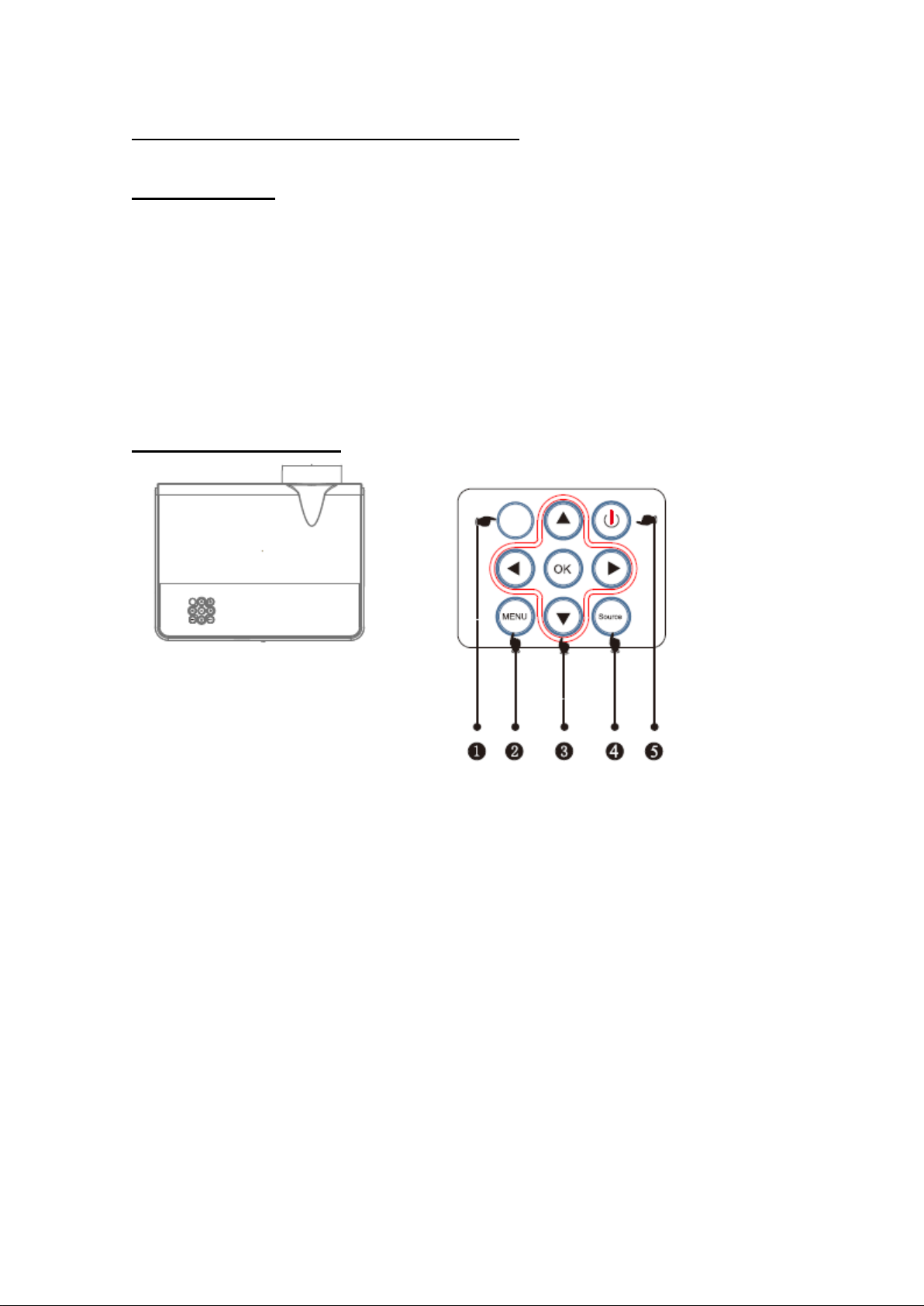
1. Light indicator. Red: In Standby Mode, Blue: Working.
2. Menu button. Access the projector menu.
3. Address buttons. They allow you to move between the different options within
the menu.
4. Source button. Allows you to select the input source connected to the projector
such as AV, HDMI, etc.
5. ON / OFF button. Allows you to turn the projector on or off.
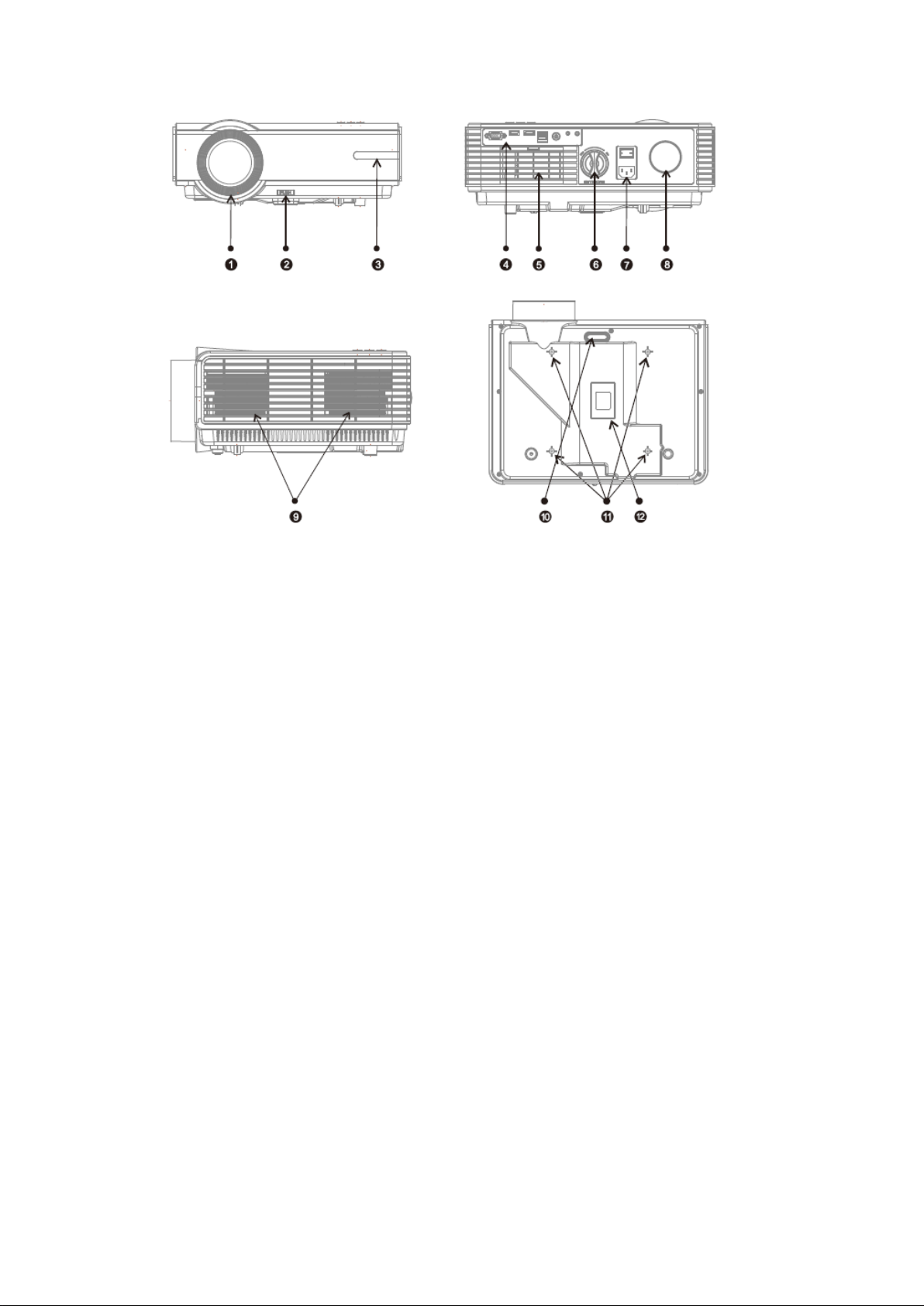
1. Lens focus.
2. Level of elevation.
3. IR receiver.
4. Entries.
5. Ventilation inlet.
6. Trapezoidal adjustment.
7. Power switch.
8. Loudspeaker
9. Ventilation outlet.
10. Lifting support.
11. Holes for mounting the projector
12. Label
13. Ventilation inlet.
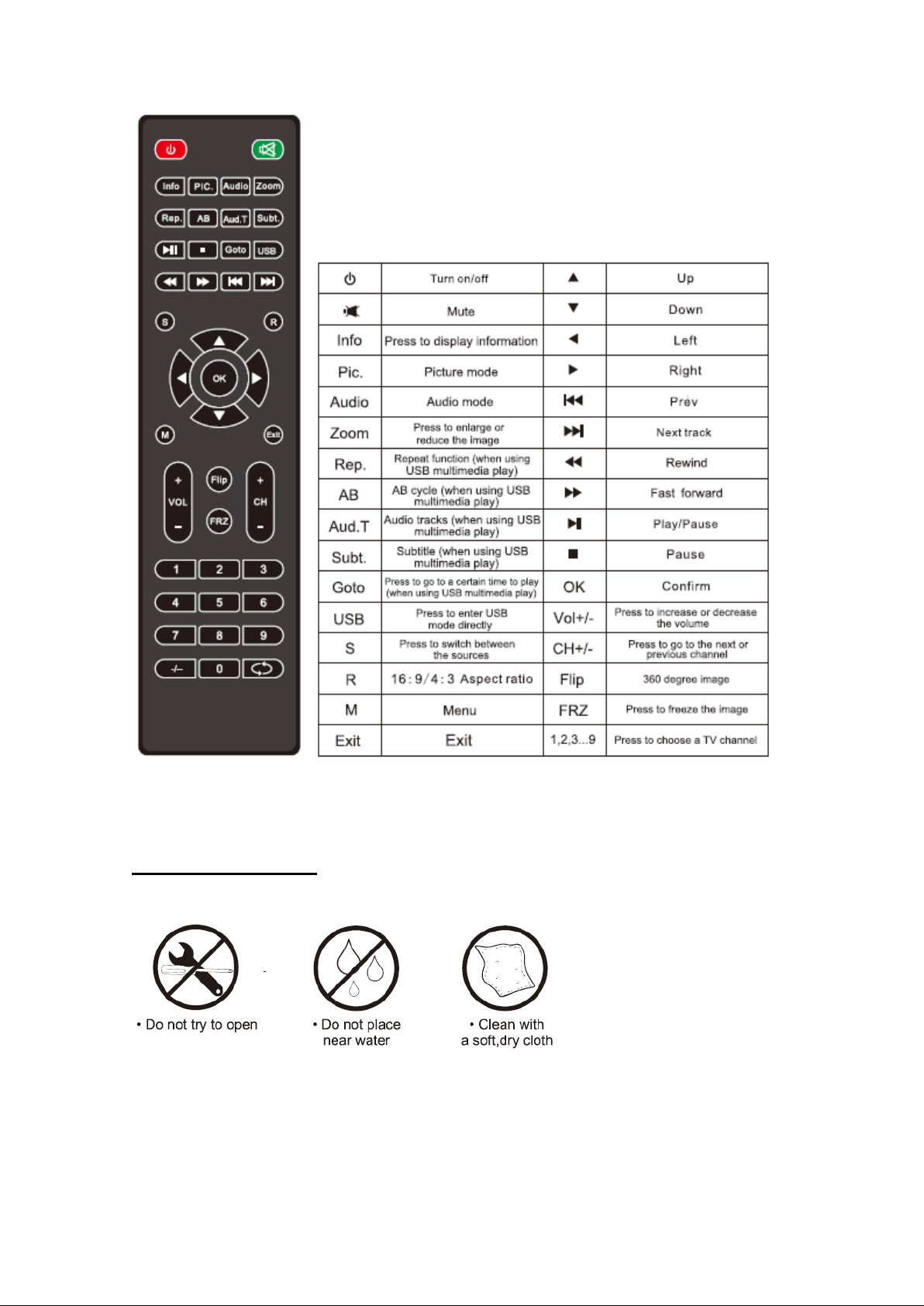
Security instructions
.
On / Off
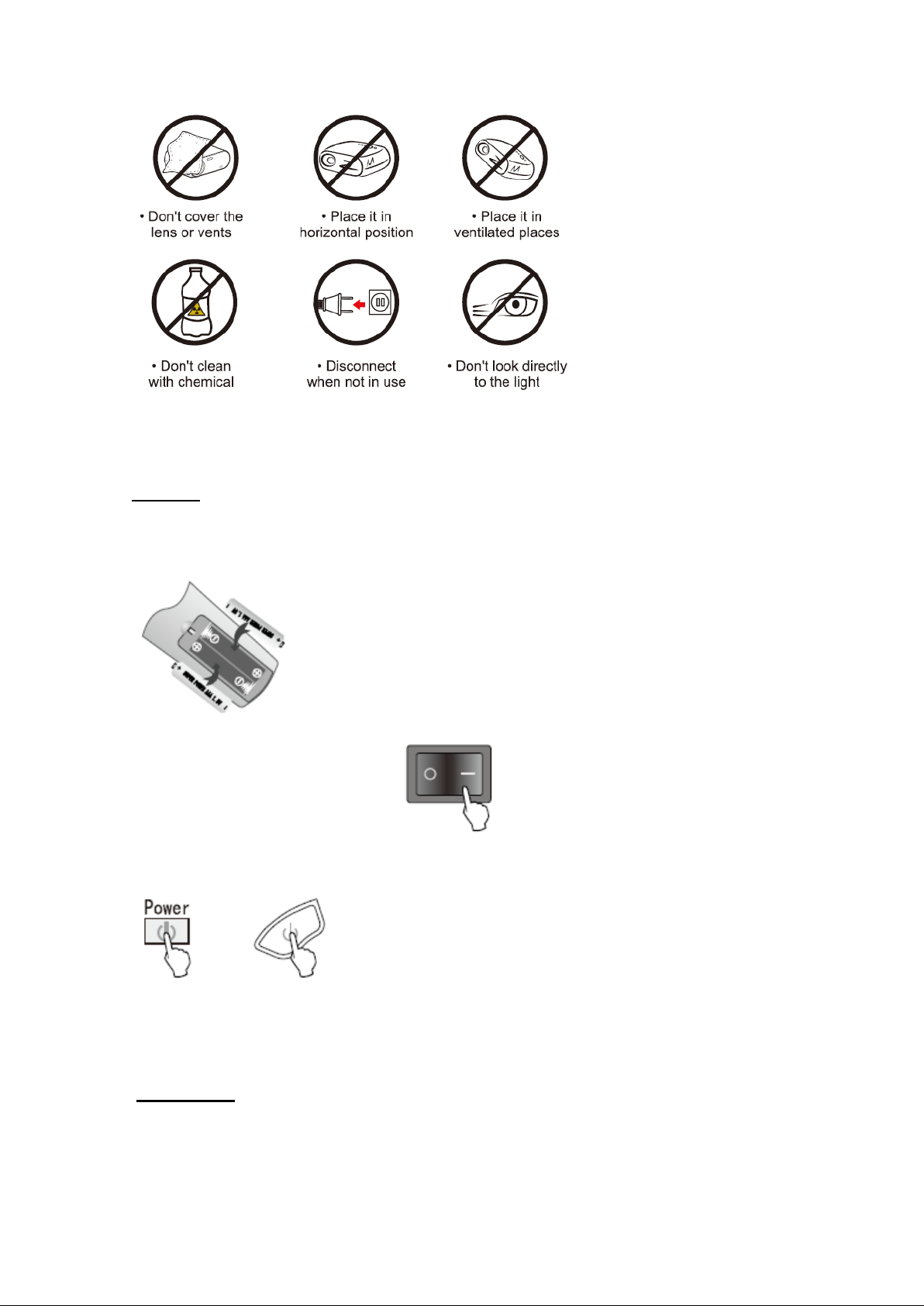
Connect the supplied AC power cord between the AC input of the Projector and a household
power outlet.
Purchase and insert two AAA batteries in the back of the IR remote control.
Turn the rear switch to position 1 (lit)
To turn the projector on or off press the ON / OFF button for a few seconds or press the
power button on the remote control.
Note: Before making connections between the various devices and the XP100WXG, turn off
all the devices and the projector.
Installation
For a correct installation please see the following table that indicates the desired screen size
and the ideal projector placement distance based on the format.
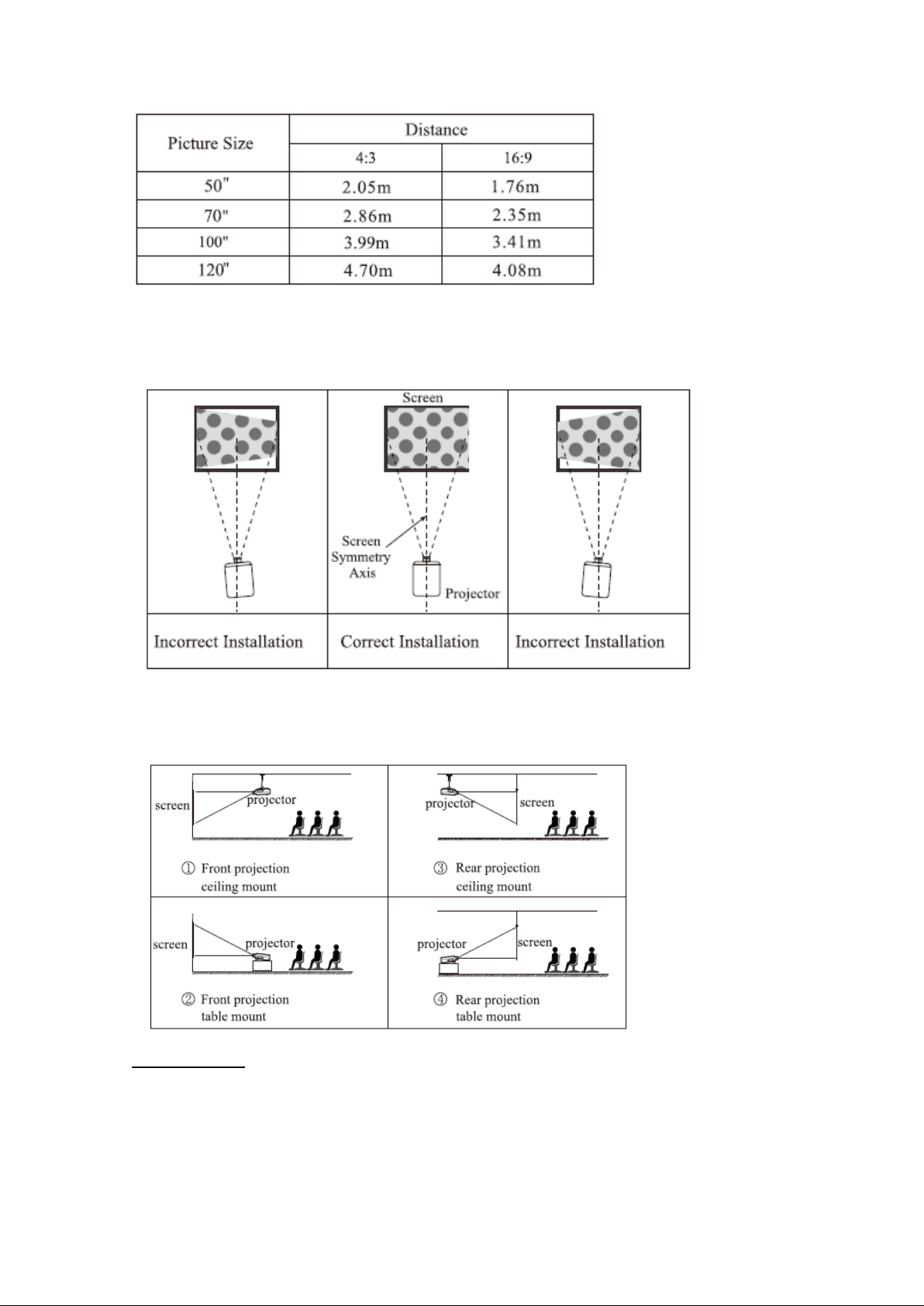
Our suggestion is not to exceed 120 "for a perfect visualization.
For the trapezoidal adjustment see the following image for the correct installation.
Always place the projector perpendicular to the projection wall.
Follow one of the following installation methods, contact a mounting professional if you wish
to place the projector on the ceiling.
Connections
The first thing to do is to select the input source based on the device you have connected,
by pressing the Source button on the top panel of the projector or by pressing the Source
button on the remote control.
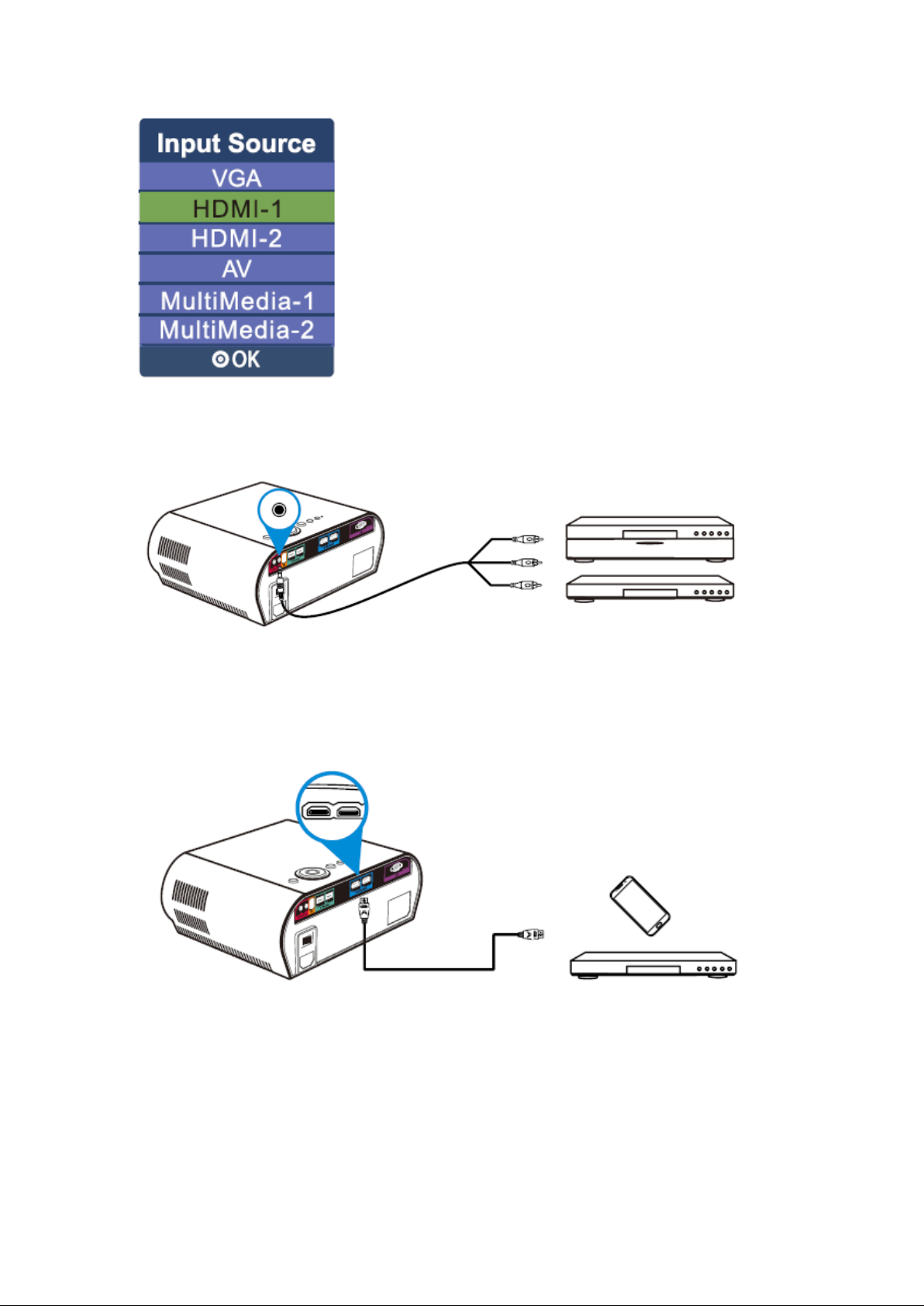
Connecting RCA (AV) devices
Use the included AV cable and connect it between the video jack 3.5mm jack on the projector
and the RCA output on your device
Connecting HDMI devices
Purchase an HDMI cable and connect it to one of the HDMI inputs on the projector and to
the HDMI output on your device.
Connecting VGA devices
Use the supplied VGA cable and connect it to the VGA input of the projector and to the VGA
output of your device or PC.
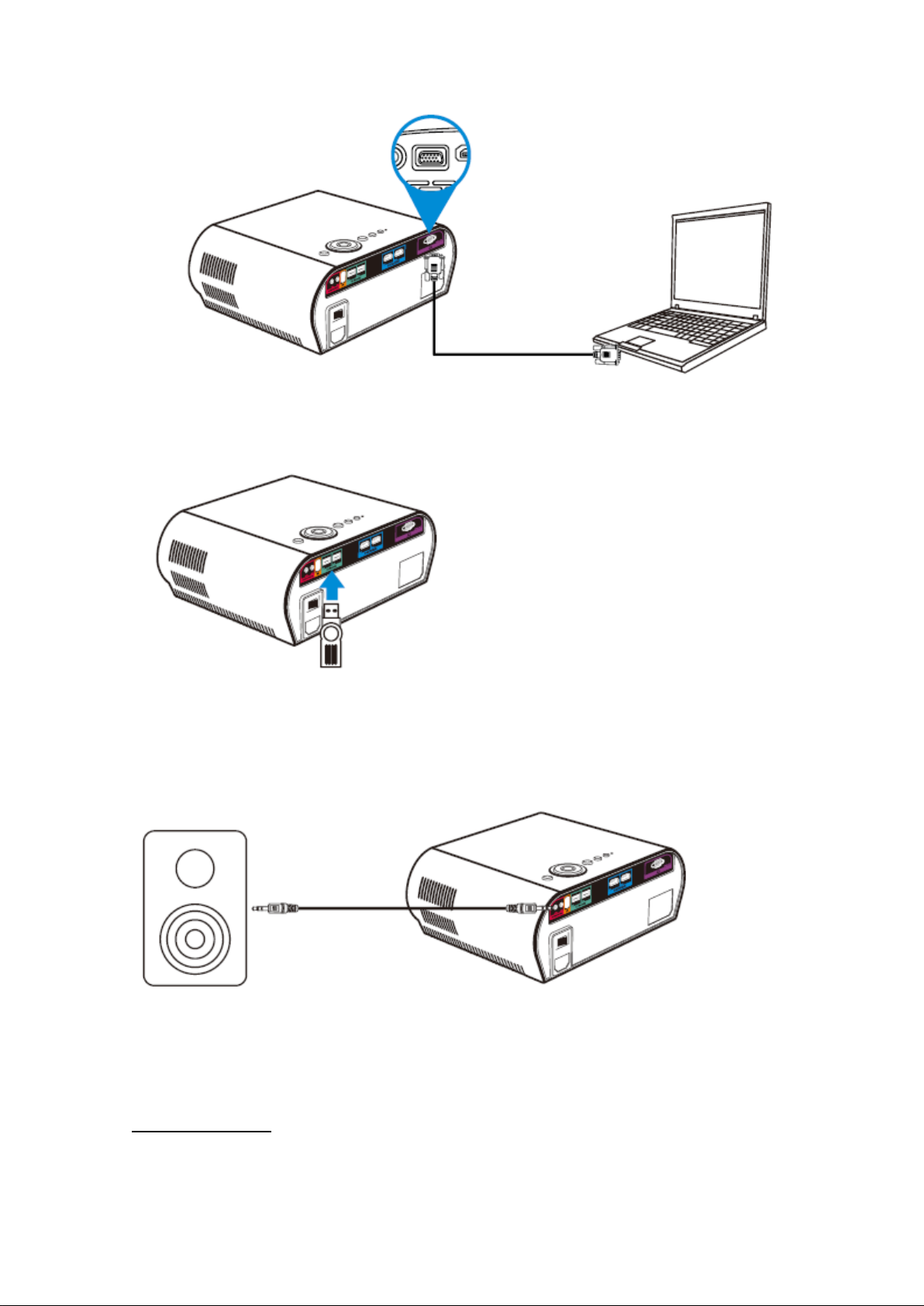
Connecting USB devices
Connect your pendrive or storage unit to some of the projector's USB inputs.
External Audio Connection
Connect your external speakers to the 3.5mm Jack audio output of the projector.
IMAGE ADJUSTMENTS
When the image is displayed for the first time the image may not appear clear or crooked,
please follow the steps below to correct it:
Focus adjustment
Turn the lens clockwise or anti-clockwise slowly until the image is clear
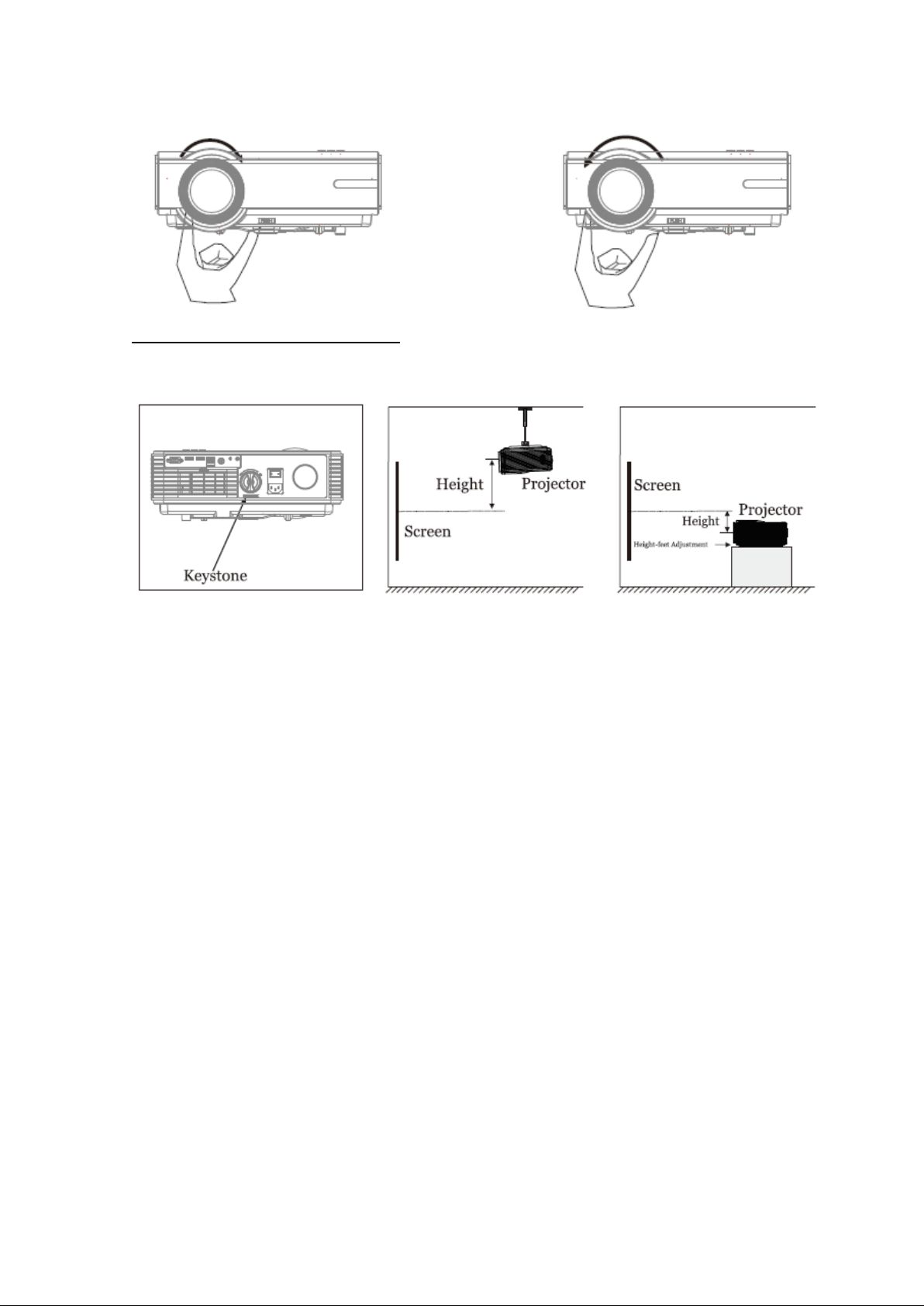
Trapezoidal adjustment (keystone)
If the displayed image has a trapezoidal distortion, correct the problem with the trapezoidal
rear adjustment.
If you can´t correct the problem with the trapezoidal adjustment, place the projector
perpendicular to the projection wall.
MAIN MENU
Press the menu button and the image of the main menu will be displayed where you can
adjust different options. To access select the different options with the direction buttons
Picture Submenu
In this menu you can adjust the type of image, the color of the image, the aspect ratio and
the reduction of noise in the image.
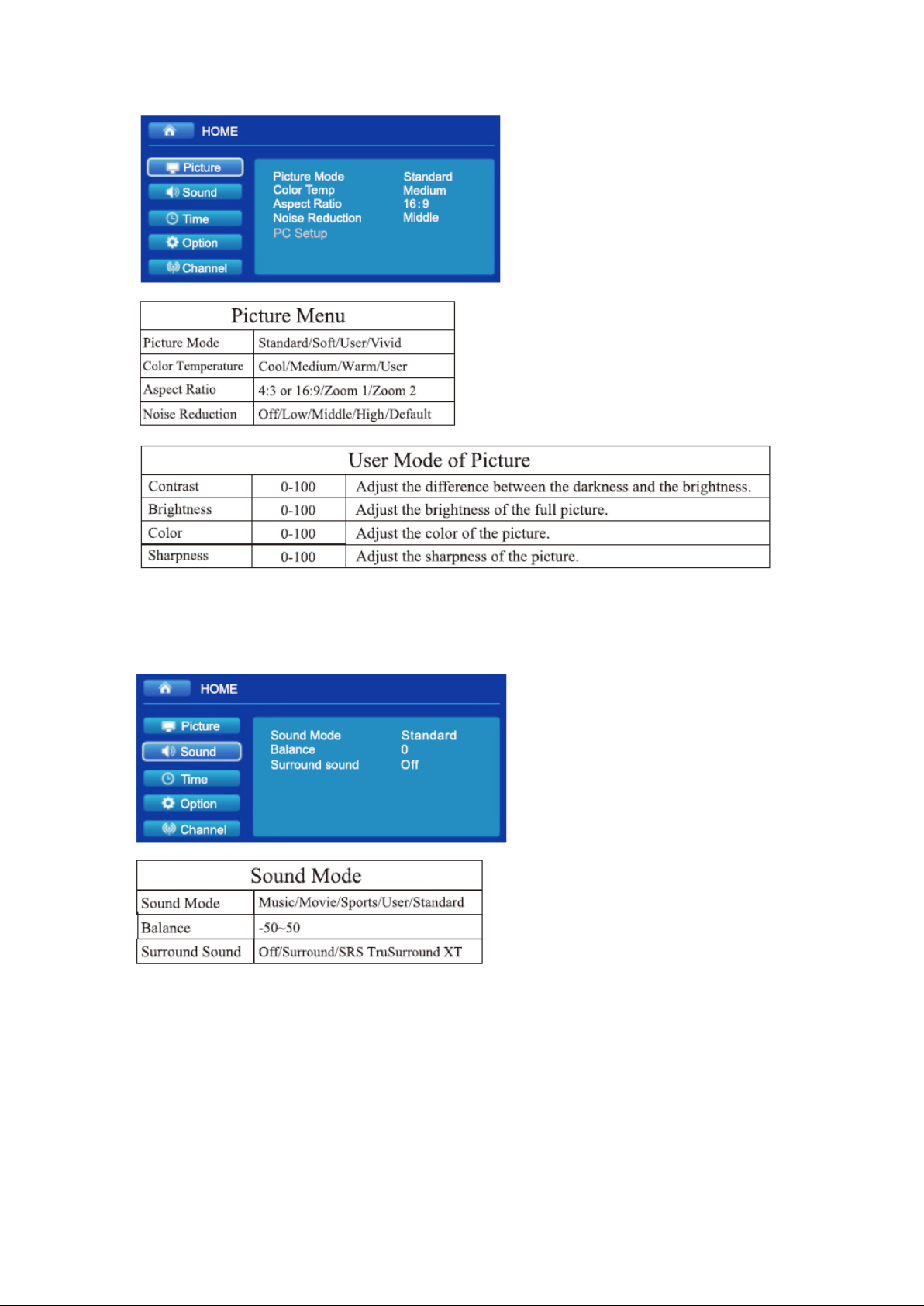
Sound Submenu
In this menu you can adjust the type of sound, the sound balance and the Surround.
Time Submenu
In this menu you can adjust the time options, such as the off time.
Indice
Lingue:


