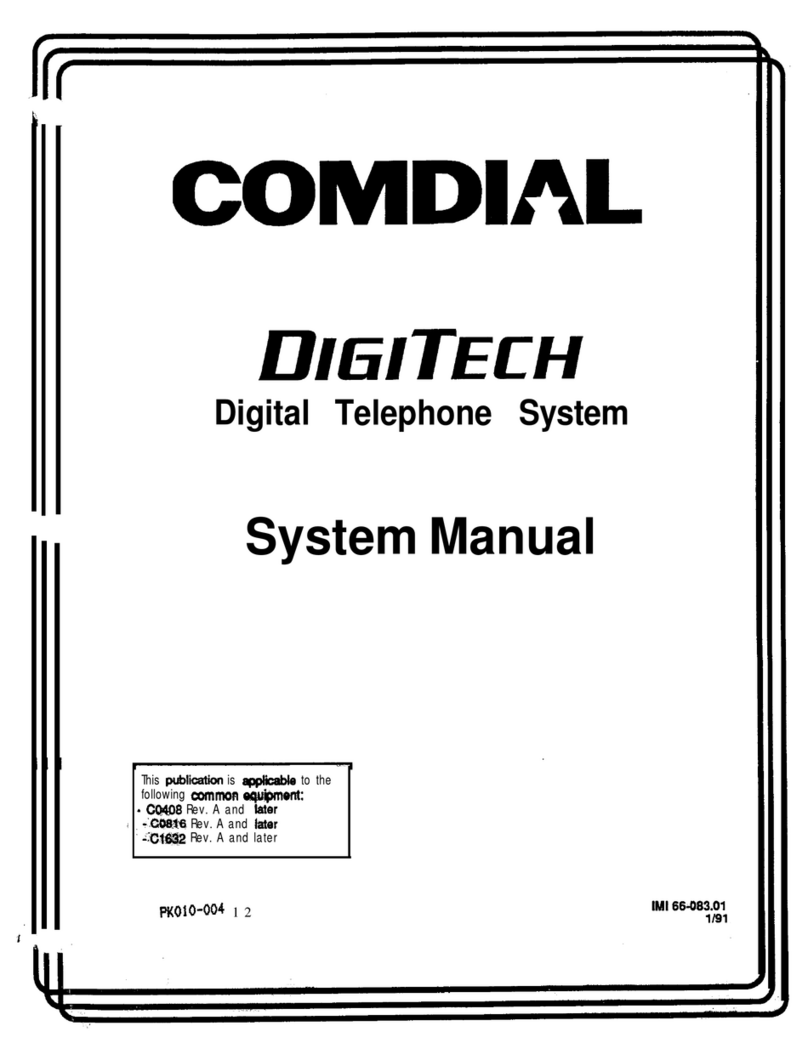
Comdial Impression Manuale utente

Digital Telephone System
LCD Speakerphone
System Reference Guide
R
12
4
7
0
89
56
3
#
ABC
GHI
PRS
OPER
TUV WXY
JKL MNO
DEF
SPKR
HOLD TAP ITCM
T/C MUTE
unisyn05.cdr

This user guide is applicable for the Impression
LCD speakerphone model 2022S-** Rev. A and
later using the following software cartridges on a
digital telephone system:
I0408 Rev. 18A and Later
I0816 Rev. 18A and Later
I1632 Rev. 18A and Later
S0408 Rev. 18A and Later
S0816 Rev. 18A and Later
S1632 Rev. 18A and Later
Attention
Comdial®makes every effort to design the features in our
communications systems to be fully interactive. Under cer-
tain conditions, some features may be incompatible with
each other and will not work simultaneously. Comdial as-
sumes no responsibility for problems caused by incompatible
features.
The possible combinations of accessories and features are far
too numerous for us to document in this manual. Further-
more, Comdial Corporation cannot guarantee that features
will operate as described in this publication when they are
combined with other features.

Contents
1IntroducingTheLCDSpeakerphone...........1
1.1 Using This Guide ...................................................... 1
1.2 Knowing Your Telephone’s Features......................... 2
1.3 Using Your Speakerphone........................................ 4
1.4 Understanding What The Lights Mean..................... 6
1.5 Understanding The LCD Abbreviations .................. 8
1.6 Understanding What the Rings Mean....................... 9
2ProgrammingTheAttendantFeatures.........11
2.1 Using Chapter Two.................................................. 11
2.2 Creating The LCD Response Messages.................. 12
2.3 Naming The System Telephones............................ 16
2.4 Setting The Music On Hold Feature....................... 20
2.5 Setting The Night Transfer Of Ringing Mode........ 24
2.6 Setting The Night Transfer Button......................... 24
2.7 Setting The System Clock....................................... 22
2.8 Printing The Station Message Detail Accounting
(SMDA) Records.................................................... 23
2.9 Storing The System Speed Dial Numbers .............. 24
2.10 Reporting System Alarms ...................................... 27
2.11 Transferring Calls To The Voice Mail System....... 37
2.12 Transferring Calls To A Secondary
Attendant Telephone ............................................... 27
2.13 Using Digital Voice Announce................................ 28
2.14 Understanding Direct Inward Station Dialing........ 32
3AnsweringCalls ...........................35
3.1 Answering Outside Calls ........................................ 35
3.2 Answering Intercom Calls...................................... 35
3.3 Responding To A Subdued Off-Hook
Voice Announcement............................................... 36
3.5 Using Caller ID ....................................................... 37
3.4 Using Call Pick-Up................................................. 37
3.7 Using Station Monitoring ....................................... 38
3.6 Using Night Transfer............................................... 38
Contents
Contents–iii

4MakingCalls..............................57
4.1 Calling Outside The System .................................. 39
4.2 Calling Intercom Numbers..................................... 40
4.3 Calling A Busy Station (Executive Override)......... 41
4.4 Camping At Another Telephone
And Waiting For An Automatic Callback............... 42
4.5 Camping At Another Telephone
And Waiting For An Answer (Call Waiting)........... 42
4.6 Making An Automatic Dialing Call (Autodial)...... 43
4.7 Making A Speed Dial Call ..................................... 44
4.8 Making An Automatic Redial Call (Auto-Redial).. 45
4.9 Redialing The Last Number Dialed........................ 46
4.10 Redialing A Saved Number.................................... 46
4.11 Selecting A Line Group........................................... 47
4.12 Showing The Cost Or Time Of A Call.................... 47
4.13 Waiting For A Line (Queuing)................................ 48
4.14 Voice Announcing To A Busy Station
(Subdued Off-Hook Voice Announcement)........... 49
4.15 Using Dial By Name............................................... 50
5HoldingCalls..............................51
5.1 Holding A Call ........................................................ 51
5.2 Using Exclusive Hold.............................................. 51
5.3 Using The Hold Recall Feature.............................. 52
5.4 Using Call Park ...................................................... 5.4
5.5 Using Directed Hold .............................................. 53
6TransferringAndConferencing Calls........ 55
6.1 Transferring Calls.................................................... 55
6.2 Using Screened Transfer......................................... 56
6.3 Using Unscreened Transfer..................................... 57
6.4 Conferencing Telephones Together......................... 58
6.5 Making An Unsupervised Conference Call............ 59
Contents
iv–Contents

7UsingTheOtherTelephoneFeatures..........61
7.1 Adjusting The Display Contrast.............................. 61
7.2 Blocking Voice Announce Calls............................. 61
7.3 Controlling Background Music............................... 63
7.4 Choosing Between Pluse And Tone Dialing........... 63
7.5 Choosing Your Personal Ring Tones....................... 64
7.6 Displaying The Functions Of Your
Station’s Buttons (Button Query) ........................... 64
7.7 Entering An Account Code .................................... 65
7.8 Forwarding Your Calls............................................ 66
7.9 Listening To A Call Over
The Speaker (Group Listening) .............................. 67
7.10 Making A Call Non-Private .................................... 67
7.11 Monitoring A Conversation Between
Two Telephones (Service Observing)..................... 68
7.12 Muting Your Telephone.......................................... 69
7.13 Operating Your LCD Speakerphone As A
Department Station ................................................. 70
7.14 Relocating Your Telephone ..................................... 71
7.15 Sending A Paging Announcement ......................... 72
7.16 Setting The Volume Control................................... 74
7.17 Setting A Do Not Disturb Condition....................... 76
7.18 Using Toll Restriction Override.............................. 77
7.19 Using The Optional Tracker Pager System............ 78
7.20 Using The Data Interface Unit................................ 80
Contents
Contents – v

8UsingNon-VerbalMessaging................ 83
8.1 Turning On A Message Waiting Light.................... 83
8.2 Sending LCD Messages.......................................... 84
8.3 Leaving A Station-To-Station Message .................. 85
8.4 Sending An Assist Button Message ........................ 85
9ProgrammingYourTelephone................87
9.1 Programming For Automatic Dialing ..................... 87
9.2 Storing Autodial And Speed Dial Numbers............ 90
9.3 Storing DSS Numbers............................................. 91
9.4 Storing The Feature Buttons................................... 92
9.5 Storing The Special Purpose Feature Buttons....... 94
10 TroubleshootingYourTelephone............ 97
10.1 Using Your Quick Reference Guide........................ 98
Glossary................................... G–1
Index .....................................I–1
Contents
vi – Contents

Introducing The LCD
Speakerphone
1.1 Using This Guide
Chapter One provides you with a general overview of your new
speakerphone and its functions. Each of the other nine chapters in this
guide is clear and easy to follow.
The Chapters are numbered as follows:
Chapter One: Introducing The LCD Speakerphone
Chapter Two: Programming The Attendant Features
Chapter Three: Answering Calls
Chapter Four: Making Calls
Chapter Five: Holding Calls
Chapter Six: Transferring and Conferencing Calls
Chapter Seven: Using The Other Telephone Features
Chapter Eight: Sending And Receiving Non-Verbal Messages
Chapter Nine: Programming Your Telephone
Chapter Ten: Troubleshooting Your Telephone
For your convenience, a quick reference guide, a glossary, and an
alphabetical index are included in the back of this user’s guide.
1
Introducing The LCD Speakerphone
Impression LCD Speakerphone – 1

1.2 KnowingYourTelephone’s Functions
The Impression model 2022S-✳✳ LCD speakerphone provides many
versatile features for your use. Refer to the following list for the
features and their functions.
•Alphanumeric Display
(Liquid Crystal Display—LCD)
– Displays time, day, and date
– Keeps you apprised of the status of your telephone
– Provides programming prompts
•Hold Button
– Places a line on hold
– Stores pauses in number sequences during programming
•Interactive Buttons
– Provide quick and easy access to system features
– Provide straightforward button programming without dialing
codes (the interactive buttons themselves, however, are not
programmable)
•Intercom Button (ITCM)
– Selects an intercom line
– Initiates many of the telephone’s features
•Message Waiting Light (located beside the Hold button)
– Indicates that a message awaits pick up
•Microphone Opening
– Allows handsfree operation of speakerphone (speak clearly
toward microphone opening)
•Mute Button
– Allows you to respond to a SOHVA call
– Keeps the person on the line from hearing your conversation
•Programmable Buttons
– Allow you to store numbers for automatic dialing functions
– Allow you to store telephone extension numbers for Direct
Station Selection (DSS)
– Indicate which lines are either in use or on hold
Introducing The LCD Speakerphone
2 – Impression LCD Speakerphone

•Speaker
– Sounds distant party’s voice
– Sounds ringing and call progress tones
•Speaker Button (SPKR)
– Disconnects a call when you are on a handsfree call
– Ends or cancels programming
– Activates group listen feature
•TAP Button (will be preprogrammed for only
one of the following functions)
– Recalls dial tone, or
– Activates host system features
•Transfer/Conference Button (T/C)
– Transfers calls
– Sets up conference calls
•Volume Control (Rocker Switch Control)
– Regulates the volume of the ringer, the speaker, the handset,
the headset, and of the group listen feature
unisyn08.cdr
LCD Display
Interactive Buttons
Speaker
Mute Button
T/C Button
SPKR Button
Message
Waiting Light
Hold Button
TAP Button
ITCM Button
Programmable
Buttons
Volume Control
Microphone Opening
12
4
7
0
89
56
3
#
ABC
GHI
PRS
OPER
TUV WXY
JKL MNO
DEF
SPKR
HOLD TAP ITCM
T/C MUTE
Introducing The LCD Speakerphone
Impression LCD Speakerphone – 3

1.3 Using Your Speakerphone
Your Impression speakerphone is handsfree allowing you to dial a call
or answer a call-announce while on hook. Your speakerphone gives you
the freedom to speak to the distant party without ever lifting the
handset. After you make the initial contact, you can carry on a
telephone conversation and still be free to do other things.
During the course of a conversation, you can always switch from the
speakerphone to the handset for privacy. To do this, just lift the handset
and talk. To return to speakerphone use, press the SPKR button and
hang up the handset.
•To manually place a call using your speakerphone,
– press the line button or the ITCM button,
– dial the number,
– when party answers, talk.
To autodial using your speakerphone, just press the
programmed button and talk when your party answers.
•To answer a call with your speakerphone,
– press the line button with flashing red or orange light,
– speak toward the telephone to answer the call.
•To end a call with your speakerphone,
– press SPKR.
Understanding Speakerphone Operation
Your speakerphone is activated by the sound of your voice; therefore,
the operation of a speakerphone is slightly different from the use of a
standard telephone handset. Consider all of the following guidelines
before you use your speakerphone.
Introducing The LCD Speakerphone
4 – Impression LCD Speakerphone
Altri manuali per Impression
1
Indice
Altri manuali Comdial Sistema telefonico

Comdial
Comdial TO308 Guida utente

Comdial
Comdial DX-80 Manuale

Comdial
Comdial DSU Manuale del proprietario
Comdial
Comdial E34PT Manuale utente

Comdial
Comdial DSU II Manuale utente

Comdial
Comdial G0408 Manuale utente
Comdial
Comdial DIGITECH Manuale del proprietario

Comdial
Comdial DX-80 Manuale di istruzioni
Comdial
Comdial Impression Manuale utente

Comdial
Comdial IMPRESSION GCA70-328 Manuale utente