
Corega WLUSB2GO Manuale utente
User Manual
54M Wireless USB Adapter
WLUSB2GO

WLUSB2GO Manual
1
1. Preface.............................................................................................................2
1.1 Features....................................................................................2
1.2 Packing Content....................................................................2
1.3 Hardware description..........................................................3
1.4 Installation Steps..................................................................3
2. Software Installation....................................................................................4
2.1 Hardware Installation..........................................................4
2.2 Utility and Driver Installation ..........................................5
2.3 Verify the Hardware Status................................................7
3. Setting TCP/IP..................................................................................................9
4. Setting Wireless Network.........................................................................10
5. Network Security Setting........................................................................... 12
5.1 Setting WEP.........................................................................12
5.2 Setting WPA.........................................................................14
《WPA-PSK and WPA2-PSK》...........................14
《WPA and WPA2》..............................................15
6. Utility Introduction....................................................................................17
6.1 Site Survey............................................................................17
6.1.1 Add one profile ...........................................18
6.2 Profile......................................................................................19
6.3 Link Status.............................................................................20
6.4 Statistics.................................................................................21
6.5 Advanced settings............................................................21
6.6 IP Information.....................................................................23
6.7 About tab..............................................................................23
7. FAQ................................................................................................................ 24
8. Specification............................................................................................... 27
Contents

WLUSB2GO Manual
2
22
corega CG-WLUSB2GO 54M Wireless USB Adapter complies with
IEEE802.11b/g standards. Its 2.0 USB interface is suitable for any
computer with USB port. Its unique bearing cap design makes
the cap less impossible to get lost. Moreover, CG-WLUSB2GO
provides wide transmission range, high quality and stable trans-
mission. These above features make it a great companion for NB
& desktop users.
1.1 Features
• Complies with IEEE802.11b/g standard.
• USB 2.0/1.1 Interface
• With wireless coverage up to 375m. Coverage radius is six
times wider than general 802.11g products. (Environmen-
tal factors may adversely affect wireless signal range.)
• Support TX-Burst technology. Can effectivly improve
transmit speed when working with corega WLBARGMO or
corega WLBARGO.
• Supports WEP 64/128 bit, WPA/WPA2, 802.1x network
security modes.
• Supports roaming function, can automatically search for
stronger signal wireless AP.
• Supports power save mode, spending less power.
1.2 Package Content
Before installation, please make sure the packing content is
completed. If there is something loss please contact your local
distributor.
- 54M Wireless USB Adapter
- CD-ROM
- User Manual
1Preface

33
WLUSB2GO Manual
3
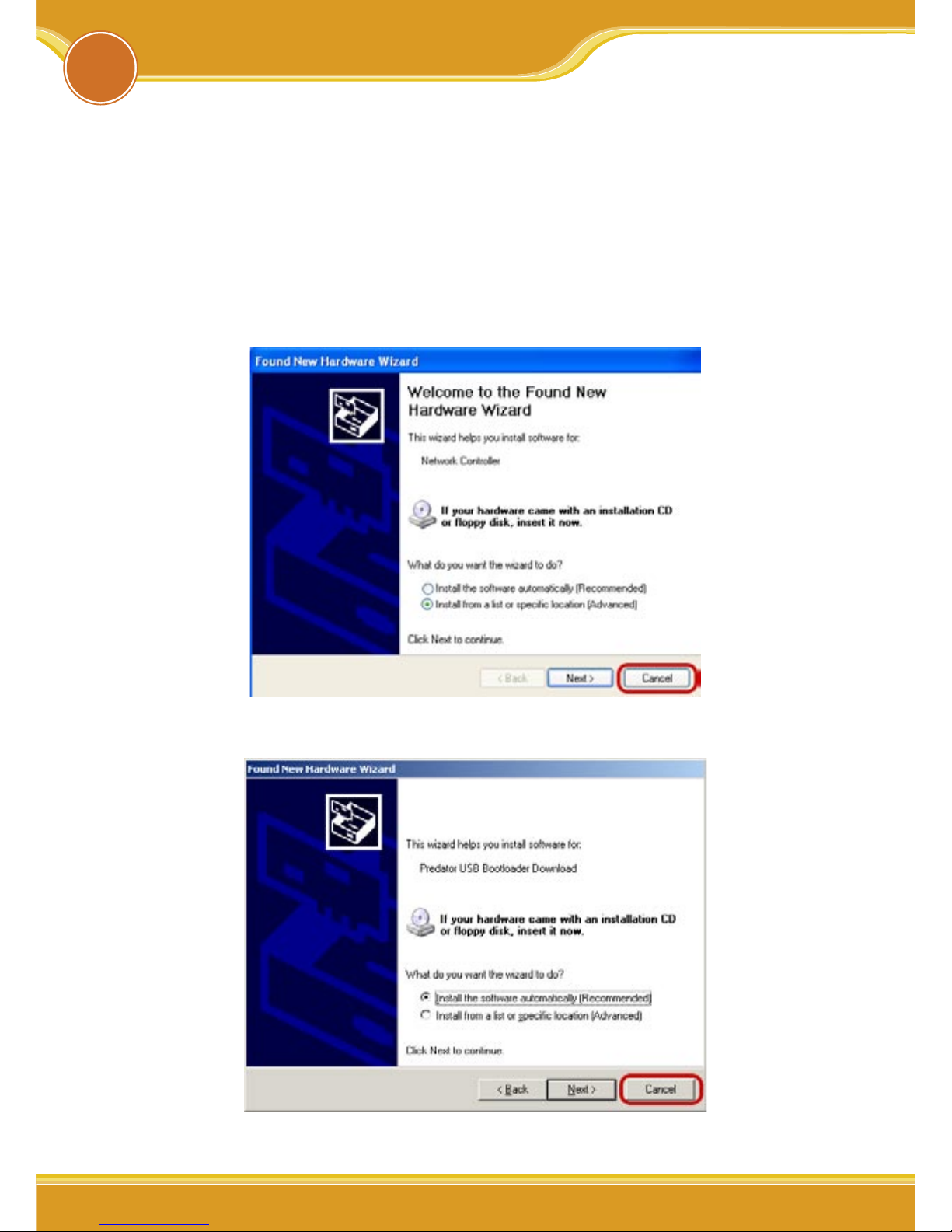
1.3 Hardware description
Bearing Cap USB Connecter Inside
1.4 Installation Steps
Please confirm the following steps before installing the product.
Plug the product into the USB port Put the Driver CD Install
the utility program and the driver Confirm the Device status
of the product Set up TCP/IP Open the Utility Program
Setup the Wireless Network Enable the security function
Setup the advanced functions Start to use the product.
WLUSB2GO Manual
4
2Software Installation
44
2.1 Hardware Installation
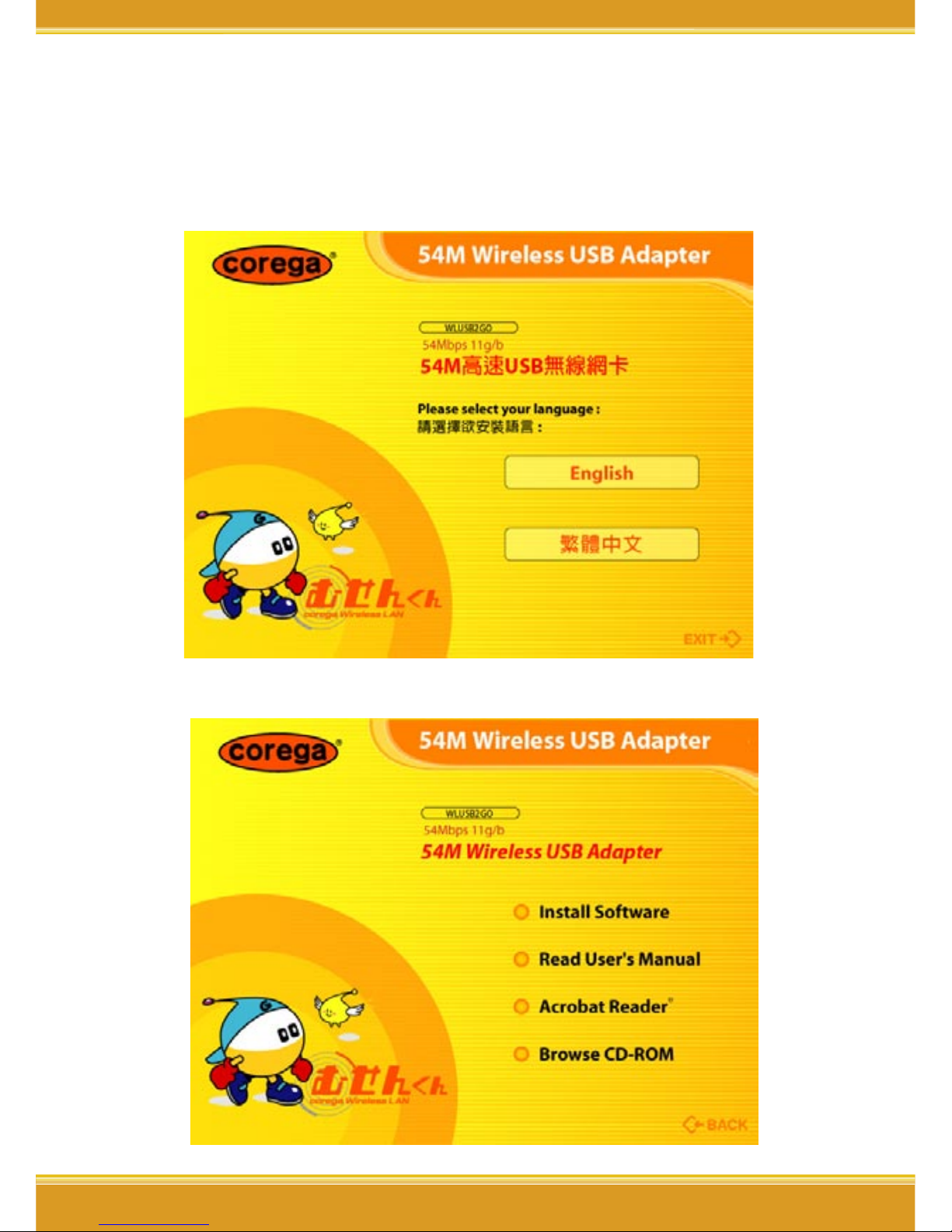
Please plug corega WLUSB2GO into the USB port. After you
plug it in, please install the software and driver.
When the following pages appear, please click [cancel].
<Windows XP>
<Windows 2000>
55
WLUSB2GO Manual
5
2.2 Utility and Driver Installation
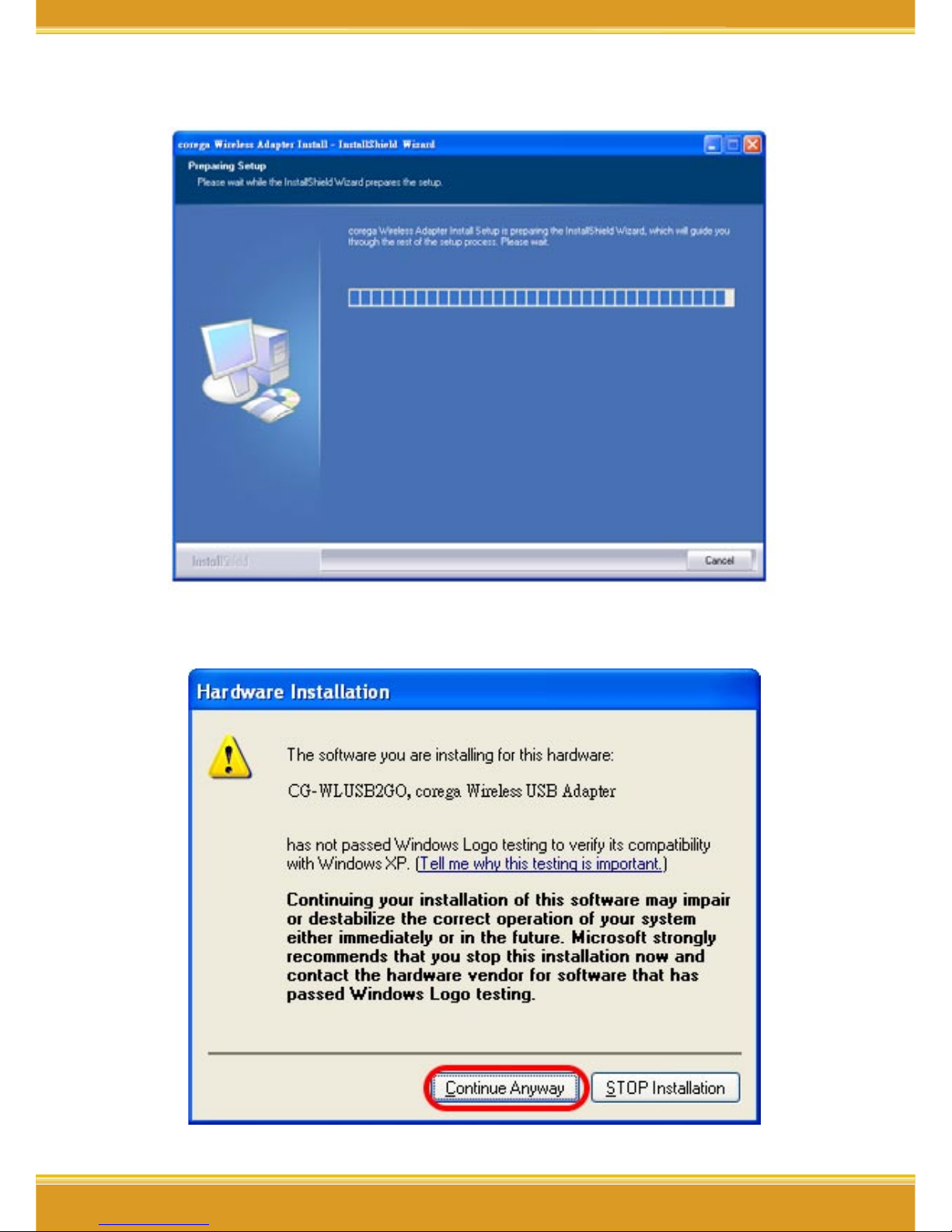
1. Put Driver CD into the CD-ROM drive.
2. Please select [English]
3. Click [Install Software]
WLUSB2GO Manual
6
6
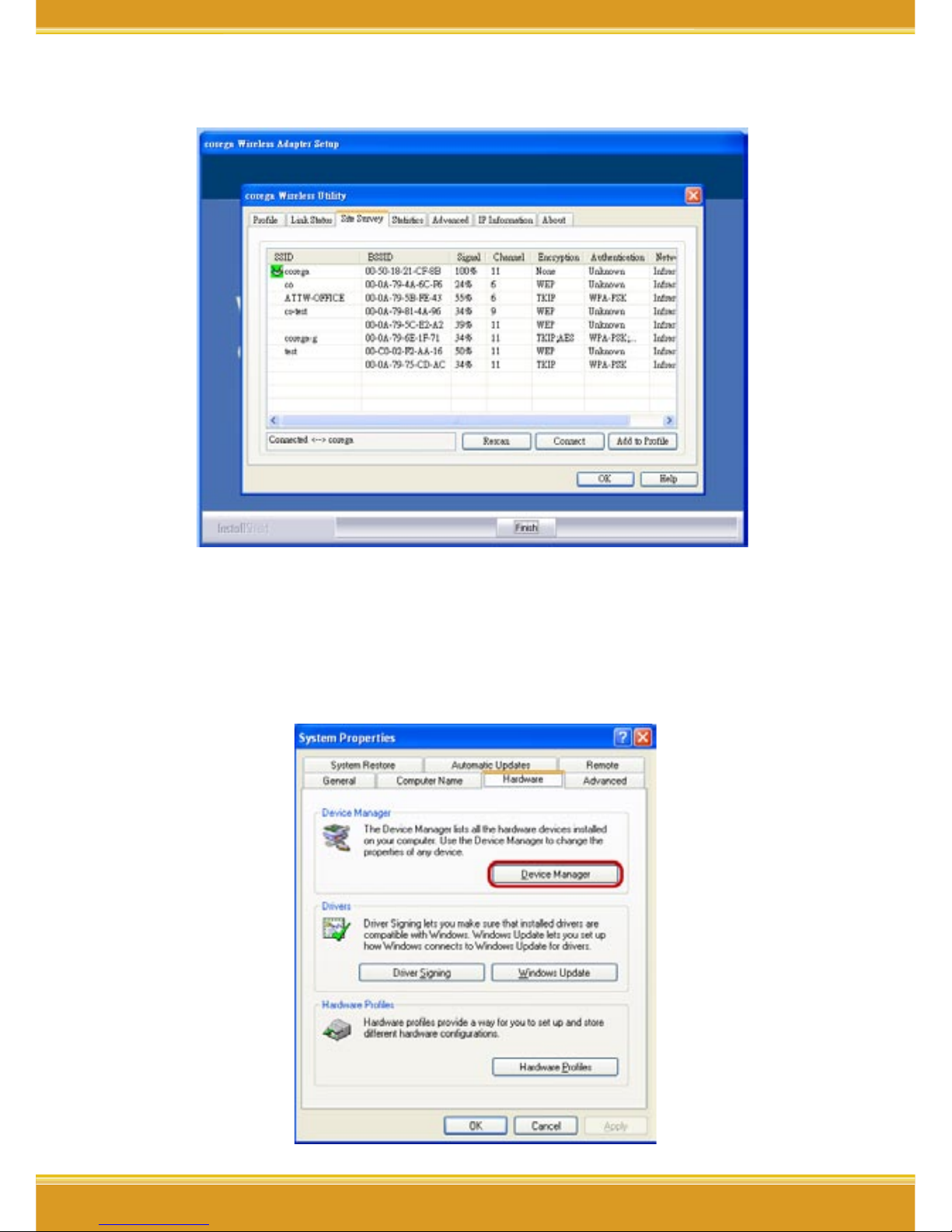
4. The [corega Wireless Adapter Setup] page.
5. Click [Continue Anyway].
7
WLUSB2GO Manual
7
6. Click [Finish] to finish setup.
2.3 Verify the Hardware Status
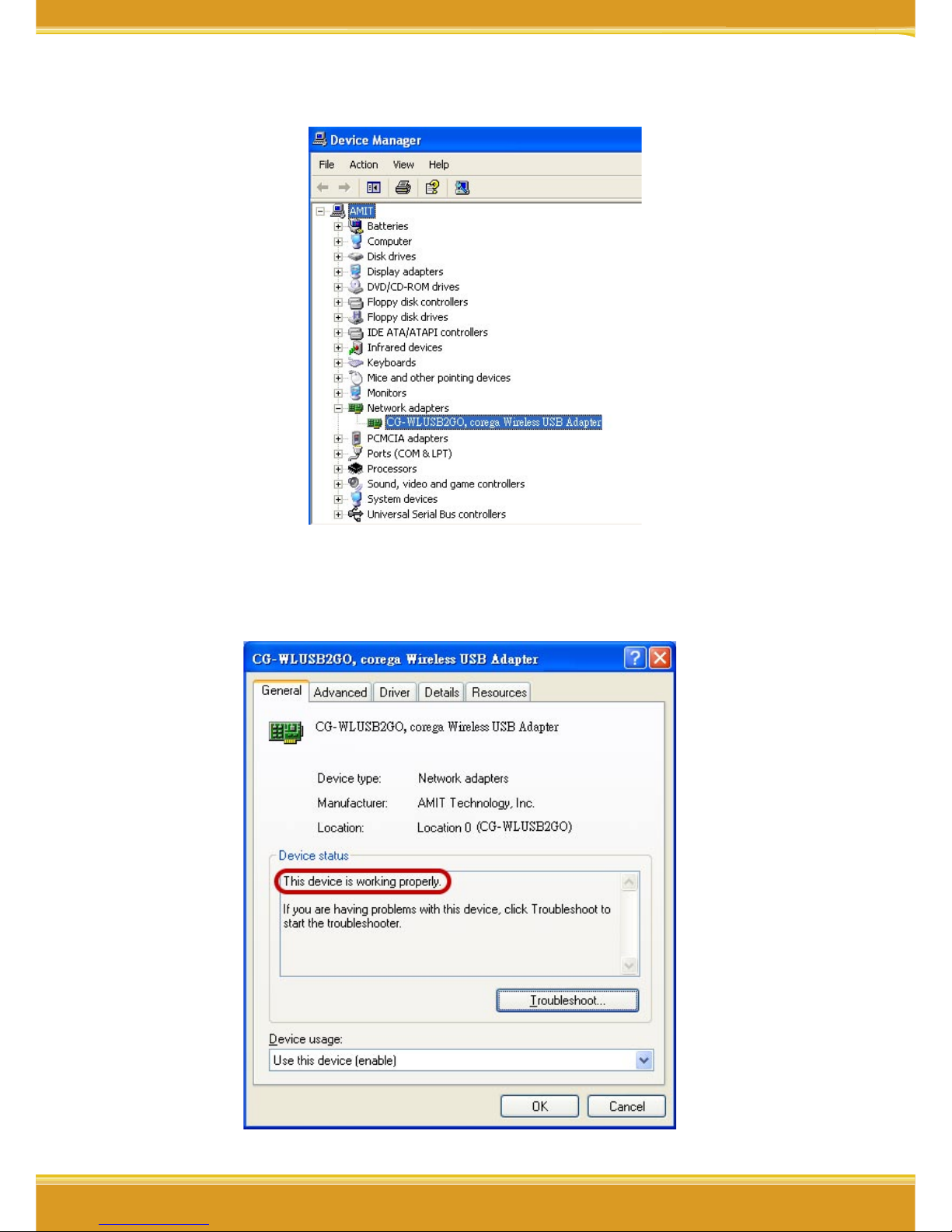
1. Open [Control Panel]=>Double-click [System].
2. Select [Hardware] tab=>Click [Device Manager].
WLUSB2GO Manual
8
88
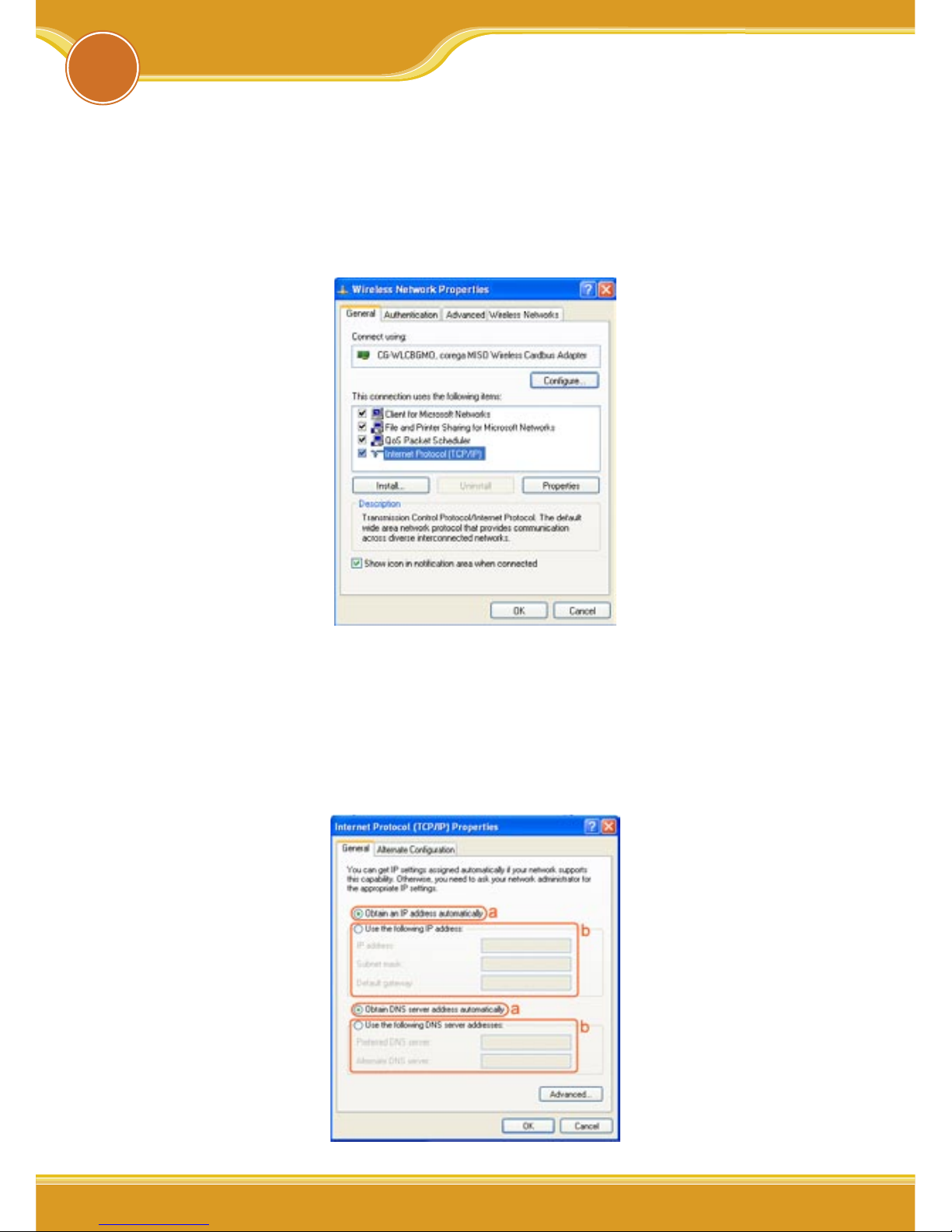
3. Select and double-click [CG-WLUSB2GO].
4. Verify that the device status of CG-WLUSB2GO is [This device is
working properly]->Click [OK] to close this page.
99
WLUSB2GO Manual
9
3Setting TCP/IP
The following example is for Windows XP OS users:
1. Enter [Start Menu]=>select [Control panel]=>select [Network].
2. Right-click [Wireless Network](Windows 2000 users please
select [Local Area Connection]) icon=>select [properties]。
3. Select [Internet Protocol(TCP/IP)]=>Click [Properties].
4. Select the [General] tab.
a. If your Wireless Router has [DHCP] function, please select
both [Obtain an IP address automatically] and [Obtain DNS
server address automatically].
b. If the router does not support [DHCP] function, you have to
configure the IP and DNS settings.
Indice
Altri manuali Corega Adattatore


