
Digitus DS-55319 Manuale utente
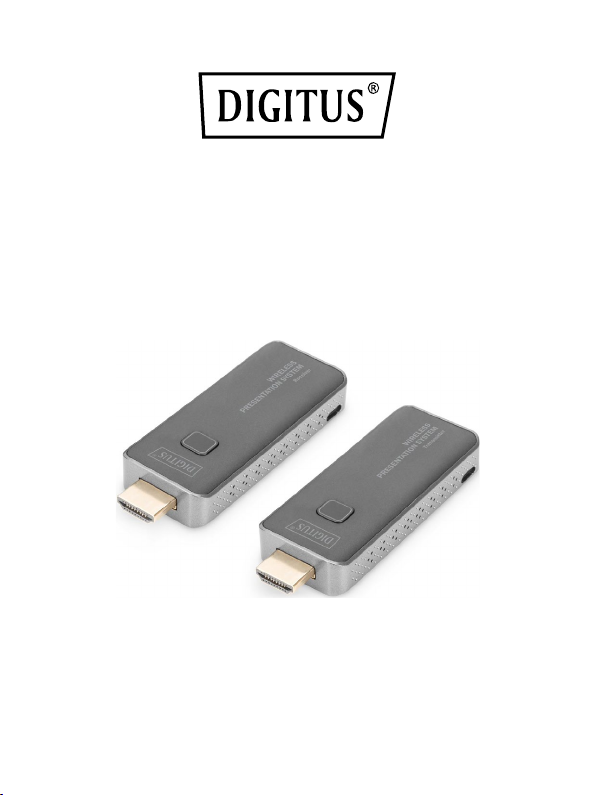
Wireless Presentation
System, Set
Quick Installation Guide
DS-55319

2
Table of Contents
1. Introduction ............................................................................3
2. Main Features .........................................................................4
3. Package Content......................................................................4
4. Product Features .....................................................................5
5. Product Specification...............................................................6
6. Overview.................................................................................8
6.1 Transmitter Unit ................................................................8
6.2 Receiver Unit .....................................................................9
7. Installation ..............................................................................9
7.1 Receiver Installation ..........................................................9
7.2 Transmitter Installation ...................................................16
8. Pairing Transmitter and Receiver...........................................16
9. Streaming..............................................................................17
9.1 Streaming from Transmitter.............................................17
9.2 Streaming from smart devices (smartphone/tablet) .........17

3
1. Introduction
With the Wireless Presentation System, you can wirelessly transmit
HDMI video and audio signals in Full HD over a distance of up to 50 m
with an unobstructed view. Operation and installation are super
simple. Real Plug & Play - Just plug in and get started. With additional
transmitters (DS-55320), the set can be extended to up to 16
transmitter units (total). Switch to the desired transmitter quickly and
easily at the press of a button in order to reproduce your content. You
can also share content directly from your mobile device
(smartphone/table) using your device’s OS directly, no additional app
required. The transmitter and receiver can be supplied with power via
your device’s HDMI connection (0.5A required), or alternatively
(additionally) with the enclosed Micro USB cable via the USB
connection of your notebook, PC, etc. Thanks to the compact design
of the transmitter and receiver, installation is easy, quick and can be
customized - the perfect solution for meeting and conference rooms.

4
2. Main Features
•Wireless HDMI signal transmission up to 50 m (with unobstructed
view)
•Supports up to 16x transmitters (sources) + 1x receiver (output
device)
•Extend this set with up to 16 transmitter units (DS-55320)
•Switch to the desired transmitter quickly and easily at the press of
a button in order to reproduce your content
•Supports sharing from mobile device (smartphone/tablet) via the
OS of the mobile device, no app required
•Supports Windows, iOS, Android
•Supports resolutions up to Full HD (1080p / 60 Hz)
•Easy operation and handling thanks to Plug & Play - Just plug in
and get started
•Transmitter and receiver can be supplied with power via your
device’s HDMI connection (> 500 mAh required)
To have a safe and stable operation, we recommend to use always
the Micro USB cable for power supply of TX and RX
3. Package Content
•1x Transmitter unit
•1x Receiver unit
•1x Wifi / Power cable (75 cm) for RX
•1x Micro USB cable (80 cm) for TX
•2x HDMI extension cable (11 cm)
•1x QIG

5
4. Product Features
Features
Description
Plug and play
Simply connect the transmitter
with the PC HDMI ports and
connect the receiver with the
screen, the transmitter and
receiver will connect
automatically
App Free
The Wireless Presentation System
Set doesn’t need any software or
app installation, no setup, no IT
team
All in one
Supports also Blu-ray / DVD
player, media player and any
device with HDMI jack
Auto Channel Selection
The Wireless Presentation System
Set will select the best Wi-Fi
channel automatically after
power on to ensure streaming
smoothly
Fast Speed with 5G AC
MIMO Technology
The Wireless Presentation System
Set comes with the fast 802.11ac
MIMO technology which
increases Wi-Fi speeds by
allowing a pair of wireless devices
to simultaneously send or receive
multiple data streams
1080p60 High Video Quality
The Wireless Presentation System
Set supports 1080p resolution,
which means much more clear
6
pictures, rich in details and
texture compared with 720p.
High Security Protection
No worries about the data
security, the Wireless
Presentation System Set supports
AES 128-bit security encryption
and WPA2/WPA-PSK/WPA2-PSK
authentication protocol to
protect data. HDCP is supported
to protect the content
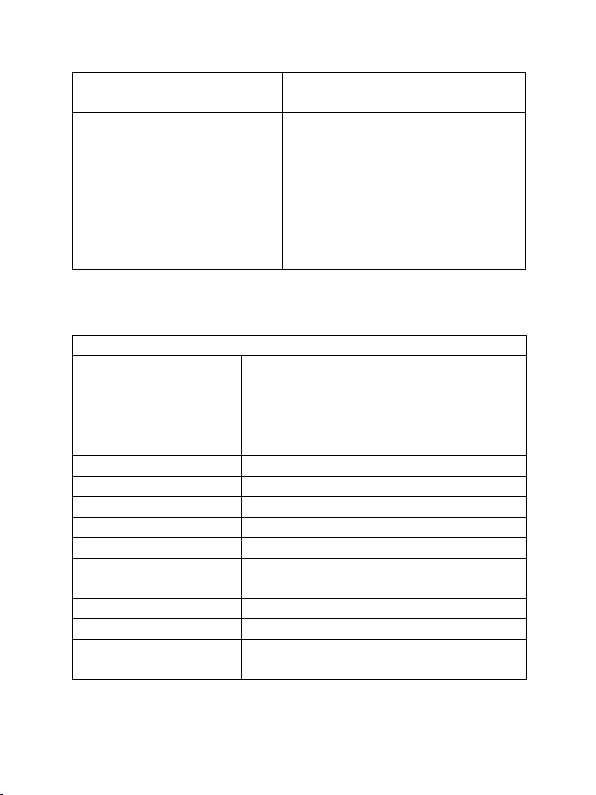
5. Product Specification
Feature
Video Input
1920x1080 (1080p60/50/30/25/24
,
1080i60/50)
1280x720 (720p60/50)
720×576 (576p50)
720×480 (480p60)
Video output
Up to 1080p / 60Hz
Audio
Stereo, quality 16bits 48KHz
Wireless Channel
IEEE 802.11ac, 5GHz, 2T2R
Latency
Around 120ms latency
HDMI Version
HDMI 1.4 with HDCP1.3
Authentication
Protocol
WPA2 (WPAS-PSK / WPA2-Enterprise)
Security
AES 128 bit
Platform supported
Windows, macOS, iOS, Android
Distance
About 50 meters in the clear line of
sight

7
Transmitter
Interface
HDMI in jack x 1, Micro USB x 1, button
x 1
LED
Red and Blue
Switch Button
1 x
Power Supply
DC5V/0.5A
Power Consumption
About 2,5 W
Dimension
83 x 32 x 13mm
Weight
27.1 g
Receiver
Interface
HDMI out jack x 1, Micro USB x 1,
button x 1
LED
Red and Blue
Power Supply
DC5V/0.5A
Power Consumption
About 2.5W
Dimension
83 x 32 x 13mm
Weight
27.1 g
Temperature Range
Operating
0°C to +40°C (+32°F to +104°F)
Storage
-10°C to +60°C (+14°F to +140°F)
Humidty
Operating
10% to 80% relative humidity
8
6. Overview
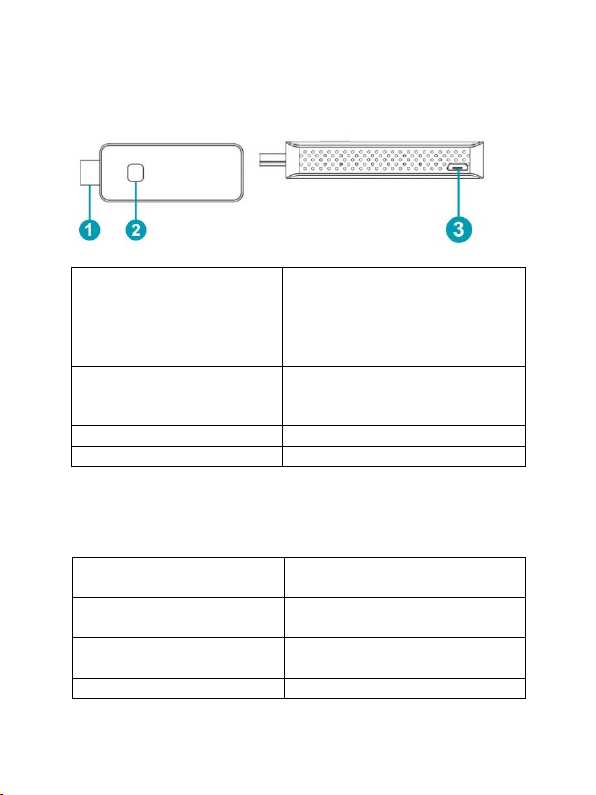
6.1 Transmitter Unit
1. HDMI in
Connect source devices, like with
a computer or other devices with
HDMI, the HDMI in also supports
5V power if the source devices
has HDMI with a 5V output
2. Button
Short press: start to cast
Long press: long press up to 10
seconds for factory reset
2. LED
To display different statue
3. Micro USB
For power supply
Remark: if the source device has a HDMI with 5V power output, then
there is no need to connect an USB cable for power.
LED indicator of the
Transmitter Unit
Description
Static red
Transmitter Unit system is
booting on
Flashing red
Transmitter Unit is searching for
Receiver Unit
Flashing blue
Waiting for connection
9
Static blue
Connected and started to
present
Purple
No HDMI in
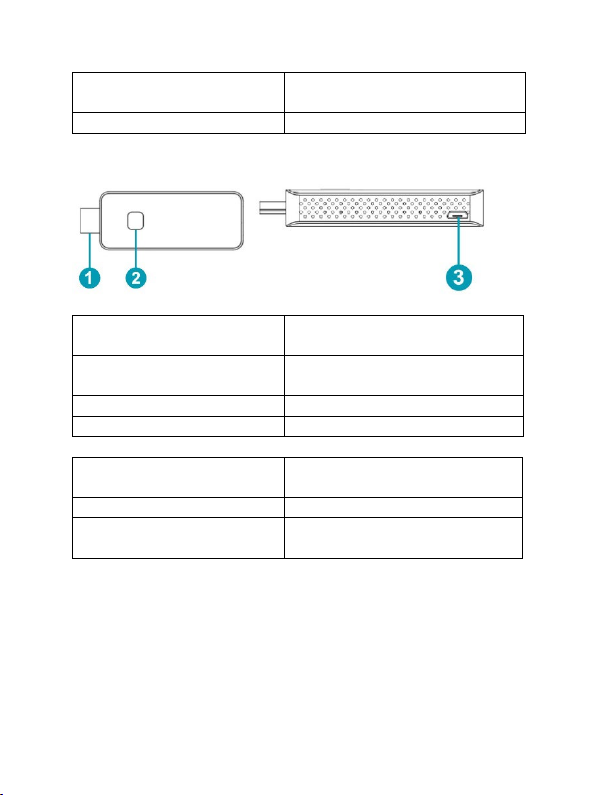
6.2 Receiver Unit
1. HDMI out
Connect with monitor or
projector
2. Button:
Press 10 seconds for factory
reset
2. LED
To display different status
3. Micro USB
For power supply
LED indicator of the
Receiver Unit
Description
Flashing blue
Waiting for connection
Static blue
Connected and started to
present
7. Installation
7.1 Receiver Installation
1. Connect with TV or projector
•Connect the Receiver HDMI Unit with the big screen TV or
projectors HDMI jack
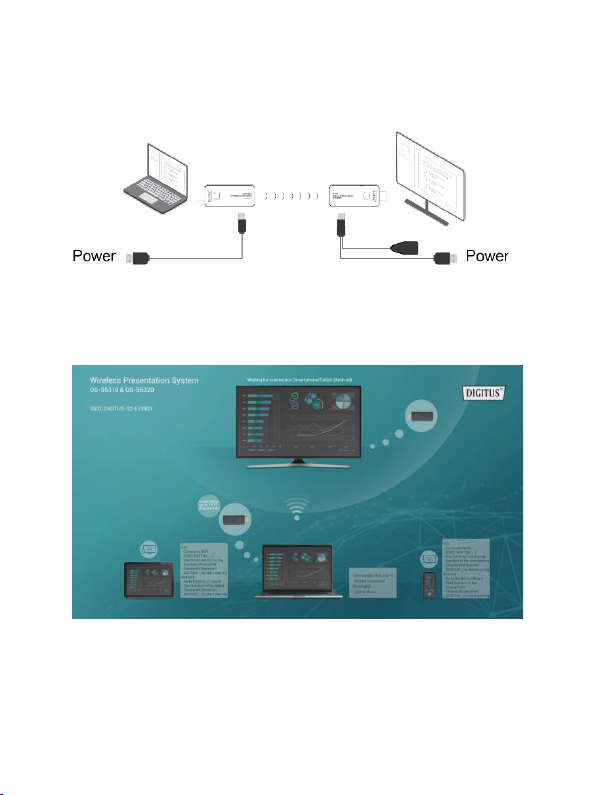
10
•Connect the Micro USB port of the Receiver to the USB port of
the TV through the Wifi USB connection / power supply cable.
2. Connect to Internet
•Connect the Receiver SSID with your smart devices, the SSID and
password are shown on the left upper corner of the screen
Questo manuale è adatto per i seguenti modelli
1
Indice


